1. Okwu mmalite
This manual provides detailed instructions for the installation, configuration, and operation of the GEPRC TAKER F722 BT 32Bit 50A STACK. This product integrates a high-performance flight controller (FC) and an electronic speed controller (ESC) into a compact unit, designed for advanced remote-controlled vehicles. Please read this manual thoroughly before use to ensure proper functionality and safety.
2. Ngwaahịa gafereview
The GEPRC TAKER F722 BT 32Bit 50A STACK is a robust and feature-rich component for high-performance FPV drones and similar applications. It combines a powerful F722 flight controller with a 50A 4-in-1 ESC, offering precise control and efficient power delivery.

Figure 1: Assembled view of the GEPRC TAKER F722 BT 32Bit 50A STACK, showing the flight controller mounted above the ESC.
Akụkụ ndị bụ isi:
- Advanced STM32F722 microcontroller with ICM42688-P Gyro for precise flight control.
- Direct plug-and-play compatibility with Air Unit for streamlined setup.
- Integrated GEP-BL32 50A 32Bit ESC for robust motor control.
- Dual independent BEC (5V@3A, 9V@2.5A) for stable power supply.
- Integrated LC filter and shock-absorbing mounts to minimize vibrations and electrical noise.
- 512M onboard black box for flight data logging.
- Bluetooth support for parameter tuning via mobile application.
- Modern USB-C interface for easy firmware updates and configuration.
3. Nkọwapụta
GEP-F722-BT-HD V3 Flight Controller

Foto 2: Top view of the GEP-F722-BT-HD V3 Flight Controller, showing the MCU, USB-C port, and various connectors.
- MCU: STM32F722
- IMU: ICM42688-P (SPI)
- Air Unit Connection: nkwụnye ozugbo
- Igbe ojii: 512M nọ n'ụgbọ
- Bluetooth: Akwadoro
- Barometer: Akwadoro
- Njikọ USB: Ụdị-C
- OSD: BetaFlight OSD w/ AT7456E mgbawa
- BEC: 5V@3A, 9V@2.5A dual BEC
- Firmware Target: GEPRCF722_BT_HD_V3
- Akụkụ: 36.9×36.9mm, mounting holes: 30.5×30.5mm (φ4mm, reduces to φ3mm with silicone rings)
- Ntinye Voltage: 3-6S LiPo
- UART: Otu 5 (UART4 edobere maka Bluetooth)
- Nzacha ike: Integrated LC filter
- Arọ: 8.2g
GEP-BL32 50A 96K 4IN1 ESC
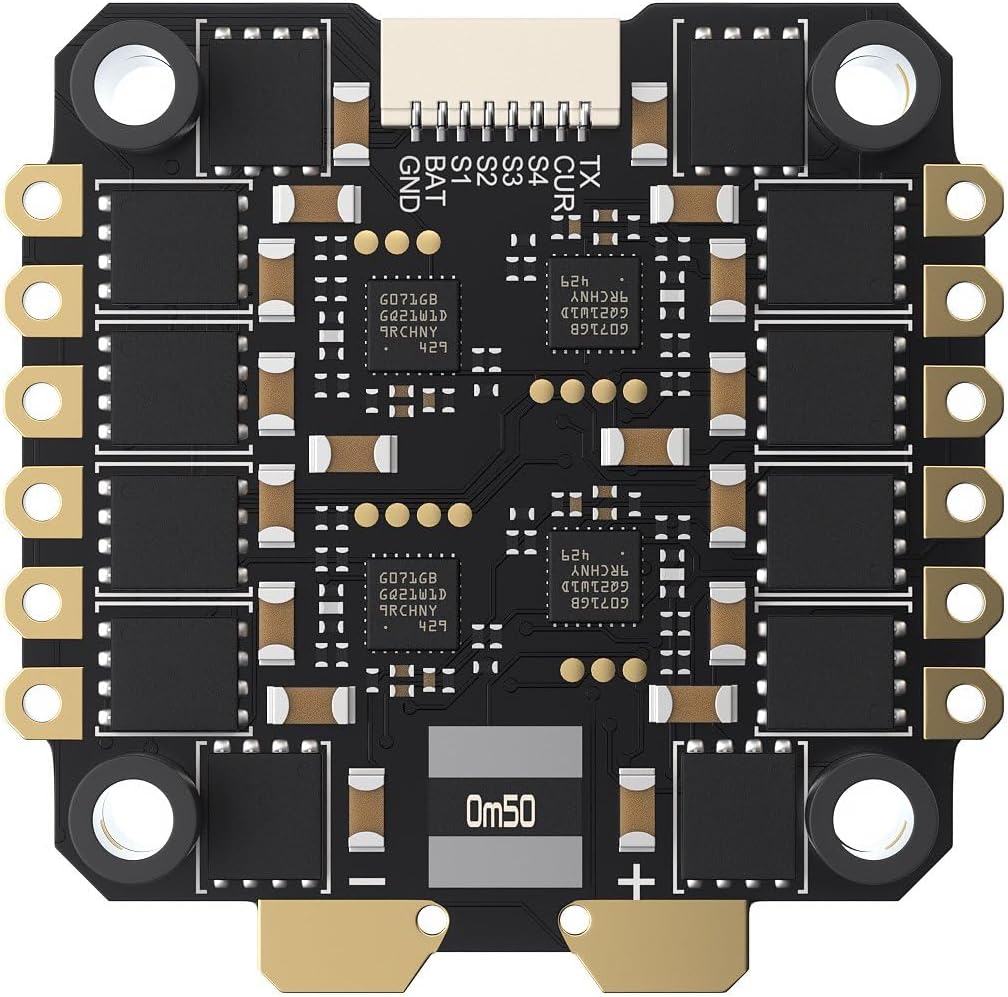
Onyonyo 3: N'okpuru view of the GEP-BL32 50A 96K 4IN1 ESC, showing motor pads and power input.
- Ụdị: GEP-BL32 50A 96K 4IN1 ESC
- Ntinye Voltage: 3-6S Lipo
- Na-aga n'ihu ugbu a: 50A
- Burst Ugbu a: 55A (5 sekọnd)
- Galvanometer: Akwadoro
- Telivishọn: Akwadoro
- Protocol akwadoro: Dshot 150/300/600
- Akụkụ: 42.5×42.1mm, mounting holes: 30.5×30.5mm
- Arọ: 14g
- Ebumnuche: ST_G0_05 – 31.92 (Pre-installed with BL32 test firmware; AM32 also supported, requires customer flashing)
4. Ihe ngwugwu
Nyochaa na etinyere ihe niile edepụtara n'okpuru na ngwugwu gị:
- 1 x FC board (GEP-F722-BT-HD V3)
- 1 x ESC board (GEP-BL32 50A 96K 4IN1)
- 1 x Capacitor
- 1 x O3 3-in-1 connection cable
- 1 x FC adapter cable
- 1 x sh1.0 4pin silicone cable
- 1 x Camera connection cable
- 1 x VTX connection cable
- 1 x XT60 power cable
- 4 x M3*30 screws
- 4 x M3*25 screws
- 8 x Nylon nuts
- 12 x Silicone anti-shake pads
5. Ntọala na nwụnye
Proper installation is crucial for the performance and longevity of your flight stack. Follow these steps carefully.
5.1 Mounting the Stack
- Attach the silicone anti-shake pads to the mounting holes of the ESC board.
- Mount the ESC board onto your frame using the provided M3 screws and nylon nuts. Ensure the orientation is correct according to your frame and desired motor layout.
- Place the FC board on top of the ESC board, aligning the mounting holes. Use additional silicone pads and nuts if necessary to secure the FC.
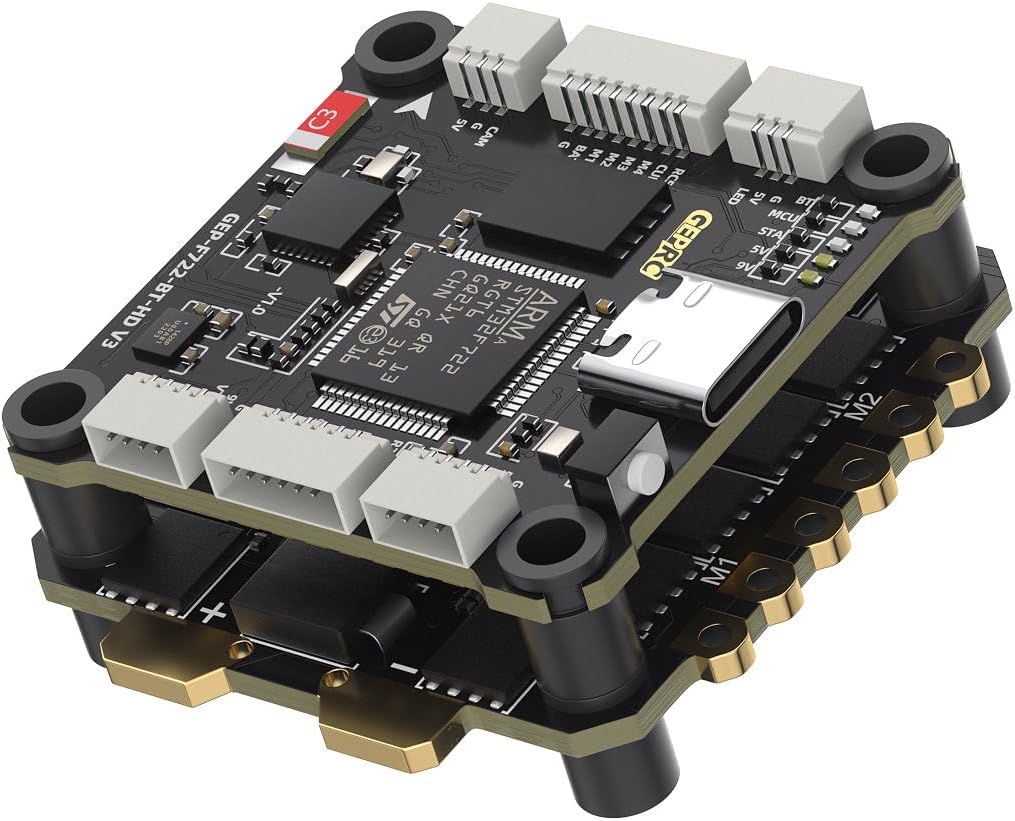
Ọgụgụ 4: N'akuku view of the assembled stack, highlighting the mounting points and layered design.
5.2 Ihe osise waya (Nduzi Izugbe)
Refer to the specific wiring diagram provided by GEPRC for your flight controller model for precise connections. The following is general guidance:
- Ntinye ike: Connect the XT60 power cable to the main battery pads on the ESC. Ensure correct polarity.
- Ụgbọ ala: Solder motor wires to the corresponding motor pads (M1-M4) on the ESC.
- Flight Controller to ESC: The FC and ESC are designed to stack and connect directly. Ensure the pin headers are correctly aligned and seated.
- onye nnata: Connect your receiver (e.g., SBUS, CRSF, ELRS) to the appropriate UART on the FC. Refer to the FC's pinout for specific UART assignments.
- Ihe Mgbasa Vidiyo (VTX): Connect the VTX to the designated VTX pads (Video In, 5V/9V, GND) on the FC. Use the provided VTX connection cable.
- Igwefoto: Connect your FPV camera to the designated camera pads (Video Out, 5V, GND) on the FC. Use the provided camera connection cable.
- Ngalaba ikuku: Utilize the O3 3-in-1 connection cable for direct connection to compatible Air Units.
- GPS/Other Peripherals: Connect any additional peripherals (e.g., GPS, LED strips) to available UARTs or dedicated pads as per the FC's pinout.
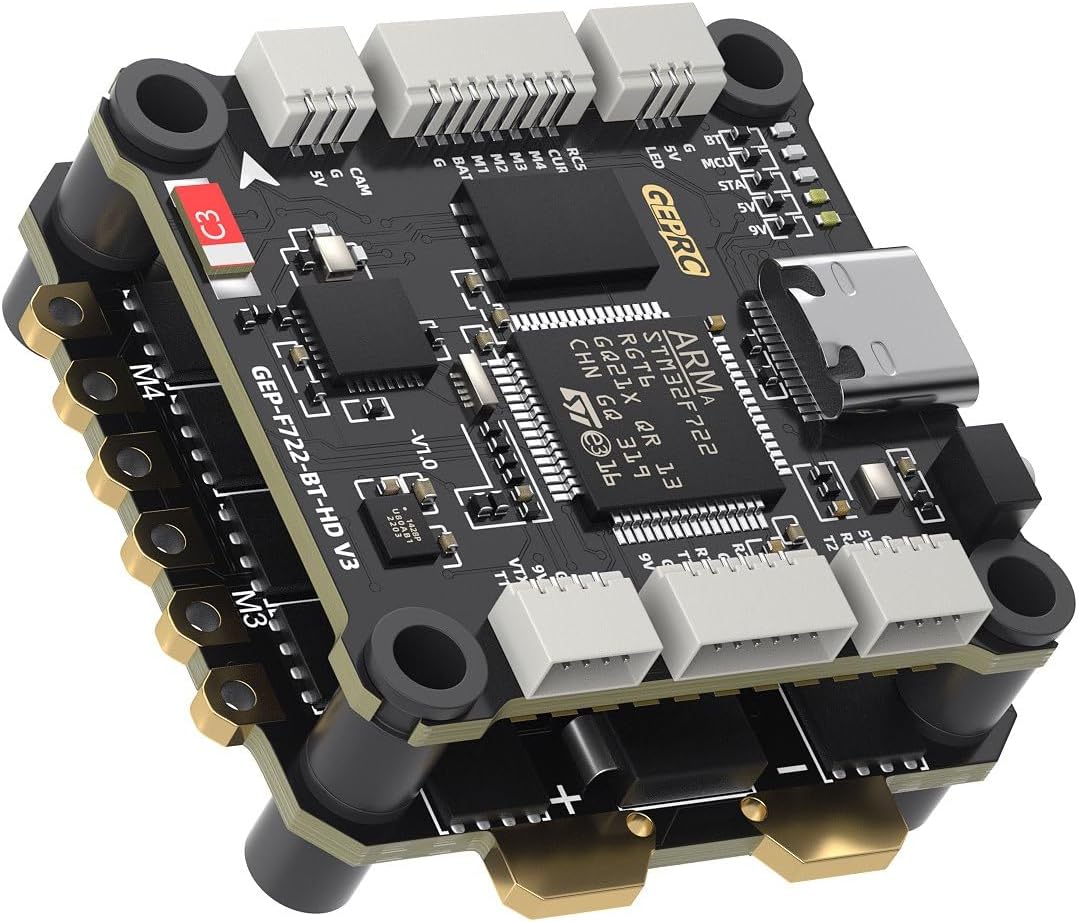
Foto nke 5: Akụkụ ọzọ view of the stack, showing various connection points for peripherals.
5.3 Software Configuration (BetaFlight)
- Install BetaFlight Configurator: Download and install the latest BetaFlight Configurator software on your computer.
- Connect FC: Connect the FC to your computer using a USB-C cable.
- Flash Firmware: If necessary, flash the recommended firmware target (GEPRCF722_BT_HD_V3) using the BetaFlight Configurator.
- Ntọala izizi: Follow the initial setup wizard in BetaFlight Configurator.
- Nhazi:
- Configure UARTs for your receiver, VTX, GPS, etc.
- Set up your motor protocol (Dshot600 recommended).
- Calibrate accelerometer and gyroscope.
- Configure OSD settings.
- Adjust PID tuning and rates as desired.
- Nhazi ESC: The ESC comes pre-installed with BL32 test firmware. For advanced configuration or flashing AM32 firmware, use a compatible ESC configurator tool.
- Bluetooth Tuning: Download the GEPRC Connect app (or similar compatible app) on your mobile device to connect via Bluetooth for parameter tuning.
6. Ntuziaka ọrụ
Once the GEPRC TAKER F722 BT 32Bit 50A STACK is correctly installed and configured, follow these general operating guidelines:
- Nyochaa tupu ụgbọ elu: Before each flight, ensure all connections are secure, propellers are correctly installed, and the battery is fully charged.
- Ike Na: Connect the LiPo battery to the XT60 connector. The FC and ESC will power on, and indicator LEDs will illuminate.
- Ịkwado: Arm your drone using the designated switch on your remote controller. Ensure you are in a safe environment with sufficient space.
- Ụgbọ elu: Operate your drone according to your skill level and local regulations.
- Iwepu ngwa agha: Disarm your drone after landing using the designated switch.
- Gbanyụọ: Disconnect the LiPo battery immediately after disarming.
Safety Note: Always remove propellers before connecting to a computer or performing any maintenance to prevent accidental motor activation.
7. Nlekọta
Regular maintenance helps ensure the longevity and reliable performance of your flight stack.
- Nlele anya: Periodically inspect the FC and ESC for any signs of damage, loose connections, or burnt components.
- Nhicha: Gently clean any dust or debris from the boards using compressed air or a soft brush. Avoid using liquids.
- Mmelite femụwe: Check the official GEPRC website for the latest firmware updates for both the FC and ESC. Keeping firmware updated can improve performance and add new features.
- Iguzosi ike n'ezi ihe njikọ: Ensure all soldered joints are solid and all connectors are securely seated.
8. Nchọpụta nsogbu
Ọ bụrụ na ị zutere nsogbu, rụtụ aka na usoro nchọpụta nsogbu ndị a na-emekarị:
- Enweghị ike:
- Check battery connection and voltage.
- Verify XT60 polarity and solder joints.
- Inspect for any short circuits on the board.
- Moto Ndị Na-anaghị Agbagharị:
- Ensure motors are correctly soldered to the ESC.
- Check motor direction in BetaFlight Configurator.
- Verify ESC protocol settings (Dshot).
- Confirm the drone is armed and throttle is above minimum.
- No Receiver Input:
- Check receiver wiring to the FC (signal, 5V, GND).
- Verify UART configuration in BetaFlight for the receiver.
- Ensure receiver is bound to your radio transmitter.
- FC Not Connecting to BetaFlight:
- Ensure correct USB-C cable is used (data capable).
- Install necessary VCP drivers (ImpulseRC Driver Fixer can help).
- Nwaa ọdụ ụgbọ USB ma ọ bụ kọmputa ọzọ.
For further assistance, consult the GEPRC official support channels or community forums.
9. Akwụkwọ ikike na nkwado
Warranty information for the GEPRC TAKER F722 BT 32Bit 50A STACK is typically provided by the manufacturer or the point of purchase. Please retain your proof of purchase for warranty claims.
For technical support, firmware downloads, and additional resources, please visit the official GEPRC website or contact their customer service directly. Community forums and online resources dedicated to FPV electronics can also be valuable sources of information and peer support.


