1. Okwu mmalite
This manual provides detailed instructions for the RUIZU D18 MP3 Player. Please read it carefully to ensure proper use and to fully utilize all features of your device. Keep this manual for future reference.
The RUIZU D18 is a versatile MP3 player featuring Bluetooth 5.3 connectivity, a 2.4-inch display, metal housing, HiFi sound quality, touch buttons, an integrated speaker, FM radio, and voice recording capabilities. It supports MicroSD cards up to 128GB for expanded storage.
2. Ihe ngwugwu
Biko lelee ngwungwu maka ihe ndị a:
- RUIZU D18 MP3 Player
- USB-C eriri USB
- Akwụkwọ ntuziaka (akwụkwọ a)
- (Headphones may be included depending on package variant)
3. Ngwaahịa gafereview
Familiarize yourself with the device's physical features and controls.

Foto nke 3.1: Ihu na azụ view of the RUIZU D18 MP3 Player, showcasing its sleek design and metal housing.

Foto nke 3.2: Agara nso view of the RUIZU D18 MP3 Player highlighting its curved brilliance and metallic edge, with a visible integrated speaker grille.

Foto nke 3.3: Diagram illustrating the physical features of the RUIZU D18 MP3 Player, including the 2.4-inch curved TFT color display, touch buttons, volume controls, lock/power button, USB-C port, 3.5mm headphone jack, and integrated speaker. Dimensions are approximately 11cm length, 5cm width, and 1cm thickness.
3.1. Bọtịnụ na ọdụ ụgbọ mmiri
- 2.4-inch Curved TFT Color Display: Main screen for navigation and content viewing.
- Pịa bọtịnụ: Located below the screen for navigation and playback control.
- Bọtịnụ olu: Dedicated buttons for adjusting audio volume.
- Lock/On/Off Button: Used to power the device on/off and lock the screen.
- Ọdụ USB-C: Maka ịchaji na ịnyefe data.
- 3.5mm Plug Jack: Maka ijikọ ekweisi ekwe ntị.
- Ọkà okwu agbakwunyere: For audio playback without headphones.
- Oghere kaadị Micro SD: For expanding storage up to 128GB.
4. Nhazi
4.1. Ịchaji ngwaọrụ
Before first use, fully charge the MP3 player. Connect the provided USB-C cable to the device's USB-C port and the other end to a USB power adapter (not included) or a computer's USB port. A full charge takes approximately 2.5 hours.
The battery provides up to 48 hours of playback with headphones (screen off) or 6.5 hours in Bluetooth mode.
4.2. Ịgbanye / gbanyụọ
- Iji gbanye: Press and hold the Lock/On/Off button until the screen lights up.
- Iji gbanyụọ: Press and hold the Lock/On/Off button until the power-off option appears on the screen, then confirm.
- Iji kpọchie/kpọghee ihuenyo: Briefly press the Lock/On/Off button during operation.
4.3. Ịwụnye kaadị MicroSD
The device has 32GB of internal memory. To expand storage, you can insert a MicroSD card (up to 128GB, sold separately) into the designated slot. Ensure the card is inserted correctly until it clicks into place.

Foto nke 4.1: Visual representation of the 32GB internal memory and support for up to 128GB MicroSD card, alongside the device's long battery life (up to 50 hours playing time indicated).
5. Ntuziaka ọrụ
5.1. Nsoro ụzọ
Use the touch buttons below the screen to navigate through menus. The central button typically acts as "Enter" or "Select," while the surrounding buttons are for directional movement (up, down, left, right) and "Back" or "Menu."
5.2. Nghaghachi egwu
The RUIZU D18 supports various audio formats including MP3, WMA, APE, FLAC, and WAV. It features a professional noise cancellation chip for clear, detailed sound.
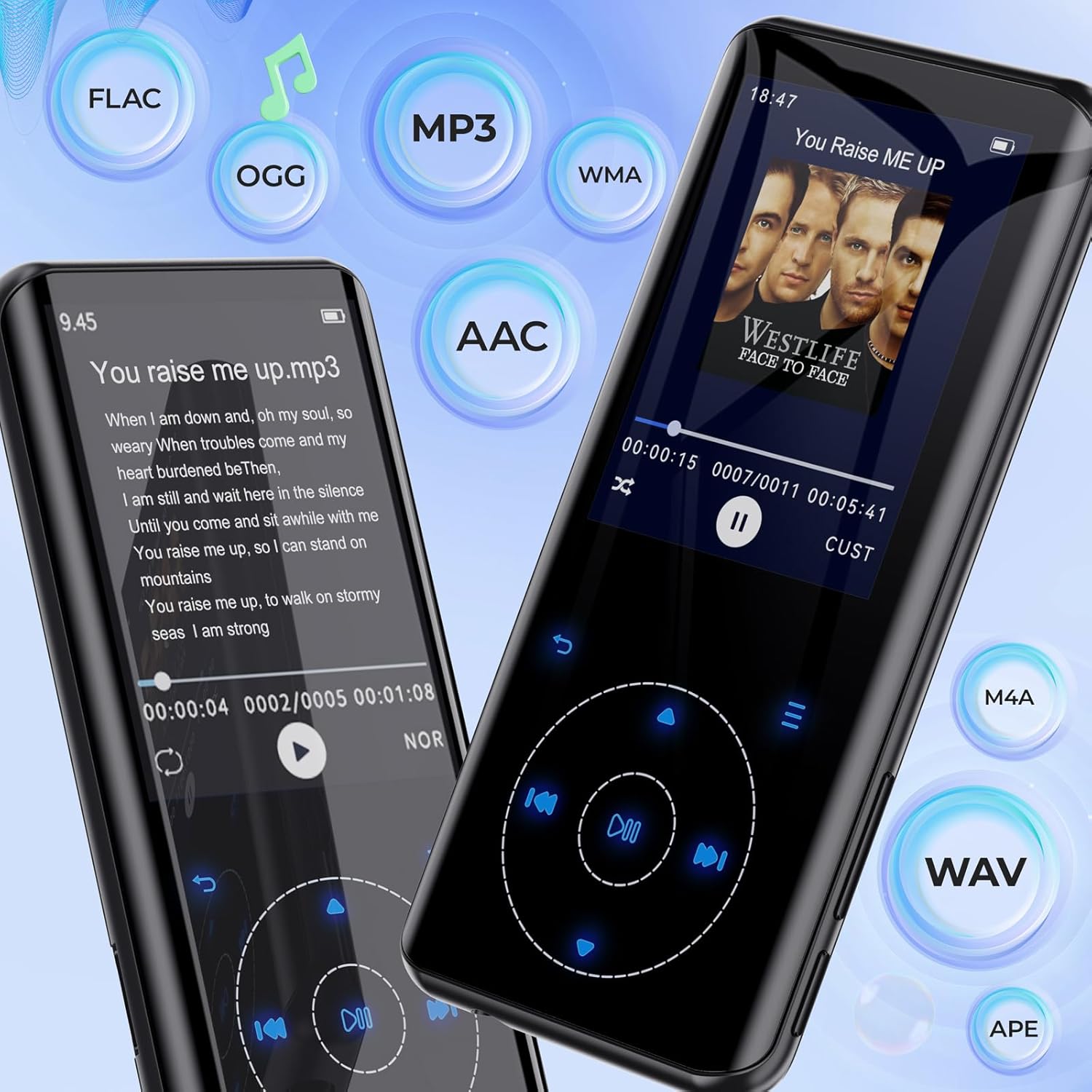
Foto nke 5.1: The RUIZU D18 MP3 Player showcasing its compatibility with various audio formats such as FLAC, MP3, WMA, AAC, M4A, WAV, and APE, along with lyric display functionality.
- From the main menu, select "Music."
- Browse your music by "All Songs," "Artists," "Albums," "Genres," or "Playlists."
- Select a song to begin playback.
- During playback, use the touch buttons to play/pause, skip tracks, or adjust volume.
5.2.1. Equalizer and Playback Options
Access the equalizer settings to customize sound profiles. The player also supports A-B repeat, shuffle, and lyric display.

Foto nke 5.2: Otutu views of the RUIZU D18 MP3 Player's music interface, highlighting features like adding bookmarks, repeat modes (all songs, resume, A-B repeat), shuffle, album/genre/playlist browsing, and a graphic equalizer display.
5.3. Njikọ Bluetooth
The device features Bluetooth 5.3 for stable and fast wireless connections to headphones or speakers. It includes a memory function to automatically reconnect to previously paired devices.

Foto nke 5.3: The RUIZU D18 MP3 Player demonstrating its Bluetooth 5.3 capability, indicating a stable and faster connection with an auto-reconnect function for paired devices like wireless earbuds.
- From the main menu, select "Bluetooth."
- Gbanwuo Bluetooth.
- The player will scan for available devices.
- Select your desired Bluetooth device from the list to pair.
- Once paired, audio will stream wirelessly.
5.4. Redio FM
Listen to your favorite radio stations. Headphones must be connected to act as an antenna for optimal reception.
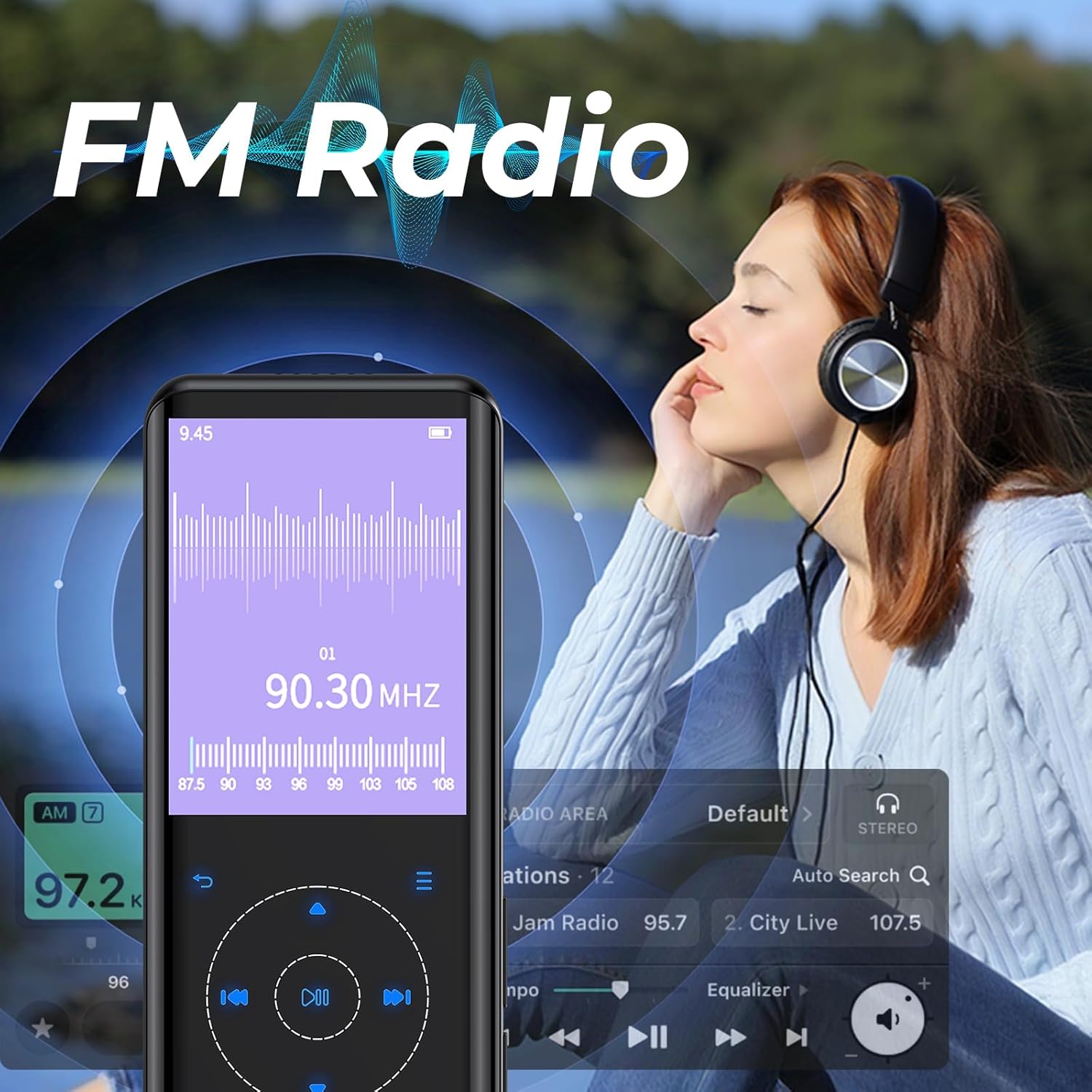
Foto nke 5.4: The RUIZU D18 MP3 Player displaying its FM Radio interface, showing frequency tuning and station presets. A user is shown enjoying the radio with headphones.
- Connect wired headphones (required for antenna).
- From the main menu, select "FM Radio."
- Use the auto-search function to find and save available stations.
- Navigate through saved stations or manually tune to a frequency.
5.5. Ndekọ olu
The integrated voice recorder allows you to capture audio notes or lectures.
- From the main menu, select "Recorder."
- Choose "Start Voice Recording" to begin.
- Press the appropriate button to stop and save the recording.
5.6. Ọrụ ndị ọzọ
The RUIZU D18 offers several additional features:
- E-book Reader (TXT): Gụọ ederede files ozugbo na ngwaọrụ ahụ.
- Video Playing (AVI/AMV): Watch supported video formats.
- Foto Viewer (JPG/BMP): View onyonyo files.
- Elekere mkpu: Tọọ mkpu.
- Ntughari: Soro nzọụkwụ gị.
- Kalenda: View ụbọchị dị ugbu a.
- Oge elekere: Use as a timer.
- Oge ụra: Automatically turn off the device after a set period.
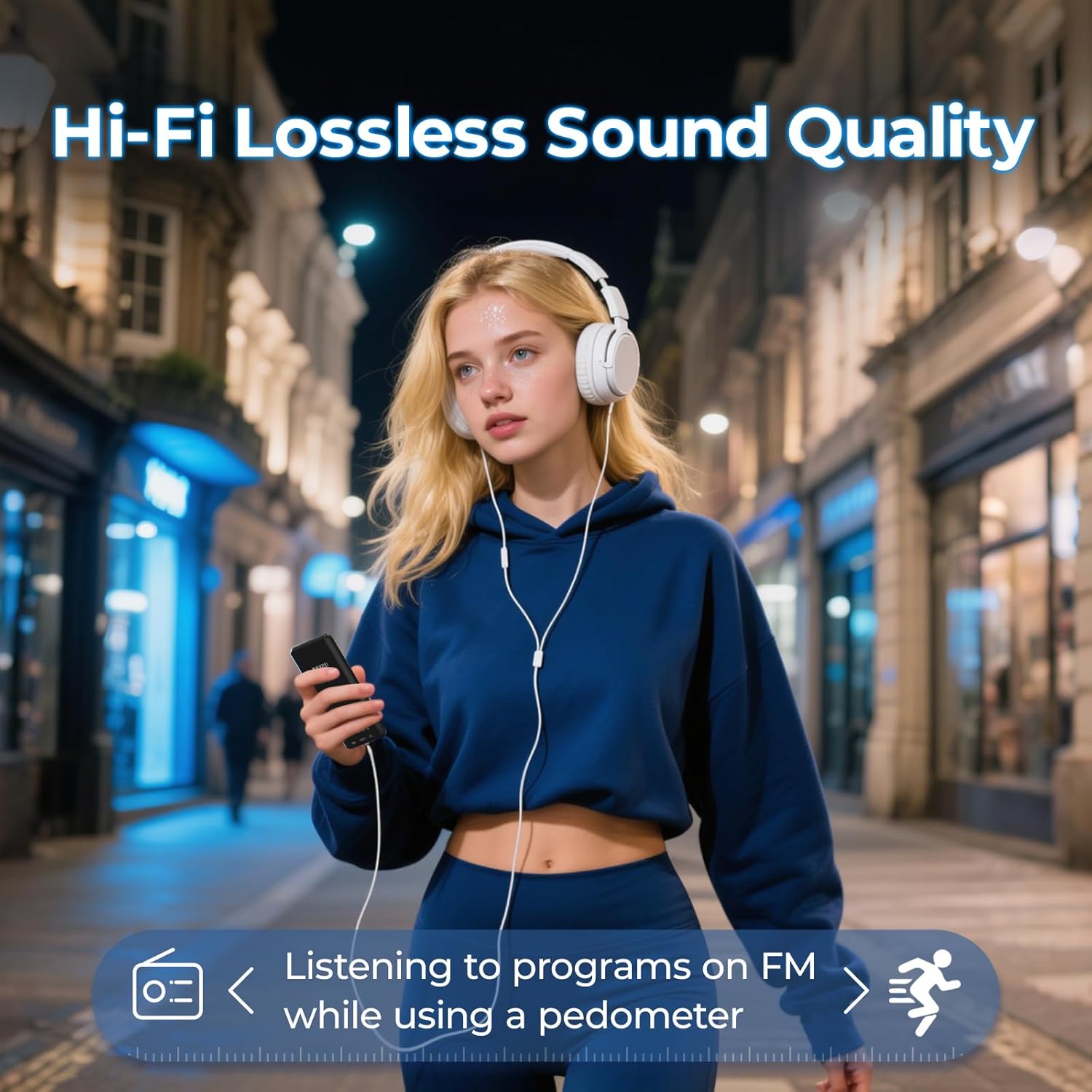
Foto nke 5.5: A user enjoying music with the RUIZU D18 MP3 Player, highlighting its Hi-Fi lossless sound quality and the integrated pedometer function for tracking activity while listening to FM radio.
6. Nlekọta
- Keep the device dry. Moisture can damage electronic components.
- Zere oke okpomọkụ.
- Clean the screen and body with a soft, dry cloth. Do not use harsh chemicals.
- Protect the device from drops and impacts.
- Agbalịla ịkwatu ma ọ bụ rụzie ngwaọrụ ahụ n'onwe gị. Nke a ga-eme ka akwụkwọ ikike ahụ ghara ịdị irè.
7. Nchọpụta nsogbu
7.1. Device Will Not Turn On
- Ensure the battery is charged. Connect the device to a power source for at least 30 minutes.
- Try pressing and holding the Lock/On/Off button for 10-15 seconds to perform a hard reset.
7.2. Cannot Connect via Bluetooth
- Ensure Bluetooth is enabled on both the MP3 player and the target device.
- Make sure the target device is in pairing mode.
- Bugharịa ngwaọrụ ndị ahụ nso na ibe ha.
- Delete previous pairings on both devices and try pairing again.
- Some Bluetooth devices may have compatibility issues.
7.3. Enweghị ụda
- Lelee ọkwa olu.
- If using headphones, ensure they are properly plugged in or paired via Bluetooth.
- Test with different headphones or speakers.
- Gbaa mbọ hụ na Audio file a na-akwado usoro.
7.4. MicroSD Card Not Detected
- Ensure the MicroSD card is inserted correctly and fully.
- Gbalịa itinyeghachi kaadị ahụ.
- Test with a different MicroSD card to rule out card issues.
- Ensure the card is formatted to a compatible file system (e.g., FAT32).
8. Nkọwapụta
| Nọmba nlereanya | D18 |
| Ụdị | RUIZU |
| Ebe nchekwa | 32 GB |
| Ebe nchekwa enwere ike ịgbasa | Up to 128 GB (MicroSD card, not included) |
| Ụdị Bluetooth | 5.3 |
| Ngosipụta | Ngosipụta Agba TFT nke 2.4-inch |
| Ụdị ọdịyo akwadoro | MP3, WMA, APE, FLAC, WAV, AAC, M4A, OGG |
| Ụdị vidiyo akwadoro | AVI, AMV |
| Ụdị onyonyo akwadoro | JPG, BMP |
| Ụdị batrị | Lithium polymer |
| Oge Nchaji | Ihe ruru. awa 2.5 |
| Playback Time (Headphones, Screen Off) | Ruo awa iri abụọ |
| Playback Time (Bluetooth Mode) | Ruo awa iri abụọ |
| Akụkụ ngwaahịa | 0.39 x 1.97 x 4.33 sentimita (ihe dịka 1 x 5 x 11 cm) |
| Ibu Ibu | 7 ounces |
9. Akwụkwọ ikike na nkwado
Specific warranty information is not provided in this manual. Please refer to the product packaging or the retailer's websaịtị maka nkọwa gbasara mkpuchi akwụkwọ ikike na usoro.
For technical support or further assistance, please contact RUIZU customer service through the official RUIZU websaịtị ma ọ bụ ikpo okwu ebe a zụrụ ngwaahịa ahụ.