Okwu mmalite
Thank you for choosing the pTron Bassbuds Senz Open Ear Wireless Earbuds. These earbuds are designed to provide a comfortable and pressure-free listening experience while keeping you aware of your surroundings. Featuring 13mm dynamic drivers, dual HD microphones with AI-ENC for clear calls, Bluetooth v6.0 connectivity, and IPX5 water resistance, the Bassbuds Senz are ideal for various activities. This manual provides detailed instructions for setup, operation, maintenance, and troubleshooting to ensure optimal performance.
Kedu ihe dị na Igbe ahụ
- pTron Bassbuds Senz Wireless Earbuds
- Nchaji case
- USB Type-C Nchaji USB
- Akwụkwọ ntuziaka onye ọrụ
Ngwaahịa gafereview
The pTron Bassbuds Senz feature an open-ear design for comfort and situational awareness, along with a compact charging case.

Image: pTron Bassbuds Senz Open Ear Wireless Earbuds and Charging Case. This image displays the two earbuds and their oval-shaped charging case.

Image: Key features of pTron Bassbuds Senz. This collage highlights SafeBeats Design, Dual HD Mics, 50 Hours Playtime, 13mm Dynamic Drivers, Bluetooth 6.0, LED Battery Indicator, Type-C Charging, and IPX5 Water & Sweat Resistant.

Image: Diagram showing the 13mm dynamic drivers of pTron Bassbuds Senz. This close-up view illustrates the internal components of the earbud's audio driver.

Image: User wearing pTron Bassbuds Senz, highlighting Dual HD Mics for clear calls. A person is shown wearing one earbud, emphasizing its ergonomic fit and microphone placement.

Image: Close-up of pTron Bassbuds Senz charging case with digital LED display and Type-C charging port. This image shows the charging case with its lid open, revealing the earbuds inside and the battery percentage ngosi.
Ntuziaka nhazi
1. Ịchaji ihe ntị na akpa
Tupu ojiji nke mbụ, chajie nke ọma ntị na akpa nchaji. Jiri eriri USB Ụdị-C enyere ka ijikọ chaja na isi iyi ọkụ.
- The digital LED display on the charging case will show the battery percentage.
- Eriri ntị ndị a ga-acha ọkụ na akpaghị aka mgbe etinyere ha n'ime akpa ahụ.
- Ụgwọ zuru ezu na-ewekarị awa 1.5-2.
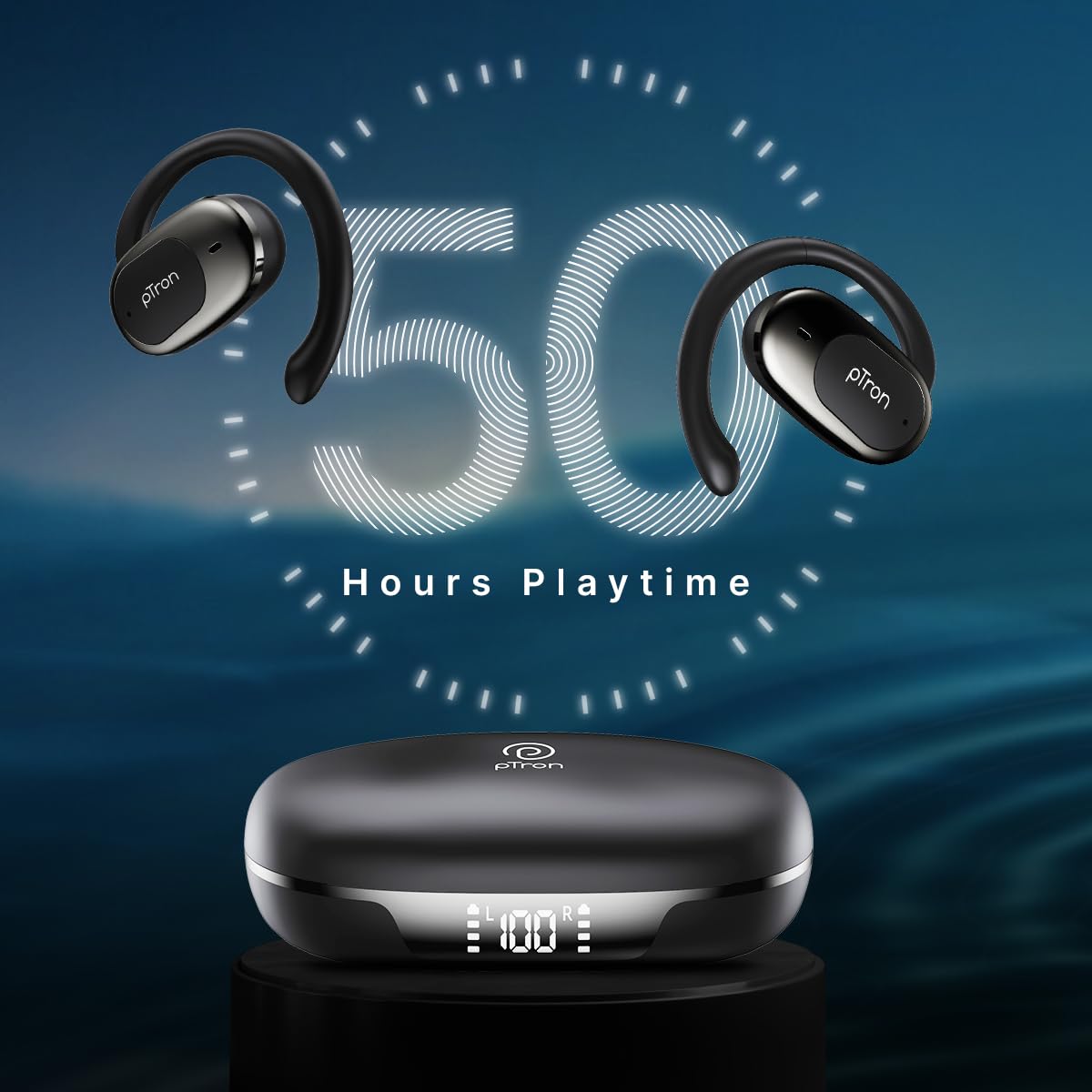
Image: pTron Bassbuds Senz earbuds and charging case, illustrating 50 hours combined playtime. This image visually represents the extended battery life of the product.
2. Njikọ Bluetooth
- Ike Na: Open the charging case. The earbuds will automatically power on and enter pairing mode. You may hear a voice prompt indicating they are ready to pair.
- Mee ka Bluetooth rụọ ọrụ: On your smartphone or device, go to the Bluetooth settings and turn Bluetooth on.
- Họrọ Ngwaọrụ: Look for "pTron OWS" (or similar name) in the list of available devices and select it to connect.
- nkwenye: Ozugbo ejikọrọ, ị ga-anụ ụda ọsọ ọsọ na-akwado ijikọ na-aga nke ọma.
- Njikọta akpaaka: Mgbe ejikọtara ya na mbụ, ekweisi ga-ejikọ na ngwaọrụ ikpeazụ ejikọtara ozugbo mgbe ewepụchara ya na akpa ahụ, ma ọ bụrụhaala na etinyere Bluetooth na ngwaọrụ ahụ.

Image: Smartphone screen showing Bluetooth pairing with pTron OWS, next to the earbuds and charging case. This image demonstrates the process of connecting the earbuds to a mobile device via Bluetooth.
Ntuziaka ọrụ
The pTron Bassbuds Senz feature touch controls for easy management of music and calls.
Njikwa mmetụ
| Ọrụ | Omume |
|---|---|
| Gbanyụọ | Open Nchaji ikpe |
| Gbanyụọ ike | Place earbuds back into charging case and close lid |
| Kpọọ/kwụsịtụ egwu | Otu mgbata na ntị ntị |
| Track na-esote | Pịa na ntị ntị aka nri ugboro abụọ |
| Egwu gara aga | Kpatụ ntị ugboro abụọ n'akụkụ aka ekpe |
| Zaa/Kwụsị Oku | Single tap on either earbud during an incoming call |
| Jụ oku | Long press on either earbud during an incoming call |
| Mee ka onye enyemaka olu rụọ ọrụ | Pịa ugboro atọ na ntị ntị |
| Elu elu | Long press on the Right earbud |
| Mpịakọta ọnụ | Long press on the Left earbud |
Nlekọta
Nhicha
- Jiri akwa dị nro, kpọrọ nkụ na-adịghị na-ehicha ntị ntị na chaja mgbe niile.
- Ejila kemịkalụ siri ike, ihe mgbaze, ma ọ bụ ncha siri ike.
- Ensure charging contacts on both earbuds and case are clean and free of debris.
Nchekwa
- Chekwaa ntị ntị n'akpa chaja ha mgbe anaghị eji ya iji chebe ha ma debe ya ebubo.
- Avoid storing in extreme temperatures (hot or cold) or in dusty/humid environments.
Nlekọta batrị
- Iji mee ka batrị dị ogologo, zere iwepụ ihe niile na-agbapụta na ekweisi na ihe mkpuchi chaja mgbe niile.
- Chaji ngwaọrụ ahụ mgbe niile, ọbụlagodi na ọ naghị eji ya ugboro ugboro.

Image: User exercising with pTron Bassbuds Senz, demonstrating IPX5 water and sweat resistance. This image shows the earbuds being used during a workout, highlighting their durability against sweat and splashes.
Nchọpụta nsogbu
If you encounter issues with your pTron Bassbuds Senz, refer to the following common solutions:
- Igwe ntị anaghị ejikọta ya na ngwaọrụ:
Ensure both earbuds are charged. Turn off Bluetooth on your device, then turn it back on. Forget "pTron OWS" from your device's Bluetooth list and try pairing again. Make sure the earbuds are in pairing mode (out of the case). - Naanị otu earbud na-arụ ọrụ:
Place both earbuds back into the charging case, close the lid, wait a few seconds, then open the lid and take them out. This often resets the connection between the two earbuds. If the issue persists, try re-pairing them with your device. - Earbuds anaghị akwụ ụgwọ:
Check if the charging cable is securely connected to both the case and the power source. Ensure the charging contacts on the earbuds and inside the case are clean and free of obstructions. Verify the charging case has sufficient battery. - Olu dị ala ma ọ bụ ogo ụda adịghị mma:
Adjust the volume on both your device and the earbuds. Ensure the earbuds are properly seated in your ears. Clean any debris from the earbud speakers. - Connectivity issues (disconnections):
Ensure your device is within the 10-meter Bluetooth range. Avoid obstacles between your device and the earbuds. Minimize interference from other wireless devices.
Nkọwapụta
| Njirimara | Nkọwa |
|---|---|
| Aha Nlereanya | Bassbuds Senz |
| Teknụzụ Njikọta | Ikuku (Bluetooth v6.0) |
| Oke Bluetooth | 10 mita |
| Ụdị ọkwọ ụgbọ ala ọdịyo | 13mm Dynamic ọkwọ ụgbọ ala |
| Battery Life (Combined) | Ruo awa 50 |
| Nchaji ọdụ ụgbọ mmiri | USB Ụdị-C |
| Mmiri Nguzogide | IPX5 (mmiri na-eguzogide) |
| Igwe okwu | Dual HD Mics with AI-ENC |
| Usoro njikwa | Metụ aka |
| Ntinye ntị | Mepee Ntị |
| Ihe onwunwe | Acrylonitrile Butadiene Styrene (ABS) |
| Ibu Ibu | 67 grams |
| Akụkụ ngwaahịa | 9.1 x 5.9 x 3.1 cm |
Akwụkwọ ikike na nkwado
The pTron Bassbuds Senz comes with a 1-year manufacturer warranty from the date of purchase, covering manufacturing defects only.
Nkwado ndị ahịa
For any queries, support, or warranty claims, please contact pTron customer care:
- Ekwentị: 040-67138888
- Email: support@ptron.in
- Onye nrụpụta: Palred Electronics Pvt. Ltd., SY.NO. 56, 1ST FLOOR, GUNDLAPOCHAMPALLY VILLAGE, TECH PARK MTP, TSIIC-IALA NACHARAM, HYDERABAD - 500076, TELANGANA, INDIA


