1. Okwu mmalite
Thank you for choosing the STRICH 37-Key Kids Mini Digital Piano Keyboard. This manual provides essential information for the safe and effective use of your new musical instrument. Please read it thoroughly before operation and retain it for future reference.

Figure 1.1: STRICH 37-Key Kids Mini Digital Piano Keyboard (Pink)
2. Ozi nchekwa
- Na-elekọta ụmụaka mgbe niile n'oge eji.
- Keep the piano away from water and moisture.
- Ekpughela na oke okpomọkụ ma ọ bụ ìhè anyanwụ kpọmkwem.
- Use only the provided power adapter or recommended batteries.
- Avoid dropping the instrument or subjecting it to strong impacts.
- Gbaa mbọ hụ na ikuku ikuku dị na gburugburu unit ahụ.
3. Ihe ngwugwu
Chọpụta na ihe niile dị na ngwugwu:
- STRICH 37-Key Mini Digital Piano Keyboard
- Ihe nkwụnye ọkụ (DC 6V)
- Kid's Piano Course Music Book
- Key Stickers for learning
- Akwụkwọ ntuziaka

Figure 3.1: Included accessories with the STRICH piano.
4. Nhazi
4.1 Powering the Piano
The piano can be powered by either the included DC 6V power adapter or 4 AA batteries (not included).
4.1.1 Ntinye batrị
- Locate the battery compartment on the underside of the piano.
- Jiri screwdriver mepee mkpuchi nke ebe batrị ahụ.
- Fanye batrị AA 4, na-ahụ polarity ziri ezi (+/-).
- Dochie mkpuchi ma chekwaa ya na ịghasa.
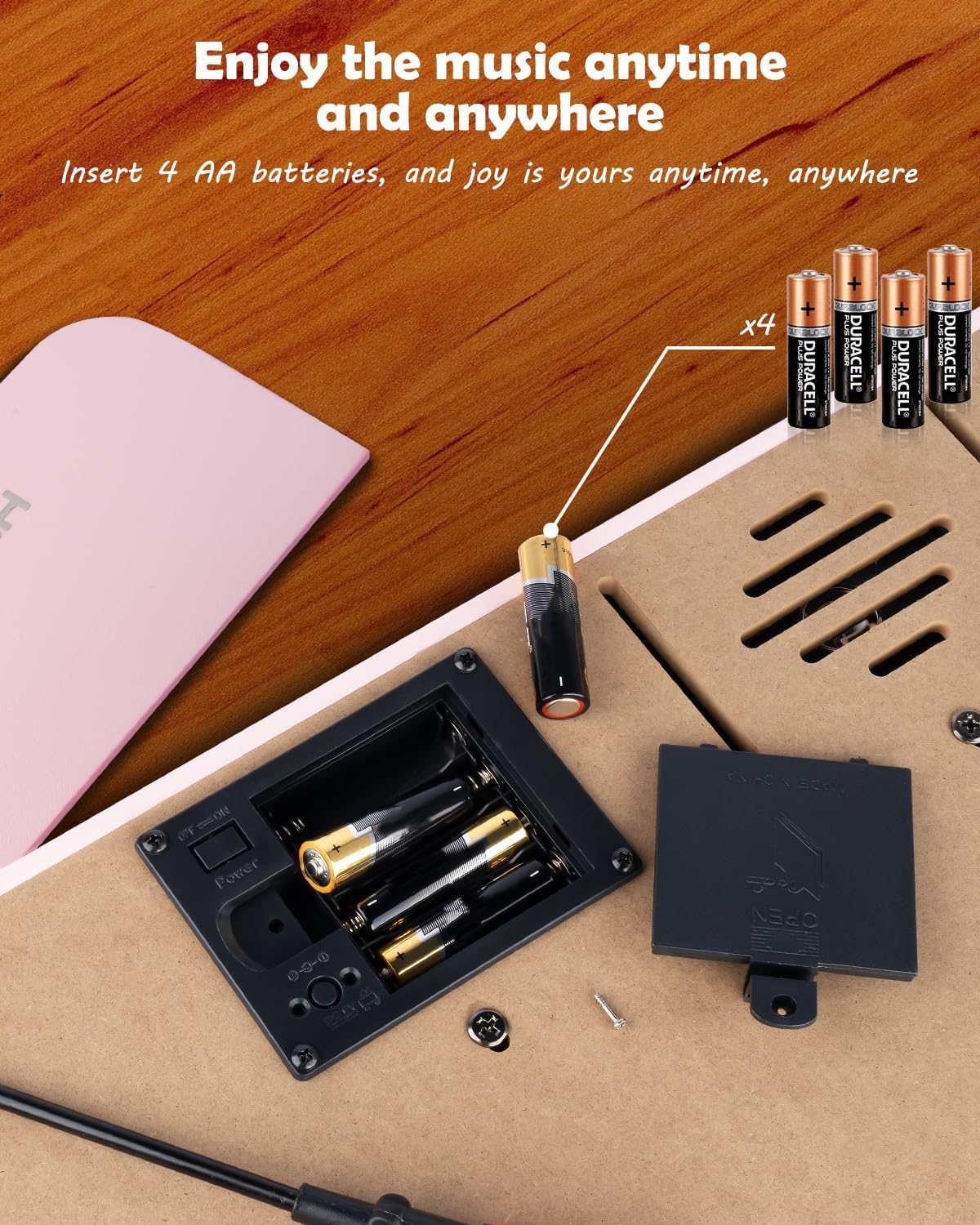
Figure 4.1: Battery compartment for 4 AA batteries.
4.1.2 Power Adapter Connection
Insert the DC 6V power adapter into the 'DC: 6V' port on the rear panel of the piano, then plug the adapter into a standard wall outlet.
4.2 Applying Key Stickers
The included key stickers are designed to assist with learning. Refer to the 'Kid's Piano Course' music book for guidance on proper placement.

Figure 4.2: Key stickers applied to the piano keys.
4.3 Music Stand Placement
The detachable music stand can be inserted into the slot on the top panel of the piano to hold your music book or tablet.
5. Ntuziaka ọrụ
5.1 Gbanyụọ/ Gbanyụọ na njikwa olu
Locate the 'VOL' knob on the rear panel. Turn the knob clockwise to power on the piano and increase the volume. Turn it counter-clockwise to decrease the volume and power off the piano.

Figure 5.1: Volume and power control knob.
5.2 Ijikọ ngwaọrụ mpụga
The rear panel features various ports for enhanced functionality:
- MIDI Port: Connect to MIDI-compatible devices for advanced musical applications.
- Ọdụ ụgbọ mmiri USB: Connect to a computer or other USB devices.
- PHONE Port: Plug in headphones for private practice.
- INPUT Port: Connect external audio sources (e.g., MP3 player) to play along.
- SUSTAIN PEDAL Port: Jikọọ pedal nkwado nhọrọ maka ogologo oge ndetu.

Ọgụgụ 5.2: Njikọ azụ azụ.
5.3 Njikọ ikuku
The piano supports wireless connection, allowing playback of songs and music from compatible mobile phones and tablets. Refer to your device's instructions for pairing with a Bluetooth audio device.
5.4 Learning with the Music Book and Stickers
The included 'Kid's Piano Course' music book provides simple tutorials and songs that correspond to the key stickers. Follow the color and shape codes to play basic melodies.
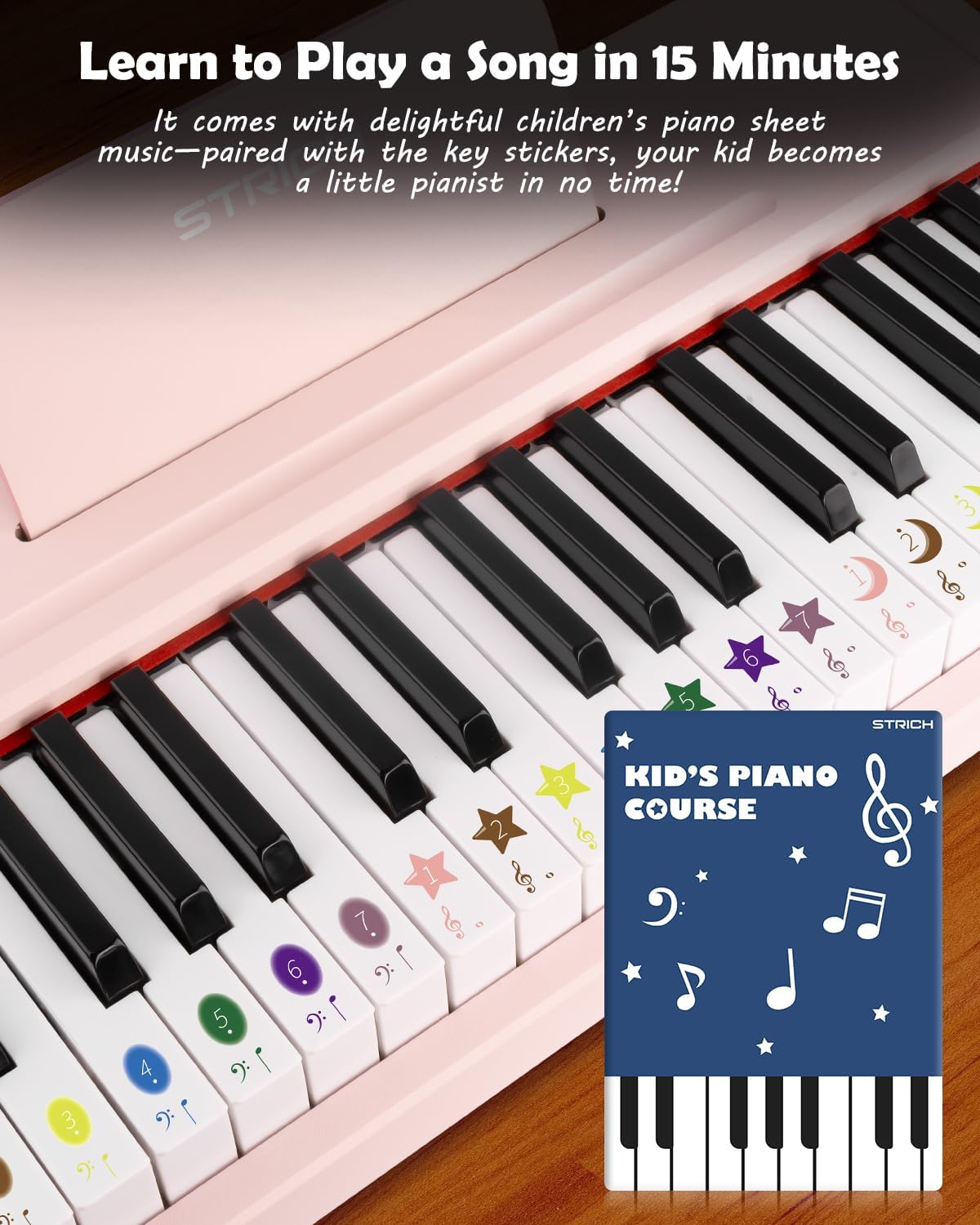
Figure 5.3: Learning to play using the music book and key stickers.
6. Nlekọta
- Clean the piano surface with a soft, dry cloth. Avoid abrasive cleaners or solvents.
- If not in use for an extended period, remove the batteries to prevent leakage.
- Store the piano in a cool, dry place, away from direct sunlight and extreme temperatures.
7. Nchọpụta nsogbu
- Enweghị ụda: Ensure the piano is powered on and the volume is turned up. Check battery installation or power adapter connection. Verify external devices (headphones, speakers) are correctly connected and powered.
- Igodo anaghị aza: Ensure the piano is powered on. If using batteries, check battery level.
- Okwu njikọ ikuku: Ensure the piano's wireless function is active and your external device's Bluetooth is enabled. Try re-pairing the devices.
8. Nkọwapụta
| Njirimara | Nkọwapụta |
|---|---|
| Nọmba nlereanya | SEK-37 |
| Akụkụ ngwaahịa | 21.65 x 11.02 x 3.54 sentimita asatọ |
| Ibu Ibu | 9.9 pound |
| Igodo | 37 |
| Isi Iyi Ike | DC 6V Adapter or 4 AA Batteries |
| Afọ akwadoro | Ọnwa 36 - afọ 8 |
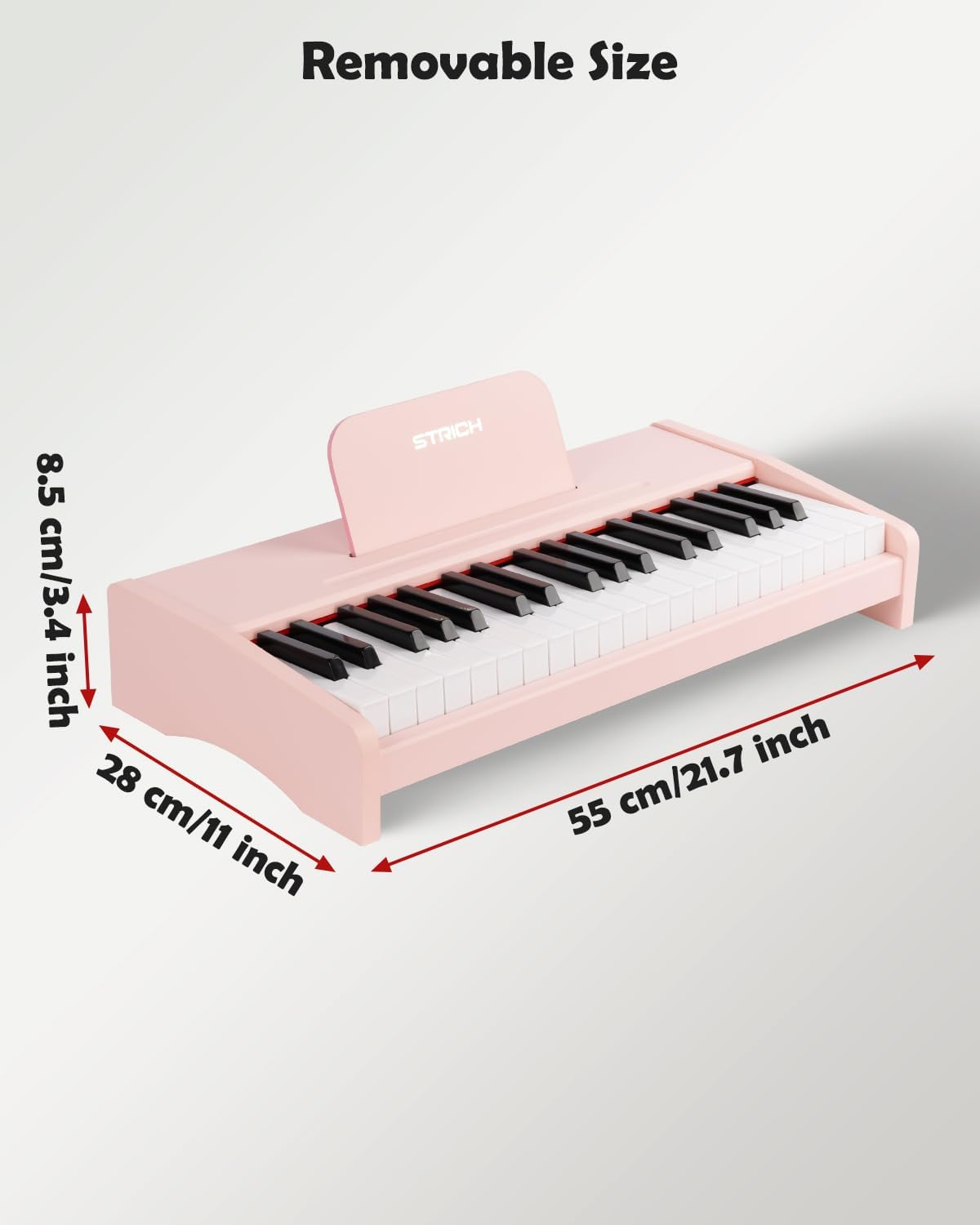
Ọgụgụ 8.1: Akụkụ ngwaahịa.
9. Akwụkwọ ikike na nkwado
For warranty information or technical support, please refer to the contact details provided with your purchase or visit the official STRICH websaịtị. Debe ihe akaebe nke ịzụrụ maka akwụkwọ ikike.


