Okwu mmalite
This manual provides essential information for setting up, operating, maintaining, and troubleshooting your Nokia C300 TA-1515 smartphone. Please read this guide carefully to ensure optimal performance and longevity of your device.
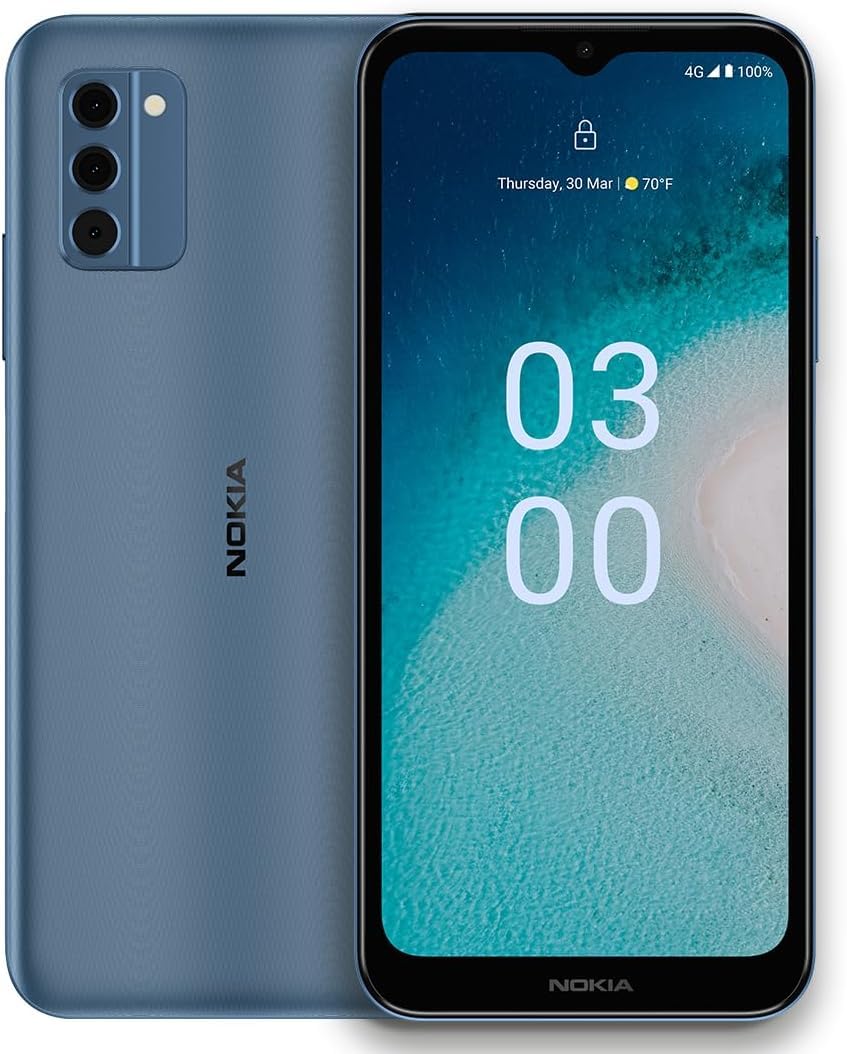
Image: Nokia C300 TA-1515 Smartphone, front view. This image displays the device's sleek design and screen.
Melite
1. Unboxing na mbido nyocha
Jiri nlezianya wepụ ihe niile dị na ngwugwu ahụ. Hụ na ihe ndị a dị na ya:
- Nokia C300 TA-1515 Smartphone
- USB-C USB
- Ngwaọrụ SIM Ejector
Inspect the device for any visible damage. If any components are missing or damaged, contact customer support.
2. Inserting the SIM Card and microSD Card (Optional)
- Chọta tray kaadị SIM n'akụkụ ekwentị.
- Fanye ngwaọrụ ejector SIM n'ime obere oghere dị n'akụkụ traị ahụ wee pịa nwayọ ruo mgbe tray ahụ pụtara.
- Place your Nano-SIM card(s) and/or microSD card (if applicable) into the designated slots on the tray. Ensure the gold contacts face downwards.
- Jiri nlezianya tụgharịa traị ahụ azụ n'ime ekwentị ruo mgbe ọ batara n'ime ya.
3. Ịchaji batrị
Before first use, fully charge the phone's battery. The Nokia C300 TA-1515 is equipped with a 4000 mAh battery.
- Connect the USB-C cable to the phone's charging port.
- Connect the other end of the USB-C cable to a compatible USB power adapter (not included) and plug it into a wall outlet.
- Ihe ngosi nchaji ga-apụta na ihuenyo. Hapụ ekwentị ka ọ chajịa ruo mgbe akara ngosi batrị gosiri n'uju.
4. Ịkwanye na nhazi mmalite
- Press and hold the Power button (usually on the right side) until the Nokia logo appears.
- Soro ntuziaka ndị dị na ihuenyo iji mezue ntọala mbụ, gụnyere nhọrọ asụsụ, njikọ Wi-Fi, ntọala akaụntụ Google, na ntọala nchekwa.
Na-arụ ọrụ ngwaọrụ gị
1. Nsoro ụzọ
- Mmegharị ihuenyo mmetụ: Pịa ka ịhọrọ, pia ka ịpịgharịa, tuo ka mbugharị.
- Ihuenyo ụlọ: Nweta ngwa, wijetị, na ọkwa.
- Ogwe ngosi: Si n'elu ihuenyo gaa ala view ọkwa na ntọala ngwa ngwa.
- Drawer ngwa: Si na ala ihuenyo pịgharịa ka ị nweta ngwa niile arụnyere.
2. Ịkpọ oku na izipu ozi
- Oku: Mepee Ekwentị app, enter the number, and tap the call icon.
- Ozi: Mepee Ozi app, tap "Start chat," enter recipient and message, then send.
3. Connecting to Wi-Fi and Mobile Data
- Wi-Fi: Gaa na Ntọala> Netwọk & ịntanetị> Wi-FiGbanye Wi-Fi, họrọ netwọk gị, wee tinye paswọọdụ.
- Data mkpanaka: Gaa na Ntọala> Netwọk & ịntanetị> Netwọk mkpanaka. Ensure "Mobile data" is enabled.
4. Ojiji igwefoto
Mepee Igwefoto app. Tap the shutter button to take photos or the video icon to record videos. Explore different modes and settings within the app.
Nlekọta
1. Mmelite ngwanrọ
Keep your device's software up to date for optimal performance and security. Go to Ntọala> Sistemu> Mmelite sistemụ iji lelee ma wụnye mmelite.
2. Na-ehicha ngwaọrụ gị
Use a soft, lint-free cloth to clean the screen and body of your phone. Avoid abrasive materials or harsh chemicals. Do not expose the device to excessive moisture.
3. Nlekọta batrị
- Zere oke okpomọkụ.
- Do not let the battery drain completely regularly.
- Jiri naanị chaja na eriri akwadoro.
4. Njikwa nchekwa
Mgbe niile review ma hichapụ adịghị mkpa files, apps, and media to free up storage space. You can check storage usage in Ntọala > Nchekwa.
Nchọpụta nsogbu
| Nsogbu | Ngwọta enwere ike |
|---|---|
| Ngwaọrụ anaghị agbanye ọkụ | Gbaa mbọ hụ na agbagoro batrị. Pịa ma jide bọtịnụ ike ma ọ dịkarịa ala 10 sekọnd ịmanye ịmalitegharịa. |
| Ngwa na-akụda ma ọ bụ na-ajụ oyi | Mechie ma mepee ngwa ahụ. Hichapụ cache ngwa ahụ (Ntọala> Ngwa> [Aha ngwa]> Nchekwa & cache> Kpochapụ cacheMalitegharịa ekwentị ahụ. |
| Ndụ batrị adịghị mma | Reduce screen brightness, disable unused features (Wi-Fi, Bluetooth, GPS), close background apps. Check battery usage in Ntọala > Batrị. |
| Enweghị ike ijikọ na Wi-Fi | Hụ na Wi-Fi agbanyere. Malitegharịa rawụta gị. Chefuo netwọk ahụ ma jikọọ ọzọ. |
| Enweghị data mkpanaka | Ensure mobile data is enabled in settings. Check your SIM card is correctly inserted. Contact your carrier to verify your plan. |
If issues persist, consider performing a factory reset (backup your data first) or contact Nokia support.
Nkọwapụta
| Njirimara | Nkọwa |
|---|---|
| Aha Nlereanya | Nokia C300 |
| Nọmba nlereanya | TA-1515 |
| Sistemụ nrụọrụ | Android 12.0 |
| Ngosipụta nha | 6.5 inch HD + |
| Mkpebi | 1520 x720 |
| RAM | 3 GB |
| Nchekwa nke ime | 32 GB (nwere ike gbasaa site na microSD) |
| Ike batrị | 4000 mAh |
| Njikọta | 4G LTE, GSM, HSPA, Wi-Fi, Bluetooth, GPS |
| Kedu ihe dị na Igbe ahụ | Ekwentị, USB-C USB, SIM Ejector Tool |
Akwụkwọ ikike na nkwado
Your Nokia C300 TA-1515 comes with a standard manufacturer's warranty. For detailed warranty terms and conditions, please refer to the warranty card included with your purchase or visit the official Nokia support websaịtị.
For technical assistance, troubleshooting, or to find service centers, please visit the official Nokia support portal:
You can also contact your retailer or service provider (e.g., Consumer Cellular) for support related to your specific plan or device purchase.


