1. Okwu mmalite
This user manual provides comprehensive instructions for the NEC VersaPro VH-1 laptop. It covers setup, operation, maintenance, and troubleshooting to ensure optimal performance and user experience. Please read this manual thoroughly before using your device.
The NEC VersaPro VH-1 is a lightweight and high-performance 12.5-inch Full HD laptop, featuring a 7th Generation Intel Core i5-7Y54 processor. It is designed for efficient web browsing, business applications, and remote work. With pre-installed Windows 11 Pro and MS Office 2019, it is ready for immediate use upon arrival.
2. Ngwaahịa gafereview
2.1 Atụmatụ
- Lightweight & Thin Design: Weighing approximately 921g, this 12.5-inch FHD laptop is highly portable, fitting easily into a backpack for commuting, business trips, or mobile work.
- 7th Gen Intel Core i5-7Y54 Processor: Equipped with an efficient and power-saving Intel Core i5-7Y54 (up to 3.2GHz) processor, offering sufficient performance for browsing, online meetings, and Office applications. It also features quiet operation and low heat generation.
- High-Speed SSD Storage: Features an SSD for fast boot-up and smooth operation, handling large files and multiple applications without lag.
- Rich Connectivity & Type-C Expansion: Na-agụnye a Web camera, Wi-Fi, Bluetooth, HDMI, and a Type-C port for versatile connections to peripherals and external monitors. The Type-C port supports future expansion.
- Pre-installed Software: Comes with Windows 11 Pro and MS Office 2019 pre-installed, allowing immediate document creation, report preparation, and web nzuko.
2.2 njirimara akụrụngwa
Familiarize yourself with the various parts of your NEC VersaPro VH-1 laptop.

Foto: Dị iche iche views of the NEC VersaPro VH-1 laptop, showing the front, back, top, and keyboard layout.

Foto: Akụkụ view of the laptop highlighting available ports including USB 3.0, LAN, Headphone Jack, HDMI, SD Card Slot, and Power Connector.
3. Nhazi
3.1 Agbanye ike mbụ
- Njikọ Ike: Tinye ihe nkwụnye AC n'ime ọdụ ụgbọ mmiri nke laptọọpụ wee banye n'ime oghere mgbidi.
- Ike Na: Open the laptop lid and press the power button. The laptop will begin the initial boot process.
- Ntọala Windows: Soro ntuziaka dị na ihuenyo iji mezue ntọala Windows 11 Pro, gụnyere asụsụ, mpaghara, njikọ netwọk, na ịmepụta akaụntụ onye ọrụ.
3.2 Software Activation
Your laptop comes with MS Office 2019 pre-installed. Follow the prompts to activate your Office suite using your Microsoft account or product key.

Image: The laptop displaying the Windows 11 interface, with logos indicating Windows 11 Pro and MS Office 2019 are installed and ready for use.
4. Ntuziaka ọrụ
4.1 Isi ojiji
- Ahụigodo: The laptop features a Japanese layout keyboard designed for comfortable and accurate typing.
- Mpempe aka: Use the integrated touchpad for navigation and gestures.
- Web Igwefoto: Ihe arụnyere web camera and dual microphones are ideal for remote work, online meetings, and video calls.

Image: A user engaged in a video conference call on the NEC VersaPro VH-1 laptop, demonstrating its web camera and dual microphone capabilities for remote work and online learning.
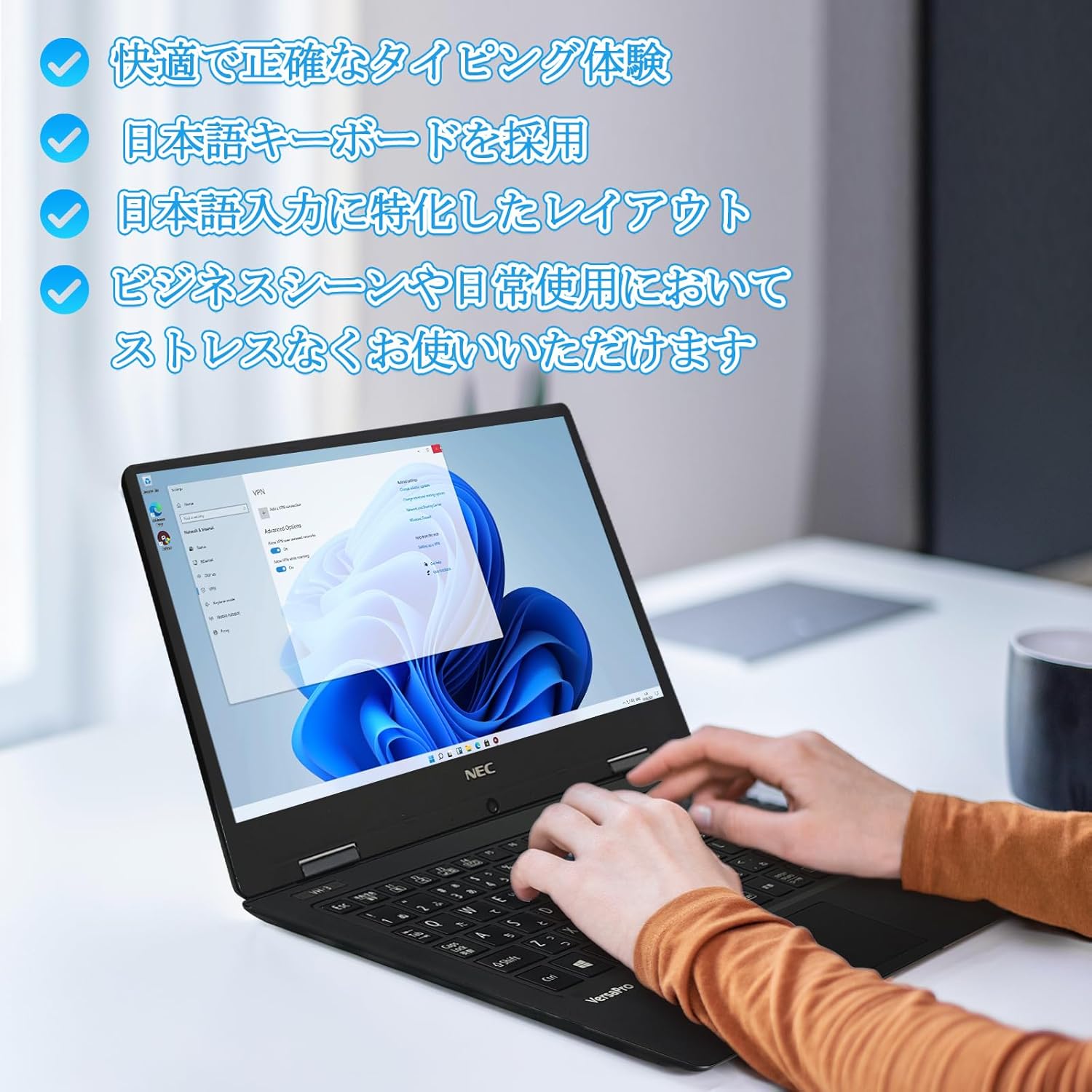
Image: Close-up of hands typing on the laptop's keyboard, illustrating the comfortable and precise typing experience provided by the Japanese layout keyboard.
4.2 Njikọta
- Wi-Fi: Jikọọ na netwọk ikuku maka ịnweta ịntanetị.
- Bluetooth: Jikọta ya na ngwaọrụ ndị nwere Bluetooth dịka ekweisi ma ọ bụ òké.
- HDMI: Jikọọ na ngosipụta mpụga ma ọ bụ projectors.
- -Dị-C: Use the Type-C port for data transfer, charging compatible devices, or connecting to a USB-C hub for additional ports.
5. Nlekọta
5.1 Nhicha
- Ihuenyo: Jiri akwa dị nro na-enweghị ntụpọ dampjiri mmiri ma ọ bụ ihe nhicha ihuenyo kpuchie ya. Afesala mmiri mmiri ozugbo na ihuenyo.
- Keyboard & Chassis: Use a soft cloth to wipe surfaces. For stubborn dirt, a slightly damp enwere ike iji akwa mee ihe. Zere kemịkalụ siri ike.
5.2 Nlekọta batrị
- Ka ịgbatị ndụ batrị ogologo, zere oke okpomọkụ.
- Ọ bụrụ na ị na-echekwa laptọọpụ ruo ogologo oge, hụ na a na-ana batrị ahụ ihe dịka 50-70%.
6. Nchọpụta nsogbu
6.1 Okwu nkịtị na Ngwọta
| Okwu | Ngwọta enwere ike |
|---|---|
| Laptọọpụ anaghị agba ọkụ. | Ensure the AC adapter is securely connected to both the laptop and a working power outlet. Check if the power button is functioning correctly. |
| Nsogbu njikọ Wi-Fi. | Verify Wi-Fi is enabled in Windows settings. Restart your router and the laptop. Check for updated network drivers. |
| Achọpụtaghị ngosipụta mpụga. | Ensure the HDMI cable is securely connected. Press Windows key + P to cycle through display modes. Check external display input settings. |
| Ịrụ ọrụ nwayọ. | Close unnecessary applications. Check for background processes consuming resources. Ensure sufficient free space on the SSD. Run a system scan for malware. |
If you encounter issues not listed here or require further assistance, please refer to the support section.
7. Nkọwapụta
| Njirimara | Nkọwa |
|---|---|
| Ụdị | NEC |
| Aha Nlereanya | VasaPro VH-1 |
| Nọmba Nlereanya Ngwaahịa | VKT12 |
| Nha ihuenyo | 12.5 sentimita asatọ |
| Mkpebi | 1920x1080 Pixels (FHD) |
| Ụdị CPU | Intel |
| Ụdị CPU | Core i5 7Y54 |
| Ọsọ CPU | 1.2 GHz (Max 3.2 GHz) |
| Ọnụọgụ nhazi | 2 |
| Nha ebe nchekwa RAM | 4 GB |
| Akwado ebe nchekwa kacha | 8 GB |
| Ụdị ebe nchekwa | DDR3 SDRAM |
| Nha diski ike | 1 TB |
| Ụdị diski ike | SSD |
| Ihe eserese eserese | Ihe eserese nke Intel HD 615 |
| Nkọwa kaadị eserese | Ejikọtara |
| Sistemụ nrụọrụ | Windows 11 Pro |
| Ụdị ikuku | Bluetooth, Wi-Fi (802.11n) |
| USB 3.0 ọdụ ụgbọ mmiri | 2 |
| ọdụ ụgbọ mmiri HDMI | 1 |
| Ụdị mbanye ngwa anya | Ọ dịghị |
| Ibu Ibu | 1.5 Kilograms (Shipping Weight) |
| Batrị | 1 12V battery (included), 24 Watt-hours, 4 Lithium Ion cells |
8. Akwụkwọ ikike na nkwado
For warranty information and technical support, please refer to the documentation provided with your purchase or contact the retailer. Specific warranty terms may vary.