Okwu mmalite
The Keenetic Roamer 4G is a portable mobile hotspot designed to provide secure and fast internet access on the go. It supports 4G LTE connectivity and Wi-Fi 6, allowing up to 10 devices to connect simultaneously. This manual provides essential information for setting up, operating, and maintaining your device.
Kedu ihe dị na Igbe ahụ
Upon unboxing your Keenetic Roamer 4G, please ensure all the following components are present:
- Roamer 4G Mobile Wi-Fi hotspot
- Removable Lithium-ion battery
- Ntuziaka mmalite ngwa ngwa
- USB-A na eriri USB Type-C
Note: A SIM card and internet subscription are not included and must be acquired separately.
Ngwaahịa gafereview

Foto 1: N'ihu view of the Keenetic Roamer 4G, highlighting the color display that shows signal strength, data volume, battery status, and network information.
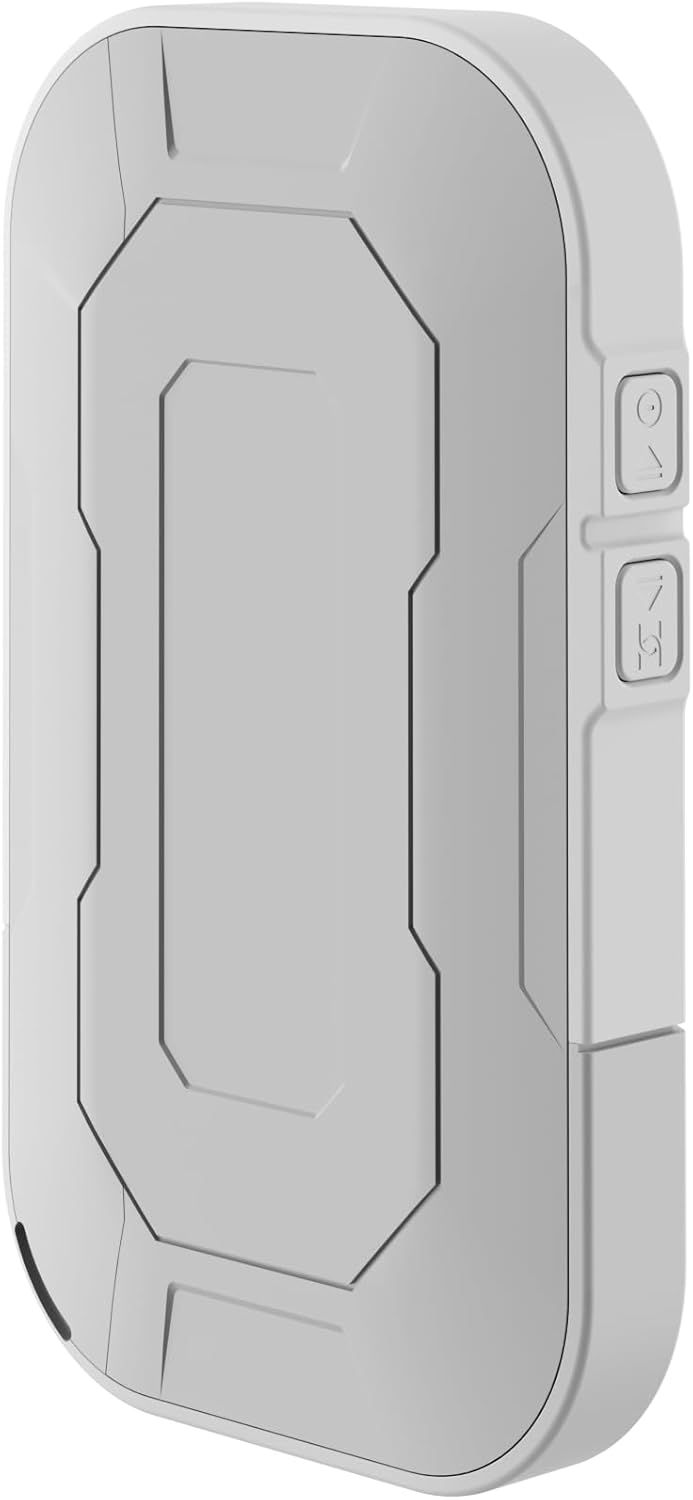
Foto 2: N'azụ view of the device, illustrating its compact and portable design.

Foto 3: Akụkụ view displaying the USB Type-C port for charging and data transfer.

Foto 4: Akụkụ view illustrating the physical buttons for power and navigation.
Melite
1. Ịtinye kaadị SIM
- Locate the SIM card slot, typically found under the battery cover.
- Carefully remove the back cover and the battery.
- Insert your standard-sized SIM card into the designated slot with the gold contacts facing down, ensuring it clicks into place.
- Reinsert the battery and replace the back cover.
2. Ịchaji ngwaọrụ
- Connect the provided USB-A to USB Type-C cable to the device's charging port.
- Plug the other end into a USB power adapter (not included) or a computer's USB port.
- The battery indicator on the display will show charging status. Fully charge the device before first use.
3. Ịgbanye / gbanyụọ
- To power on, press and hold the Power button (refer to Figure 4) until the display lights up.
- To power off, press and hold the Power button until the shutdown prompt appears on the screen, then confirm.
Ntuziaka ọrụ
Ijikọ Ngwaọrụ site na Wi-Fi
- Ensure the Roamer 4G is powered on and has established a 4G connection (indicated on the display).
- Na ngwaọrụ Wi-Fi enyere gị aka (smartphone, tabletị, laptọọpụ), chọọ netwọk Wi-Fi dị.
- Locate the network name (SSID) displayed on the Roamer 4G's screen.
- Enter the Wi-Fi password (Key) also shown on the Roamer 4G's screen. Alternatively, you can scan the QR code displayed on the device's screen for quick connection.
- Your device should now be connected to the internet via the Roamer 4G hotspot.
Ịghọta Ngosipụta ahụ
The color display provides real-time information about your hotspot's status:
- Ike mgbaama: Indicates the strength of the 4G cellular signal.
- Ọkwa batrị: Na-egosi ụgwọ batrị fọdụrụnụ.
- Ojiji data: Displays current upload/download speeds and total data consumed.
- Ozi netwọk: Provides details like SSID, password, and connected devices count.
Nlekọta
Nlekọta batrị
- To maximize battery lifespan, avoid exposing the device to extreme temperatures.
- Na-anya batrị mgbe niile, mana zere ịhapụ ya kpamkpam ruo ogologo oge.
- Ọ bụrụ na a gaghị eji ngwaọrụ ahụ ruo ogologo oge, chajie ya ruo ihe dịka 50% tupu echekwa ya.
Nhicha
- Use a soft, dry, lint-free cloth to clean the device's exterior.
- Ejila ihe nhicha mmiri, ihe na-eme ka aerosol dị nro, ma ọ bụ ihe mgbaze.
Nchọpụta nsogbu
| Nsogbu | Ihe nwere ike ime | Ngwọta |
|---|---|---|
| Enweghị njikọ ịntanetị | No SIM card inserted, SIM card not activated, no signal, data plan exhausted. | Ensure SIM is correctly inserted and active. Check signal strength on display. Verify data plan with your mobile operator. Try restarting the device. |
| Enweghị ike ijikọ na Wi-Fi | Incorrect password, device too far from hotspot, Wi-Fi disabled on hotspot. | Verify Wi-Fi password. Move closer to the hotspot. Ensure Wi-Fi is enabled on the Roamer 4G. |
| Ngwaọrụ anaghị agbanwu ọkụ | Battery is depleted, battery not inserted correctly. | Charge the device for at least 30 minutes. Ensure the battery is properly seated. |
Nkọwapụta
| Njirimara | Nkọwa |
|---|---|
| Ụdị | Keenetic |
| Nlereanya | KN-5110-01-EU |
| Akụkụ | 12.1 x 8.2 x 4.7 cm |
| Ibu | 200 grams |
| Ụdị batrị | Lithium-ion (1 required, included) |
| Ụdị ikuku | 802.11b (Wi-Fi 6 compatible) |
| Teknụzụ Njikọta | LTE |
| Ngwa dakọtara | PC (and other Wi-Fi enabled devices) |
| Atụmatụ pụrụ iche | LED Indicator, Color Display |
Ozi akwụkwọ ikike
For detailed warranty information, please refer to the warranty card included with your product or visit the official Keenetic websaịtị. Debe ihe akaebe nke ịzụrụ maka akwụkwọ ikike.
Nkwado ndị ahịa
If you encounter any issues not covered in this manual or require further assistance, please contact Keenetic customer support. Visit the official Keenetic websaịtị maka nkọwa kọntaktị na akụrụngwa nkwado.
Ị nwekwara ike ịga na Keenetic Store on Amazon maka ozi ndị ọzọ.


