Okwu mmalite
The OPPO Enco Buds3 are advanced wireless earbuds designed to deliver a superior audio experience with convenience and comfort. Featuring a 12.4mm Titanium Plated Driver, these earbuds provide powerful bass and clear treble. Enjoy extended listening with up to 48 hours of playback time with the charging case, and quick recharges with fast charging capabilities. The Enco Buds3 also offer seamless dual connection, multiple touch controls, and AI Clear Phone Call technology for enhanced communication.
This manual provides essential information on how to set up, operate, maintain, and troubleshoot your OPPO Enco Buds3 wireless earbuds.
Ihe ngwugwu
Tupu ịmalite, biko hụ na ihe niile dị na ngwugwu:
- OPPO Enco Buds3 Earbuds (Left and Right)
- Nchaji case
- USB-C eriri USB
- Ndụmọdụ ntị (nha dị iche iche)
- Akwụkwọ ntuziaka onye ọrụ
Melite
1. Ịchaji ihe ntị na akpa
For optimal performance, fully charge the earbuds and charging case before first use.
- Tinye ntị ntị n'ime akpa nchaji.
- Jikọọ eriri USB-C na nchaji na ọdụ ụgbọ mmiri dị na akpa ahụ yana na isi iyi ọkụ.
- The indicator light on the charging case will show charging status. A full charge provides up to 48 hours of playback with the case. A 10-minute charge can provide up to 3 hours of listening time.
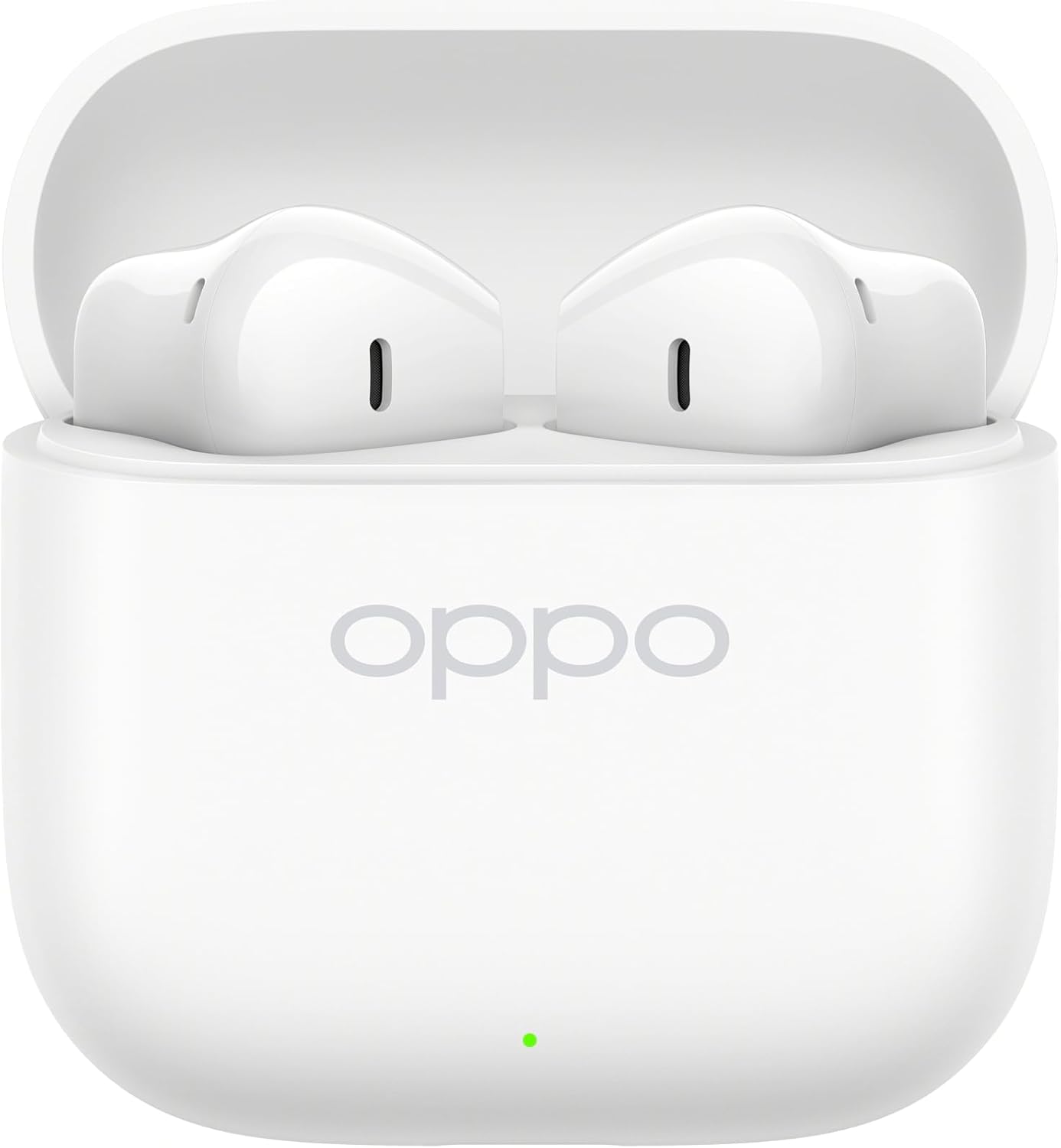
Image: OPPO Enco Buds3 earbuds placed inside their open charging case, indicating charging readiness.
2. Ijikọ na ngwaọrụ gị
The OPPO Enco Buds3 support Bluetooth 5.4 and Google Fast Pair for quick and stable connections.
- Njikọ oge mbụ: Mepee igbe nchaji. Igwe ntị ga-abanye na ọnọdụ njikọta na-akpaghị aka.
- Na ngwaọrụ gị (smartphone, tabletị, laptọọpụ), gbanye Bluetooth wee chọọ ngwaọrụ dị.
- Select "OPPO Enco Buds3" from the list of devices.
- A confirmation message will appear once pairing is successful.
- Mmakọ ngwa ngwa Google: If your Android device supports Google Fast Pair, simply open the case near your device, and a pop-up notification will guide you through the pairing process.
- Njikọ abụọ: The earbuds can be connected to two devices simultaneously. To switch between devices, pause audio on the first device and play on the second.
Ntuziaka ọrụ
1. Yiri ekwe ntị
Gently insert the earbuds into your ears, ensuring a snug and comfortable fit. Adjust the angle until the sound is clear and the earbuds feel secure.

Foto: Akụkụ profile of the OPPO Enco Buds3 earbuds, showing their ergonomic design for comfortable wear.
2. Aka njikwa
The OPPO Enco Buds3 feature multiple touch controls for easy management of music, calls, and other functions. The control method is touch-sensitive areas on the earbuds.
| Omume | Ọrụ |
|---|---|
| Otu mgbata | Kpọọ/Kwụsịtụ egwu, zaa/Kwụsị oku |
| Pịa ugboro abụọ (mkpọ ntị aka ekpe) | Egwu gara aga |
| Pịa ugboro abụọ (mbọchị ntị aka nri) | Egwu na-esote |
| Pịa ugboro atọ | Mee ka onye enyemaka olu rụọ ọrụ |
| Long Press (1 second) | Jụ oku |
| Pịa ogologo (2 sekọnd) | Switch between Noise Control modes (if applicable, check device settings) |
Note: Specific touch control functions may be customizable via the HeyMelody app (if available for your region/model).
3. Enco Master 3 Tuning Modes
The Enco Buds3 offer three distinct tuning modes to cater to different music preferences. These modes can typically be switched via the connected device's settings or a dedicated app.
4. AI Clear Phone Call
Utilizing AI technology, the earbuds enhance call clarity by reducing background noise, ensuring your voice is heard clearly during phone conversations.
5. Njikwa igwefoto
Certain devices may allow the earbuds to act as a remote shutter for your camera. Refer to your device's camera settings or the HeyMelody app for configuration.
Nlekọta
Proper maintenance ensures the longevity and optimal performance of your OPPO Enco Buds3 earbuds.
- Nhicha: Jiri akwa dị nro, kpọrọ nkụ na-adịghị na-ehicha ntị ntị na chaja mgbe niile. Ejila ihe nchacha abrasive ma ọ bụ ihe mgbaze.
- Ndụmọdụ ntị: Wepụ nsọtụ ntị gị ma jiri mmiri na ncha dị nro hichaa ha ma ọ bụrụ na ọ dị mkpa. Hụ na ha kpọrọ nkụ kpamkpam tupu ị tinye ha ọzọ.
- Nguzogide mmiri: The earbuds are rated as Mmiri na-eguzogide. This means they can withstand splashes and sweat but are not designed for submersion in water. Avoid exposing them to heavy rain, showering, or swimming.
- Nchekwa: Mgbe ejighị ya, chekwaa ntị ntị na chaja ha iji chebe ha pụọ na uzuzu na mmebi.
- Okpomọkụ: Zere ikpughe ekwe ntị na oke okpomọkụ (ọkụ ma ọ bụ oyi) ma ọ bụ oke iru mmiri.
Nchọpụta nsogbu
If you encounter issues with your OPPO Enco Buds3, try the following solutions:
- Igwe ntị anaghị ejikọta:
- Ensure the earbuds are charged and the charging case is open.
- Gbanyụọ ma gbanye Bluetooth na ngwaọrụ gị.
- Forget "OPPO Enco Buds3" from your device's Bluetooth list and try pairing again.
- Enweghị ụda sitere na otu ntị ntị:
- Tinyeghachi ntị abụọ ahụ n'ime akpa chaja, mechie mkpuchi ahụ, chere sekọnd ole na ole, wee mepee ya ọzọ.
- Check the earbud's charging contacts for any debris.
- Nsogbu ịchaji:
- Gbaa mbọ hụ na ejikọrọ eriri chajị na echekwabara na ikpe ahụ yana isi iyi ike.
- Gbalịa eriri USB-C dị iche na nkwụnye ọkụ.
- Clean the charging port on the case.
- Ịtọgharịa ntị ntị: If issues persist, a factory reset may resolve them.
- Place both earbuds into the charging case and keep the lid open.
- Press and hold the function button on the charging case (usually located inside or on the back) for approximately 10-15 seconds until the indicator light flashes red three times.
- Close the case, then open it again to re-enter pairing mode. You will need to re-pair with your device.
Nkọwapụta
Key technical specifications for the OPPO Enco Buds3 (Model OWWE242):
| Njirimara | Nkọwa |
|---|---|
| Aha Nlereanya | OPPO Enco Buds3 |
| Nọmba nlereanya | OWWE242 |
| Nha ọkwọ ụgbọ ala | 12.4mm Titanium Plated Driver |
| Njikọta | Bluetooth 5.4 |
| Ndụ batrị (Earbuds) | Up to 9.5 hours (continuous playback) |
| Ndụ batrị (ya na igbe) | Ruo awa iri abụọ |
| Nchaji ngwa ngwa | 10 minutes charge for 3 hours listening |
| Usoro njikwa | Metụ aka |
| Mmiri Nguzogide | Mmiri na-eguzogide |
| Ihe onwunwe | Titanium (driver material) |
| Ngwa dakọtara | Smartphones, Laptops, Tablets, Smart Speaker, Car Audio Systems, Gaming Consoles, Desktops, Cellphones |
| Atụmatụ pụrụ iche | AI Clear Phone Call, Seamless Dual Connection, Google Fast Pair, Multiple Touch Controls, Camera Control, Enco Master 3 tuning modes |
Akwụkwọ ikike na nkwado
Ozi akwụkwọ ikike: Your OPPO Enco Buds3 earbuds are covered by a limited warranty. Please refer to the warranty card included in your product packaging or visit the official OPPO websaịtị maka usoro na ọnọdụ zuru ezu nke kpọmkwem maka mpaghara gị.
Nkwado ndị ahịa: Maka enyemaka teknụzụ, ọrụ, ma ọ bụ ajụjụ ndị ọzọ, biko kpọtụrụ ndị ahịa OPPO site na gọọmentị ha website or the contact information provided in your product documentation. Ensure you have your product model number (OWWE242) and proof of purchase ready when contacting support.
You can find more information and support resources on the official OPPO websaịtị: www.oppo.com


