Okwu mmalite
The FeiyuTech SCORP-C2 is a 3-axis camera gimbal designed for DSLR and mirrorless cameras. It features a built-in AI tracking sensor for automatic face tracking and supports native vertical shooting. This manual provides essential information for setting up, operating, and maintaining your SCORP-C2 gimbal.
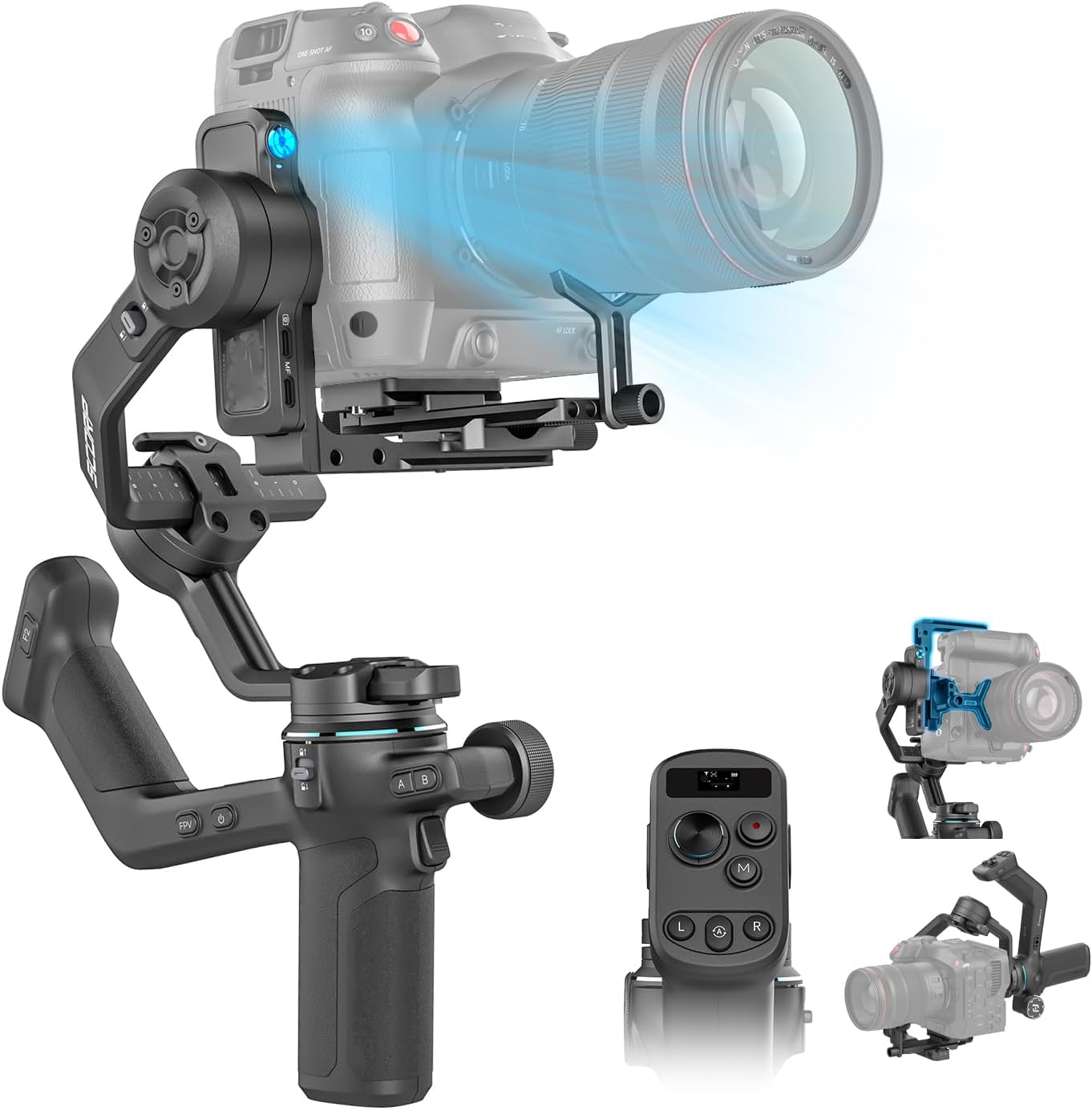
Figure 1: FeiyuTech SCORP-C2 Gimbal with camera.
Kedu ihe dị na Igbe ahụ
- Feiyu Scorp-C2 Gimbal
- Ihe mmịfe
- Upper Quick Release Plate
- L-Bracket Base (Horizontal Mount Plate)
- Lens Support Screw
- Lens Support Bracket
- Igwefoto rịgoro mgbanaka
- Igodo Hex
- Tripod
- USB-C to Type-C Camera Control Cable
- USB-C Gimbal Charging Cable

Figure 2: SCORP-C2 Packing List.
Melite
1. Ịtinye igwefoto
The SCORP-C2 features an upgraded quick release plate design and an open platform for flexible camera positioning. Ensure your camera is securely mounted and balanced for optimal performance.

Figure 3: Open Platform Design for camera mounting.
2. Balancing the Gimbal
Precisely adjust your camera's center of gravity using the knob-based switch for perfect gimbal balance after installation. Millimeter-level precision balancing is crucial for smooth operation.

Figure 4: Knob-Based Switch for balancing.
3. Vertical Shooting Setup
The SCORP-C2 supports native vertical shooting, ideal for social media content creation. This feature allows for quick transitions between horizontal and vertical orientations.
Video 1: Demonstrates horizontal camera installation and native vertical shooting capabilities.
Na-arụ ọrụ Gimbal
1. AI Tracking Sensor
The built-in AI tracking sensor automatically recognizes and tracks faces, enhancing the gimbal's ability to keep the camera focused on a moving target. It supports gesture control for starting and stopping tracking.

Figure 5: AI Tracking Sensor and Gesture Control.
Vidiyo 2: Agafeeview of the FeiyuTech SCORP-C2 Gimbal Stabilizer, demonstrating its features including AI tracking.
2. Upgraded Button Panel and OLED Display
The integrated handle grip and upgraded button panel provide ergonomic control. A built-in OLED display shows status and allows you to fine-tune settings, keeping your focus on content creation.

Figure 6: Upgraded Button Panel with OLED Display.
3. Multi-function Magic Knob
The multi-function magic knob provides quick control over focus and axis movement, enhancing your shooting efficiency.
4. Ndụ batrị
The SCORP-C2 offers up to 14 hours of robust battery life, meeting all-day shooting requirements. Actual battery performance may vary based on usage and payload.
Nkọwapụta
| Akụkụ ngwaahịa | 9.83 x 6.91 x 13.56 sentimita asatọ |
| Ibu Ibu | 2.91 pound |
| Nọmba Nlereanya ihe | SCORP-C 2 |
| Batrị | 1 Batrị na-abụghị ọkọlọtọ (gụnyere) |
| Ngwa dakọtara | DSLR/Mirrorless Camera |
| Ibu kacha | 7.72 n'arọ |
| Nha agbakọtara | 11.77 x 2.59 x 9.95 inches (Stowed and Locked) |
Nlekọta
- Keep the gimbal clean and free from dust and debris.
- Store the gimbal in its protective case when not in use.
- Avoid exposing the gimbal to extreme temperatures or moisture.
- Regularly check all screws and connections to ensure they are secure.
- Charge the battery fully before extended storage to maintain battery health.
Nchọpụta nsogbu
1. Balancing Issues
If the gimbal struggles to balance or motors exhibit unusual behavior, ensure the camera is correctly balanced on all axes. Refer to the setup section for precise balancing instructions. Use the millimeter-level precision adjustment knob for fine-tuning.
2. Battery Life Concerns
While the gimbal offers up to 14 hours of battery life, actual usage may vary based on payload and motor activity. If experiencing significantly reduced battery life, ensure the gimbal is properly balanced to minimize motor strain. Charge the battery fully before each use.
3. AI Tracking Malfunctions
If the AI tracking is not functioning as expected, ensure the sensor is clear of obstructions and that gesture controls are performed correctly. Check the OLED display for any error messages or tracking status indicators.
Akwụkwọ ikike na nkwado
For warranty information, technical support, or service inquiries, please refer to the official FeiyuTech websaịtị ma ọ bụ kpọtụrụ ndị ahịa ha ozugbo. Debe nnata nzụta gị dị ka ihe akaebe nke ịzụrụ maka nkwupụta ikike.


