Okwu mmalite
Thank you for choosing the Bagotte A22/A6 Pro Robot Vacuum and Mop. This device is designed to provide efficient and convenient cleaning for your home. This manual will guide you through the setup, operation, and maintenance of your robot vacuum to ensure optimal performance and longevity.
Biko gụọ akwụkwọ ntuziaka a nke ọma tupu i jiri ngwaahịa a ma debe ya maka ntụaka n'ọdịnihu.
Ntuziaka nchekwa dị mkpa
Before using this product, please read all safety instructions. Failure to follow these instructions may result in electric shock, fire, or serious injury.
- Enwere ike iji ngwa a ụmụaka ndị gbara afọ 8 na karịa yana ndị nwere ike anụ ahụ, mmetụta uche ma ọ bụ nke uche ma ọ bụ enweghị ahụmahụ na ihe ọmụma ma ọ bụrụ na enyerela ha nlekọta ma ọ bụ ntụziaka gbasara iji ngwa ahụ n'ụzọ dị nchebe ma ghọta ihe egwu dị na ya. .
- Ụmụaka agaghị eji ngwa eji egwu egwu egwu. Ụmụaka agaghị eme nhicha na nlekọta onye ọrụ na-enweghị nlekọta.
- Jiri naanị ihe nkwụnye ike mbụ nke onye nrụpụta nyere.
- Do not use the product in environments with open flames or flammable materials.
- Ensure the charging station is placed on a flat surface against a wall, with no obstacles within 1 meter on either side and 2 meters in front.
- Do not immerse the robot or charging station in water.
- Regularly clean the brushes and filters to maintain optimal performance.
- Debe ntutu isi, uwe na-adịghị mma, mkpịsị aka na akụkụ ahụ niile pụọ na oghere na akụkụ ndị na-akpụ akpụ.
Ngwaahịa gafereview
Ihe ngwugwu
Chọpụta na akụrụngwa niile dị na ngwugwu:

Image: All components included in the Bagotte A22/A6 Pro Robot Vacuum and Mop package. This includes the robot vacuum cleaner, 2-in-1 water tank, charging station, remote control, power adapter, cleaning brush, mop holder, 2 mop cloths, 2 side brushes, and Hepa filters.
- Bagotte A22 Robot Vacuum Cleaner x 1
- 2-in-1 Water Tank x 1
- Ụlọ nchaji x 1
- Ime Remote x 1
- Ihe nkwụnye ọkụ x 1
- Ahịhịa na-ehicha x 1
- Mop Holder x 1
- akwa akwa x 2
- Side Brushes x 2
- HEPA Filters x 1
- Akwụkwọ ntuziaka onye ọrụ x 1
Ngwa Robot
The Bagotte A22/A6 Pro features a compact design for efficient cleaning.

Image: The Bagotte A22/A6 Pro Robot Vacuum highlighting its slim profile of 2.87 inches, allowing it to clean under furniture. It also features automatic boost and can handle angles up to 15 degrees and obstacles up to 15mm in height.
The robot is equipped with various sensors for navigation and obstacle avoidance, including anti-drop sensors to prevent falls from elevated surfaces.
Melite
1. Wụnye brushes akụkụ
Press the side brushes onto the posts at the bottom of the robot until they click into place.
2. Place the Charging Station
Place the charging station against a wall in an open, uncluttered area. Ensure there are no obstacles within 1 meter (3 feet) on either side and 2 meters (6 feet) in front of the charging station. Connect the power adapter to the charging station and plug it into a wall outlet.

Image: The Bagotte A22/A6 Pro Robot Vacuum automatically returning to its charging station when its battery is low. The image illustrates the recommended clear space around the charging station for optimal docking.
3. Ụgwọ mbụ
Place the robot on the charging station to fully charge the battery before first use. The indicator light on the robot will show charging status. A full charge typically takes 4-5 hours.
4. Connect to Tuya Smart App (Optional)
For advanced features and remote control, download the Tuya Smart app from your mobile app store. Follow the in-app instructions to connect your robot vacuum to your 2.4GHz Wi-Fi network.
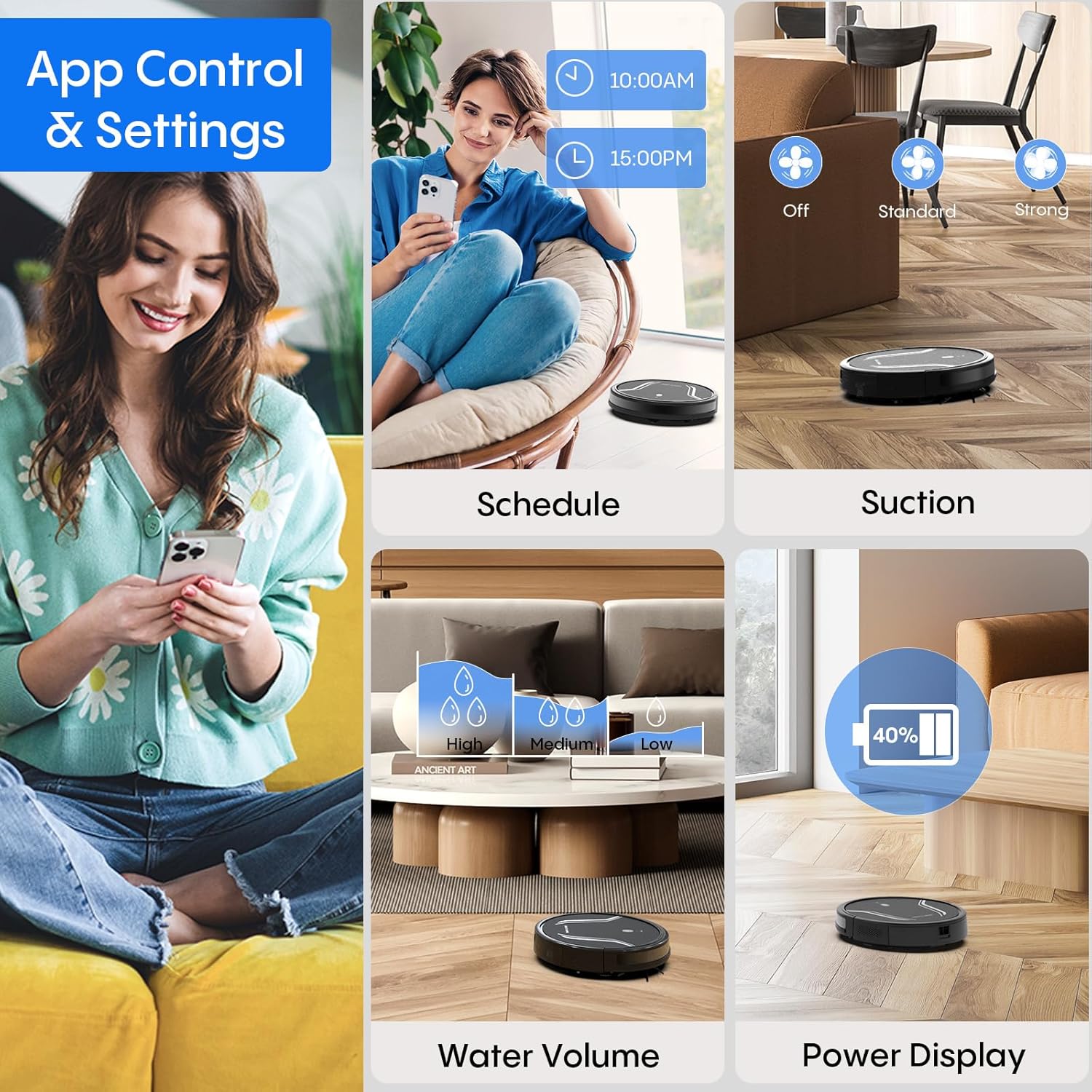
Image: A smartphone screen displaying the Bagotte A22/A6 Pro Robot Vacuum's app control interface, showing options for scheduling, suction adjustment, water volume control, and power display.
Ntuziaka ọrụ
Ịmalite okirikiri nhicha
Press the power button on the robot or the "Clean" button on the remote control/app to start an automatic cleaning cycle.
Ụdị nhicha
The Bagotte A22/A6 Pro offers four cleaning modes:
- Nhicha akpaaka: The robot intelligently navigates and cleans the entire floor area.
- Nchacha ọnụ: Robot ahụ na-ehicha mgbidi na nsọtụ arịa ụlọ.
- Nhicha ncha: Robot ahụ lekwasịrị anya n'otu ebe ruru unyi kpọmkwem, na-ehicha ya n'ụdị okirikiri.
- Ncha akwụkwọ ntuziaka: Control the robot's direction using the remote control or app.

Foto: Otu n'elu view illustrating the four distinct cleaning modes of the Bagotte A22/A6 Pro Robot Vacuum: Auto Cleaning, Edge Cleaning, Spot Cleaning, and Manual Cleaning, showing their respective cleaning paths.
Ọrụ mopping
Iji ọrụ mopping:
- Fill the 2-in-1 water tank with clean water.
- Attach a clean mop cloth to the mop holder and then attach it to the water tank.
- Tinye tank mmiri e juru n'ime robot ahụ.
- Adjust the water flow level (low/medium/high) via the Tuya Smart app.

Image: The Bagotte A22/A6 Pro Robot Vacuum demonstrating its 3-in-1 functionality: vacuuming, sweeping, and mopping. The image highlights the two levels of waterflow adjustment and three levels of suction adjustment.
Ndozi Ike Ntị
The robot features 5000Pa suction power with adjustable levels (Standard, Maximum) through the app or remote control to suit different cleaning needs.
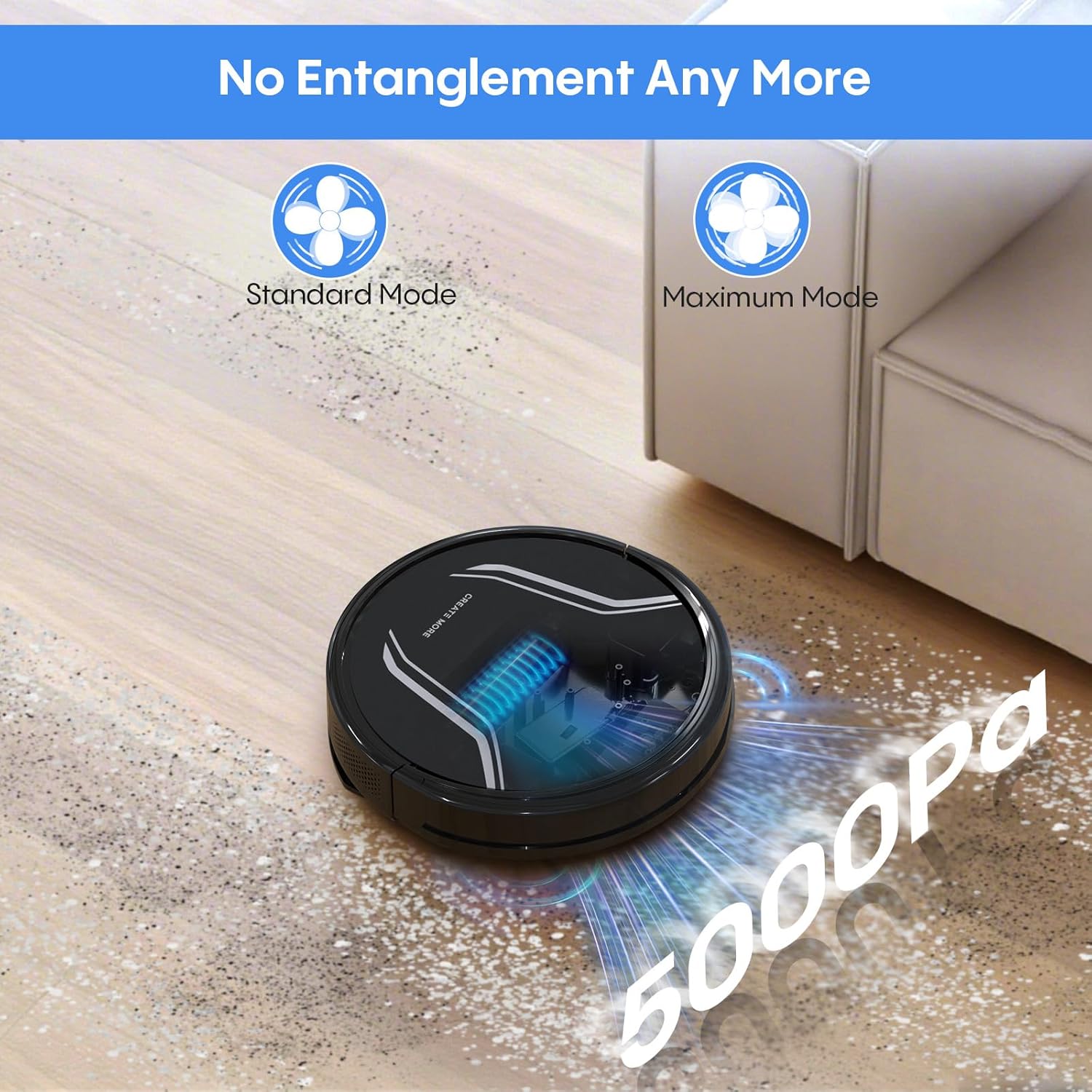
Image: The Bagotte A22/A6 Pro Robot Vacuum demonstrating its 5000Pa suction power, showing debris being collected. The image also indicates Standard Mode and Maximum Mode for suction adjustment.
Voice Control (Alexa/Google Assistant)
Integrate your robot vacuum with Amazon Alexa or Google Assistant for convenient voice commands. Follow the instructions in the Tuya Smart app to link your device.

Image: The Bagotte A22/A6 Pro Robot Vacuum being controlled via voice commands through an Amazon Echo device, alongside a smartphone displaying the app interface. This illustrates the convenience of both voice and app control.
Nlekọta
Regular maintenance ensures your robot vacuum operates efficiently.
Na-ekpochapụ Dustbin
Empty the dustbin after each cleaning cycle. Press the release button to remove the dustbin, open it, and discard the collected debris.
Ihe nzacha nhicha
Tap the HEPA filter to remove dust. Rinse the pre-filter and sponge filter with water. Allow them to air dry completely before reinstalling. Do not wash the HEPA filter with water.
Na-ehicha ahịhịa isi
Remove the main brush cover and lift out the main brush. Use the cleaning tool to remove hair and debris tangled around the brush.
Nchacha akụkụ ihicha
Periodically check side brushes for wear or damage. Remove any tangled hair or debris. Replace worn brushes as needed.
Ihe mmetụta nhicha na ndị ana-akpọ chajị
Wipe the anti-drop sensors, obstacle sensors, and charging contacts on both the robot and the charging station with a clean, dry cloth.
Ichacha tank mmiri na akwa akwa
After mopping, empty any remaining water from the tank. Rinse the water tank and allow it to air dry. Wash the mop cloth by hand or machine and air dry.
Nchọpụta nsogbu
| Nsogbu | Ihe nwere ike ime | Ngwọta |
|---|---|---|
| Robot anaghị agbanye. | Batrị dị ala; Gbanyụọ ọkụ. | Charge the robot; Ensure power switch is ON. |
| Robot anaghị akwụ ụgwọ. | Kọntaktị chaja ruru unyi; Ọdụ chaja anaghị enye ọkụ. | Clean charging contacts; Ensure charging station is plugged in. |
| Ike ịṅụ mmiri adịghị ike. | Mpi mkpofu juru; Nzacha akpọchiri akpọchi; Ahịhịa isi agbakọtala. | Empty dustbin; Clean/replace filters; Clean main brush. |
| Robot na-arapara ọtụtụ oge. | Ihe mgbochi dị n'ala; Ihe mmetụta ruru unyi. | Clear floor of cables/small items; Clean sensors. |
| Ọrụ mopping anaghị arụ ọrụ. | Water tank empty; Mop cloth dry; Water flow setting too low. | Fill water tank; Wet mop cloth; Adjust water flow in app. |
| App connection failed. | Incorrect Wi-Fi password; Not 2.4GHz Wi-Fi; Robot too far from router. | Verify password; Connect to 2.4GHz network; Move robot closer to router. |
Nkọwapụta
| Njirimara | Nkọwa |
|---|---|
| Ụdị | Bagotte |
| Aha Nlereanya | A21 (A6 Pro) |
| Ike imi | 5000 Pa |
| Ụdị nhicha | Auto, Edge, Spot, Manual |
| Usoro njikwa | App, Remote Control, Voice (Alexa, Google Assistant) |
| Ndụ batrị | Ruo nkeji iri abụọ |
| Ịchaji | Ịchaji onwe |
| Ụdị nzacha | HEPA |
| Akụkụ ngwaahịa | 15"L x 12.5"W x 4"H |
| Ibu Ibu | 7.13 pound |
| Nkwanye elu | Hard Floor, Low-Pile Carpet |
Akwụkwọ ikike na nkwado
Bagotte provides a 12-month service warranty for this product. For technical support, warranty claims, or any questions regarding your Bagotte A22/A6 Pro Robot Vacuum and Mop, please contact Bagotte customer service.
Please refer to the contact information provided in the original packaging or on the official Bagotte websaịtị maka nkọwa nkwado kachasị ọhụrụ.