1. Okwu mmalite
This manual provides detailed instructions for the Redragon M810 MAX 3-Mode Wireless Gaming Mouse. Designed for versatility and performance, this mouse offers wired, 2.4GHz wireless, and Bluetooth connectivity options, along with customizable features to enhance your computing and gaming experience.
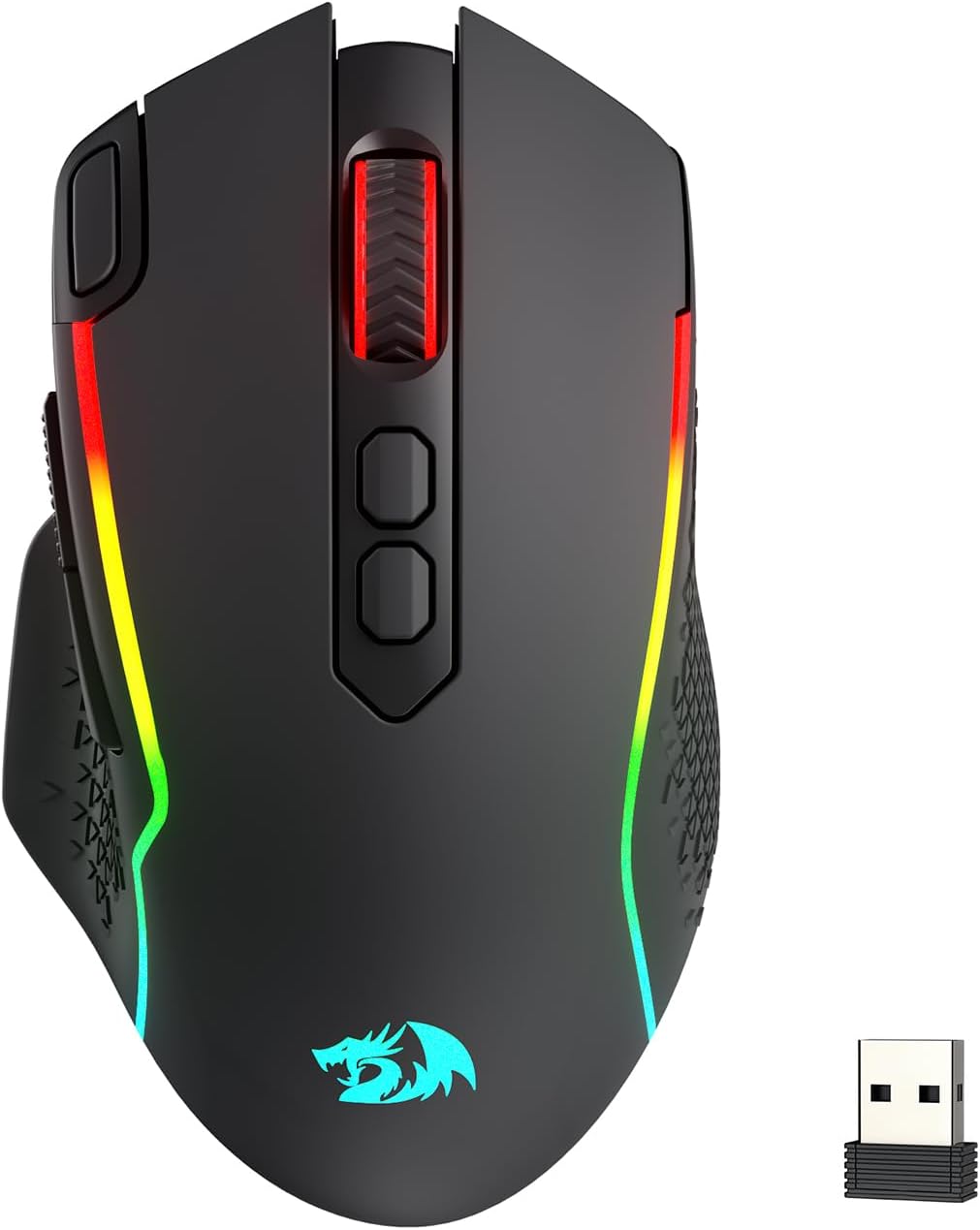
Image: The Redragon M810 MAX 3-Mode Wireless Gaming Mouse, showcasing its ergonomic design and RGB lighting.
2. Ihe ngwugwu
Chọpụta na ihe niile dị na ngwugwu gị:
- Redragon M810 MAX Wireless Gaming Mouse
- USB-C ka eriri USB-A
- 2.4GHz USB ikuku Dongle
- Akwụkwọ ntuziaka (akwụkwọ a)

Foto: Ofeview of the Redragon M810 MAX mouse highlighting its key features such as 3-mode connection, PAW3311 sensor, 8 macro buttons, 1000mAh battery, 12000 MAX DPI, DIY RGB lighting, rapid fire button, and Pro Software.
3. Mouse Layout and Features
The Redragon M810 MAX is equipped with multiple buttons and features for optimal control:
- Bọtịnụ aka ekpe: Ọrụ aka ekpe ọkọlọtọ.
- Bọtịnụ aka nri: Ọrụ pịa nri ọkọlọtọ.
- Mpempe akwụkwọ mpịakọta: For scrolling and middle-click. Features high texture for enhanced grip.
- DPI+ / DPI- Buttons: Adjust DPI levels on the fly.
- Rapid Fire Key: Pre-programmed for rapid firing (default 3-click burst).
- Bọtịnụ mbugharị: Navigational button (default: forward).
- Bọtịnụ azụ: Navigational button (default: backward).
- Mode Switch (Underside): Toggles between different polling rates/refresh rates.
- On/Off/Eco Mode Switch (Underside): Powers the mouse on/off or activates eco mode for battery saving.
- Wireless Dongle Compartment (Underside): Secure storage for the 2.4GHz USB dongle.
- USB-C Port (Front): Maka njikọ wired na ịchaji.
- Non-slip Side Wings: Textured grip on the sides for improved handling.

Foto: nkọwa zuru ezu view of the Redragon M810 MAX mouse, labeling its 8 freely programmable buttons: Left Button, Right Button, Scroll, Rapid Fire Key, DPI+, DPI-, Forward Button, and Backward Button.
4. Ntọala na Njikọ
The M810 MAX offers three connection modes:
4.1. Njikọ eriri
- Jikọọ njedebe USB-C nke eriri enyere na òké.
- Jikọọ njedebe USB-A na ọdụ USB dị na kọmputa gị.
- Òké ga-agbanwe na-akpaghị aka na wired mode wee malite chajị.
4.2. 2.4GHz Njikọ ikuku
- Locate the 2.4GHz USB wireless dongle stored in the compartment on the underside of the mouse.
- Tinye dongle n'ọdụ ụgbọ mmiri USB dị na kọmputa gị.
- Turn on the mouse using the On/Off/Eco mode switch on the underside.
- The mouse should automatically connect.
4.3. Njikọ Bluetooth
- Turn on the mouse using the On/Off/Eco mode switch on the underside.
- Activate Bluetooth pairing mode on the mouse (refer to specific software instructions if needed, usually indicated by a blinking LED).
- Na kọmputa gị, gaa na ntọala Bluetooth wee chọọ ngwaọrụ ọhụrụ.
- Họrọ "Redragon M810 MAX" site na ndepụta ngwaọrụ dị maka ijikọ.

Image: The Redragon M810 MAX mouse demonstrating its tri-mode silky connection options: 2.4GHz wireless, Bluetooth, and wired USB-C, ensuring reliable transmission.
5. Operating Modes and Adjustments
5.1. DPI mmezi
The mouse features 5 on-board DPI levels that can be adjusted using the DPI+ and DPI- buttons. The default settings are 400/800/1600/2400/3200 DPI. These levels can be customized further using the Redragon Pro driver software.

Image: The Redragon M810 MAX mouse illustrating its 12000 MAX DPI capability and adjustable DPI levels at 400, 800, 1600, 2400, and 3200, each indicated by a different color.
5.2. Mgbanwe ọnụego ntuli aka
The polling rate can be adjusted via the mode switch on the underside of the mouse or through the Redragon Pro driver. The mouse supports a 1000Hz polling rate in dual mode for optimized performance.
5.3. Ọnọdụ Eco
To conserve battery life, switch the mouse to Eco Mode using the On/Off/Eco mode switch on the underside. In this mode, the mouse's power consumption is optimized, extending usage time.
6. Customization (Redragon Pro Driver)
Unlock the full potential of your M810 MAX mouse with the Redragon Pro driver software. This software allows for extensive customization:
- Keybinding: All 8 programmable buttons can be assigned custom tactical keybinds for various games or work applications.
- Ọkwa DPI: Customize the 5 on-board DPI levels to suit your preferences.
- RGB ọkụ: DIY endless lighting styles including dynamic streaming, breathing, and waving effects. Adjust colors, brightness, and speed.
- Ọnụego ntuli aka: Fine-tune the polling rate for optimal responsiveness.

Image: The Redragon M810 MAX mouse displayed alongside the Redragon Pro driver software interface, showing options for DPI stages, ọnụego akụkọ, ntọala sensọ, na mmetụta ọkụ DPI.
7. Nchaji na ndụ batrị
The M810 MAX features an ultra long-lasting core and a rechargeable battery. To charge the mouse, connect it to your computer using the provided USB-C cable. The mouse can be used in wired mode while charging.
- Maximum Battery Life (RGB off): Ruo awa 188.
- Battery Life (RGB on): Ihe dị ka awa 29.

Image: The Redragon M810 MAX mouse highlighting its durable battery life, showing 188 hours with RGB off and 29 hours with RGB on.
8. Nlekọta
To ensure the longevity and optimal performance of your Redragon M810 MAX mouse, follow these maintenance guidelines:
- Nhicha: Jiri ákwà dị nro ma kpọọ nkụ hichaa elu òké ahụ. Zere kemịkalụ siri ike ma ọ bụ ihe ndị na-emebi ihe.
- Nlekọta ihe mmetụta: Keep the optical sensor on the underside clean and free from dust or debris.
- Njikwa USB: Store the USB-C cable neatly to prevent kinks or damage.
- Nchekwa: When not in use, store the wireless dongle in its designated compartment to prevent loss.
9. Nchọpụta nsogbu
If you encounter issues with your Redragon M810 MAX mouse, try the following solutions:
- Òké anaghị aza:
- Gbaa mbọ hụ na agbanyere òké ahụ.
- Lelee ọkwa batrị wee kwụọ ụgwọ ma ọ dị mkpa.
- For wireless connections, ensure the dongle is securely plugged in and within range.
- For Bluetooth, ensure the mouse is paired correctly and Bluetooth is enabled on your device.
- Try connecting via wired mode to rule out wireless issues.
- Nkwụsị ma ọ bụ Nkwụsị:
- Reduce distance between mouse and wireless dongle/Bluetooth device.
- Ensure no strong interference sources (e.g., other wireless devices) are nearby.
- Update mouse drivers via the Redragon Pro software.
- Okwu ọkụ RGB:
- Ensure RGB is not turned off in Eco Mode.
- Adjust lighting settings using the Redragon Pro driver.
10. Nkọwapụta
| Njirimara | Nkọwa |
|---|---|
| Ụdị | Redragon |
| Nọmba nlereanya | M810 PRO |
| Teknụzụ Njikọta | BT, 2.4Ghz, USB-C |
| Teknụzụ nchọpụta ngagharị | Ngwa anya (PAW3311 sensọ) |
| Ọnụahịa kasị elu nke DPI | 12000 |
| Bọtịnụ enwere ike ime | 8 |
| Battery Life (RGB off) | Ruo awa iri abụọ |
| Battery Life (RGB on) | Ihe dị ka awa 29 |
| Ọnụego ntuli aka | 1000Hz (dual mode) |
| Ibu Ibu | 8.8 ounces |
| Njirimara Pụrụ Iche | Ergonomic Design, Programmable Buttons |
11. Akwụkwọ ikike na nkwado
Maka ozi akwụkwọ ikike, nkwado teknụzụ, ma ọ bụ enyemaka ọzọ, biko gaa na Redragon gọọmentị websaịtị ma ọ bụ kpọtụrụ ndị ahịa ha ọrụ. Debe akwụkwọ nnata ịzụrụ maka akwụkwọ ikike.
Redragon Official Websaịtị: www.redragonzone.com


