Okwu mmalite
The Cobra 29LX AM/FM Professional CB Radio is designed for reliable communication, featuring a modern aesthetic with a selectable 4-color LCD display. This radio includes dual AM/FM modes for enhanced communication, a clock/timer for tracking driving hours and alarm functions, and a weather receiver with scan capabilities for the latest weather alerts. It also incorporates a Radio Check Diagnostic system to monitor RF output, SWR settings, and vehicle battery voltage. The 29LX provides instant access to 10 National Weather Channels and includes an Emergency Weather Alert feature.
Kedu ihe dị na Igbe ahụ
- Igwe okwu ejiri aka
- Ihe nkwado transceiver
- Mpempe igwe okwu
- Ụdọ Ike DC
- Akwụkwọ ntuziaka onye ọrụ

Figure 1: Package Contents of the Cobra 29LX AM/FM CB Radio.
Ntọala na nwụnye
Proper installation is crucial for optimal performance. Ensure the radio is mounted securely using the provided transceiver and microphone brackets. Connect the DC power cord to a 12-volt power source in your vehicle, ensuring correct polarity (red to positive, black to negative). The microphone plugs into the front of the unit. An external antenna (sold separately) is required and connects to the rear of the radio. Calibrate your antenna system using the built-in SWR calibration feature for maximum performance.

Foto 2: N'ihu view of the Cobra 29LX AM/FM CB Radio.

Ọgụgụ 3: N'azụ view of the Cobra 29LX AM/FM CB Radio.
Ntuziaka ọrụ
Power On/Off and Volume/Squelch
Turn the radio on by rotating the VOL/SQL knob clockwise. Continue rotating to adjust the volume. The squelch control eliminates background noise when no signal is present. Adjust it until the background hiss disappears.
Nhọrọ ọwa
Use the channel selector knob to choose from 40 available CB channels. Instant access to emergency channels 9 and 19 is available via dedicated buttons.
Dual-Mode AM/FM Communication
The 29LX supports both AM and FM modes. FM mode offers enhanced sound quality for shorter ranges, while AM provides maximum power for longer-range communication. Select the desired mode using the AM/FM button.

Figure 4: Key features of the Cobra 29LX AM/FM CB Radio.
NOAA Weather Channels and Alert System
Access 10 National Weather Channels for 24/7 weather information. The Weather & Alert Scan feature automatically tunes to the strongest weather channel and provides an alert tone for threatening weather, even if the CB is off.
Radio Check Diagnostic and SWR Calibration
Utilize the Radio Check Diagnostic to monitor the radio's RF output, SWR setting, and vehicle battery voltage. The SWR Calibration function allows you to fine-tune your antenna system for optimal performance and signal strength.
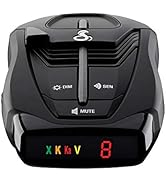
Figure 5: Advanced diagnostic and weather features.
Selectable 4-Color LCD Display
Customize the LCD display color (red, green, blue, or amber) and adjust night/day settings for optimal readability in various lighting conditions.
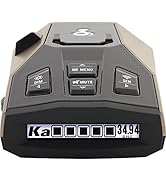
Figure 6: Customizable 4-Color LCD Display options.
Clock & Alarm
The integrated clock displays the current time. Set an alarm to manage your driving hours or for other time-sensitive needs.
Dynamike Feature
Adjust the Dynamike feature to boost your microphone for increased voice clarity, ensuring your transmissions are heard clearly.
Nlekọta
To ensure the longevity and optimal performance of your Cobra 29LX CB radio, follow these maintenance guidelines:
- Nhicha: Regularly wipe the exterior of the radio with a soft, damp akwa . Zere iji kemịkalụ siri ike ma ọ bụ ihe nchacha.
- Njikọ: Na-elele njikọ eriri niile (ike, antenna, igwe okwu) mgbe niile iji hụ na ha dị nchebe ma ghara imebi emebi.
- Antenna: Inspect your antenna for any damage or wear. Ensure it is properly mounted and tuned for the best signal.
- Nchekwa: If storing the radio for an extended period, disconnect it from power and store it in a cool, dry place.
Nchọpụta nsogbu
If you encounter issues with your Cobra 29LX, refer to the following common troubleshooting steps:
- Enweghị ike: Check the DC power cord connection and ensure the vehicle's power source is active. Verify the fuse in the power cord is intact.
- Nnabata/Nnyefe Na-adịghị Mma: Ensure the antenna is properly connected and calibrated. Check the SWR reading using the radio's diagnostic feature. Adjust RF Gain and Squelch controls.
- Enweghị ụda: Verify the volume control is turned up. Check external speaker connections if applicable.
- Okwu igwe okwu: Ensure the microphone is securely plugged into the front port. Check the Dynamike setting.
- Weather Alert Not Functioning: Ensure you are within range of a NOAA weather broadcast. Check the weather channel scan settings.
For more detailed troubleshooting or persistent issues, consult the full user manual or contact Cobra customer support.
Nkọwapụta
| Akụkụ ngwaahịa | 9.25 x 7.25 x 2.25 sentimita asatọ |
| Ibu Ibu | 3.53 pound |
| Nọmba nlereanya | CCBP29LX01 |
| Ụdị | COBRA |
| Agba | Nwa |
| Ọnụọgụ nke ọwa | 40 |
| Atụmatụ pụrụ iche | Digital Display, Dual Band, Long Range, SWR Calibration, Weather Alert |
| Oke ugboro ugboro | 26.965 MHz ruo 27.405 MHz |
| Oke Okwu Kachasị | 10 Mile |
| Voltage | 12 volts |
| Ọkwa Nguzogide mmiri | Mmiri na-eguzogide |
Akwụkwọ ikike na nkwado
For warranty information, technical support, or service inquiries, please refer to the contact details provided in the full user manual or visit the official COBRA websaịtị. Debe akwụkwọ nnata ịzụrụ maka akwụkwọ ikike.


