1. Okwu mmalite
Thank you for choosing the Cillso H97 Wireless Earbuds. This manual provides detailed instructions on how to set up, operate, and maintain your earbuds to ensure optimal performance and longevity. Please read this manual carefully before using the product.

Image: The Cillso H97 Wireless Earbuds in their charging case, displaying the LED battery indicator.
2. Kedu ihe dị na Igbe ahụ
Mgbe ebupuchara, biko hụ na ihe niile edepụtara n'okpuru nọ:
- Cillso H97 Wireless Earbuds (L/R)
- Nchaji case
- USB-C eriri USB
- Akwụkwọ ntuziaka onye ọrụ (Akwụkwọ a)

Image: A visual representation of the items included in the product packaging: earbuds, user manual, charging case, and USB-C charging cable.
3. Ngwaahịa gafereview
The Cillso H97 Wireless Earbuds are designed for comfort and high-quality audio. Key features include:
- Nkà na ụzụ Bluetooth 5.4: Provides a stable connection, longer transmission range, lower power consumption, and reduced latency.
- Immersive Hi-Fi Stereo Sound: Equipped with 13mm dynamic drivers for deep bass, clear mids, and crisp highs.
- ENC Noise Cancelling Microphones: Four built-in microphones enhance call clarity by reducing background noise.
- Ndụ batrị agbatịkwuru: Up to 8 hours of playback per charge, with a total of 40 hours using the charging case.
- Ikanam Digital Ngosipụta: The charging case features an independent LED display to show battery levels for both the case and individual earbuds.
- IPX7 Nkwanye mgbochi mmiri: Protects against sweat, rain, and splashes, making them suitable for various activities.
- Sensitive Touch Controls: Manage playback, calls, and voice assistants with simple taps.
- Ergonomic and Lightweight Design: Each earbud weighs 3.5 grams, and the case weighs 32 grams, ensuring comfortable wear and portability.
3.1 Components and Indicators
Familiarize yourself with the main components and indicators:
- Akpa ntị: Left (L) and Right (R) earbuds with touch control areas and earbud lights.
- Nchaji akpa: Houses and charges the earbuds, features a USB-C charging port and an LED digital display.
- Ikanam Digital Ngosipụta: Shows the charging case's battery percentage and individual earbud charging status (L/R battery bars).

Foto: Ofeview of the Cillso H97 Wireless Earbuds highlighting key features like Bluetooth 5.4, clear calls, Hi-Fi sound, comfort, IPX7 waterproof, 40H playtime, USB-C charging, and LED display.

Image: The earbuds and charging case with their dimensions and weight, illustrating their compact and lightweight design.
4. Nhazi
4.1 Nchaji izizi
Tupu ojiji nke mbụ, chajie nke ọma ekwe ntị na akpa nchaji.
- Tinye ntị ntị abụọ n'ime akpa chaja.
- Connect the USB-C charging cable to the charging port on the case and a standard 5V/1A or 5V/2A USB power adapter.
- The LED display on the case will show the charging progress. A full charge for the case takes approximately 1.5 hours.
- The earbud battery indicators on the LED display will show charging status for each earbud.
Note: Please use a standard 5V/1A or 5V/2A charger. Using non-standard chargers may cause charging issues or damage.
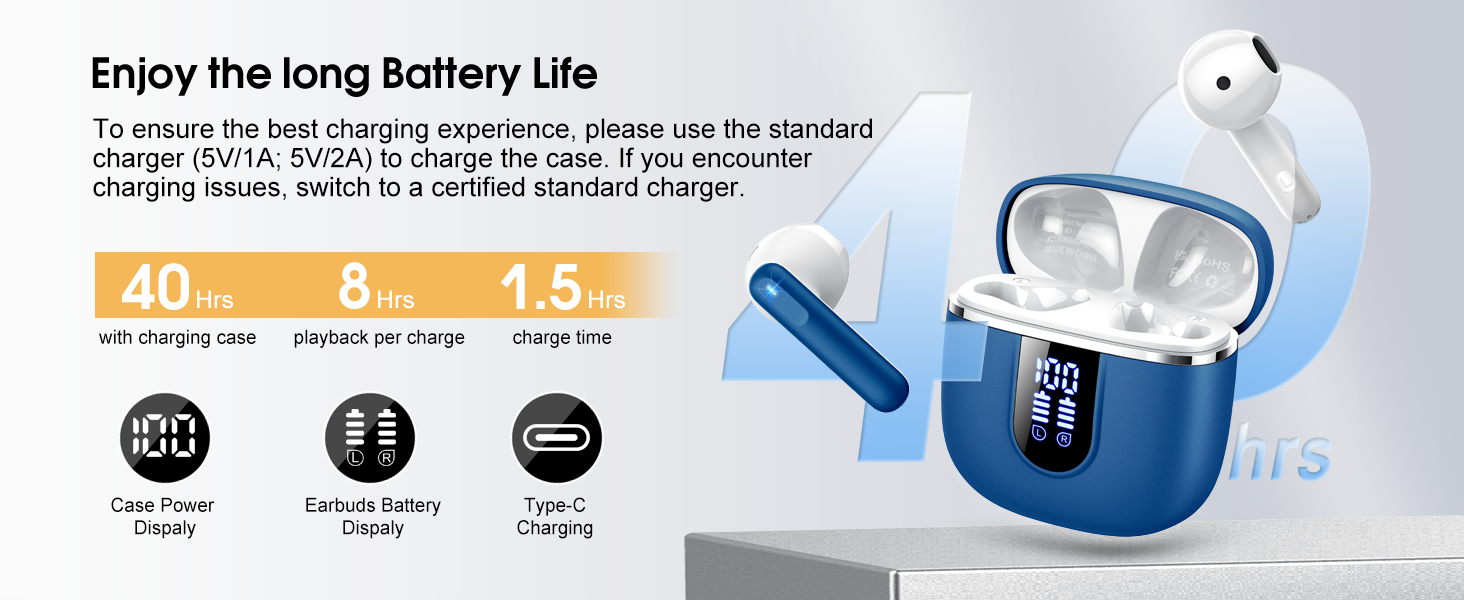
Image: Details on battery life (40 hours with case, 8 hours per charge) and charging time (1.5 hours), along with the LED display for battery status.
4.2 Njikọ Bluetooth
The earbuds feature a Hall sensor for automatic pairing.
- Njikọ oge mbụ: Mepee igbe nchaji. Igwe ntị ga-agbanye na-akpaghị aka wee banye ọnọdụ njikọta.
- Na ngwaọrụ gị (smartphone, tabletị, laptọọpụ), gbanye Bluetooth wee chọọ ngwaọrụ dị.
- Select "H97" from the list of devices to connect. Once connected, you will hear a confirmation tone.
- Njikọta akpaaka: After the initial pairing, the earbuds will automatically connect to the last paired device when the charging case is opened (within 15 meters).
- Ụkpụrụ Ụrọ Nanị: You can use either the left or right earbud independently. Simply take one earbud out of the case, and it will connect. If you take out the other earbud, they will automatically switch to binaural mode. To use a single earbud, place the other back into the charging case.

Image: An illustration explaining how to use the earbuds in single earbud mode or binaural (stereo) mode, and how they automatically switch.
5. Ntuziaka ọrụ
5.1 Njikwa mmetụ
The Cillso H97 earbuds feature sensitive touch controls on each earbud. The functions are as follows:
| Omume | Ọrụ |
|---|---|
| Pịa ugboro abụọ (L/R) | Kpọọ/kwụsịtụ egwu |
| One Tap (L/R) | Zaa/Kwụsị Oku |
| Long Press 2s (L/R) | Jụ oku |
| Long Tap 2s (R) | Abụ na-abịa |
| Long Tap 2s (L) | Abụ gara aga |
| One Tap (R) | Elu elu |
| One Tap (L) | Mpịakọta ọnụ |
| Mpịakọta Atọ (R) | Mee ka onye enyemaka olu rụọ ọrụ |

Image: A diagram illustrating the various touch control gestures for managing music playback, calls, and voice assistant functions.
5.2 Yiri ekwe ntị
Maka ịdị mma na nkasi obi kacha mma, hụ na e tinyere ntị ntị gị nke ọma n'ime ntị gị.
- Chọpụta ihe ekwe ntị aka ekpe (L) na aka nri (R).
- Jiri nwayọọ tinye ihe ntị ntị ọ bụla n'ime ọwa ntị gị.
- Adjust the angle until it feels secure and comfortable. The ergonomic design is intended to fit the contours of most ear canals.

Image: Diagrams showing the ergonomic design and recommended angles for wearing the earbuds for a secure and comfortable fit.
5.3 Ndakọrịta zuru oke
The Cillso H97 Wireless Earbuds are compatible with a broad range of Bluetooth-enabled devices.
- Sistemu eji arụ ọrụ: Gam akporo 4.4+ na iOS 8.0+
- Ụdị Bluetooth: Bluetooth 4.0 ma ọ bụ karịa
- Ngwaọrụ: Smartphones (iPhone, Samsung Galaxy, Huawei, Xiaomi, etc.), tablets, and laptops.

Image: Icons representing compatibility with phones, tablets, laptops, and desktops, showing the earbuds connected to a smartphone.
6. Nlekọta na nlekọta
6.1 Nhicha
- Jiri akwa dị nro, kpọrọ nkụ na-adịghị na-ehicha ntị ntị na chaja mgbe niile.
- Ejila ihe nhicha akọrọ, mmanya na-aba n'anya, ma ọ bụ ọgwụ fesa.
- Hụ na kọntaktị chajị dị na ntị na ihe mkpuchi ahụ dị ọcha ma kpọọ nkụ maka chajị kwesịrị ekwesị.
6.2 Nchekwa
- Mgbe ejighị ya, chekwaa earbuds n'ime akpa nchaji ha iji chebe ha ma debe ha ebubo.
- Chekwaa n'ebe dị jụụ, kpọrọ nkụ, pụọ na oke okpomọkụ na ìhè anyanwụ.
6.3 Mgbochi mmiri (IPX7)
The earbuds are rated IPX7 waterproof, meaning they can withstand immersion in water up to 1 meter for 30 minutes. This protects them from sweat, rain, and splashes.
- Etinyela akpa chaja n'ime mmiri n'amaghị ama, n'ihi na ọ naghị egbochi mmiri.
- Hụ na ntị ntị kpọrọ nkụ kpamkpam tupu etinye ha n'ime akpa chaja iji gbochie mmebi na kọntaktị chaja.
- Avoid using the earbuds in saunas, steam rooms, or during diving.

Image: An earbud with water splashing on it, illustrating its IPX7 waterproof capability.
6.4 Karịrị Nchedo Ugbu a (OCP)
The charging case is equipped with Over Current Protection technology to prevent issues such as overheating, melting, or fire caused by prolonged high current from an external power source. When the current exceeds the power limit, the power source will immediately cut off output to protect the circuitry and device.
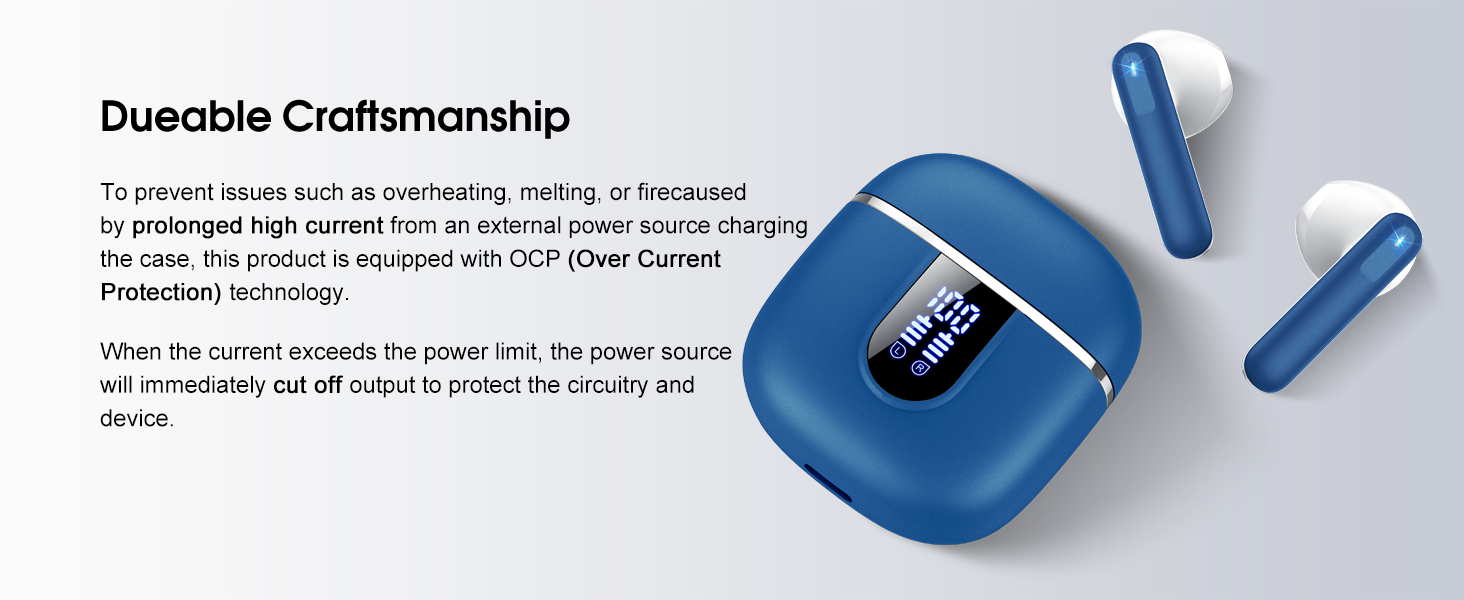
Image: The charging case and earbuds, highlighting the durable craftsmanship and Over Current Protection (OCP) technology.
7. Nchọpụta nsogbu
If you encounter any issues with your Cillso H97 Wireless Earbuds, please refer to the following common problems and solutions:
- No Sound / Disconnection:
- Gbaa mbọ hụ na akwụgoro ihe ekwe ntị.
- Check if Bluetooth is enabled on your device and if "H97" is selected.
- Move closer to your device to ensure you are within the 15-meter Bluetooth range.
- Nwaa ịtọpụ ma jikọta ekweisi ndị ahụ na ngwaọrụ gị ọzọ.
- Earbuds anaghị akwụ ụgwọ:
- Gbaa mbọ hụ na e boro ebubo ebubo.
- Check that the earbuds are correctly seated in the charging case and the charging contacts are clean.
- Verify the USB-C cable and power adapter are working correctly and meet the 5V/1A or 5V/2A standard.
- Only One Earbud Working:
- Tinyeghachi ntị ntị abụọ ahụ n'ime akpa chaja, mechie mkpuchi ahụ, chere sekọnd ole na ole, wee mepee mkpuchi ahụ wee wepụta ha ọnụ.
- Gbaa mbọ hụ na akwụgoro ekwe ntị abụọ ahụ.
- If the issue persists, try resetting the earbuds (refer to the full user manual if a specific reset procedure is available, otherwise, unpair and re-pair).
- Njikwa mmetụ anaghị aza:
- Gbaa mbọ hụ na mkpịsị aka gị dị ọcha ma kpọọ nkụ.
- Gbalịa ịmalitegharị igwe ntị site na itinye ya na akpa ahụ wee bupụ ya ọzọ.
Ọ bụrụ na usoro ndị a edozighị nsogbu gị, biko kpọtụrụ ndị ọrụ nkwado ndị ahịa.
8. Nkọwapụta
| Njirimara | Nkọwa |
|---|---|
| Aha Nlereanya | H97 |
| Ụdị | Cillso |
| Teknụzụ Njikọta | Ikuku (Bluetooth) |
| Ụdị Bluetooth | 5.4 |
| Oke Bluetooth | 15 mita |
| Nha ọkwọ ụgbọ ala ọdịyo | 13mm (from description, spec says 14.2mm, using 13mm as it's consistent with marketing) |
| Nzaghachi ugboro ugboro | 20Hz - 20kHz (from description) |
| Mmetụta | 110 dB |
| Mgbochi | 32 Ohm |
| Ndụ batrị earbud | Ruo awa iri abụọ |
| Oge Mkpọghachi (na ikpe) | Ruo awa iri abụọ |
| Oge Njikere (Ikpe) | Ihe ruru. awa 1.5 |
| Nchaji ọdụ ụgbọ mmiri | USB-C |
| Ogo Nguzogide Mmiri | IPX7 (Earbuds) |
| Earbud arọ | 3.5 grams (nke ọ bụla) |
| Ịchaji Ibu Ca | 32 grams |
| Ngwa dakọtara | iOS 9.0+/Android 5.0+ with Bluetooth 4.0+ |
| Usoro njikwa | Metụ aka |
9. Akwụkwọ ikike na nkwado
Cillso products are designed for reliability and performance. For warranty information and customer support, please refer to the warranty card included in your product packaging or visit the official Cillso websaịtị.
If you have any questions or require assistance, please do not hesitate to contact our customer service team.


