Okwu mmalite
This manual provides essential information for setting up, operating, and maintaining your Amazon Echo Dot Kids (5th Gen) with Alexa. Designed specifically for children, this smart speaker offers a blend of entertainment and educational content within a safe, controlled environment. It features an improved speaker for clearer audio and vibrant sound, making it ideal for music, stories, and interactive learning.

Image: The Amazon Echo Dot Kids (5th Gen) in Stardust design, showcasing its primary function for music, stories, and skills tailored for children.
Melite
- Ike Na: Connect the included power adapter to your Echo Dot Kids and then to a power outlet. The light ring will turn blue, then orange, indicating it is ready for setup.
- Budata ngwa Alexa: On your mobile device (Fire OS, Android, or iOS), download and install the Amazon Alexa app.
- Jikọọ na Wi-Fi: Open the Alexa app and follow the on-screen instructions to connect your Echo Dot Kids to your dual-band Wi-Fi network (supports 802.11a/b/g/n/ac on 2.4 and 5 GHz). Ensure your device is within range of your home Wi-Fi.
- Register Device: If not automatically registered, follow the app prompts to register the device to your Amazon account.
- Parent Profile Melite: Within the Alexa app, navigate to the Amazon Kids section to set up child profiles and enable parental controls.
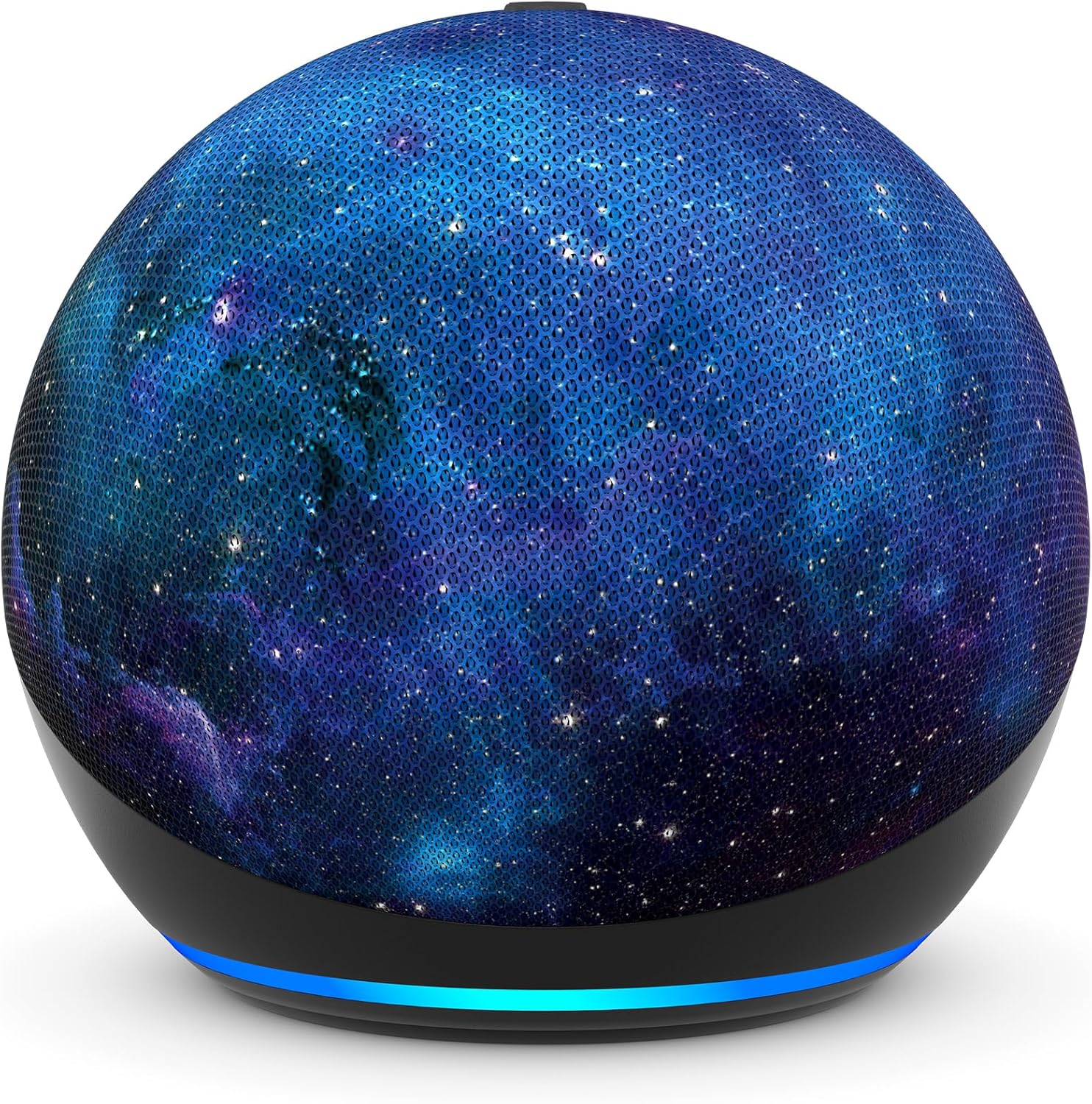
Foto: A nso nso view of the Amazon Echo Dot Kids (5th Gen) in Stardust design, illustrating its compact form factor and illuminated light ring.
Ntuziaka ọrụ
Iwu olu
Your Echo Dot Kids responds to voice commands using the wake word "Alexa."
- Music and Stories: Say, "Alexa, play music for kids" or "Alexa, tell me a bedtime story."
- Questions and Homework Help: Ask, "Alexa, how far away is the sun?" or "Alexa, what's 5 plus 7?"
- Mkpu na Usoro: Kids can set their own alarms by saying, "Alexa, set an alarm for 7 AM." Parents can set up Morning Routines via the Alexa app.
- Character Voices: Alexa can respond in fun character voices like owl, dragon, tiger, or panda.
- Hey Disney! Integration: Use the Hey Disney! voice assistant for Disney-themed interactions, such as weather updates with Mickey or setting timers with Dory.

Image: An Echo Dot Kids with a dragon design, illustrating a child's interaction with Alexa to play music.

Image: The Stardust Echo Dot Kids on a nightstand, demonstrating its use for bedtime routines with the 'Hey Disney!' feature.
Njikwa Nne na Nna na Amazon Kids+
The Echo Dot Kids is designed with robust parental controls to ensure a safe and age-appropriate experience for children.
Njikwa Nne na Nna
- Azịza Ndị Na-adịghị Ewu Maka Ụmụaka: Alexa automatically provides responses suitable for children and filters explicit lyrics from music.
- Oke oge: Tọọ oke oge kwa ụbọchị maka ojiji ngwaọrụ site na Amazon Parent Dashboard.
- Ọrụ Review: Lelee ọrụ nwa gị na usoro ojiji ya na Amazon Parent Dashboard.
- Nzuzo: The device includes a microphone off button and options to view and delete voice recordings, protecting your family's privacy.
Amazon Kids+
Your Echo Dot Kids includes a 1-year subscription to Amazon Kids+, offering a curated library of content for children aged 3-12.
- Ọdịnaya: Access kid-friendly Audible books, interactive games, and educational Alexa skills.
- Afọ Kwesịrị Ekwesị: Content is curated by age range, adapting as your child grows.
- Njikwa: Manage Amazon Kids+ content and settings via the Amazon Parent Dashboard.

Image: A visual representation of the diverse content available through Amazon Kids+, featuring popular children's brands and educational materials.

Image: A screenshot of the Amazon Parent Dashboard interface, demonstrating how parents can customize age ranges and review their child's digital experience.
Nlekọta
Iji hụ na ụmụaka Echo Dot gị dị ogologo ma rụọ ọrụ nke ọma, soro ntuziaka mmezi ndị a dị mfe:
- Nhicha: Use a soft, dry, lint-free cloth to gently wipe the exterior of the device. Avoid using abrasive cleaners, solvents, or aerosol sprays.
- Nkwanye: Place the device on a stable, flat surface away from direct sunlight, heat sources, and moisture. Ensure proper ventilation around the device.
- Ihe nkwụnye ọkụ: Only use the power adapter included with your Echo Dot Kids.
- Nchekwa: Ọ bụrụ na ị na-echekwa ngwaọrụ ahụ ruo ogologo oge, kwụpụ ya na ike wee chekwaa ya n'ebe dị jụụ na nkụ.
Nchọpụta nsogbu
If you encounter issues with your Echo Dot Kids, try the following troubleshooting steps:
- Enweghị ike: Hụ na e jikọrọ ihe nkwụnye ọkụ eletrik ahụ nke ọma na ngwaọrụ ahụ yana ebe ọkụ eletrik na-arụ ọrụ. Nwaa ebe ọkụ eletrik dị iche.
- Enweghị njikọ Wi-Fi: Check if your home Wi-Fi network is active. Restart your Wi-Fi router. In the Alexa app, go to Device Settings and attempt to reconnect to Wi-Fi.
- Alexa anaghị aza: Ensure the microphone is not muted (the light ring will be red). Try saying the wake word "Alexa" clearly and at a normal volume. Restart the device by unplugging it for 30 seconds and plugging it back in.
- Ogo ọdịyo adịghị mma: Ensure the device is not obstructed. Adjust the volume using voice commands or the Alexa app.
- Parental Control Issues: Verify settings in the Amazon Parent Dashboard within the Alexa app. Ensure child profiles are correctly configured.
Nkọwapụta
| Njirimara | Nkọwa |
|---|---|
| Nha | 3.9” x 3.9” x 3.5” (100 mm x 100mm x 89 mm) |
| Ibu | 10.7 oz (304g) |
| Audio | Igwe okwu ihu nke dị 1.73” (44 mm), Nkọwa dị elu nke na-enweghị Lossless |
| Njikọ Wi-Fi | Wi-Fi nwere eriri abụọ na-akwado netwọk 802.11a/b/g/n/ac (2.4 na 5 GHz). Anaghị akwado netwọk ad-hoc. |
| Njikọ Bluetooth | A2DP support for audio streaming, AVRCP for voice control of connected mobile devices. Bluetooth speakers requiring PIN codes are not supported. |
| Usoro Ụlọ Amamihe | Wi-Fi, Bluetooth Low Energy Mesh |
| Achọrọ Sistemụ | Ngwa Alexa dakọtara na Fire OS, gam akporo, iOS ngwaọrụ, na web nchọgharị. |
| Agụnyere na Igbe ahụ | Echo Dot (ọgbọ nke ise) ụmụaka, ihe nkwụnye ike ọcha nke glacier (15W), Ntuziaka mmalite ngwa ngwa, Nduzi Alexa maka ụmụaka. |
| Ọgbọ | Echo Dot (ọgbọ nke ise) ụmụaka - 2022 ewepụtara |
| Ogologo afọ | Afọ 3 na karịa. ỊDỌ AKA NA NTỊ: OHERE ỊGBACHI AKPỤKỤ – Obere akụkụ. Abụghị maka ụmụaka na-erubeghị afọ 3. |
| Ndebanye aha | Includes 1 year of Amazon Kids+. |
Akwụkwọ ikike na nkwado
Akwụkwọ ikike
Your Amazon Echo Dot Kids (5th Gen) comes with a Nkwa afọ 2 nke enweghị nchekasị. If the device breaks, you can return it for a free replacement. Use of the Echo Dot Kids is subject to the terms found on the Amazon websaịtị.
Mmelite Nchekwa Software
Ngwaọrụ a na-enweta mmelite nchekwa ngwanrọ ekwere nkwa ruo opekata mpe afọ anọ mgbe ọ dị maka ịzụta ya dịka ngwaọrụ ọhụrụ na Amazon. websaịtị.
Nkwado ndị ahịa
Maka enyemaka ndị ọzọ, gaa na nkwado Amazon website or contact Amazon Customer Service. You can also manage your device and content by visiting the 'Manage Your Content and Devices' section on Amazon.


