Okwu mmalite
This manual provides comprehensive instructions for the setup, operation, and maintenance of your V7 Dual Bay Docking Station USB 3.0. This device is designed to provide convenient access to 2.5-inch and 3.5-inch SATA hard disk drives (HDDs) and solid-state drives (SSDs), offering high-speed data transfer and a standalone cloning function.
Please read this manual thoroughly before using the product to ensure proper functionality and to prevent damage.
Ihe ngwugwu

Image: The side of the V7 Dual Bay Docking Station packaging, detailing the included items.
Chọpụta na ihe niile edepụtara n'okpuru dị na ngwugwu gị:
- 1x V7 Dual Bay Docking Station
- 1x USB 3.0 A to B Cable
- 1x DC 12V/3A Ada Ada Ike
- 1 x Akwụkwọ ntuziaka onye ọrụ (akwụkwọ a)
Ngwaahịa gafereview
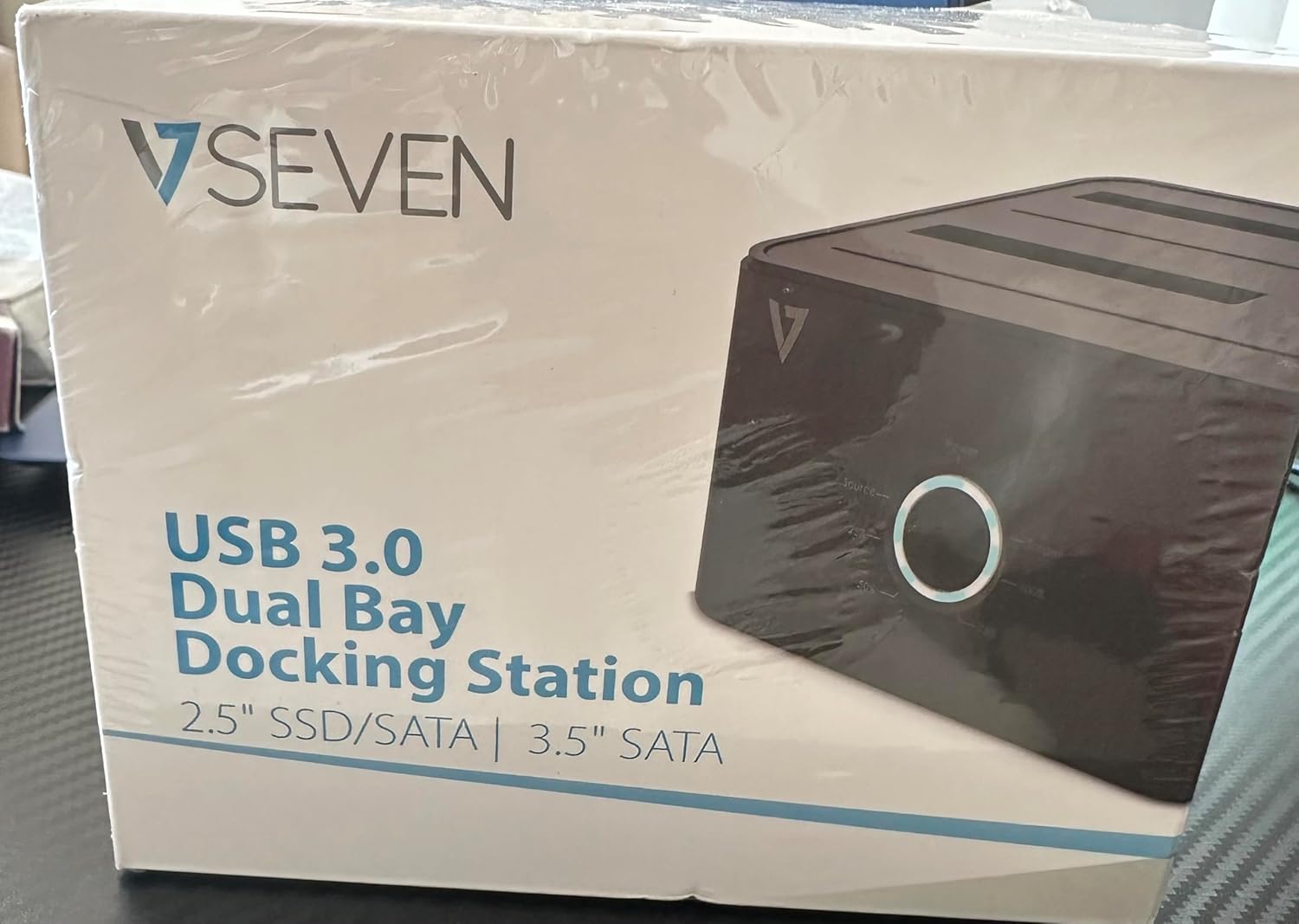
Image: The front of the V7 Dual Bay Docking Station packaging, displaying the product and its name.
The V7 Dual Bay Docking Station provides a versatile solution for managing your 2.5-inch and 3.5-inch SATA drives. Key features include:
- USB 3.0 Super-Speed Data Transfer: Achieves speeds up to 5 Gbps, significantly faster than USB 2.0.
- Dual Bay Design: Supports two SATA I/II/III HDDs or SSDs simultaneously.
- Standalone Clone Function: Allows direct cloning of one drive to another without requiring a computer.
- Ikanam Display: Provides status indication during operation, especially for cloning.
- Ngwa ndị emegharịrị: Constructed with recycled materials, contributing to environmental sustainability.

Image: The back of the V7 Dual Bay Docking Station packaging, illustrating key features and benefits, including the use of recycled materials.
Ọdụ ụgbọ mmiri na egosi:
- USB-B Port (1x): Connects the docking station to your computer.
- SATA Drive Bays (2x): For inserting 2.5-inch or 3.5-inch SATA HDDs/SSDs.
- DC Power Input (1x): For connecting the 12V/3A power adapter.
- Power Button/LED: Controls power and indicates operational status.
- Clone Button/LEDs: Initiates the cloning process and indicates progress.
Melite
- Njikọ Ike: Insert the DC 12V/3A power adapter into the "DC Power Input" port on the docking station, then plug the adapter into a wall outlet.
- Tinye draịva:
- Gently slide your 2.5-inch or 3.5-inch SATA HDD/SSD into the drive bay(s) until it is securely seated. Ensure the SATA connector aligns correctly.
- For cloning, insert the source drive into Bay 1 (Source) and the target drive into Bay 2 (Target). The target drive must be equal to or larger in capacity than the source drive.
- Connect to Computer (for data transfer): If you intend to use the docking station for data transfer with a computer, connect one end of the USB 3.0 A to B cable to the USB-B port on the docking station and the other end to an available USB 3.0 port on your computer.
- Ike Na: Press the power button on the docking station. The power LED should illuminate.
Ntuziaka ọrụ
A. Data Transfer Mode (Connected to Computer)
- Ensure the docking station is powered on and connected to your computer via the USB 3.0 cable.
- Insert one or two SATA drives into the bays.
- Your operating system should detect the drives as external storage. You may need to initialize and format new drives through Disk Management (Windows) or Disk Utility (macOS) before use.
- You can now access, read, and write data to the inserted drives as you would with any external storage device.
- Always safely eject the drives from your operating system before powering off the docking station or removing the drives.
B. Standalone Clone Function (Without Computer)
The clone function allows you to duplicate a source drive to a target drive without a computer connection. The target drive must have a capacity equal to or greater than the source drive.
- Nkwadebe:
- Ensure the docking station is disconnected from any computer.
- Fanye ya Isi mmalite Drive (the drive you want to copy FROM) into Bay 1.
- Fanye ya Ọdụ ebumnuche (the drive you want to copy TO) into Bay 2.
- Warning: All data on the target drive will be erased during the cloning process. Back up any important data on the target drive before proceeding.
- Malite mmepụta ihe:
- Ike na ọdụ ụgbọ mmiri.
- Press and hold the "Clone" button for approximately 3-5 seconds until the clone progress LEDs begin to flash.
- Confirm Clone:
- Release the "Clone" button. The 25% progress LED should start blinking.
- Press the "Clone" button again briefly to confirm and start the cloning process.
- Nyochaa ọganihu: The progress LEDs (25%, 50%, 75%, 100%) will illuminate sequentially to indicate the cloning status.
- Mmecha: When the 100% LED remains solid, the cloning process is complete.
- Gbanyụọ ma wepụ ike: Gbanyụọ ọdụ ebe a na-adọba ụgbọala tupu iwepụ draịva ndị ahụ.
Nlekọta
- Debe ọdụ ụgbọ mmiri ahụ ka ọ dị ọcha na enweghị ntụ. Jiri akwa dị nro, kpọrọ nkụ maka nhicha.
- Zere ikpughe ngwaọrụ ahụ na oke okpomọkụ, iru mmiri, ma ọ bụ ìhè anyanwụ kpọmkwem.
- Agbalịla ịkwatu ma ọ bụ rụzie ngwaọrụ ahụ n'onwe gị. Nke a ga-eme ka akwụkwọ ikike ahụ ghara ịdị irè.
- Gbaa mbọ hụ na ikuku ikuku dị na gburugburu ngwaọrụ mgbe ọ na-arụ ọrụ.
Nchọpụta nsogbu
| Nsogbu | Ihe nwere ike ime | Ngwọta |
|---|---|---|
| Ngwaọrụ anaghị agbanye ọkụ. | Ejikọtaghị ihe nkwụnye ọkụ ma ọ bụ mejọrọ. | Ensure the power adapter is securely connected to both the docking station and a working power outlet. Try a different outlet. |
| Drives not detected by computer. | USB cable not connected properly; drive not seated correctly; drive uninitialized/unformatted. | Check USB cable connection. Re-seat the drive(s). For new drives, initialize and format them via Disk Management (Windows) or Disk Utility (macOS). Try a different USB port on your computer. |
| Clone function not starting. | Incorrect drive placement; target drive too small; clone button not held long enough. | Ensure source drive is in Bay 1 and target drive in Bay 2. Verify target drive capacity is equal to or larger than source. Hold the clone button for 3-5 seconds until LEDs flash. |
| Ọsọ mbufe data dị nwayọ. | Connected to USB 2.0 port; faulty USB cable. | Ensure the docking station is connected to a USB 3.0 port on your computer. Try a different USB 3.0 cable. |
Nkọwapụta
- Ụdị: 9UDBBS-BLK
- Ngwa ngwa ngwa: USB 3.0 (azụ dakọtara na USB 2.0)
- Ọsọ mbufe data: Up to 5 Gbps (USB 3.0 Super-Speed)
- Ndakọrịta draịva: 2.5" and 3.5" SATA I/II/III HDDs and SSDs
- Bgbọala Oge: 2
- ọdụ ụgbọ mmiri: 1x USB-B (Host), 2x SATA (Internal), 1x DC Power Input
- Ntinye ike: DC 12V/3A (12 Watts)
- UPC: 662919116557
- Onye nrụpụta: Ingram Micro Inc
- Ihe: Made from Recycled Materials
Akwụkwọ ikike na nkwado
For warranty information and technical support, please refer to the official V7 websaịtị ma ọ bụ kpọtụrụ onye na-ere ahịa gị. Debe ihe akaebe nke ịzụrụ ihe maka akwụkwọ ikike.
Maka enyemaka ọzọ, biko gaa na: www.v7world.com/support (Ọpụample njikọ, ezigbo njikọ nwere ike ịdị iche)