1. Okwu mmalite
This manual provides essential information for the safe and efficient operation of your Lefant M2L Plus LiDAR Robot Vacuum and Mop. Please read it thoroughly before use and retain it for future reference.
2. Ngwaahịa gafereview
The Lefant M2L Plus is a 2-in-1 robot vacuum and mop designed for comprehensive floor cleaning. It features advanced LiDAR navigation, PSD obstacle avoidance, strong suction, and multi-floor mapping capabilities.
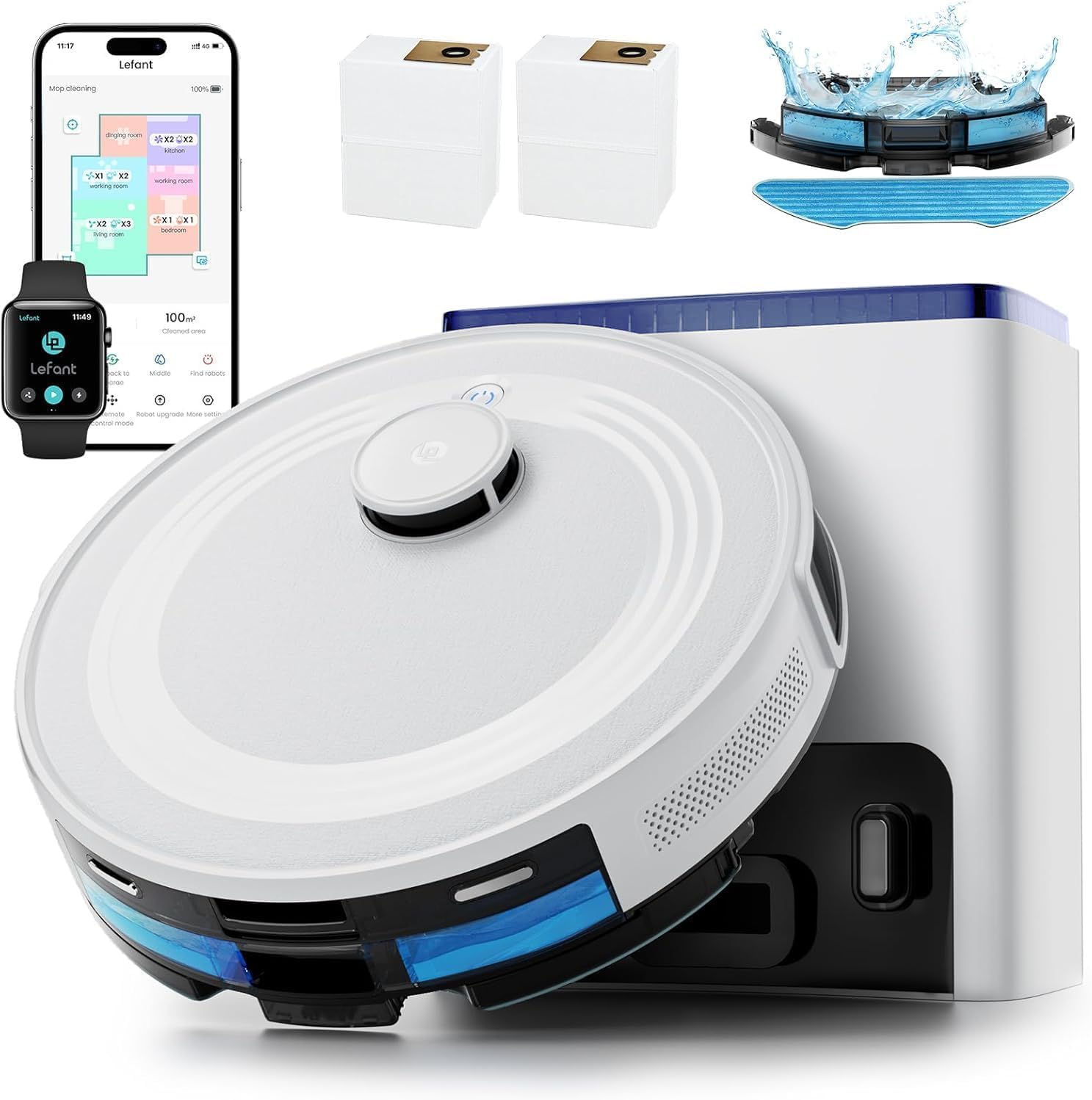
Image 1: Lefant M2L Plus Robot Vacuum and Mop with Self-Emptying Station.
3. Nhazi
3.1 Unboxing na ihe gụnyere
Carefully unpack all components and ensure everything is present. The package includes:
- 1*Robot vacuum
- 1*Self-Emptying Station
- 1*Mop Holder
- 1*Charging Adapter
- 1*Disposable mop
- 2 * Akpa uzuzu
- 2*Dust box filter
- 2*Side Brush
- 1 * Akwụkwọ ntuziaka onye ọrụ
- 1*Washable Mop Cloth
- 4*HEPA Filter
- 1*Cleaning Tool
- 1 * Igwe ọkụ

Image 2: All components included in the Lefant M2L Plus package.
3.2 Ebe a na-etinye ọdụ chaja
Place the self-emptying station against a wall in an open area, ensuring there are no obstacles within 1.5 meters (5 feet) in front of it and 0.5 meters (1.6 feet) on either side. Plug the power cord into a wall outlet.
3.3 Nchaji izizi
Place the robot vacuum onto the charging station. Ensure the charging contacts on the robot align with those on the station. The robot will begin charging automatically. For first-time use, fully charge the robot before operation.
3.4 App and Smart Home Integration
Download the "Lefant App" from your device's app store. Follow the in-app instructions to connect your M2L Plus robot vacuum to your 2.4G/5G Wi-Fi network. The app allows for customized cleaning options, scheduling, and monitoring.

Image 3: Step-by-step guide to connect the Lefant Robot to the mobile application.
For Alexa or Google Assistant integration, open the Lefant App, navigate to "Mine" -> "Third-party access service". Record your voice account and password. Then, open the Alexa App or Google Home App, search for "Smart Life", and enable the skill. Link your account using the recorded credentials.

Image 4: Steps to connect the Lefant M2L Plus to Alexa for voice control.
4. Ntuziaka ọrụ
4.1 Mmalite na Ịkwụsị Nhicha
Press the power button on the robot or use the Lefant App to start a cleaning cycle. To pause, press the power button once. To stop and return to the charging station, press and hold the power button for 3 seconds, or use the "Recharge" function in the app.
4.2 Ụdị nhicha
- Nhicha akpaaka: The robot intelligently plans the most efficient cleaning path.
- Nhicha ncha: Na-elekwasị anya n'ebe ruru unyi kpọmkwem.
- Nhicha mpaghara: Cleans selected rooms or zones defined in the app.
- Partial Cleaning: Cleans a user-defined rectangular area.
- Vacuuming and Mopping: The M2L Plus can vacuum and mop simultaneously. Adjust water flow levels (3 levels) via the app.

Image 5: The Lefant M2L Plus offers 3-in-1 functionality: vacuum, mop, and sweep with 6000Pa suction power.
4.3 LiDAR Navigation and Mapping
The robot uses 360° LiDAR navigation to scan and map your home, creating multi-level maps for efficient cleaning routes. It minimizes missed spots and unnecessary repetition.
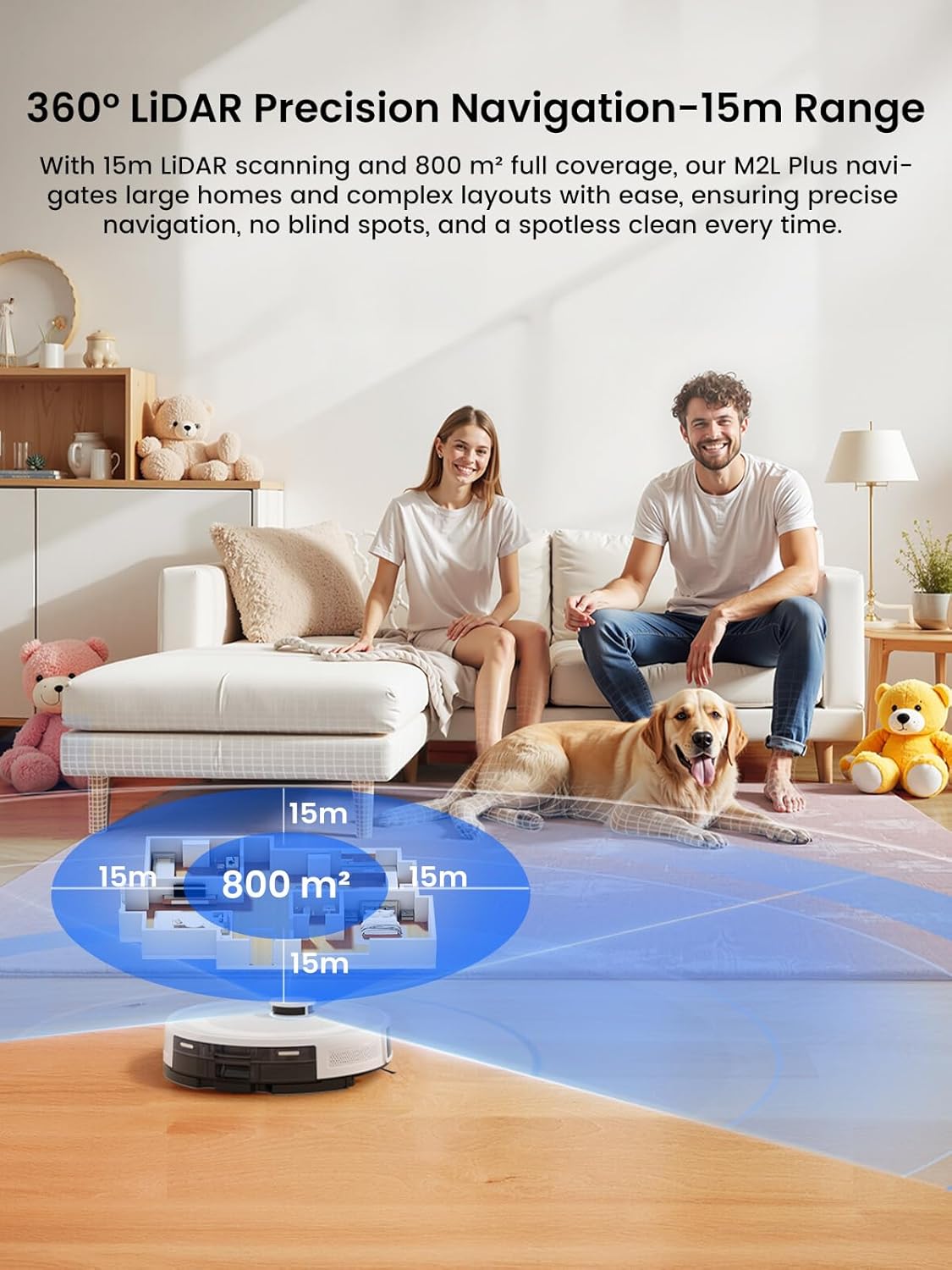
Image 6: The robot uses 360° LiDAR for precise navigation and 15m range mapping.
4.4 Izere ihe mgbochi
Equipped with nine triangulation distance sensors and 190° PSD technology, the M2L Plus accurately detects and avoids objects as close as 1.6 inches away, ensuring collision prevention even in low light conditions. This feature is particularly beneficial for pet owners.

Image 7: The 190° PSD obstacle avoidance technology helps the robot detect and avoid objects.
4.5 Carpet Detection and Auto Boost
When the mop holder is attached, the robot will avoid carpets to keep them dry. When the mop holder is removed, it automatically boosts suction to maximum (6000Pa) for a deep clean on carpets.

Image 8: The robot adjusts its cleaning behavior based on carpet detection and mop holder attachment.
4.6 Customized Cleaning Options via App
The Lefant App provides extensive customization:
- Set cleaning modes and frequencies for each room.
- Choose specific rooms or zones to clean.
- Split or merge rooms for personalized cleaning schedules.
- Hazie Mpaghara Ndị A Na-agaghị Aga iji gbochie ohere ịbanye n'ebe ụfọdụ.

Image 9: The Lefant App offers comprehensive control over cleaning schedules, modes, and zones.
5. Nlekọta
5.1 Self-Emptying Dustbin
The self-emptying station automatically transfers collected debris from the robot's internal dustbin into a sealed dustbag, offering up to 75 days of hands-free maintenance. Replace the dustbag when full (additional dustbags sold separately).

Image 10: The self-emptying station provides up to 75 days of hands-free operation.
5.2 Nhicha ájá na nzacha
Regularly check and clean the robot's internal dustbin and filters. Open the top cover of the robot, remove the dustbin, and empty its contents. Clean the filter by tapping off debris or rinsing with water (ensure it's completely dry before reinserting). The self-emptying station also contains a filter that should be checked periodically.
5.3 Mopping Pad and Water Tank Care
Remove the mopping pad after each mopping cycle and clean it. The mopping pad is washable. Refill the 300ml water tank as needed. It is recommended to use only clean water or manufacturer-approved cleaning solutions.
5.4 Nlekọta ahịhịa
Periodically inspect the side brushes for tangled hair or debris. Use the provided cleaning tool to cut and remove any tangled hair. Replace worn brushes as necessary (spare brushes included).
6. Nchọpụta nsogbu
If the robot encounters an issue, it may provide a voice alert or an error message in the app. Refer to the app's message center for specific troubleshooting steps.
- Robot ahụ gbawara: Clear obstacles from the cleaning path. Check for tangled wires or small objects.
- Mmiri na-adịghị mma: Empty the dustbin, clean or replace filters, and check for blockages in the suction path.
- Nsogbu mopping: Ensure the water tank is filled and the mopping pad is clean and properly attached.
- Nsogbu njikọ ngwa: Ensure the robot is within Wi-Fi range and connected to the correct 2.4G/5G network. Restart the app and the robot if necessary.
- Clogged roller brush: If the robot reports a clogged roller brush, remove and clean the brush thoroughly, even if no visible blockage is present.
7. Nkọwapụta
| Njirimara | Nkọwapụta |
|---|---|
| Ụdị | Lefant |
| Aha Nlereanya | M2L gbakwunyere |
| Njirimara Pụrụ Iche | Auto-Docking, LiDAR Navigation, Low Noise, No-Go Zone, Wet/Dry |
| Agba | Ọcha |
| Akụkụ ngwaahịa | 16.8"L x 12.8"W x 12.6"H |
| Ụdị nzacha | Sponge |
| Ndụ batrị | 140 nkeji |
| Voltage | 14.4 volts (DC) |
| Ike (Tank mmiri) | 300 milliliters |
| Isi Iyi Ike | Akwanyere batrị |
| Usoro njikwa | Ngwa, Ime Ime Obodo, Mmetụ aka, Olu |
| Ngwa dakọtara | Amazon Echo, Google Home, Smartphones, Smartwatches, Tablets |
| Ibu Ibu | 13.66 pound |
| Nkwanye elu | Carpet and hard flooring |
8. Akwụkwọ ikike na nkwado
Lefant provides a one-year warranty for the M2L Plus. For any inquiries or assistance, please contact Lefant's 24/7 professional customer service (Monday to Friday).
9. Official Product Videos
Features Explained That Set This Apart From The Rest
Video 1: A detailed explanation of the unique features of the Lefant M2L Plus robot vacuum and mop.
Lefant Robot Vac Mop What You Get
Vidiyo nke 2: Ịmeghe igbe na ihe karịrịview of the contents included with the Lefant M2L Plus robot vacuum and mop.
Lefant M2 Plus: Smart Vacuum That FINALLY Works!
Video 3: A demonstration of the smart cleaning capabilities of the Lefant M2L Plus robot vacuum.
How Good Is This Lefant Robot Vacuum?
Vidiyo 4: A review highlighting the performance and effectiveness of the Lefant M2L Plus robot vacuum.
Robot Vac Cleans Litter Box & Maps Your Whole House!
Video 5: Demonstrates the robot vacuum's ability to clean around pet areas and map an entire home.
Lefant Robot vac mop, real testing! How does it work?
Video 6: Real-world testing of the Lefant M2L Plus robot vacuum and mop's performance.
LiDAR Robot Vacuum and Mop, 6000Pa Strong Suction, 75-Day
Video 7: Highlights the key features of the Lefant M2L Plus, including LiDAR navigation, 6000Pa suction, and 75-day capacity.
2 months later...what I'm loving and what I'm not
Video 8: A long-term review of the Lefant M2L Plus, discussing its pros and cons after two months of use.
Review | Smart robot vacuum cleaner with mop!
Vidiyo nke 9: Nkọwa zuru okeview of the Lefant M2L Plus smart robot vacuum cleaner with mopping functionality.


