1. Okwu mmalite
Thank you for choosing BUGANI Buds True Wireless Earbuds. This manual provides detailed instructions on how to set up, operate, and maintain your earbuds to ensure optimal performance and longevity. Please read this manual thoroughly before using the product.
2. Ihe ngwugwu
- 1 pair of BUGANI B09 True Wireless Earbuds
- 1 USB-C eriri USB
- 3 pairs of Eartips (S, M, L)
- 3 pairs of Silicone Ear Hooks (S, M, L)
- Ntuziaka onye ọrụ
3. Ngwaahịa gafereview
Familiarize yourself with the components of your BUGANI Buds.
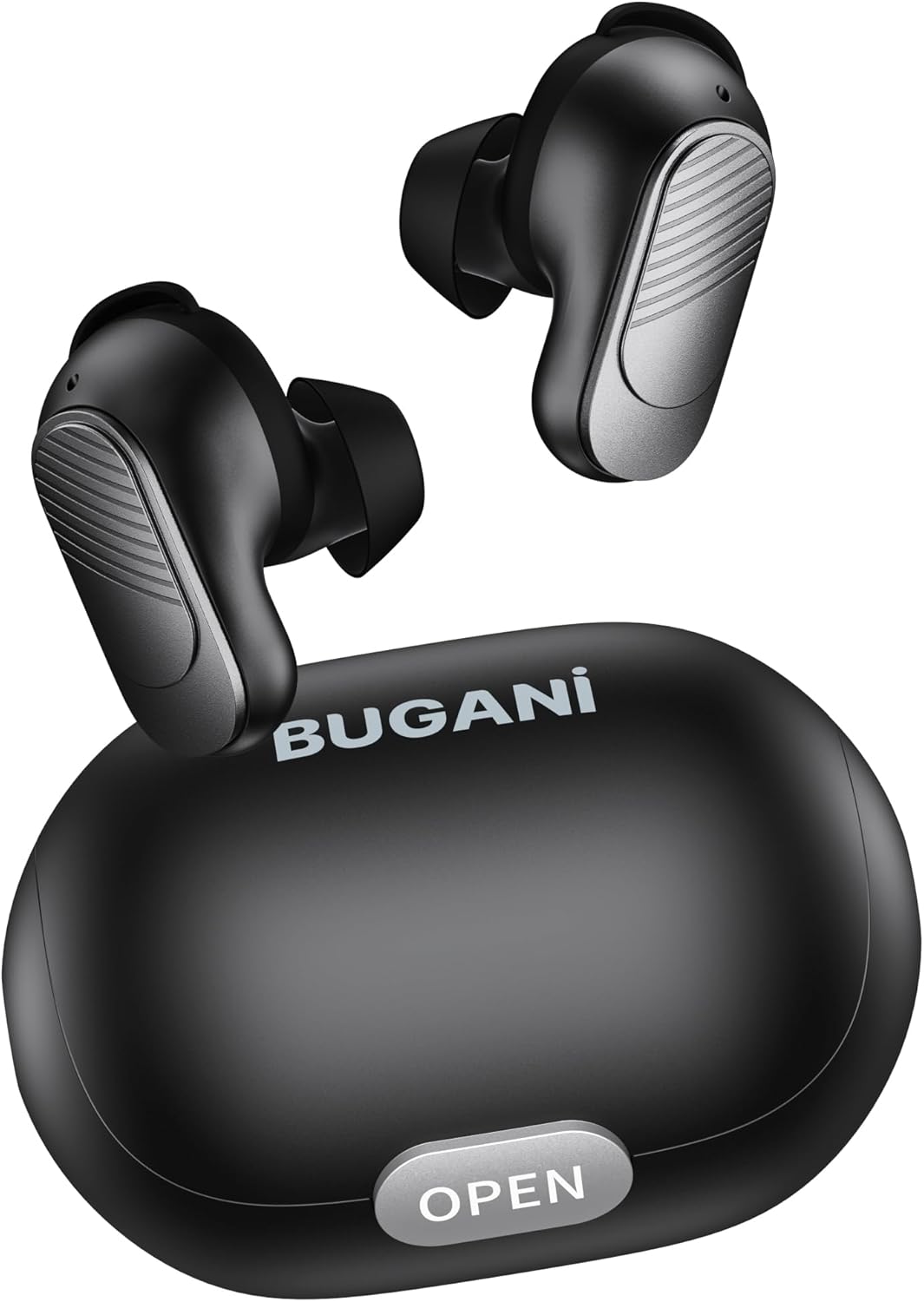
Image: BUGANI Buds True Wireless Earbuds with their charging case. The earbuds are black with silver accents, and the case is a sleek black oval shape with an "OPEN" button.

Image: An exploded diagram showing the internal components of a BUGANI Bud earbud, highlighting the driver and circuit board for enhanced sound quality.

Image: Illustration demonstrating the battery life of BUGANI Buds. It shows 6 hours of playback on a single charge and an additional 24 hours with the charging case, totaling 30 hours.

Image: A woman using BUGANI Buds during a phone call, with an inset showing the earbud and the "MIC" label, indicating the dual microphone for clear calls.

Image: A woman exercising while wearing BUGANI Buds, with an overlay showing the IPX6 water resistance icon, signifying protection against sweat and splashes.

Image: A woman wearing BUGANI Buds, with insets highlighting the lightweight design (3.9g) and the ergonomic fit with proper ear wingtips for comfort.
4. Nhazi
4.1 Nchaji izizi
Before first use, fully charge the earbuds and the charging case. Connect the USB-C charging cable to the charging port on the case and a power source. The indicator lights on the case will show charging status.
4.2 Choosing the Right Eartips
Select the eartips (S, M, L) and silicone ear hooks that provide the most comfortable and secure fit for your ears. A proper seal is crucial for optimal sound quality and noise isolation.
5. Ntuziaka ọrụ
5.1 Gbanyụọ ma ọ bụ gbanyụọ
- Ike Na: Mepee igbe nchaji, na ntị ntị ga-agbanye ọkụ ozugbo.
- Gbanyụọ: Tinye ihe ntị ntị n'ime akpa nchaji wee mechie mkpuchi. Ha ga-agbanyụ ozugbo wee malite ịchaji.
5.2 Njikọ Bluetooth
- Hụ na earphones dị n'ime akpa chaja ma mkpuchi ahụ emeghee.
- Na ngwaọrụ gị (smartphone, mbadamba, wdg), gbanye Bluetooth.
- Chọọ maka "BUGANI Buds" in the list of available Bluetooth devices.
- Select "BUGANI Buds" to connect. Once connected, you will hear a confirmation tone.
- Igwe ntị ntị ga-ejikọta ya na ngwaọrụ ejikọtara ikpeazụ na-akpaghị aka mgbe ewepụrụ ya na ikpe ahụ, ọ bụrụ na agbanyere Bluetooth na ngwaọrụ ahụ.
5.3 Njikwa mmetụ
The BUGANI Buds feature intuitive touch controls on each earbud:
| Omume | Ihe ntị aka ekpe | Nri ntị aka nri |
|---|---|---|
| Gwuo/kwụsịtụ | Otu mgbata | Otu mgbata |
| Track na-esote | Pịa ugboro abụọ | |
| Egwu gara aga | Pịa ugboro abụọ | |
| Zaa/Kwụsị Oku | Otu mgbata | Otu mgbata |
| Jụ oku | Ogologo Pịa (2s) | Ogologo Pịa (2s) |
| Mee ka onye enyemaka olu rụọ ọrụ | Pịa ugboro atọ | Pịa ugboro atọ |
5.4 Ịchaji ntị na akpa
- Akpa ntị: Place the earbuds into the charging case. They will automatically charge.
- Nchaji akpa: Connect the USB-C cable to the charging port on the case and a USB power adapter (not included). The indicator lights will show the charging status.
6. Nlekọta
- Jiri ákwà dị nro ma kpọọ nkụ hichaa ntị ntị na ihe mkpuchi chaja mgbe niile.
- Ejila ihe nchacha abrasive ma ọ bụ ihe mgbaze.
- Debe kọntaktị chajị dị na ntị na ihe mkpuchi ahụ ka ọ dị ọcha iji hụ na chajị ya nke ọma.
- Chekwaa ntị ntị n'akpa chaja ha mgbe anaghị eji ya iji chebe ha ma debe ya ebubo.
- Avoid exposing the earbuds to extreme temperatures, humidity, or direct sunlight.
- While IPX6 water-resistant, do not immerse the earbuds in water.
7. Nchọpụta nsogbu
| Nsogbu | Ngwọta enwere ike |
|---|---|
| Igwe ntị anaghị ejikọta ọnụ |
|
| Naanị otu earbud na-arụ ọrụ |
|
| Ogo ụda adịghị mma |
|
| Earbuds anaghị akwụ ụgwọ |
|
8. Nkọwapụta
| Njirimara | Nkọwa |
|---|---|
| Aha Nlereanya | B09 |
| Ụdị | BUGANI |
| Teknụzụ Njikọta | Ikuku (Bluetooth 5.3) |
| Teknụzụ nzikọrịta ozi ikuku | Bluetooth |
| Ụdị njikwa | Njikwa aka |
| Ọkwa Nguzogide mmiri | IPX6 (ihe mgbochi mmiri) |
| Oke ugboro ugboro | 20 Hz - 20,000 Hz |
| Ngwakọta batrị | Lithium-ion |
| Batrị enwere ike ịchaji | Ee |
| Ntinye ntị | N'ime ntị |
| Ụdị Ihe | N'ime ntị |
| Ihe onwunwe | Plastic |
| Agba | Nwa |
| ASIN | B0FBRKTKTS |
9. Akwụkwọ ikike na nkwado
For warranty information and technical support, please refer to the official BUGANI websaịtị ma ọ bụ kpọtụrụ ndị ahịa ha ọrụ. Debe akwụkwọ nnata ịzụrụ maka akwụkwọ ikike.
Return Policy: This product typically has a 30-day refund/replacement return policy.
Manufacturer: BUGANI


