1. Okwu mmalite
Thank you for choosing the Pro Breeze 40L Smart Dehumidifier. This manual provides important information regarding the safe operation, installation, use, and maintenance of your appliance. Please read this manual thoroughly before use and retain it for future reference.
This dehumidifier is designed to efficiently remove excess moisture from the air, helping to prevent mold, mildew, and condensation in spaces up to 50 m².
2. Ntuziaka nchekwa dị mkpa
Na-agbaso usoro nchekwa nchekwa mgbe niile mgbe ị na-eji ngwa eletriki iji belata ihe egwu nke ọkụ, ujo eletrik na mmerụ ahụ.
- Gụọ ntuziaka niile nke ọma tupu ị rụọ ngwa ahụ.
- Gbaa mbọ hụ na voltage egosiri na akara ọkwa dabara na isi vol gịtage.
- Ejila ngwa, eriri ọkụ, ma ọ bụ nkwụnye na mmiri ma ọ bụ mmiri mmiri ndị ọzọ.
- Do not operate the appliance with a damaged cord or plug, or after it malfunctions or has been dropped or damaged in any manner.
- Debe ngwa ahụ ka ụmụaka na anụ ụlọ ghara iru.
- Always unplug the appliance when not in use, before cleaning, or before moving.
- Gbaa mbọ hụ na etinyere ngwa ahụ n'elu ebe kwụsiri ike, dịkwa larịị.
- Ekpuchila ọnụ ụzọ ikuku ma ọ bụ ebe a na-esi abanye. Debe oghere dị sentimita iri abụọ n'akụkụ ebe ahụ.
- Ngwa a bụ naanị maka ime ụlọ.
- Do not use in bathrooms or other excessively humid environments where water may splash onto the unit.
3. Ngwaahịa gafereview
3.1 Akụkụ
The Pro Breeze 40L Smart Dehumidifier features a compact design with integrated controls and a water tank. It includes a continuous drainage option and mobility wheels for easy placement.
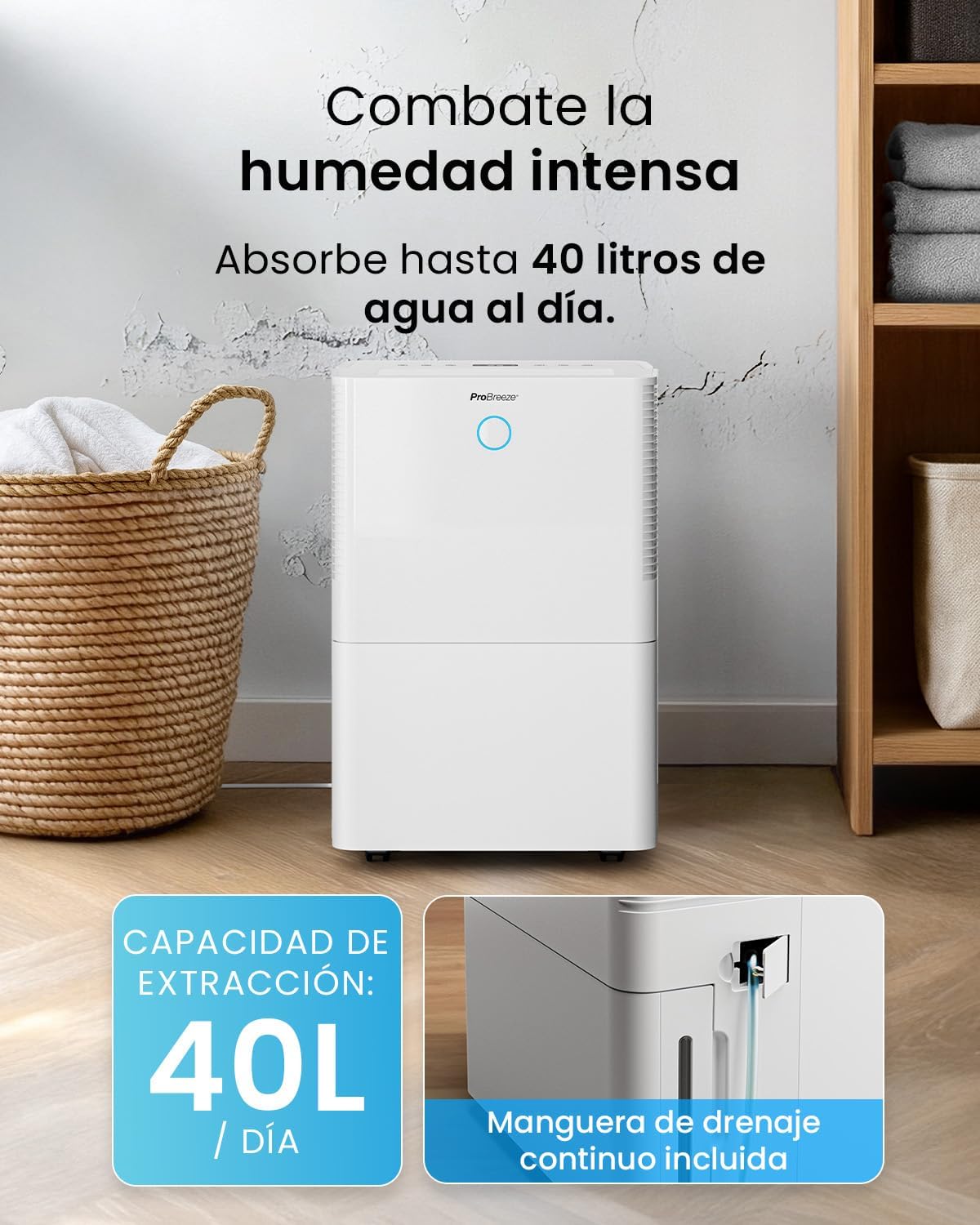
Foto: N'ihu view of the Pro Breeze 40L Smart Dehumidifier, highlighting its dimensions (52cm height, 28cm depth, 35.5cm width) and key features like smart app control, laundry mode, 5.5L tank, and low energy consumption.
3.2 Ogwe njikwa na ngosi
The dehumidifier is equipped with an intuitive touch control panel and an LED display for easy operation and monitoring of humidity levels.

Image: A hand interacting with the touch control panel of the dehumidifier, showing the digital display and various function buttons.
4. Nhazi
4.1 Nwepu
- Jiri nlezianya wepụ ihe mgbapụta na nkwakọ ngwaahịa ya.
- Wepụ ihe niile e ji ekpuchi ihe, gụnyere ihe mkpuchi ma ọ bụ teepu ọ bụla.
- Inspect the appliance for any signs of damage. If damaged, do not operate and contact customer support.
4.2 Ntinye
Place the dehumidifier on a firm, level surface in the desired room. Ensure there is at least 20 cm of clear space around all sides of the unit to allow for proper airflow.

Image: A person easily moving the dehumidifier across a wooden floor in a living room, demonstrating its portability with four swivel wheels.
4.3 Njikọ ike
Plug the power cord into a grounded electrical outlet. Ensure the outlet meets the power requirements specified in the 'Specifications' section.
4.4 Mmiri na-aga n'ihu (Nhọrọ)
For continuous operation without needing to empty the water tank, attach the included drainage hose. Connect one end to the drainage port on the back of the unit and the other end to a suitable drain or container that is lower than the drainage port.

Foto: nso nso view of the dehumidifier's side, showing the continuous drainage hose connected and leading to a floor drain.
5. Ntuziaka ọrụ
5.1 Gbanyụọ ma ọ bụ gbanyụọ
Pịa Ike bọtịnụ dị na njikwa njikwa ka ịgbanwuo ma ọ bụ gbanyụọ unit ahụ.
5.2 Tọọ iru mmiri achọrọ
The dehumidifier features an automatic sensor that continuously measures room humidity. Use the iru mmiri buttons to set your desired humidity level between 30% and 80%.

Image: A family relaxing in a living room with the dehumidifier operating. An overlay illustrates the humidity indicator lights: Blue for >50% (Low), Green for 50-70% (Medium), and Red for <70% (High).
5.3 Ụdị arụ ọrụ
- Ụdị akpaaka: The unit will automatically adjust its operation to maintain the set humidity level.
- Ụkpụrụ na-aga n'ihu: The dehumidifier will operate continuously regardless of the humidity level, ideal for very damp ọnọdụ.
- Ụdị ịsa ákwà: This mode is designed to accelerate the drying of clothes indoors by running at maximum fan speed and continuous dehumidification.
- Modera Modera: Reduces fan speed and dims the display for quiet operation during the night.

Image: A woman smiling while placing clothes on a drying rack next to the dehumidifier, illustrating the accelerated laundry drying feature.

Image: A family watching television in a dimly lit living room, with the dehumidifier operating quietly in the foreground, indicating its silent operation and night mode features.
5.4 Ọrụ ngụ oge
Jiri ihe Ngụ oge button to set a 24-hour timer for automatic power on or off. This allows you to schedule operation according to your needs.

Image: A close-up of a smartphone screen displaying the Pro Breeze app's 24-hour timer function, allowing users to schedule the dehumidifier's operation.
6. Wi-Fi Connectivity and App Control
The Pro Breeze 40L Smart Dehumidifier can be controlled remotely via the free Pro Breeze app, compatible with both Alexa and Google Home.
6.1 Ngwa nwụnye na ijikọ
- Download the Pro Breeze app from your smartphone's app store.
- Follow the in-app instructions to create an account and pair your dehumidifier.
- Ensure your dehumidifier is powered on and your smartphone is connected to a 2.4GHz Wi-Fi network during the pairing process.
6.2 Njirimara njikwa anya
Site na ngwa a, ị nwere ike:
- Turn the dehumidifier on/off.
- Adjust humidity settings.
- Select operating modes (Auto, Continuous, Laundry, Sleep).
- Set and manage the 24-hour timer.
- Monitor current room humidity.

Image: A woman using a smartphone to control the dehumidifier, with icons for Amazon Alexa and Google Home indicating voice control compatibility.
7. Nlekọta
Ndozi mgbe niile na-eme ka arụ ọrụ kacha mma yana ogologo ndụ nke dehumidifier gị.
7.1 Na-ehicha ihe nzacha ikuku
Ekwesịrị ịsacha ihe nzacha ikuku kwa izu abụọ ma ọ bụ karịa karịa dabere na ojiji na ogo ikuku.
- Gbanyụọ ma kwụpụ ihe dehumidifier.
- Wepu ihe nzacha ikuku n'azụ otu ahụ.
- Jiri mmiri ọkụ, ncha sachaa nzacha. Sachaa nke ọma ma hapụ ya ka ọ kpọọ nkụ kpamkpam tupu itinyeghachi ya.
- Do not operate the dehumidifier without the filter installed.
7.2 Ikpopu na ihicha tank mmiri
When the water tank is full, the unit will automatically shut off and an indicator light will illuminate. Empty the tank and clean it regularly to prevent mold and bacteria growth.
- Jiri nlezianya wepụ tank mmiri ahụ n'ihu nke unit ahụ.
- Wunye mmiri anakọtara.
- Clean the tank with mild detergent and water. Rinse thoroughly.
- Reinsert the dry tank firmly into the dehumidifier.

Image: The dehumidifier in operation, with an overlay indicating its 40L/day extraction capacity and the continuous drainage hose option.
7.3 Mpụga ihicha
Jiri nwayọ hichaa mpụta nke dehumidifier, damp akwa . Ejila ihe nchacha abrasive ma ọ bụ ihe mgbaze.
8. Nchọpụta nsogbu
If you encounter issues with your dehumidifier, refer to the following table before contacting customer support.
| Nsogbu | Ihe nwere ike ime | Ngwọta |
|---|---|---|
| Dehumidifier anaghị agbanwuo. | No power; Power cord not plugged in; Water tank full or not correctly inserted. | Check power supply; Plug in power cord; Empty and reinsert water tank correctly. |
| No water collected. | Room humidity too low; Temperature too low; Air filter blocked; Continuous drainage hose connected. | Increase desired humidity setting; Ensure room temperature is above 5°C; Clean air filter; Disconnect continuous drainage hose if collecting water in tank. |
| Ngalaba na-eme mkpọtụ. | Unit not on a level surface; Air filter blocked; Fan obstruction. | Place on a flat, stable surface; Clean air filter; Check for obstructions in fan area. |
| Nsogbu njikọ Wi-Fi. | Incorrect Wi-Fi password; Not connected to 2.4GHz network; Router too far. | Verify password; Connect to 2.4GHz Wi-Fi; Move unit closer to router or use a Wi-Fi extender. |
9. Nkọwapụta
- Akara: Pro Breeze
- Aha nlereanya: PB-D-32W-W
- Moisture Extraction: Ihe ruru 40 lita kwa ụbọchị
- Ike tank mmiri: 5.3 lita
- Nha ime ụlọ akwadoro: Up to 50 m² (538 sq ft)
- Akụkụ (L x W x H): 27.5 x 35.5 x 52.2 cm
- Arọ: 16.36 n'arọ
- Ọnụọgụ ọsọ: 3
- Atụmatụ pụrụ iche: Smart App Control, Automatic Humidity Sensor, Automatic Shut-off, 24-hour Timer, Laundry Mode, Sleep Mode, Continuous Drainage
- Ọkwa mkpọtụ: <49dB
10. Akwụkwọ ikike na nkwado
For warranty information and customer support, please refer to the documentation included with your purchase or visit the official Pro Breeze website. Ensure you have your model number (PB-D-32W-W) and proof of purchase available when contacting support.
Onye nrụpụta: Otu Retail Group