1. Ngwaahịa gafereview
The MOVE SPEED 3-in-1 Portable Charger Power Bank (Model: MSP14) is a versatile charging solution designed for convenience and efficiency. It integrates a 20,000mAh power bank, a built-in retractable USB-C cable, and a foldable AC wall plug, allowing for charging on the go or directly from a wall outlet. This device supports 65W GaN fast charging and features a smart digital display to monitor battery status and power output.

Image: The MOVE SPEED 3-in-1 Portable Charger Power Bank, showcasing its compact design, integrated retractable USB-C cable, and foldable AC wall plug. The digital display shows 100% charge.
Akụkụ ndị bụ isi:
- Ọrụ 3-na-1: Combines a 20,000mAh power bank, a built-in 70cm (27.6in) retractable USB-C cable, and a foldable AC wall plug for comprehensive charging.
- 65W GaN Fast Charging: Provides high-speed charging for compatible devices, including laptops like MacBook Air, and ensures efficient power delivery.
- Ike dị elu nke 20,000mAh: Offers multiple charges for smartphones (e.g., iPhone 16 up to 4.5 times) and other portable electronics.
- Ngosipụta Dijitalụ Amamihe: Real-time display shows exact battery percentage (0-100%) and current input/output power status.
- Nchaji ngwaọrụ ọtụtụ: Equipped with a built-in USB-C cable, an additional USB-C port, and a USB-A port, allowing simultaneous charging of up to three devices.
- Ngafe-Site na Nchaji: The power bank can be recharged while simultaneously charging connected devices.
- Ime njem-Enyi na Enyi: Compact, lightweight (1.08 pounds), and airline-approved (77Wh), making it suitable for travel.
2. Ihe ngwugwu
Biko lelee ngwungwu maka ihe ndị a:
- MOVE SPEED 3-in-1 Portable Charger Power Bank (MSP14)
- Akwụkwọ ntuziaka (akwụkwọ a)
Note: Charging cables for external devices are not included unless specified. The device features a built-in USB-C cable.
3. Ntọlite na mbido ojiji
3.1 Ụgwọ mbụ
Before first use, it is recommended to fully charge the power bank. Connect the foldable AC plug directly into a wall outlet (AC 100-240V~50/60Hz). The digital display will show the charging progress, indicating 100% when fully charged.

Image: The power bank plugged into a wall outlet, demonstrating its ability to recharge itself and simultaneously charge a smartphone and a smartwatch via its ports and built-in cable.
3.2 Retractable USB-C Cable Operation
To extend the built-in USB-C cable, gently pull both ends of the cable simultaneously until it reaches the desired length (up to 27.6 inches / 70 cm). To retract, pull both ends slightly further, then release, and the cable will automatically retract into the unit. Avoid pulling only one side to prevent tangling or damage to the retraction mechanism.
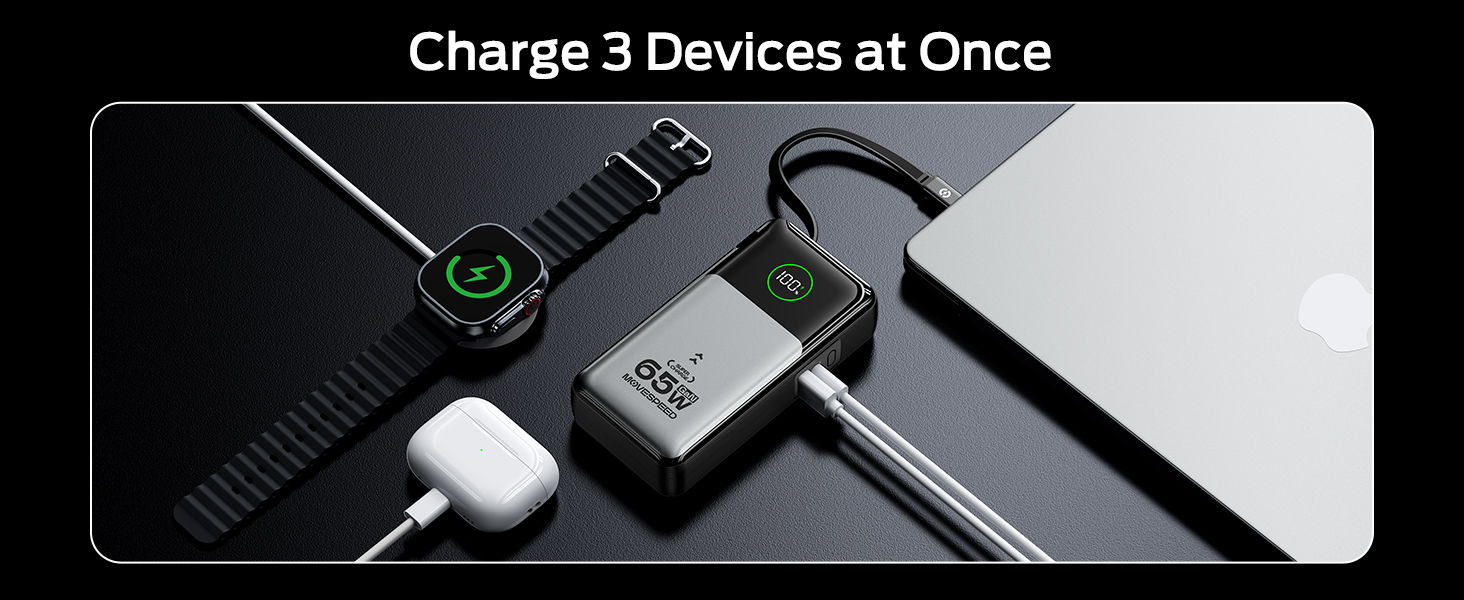
Image: A person demonstrating the extension of the 27.6-inch retractable USB-C cable from the power bank, highlighting its flexible and convenient design.
4. Ntuziaka ọrụ
4.1 Charging Devices (Portable Charger Mode)
To charge your devices using the power bank function:
- Connect your device to the power bank using the built-in retractable USB-C cable, or an external USB-C to USB-C cable, or a USB-A to compatible cable.
- The power bank will automatically begin charging your device. The digital display will show the current battery percentage na ike mmepụta.
- You can charge up to three devices simultaneously using the built-in USB-C cable, the USB-C port, and the USB-A port.
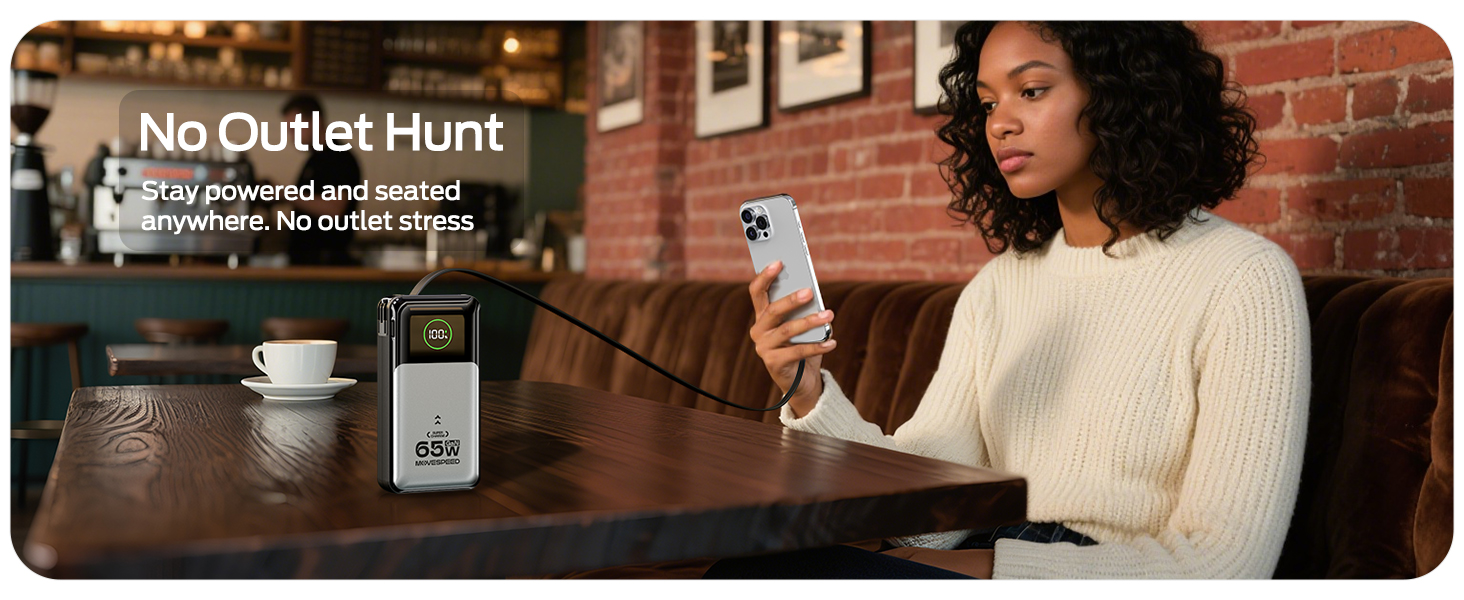
Image: A woman charging her phone from the power bank, which is stored in her bag, illustrating the convenience of the retractable cable for on-the-go charging without cable stress.
4.2 Charging Devices (Wall Charger Mode)
To use the device as a wall charger:
- Fold out the AC plug and insert the power bank directly into a wall outlet.
- Connect your device(s) to the power bank using the built-in retractable USB-C cable, or an external USB-C to USB-C cable, or a USB-A to compatible cable.
- The power bank will charge your device(s) and simultaneously recharge itself (pass-through charging).

Image: The power bank plugged into a wall outlet, charging a smartphone. This demonstrates its function as a direct wall charger, eliminating the need for a separate adapter.
4.3 Digital Display Information
Ngosipụta dijitalụ agbakwunyere na-enye ozi oge niile:
- Batrị Percentage: Shows the remaining charge of the power bank from 0-100%.
- Input/Output Power Status: Indicates the current power being drawn by the power bank (input) or delivered to connected devices (output).
5. Nlekọta na nlekọta
- Keep the power bank away from extreme temperatures, direct sunlight, and humid environments.
- Ewepụla ngwaọrụ ahụ na mmiri ma ọ bụ mmiri mmiri ndị ọzọ.
- Jiri ákwà dị nro ma kpọọ nkụ hichaa elu ya. Ejila ihe nhicha ma ọ bụ ihe mgbaze.
- Store the power bank in a cool, dry place when not in use. For long-term storage, it is recommended to charge the power bank to approximately 50-70% every three months to maintain battery health.
- Zere idobe ma ọ bụ idobe ngwaọrụ ahụ na mmetụta siri ike.
- Ensure the retractable cable is fully retracted when not in use to protect it from damage.
6. Nchọpụta nsogbu
| Nsogbu | Ihe nwere ike ime | Ngwọta |
|---|---|---|
| Ngwaọrụ ike anaghị chaja. | Low battery on power bank; incorrect cable connection; device not compatible. | Recharge the power bank; ensure cables are securely connected; verify device compatibility. |
| Ụlọ akụ ike anaghị agbanyeghachi. | AC plug not fully inserted; wall outlet issue; damaged power bank. | Ensure AC plug is fully inserted into a working wall outlet; try a different outlet; contact support if issue persists. |
| Ngosipụta dijitalụ anaghị arụ ọrụ. | Power bank is off or completely drained; internal malfunction. | Charge the power bank; if still unresponsive, contact customer support. |
| Retractable cable not extending/retracting smoothly. | Improper pulling technique; internal mechanism issue. | Ensure you pull both ends simultaneously; avoid forcing the cable; if damaged, use external cables. |
7. Nkọwapụta
| Njirimara | Nkọwa |
|---|---|
| Nọmba nlereanya | MSP14 |
| Ike batrị | 20,000mAh (77Wh) |
| Akụkụ ngwaahịa | 8.19 x 4.49 x 1.56 sentimita asatọ |
| Ibu Ibu | 1.08 pound |
| Agba | Ọlaọcha |
| Ụdị njikọ | USB Ụdị-C, USB Ụdị-A |
| Ogologo eriri USB arụnyere n'ime ya | 70cm (27.6 sentimita asatọ) |
| Ntinye chaja mgbidi | AC 100-240V~50/60Hz 1A |
| Portable Charger Input (USB-C / Retractable Cable) | 65W Max |
| Single Port Output (Portable Charger Mode) | USB-C: 65W, USB-A: 22.5W, Retractable USB-C Cable: 65W |
| Dual/Triple Port Output (Portable Charger Mode) | Combined output up to 15W per port (e.g., Type-C + Retractable Cable: 15W, Type-C + USB-A: 15W, Type-C + Retractable Cable + USB-A: 15W) |
| Single Port Output (Wall Charger Mode) | USB-C: 30W, USB-A: 22.5W, Retractable USB-C Cable: 30W |
| Dual/Triple Port Output (Wall Charger Mode) | Combined output up to 15W per port (e.g., Type-C + Retractable Cable: 15W, Type-C + USB-A: 15W, Type-C + Retractable Cable + USB-A: 15W) |
| Atụmatụ pụrụ iche | GaN Technology, Smart Digital Display, Flight-approved |
Note: Output power may vary based on the number of devices connected and their power requirements.
8. Ozi nchekwa
- Ewepụla, gbanwee, ma ọ bụ rụkwaa ngwaọrụ n'onwe gị.
- Avoid using the device in environments with high humidity or extreme temperatures.
- Debe ebe ụmụaka na-apụghị iru.
- Dispose of the product responsibly according to local regulations for electronic waste.
- Jiri naanị eriri nchaji na ihe nkwụnye ọkụ dakọtara.
9. Akwụkwọ ikike na nkwado
MOVE SPEED products are manufactured with high-quality standards. For information regarding warranty coverage, technical support, or customer service, please refer to the warranty card included with your product or visit the official MOVE SPEED websaịtị.
You may also contact the seller directly through the platform where the purchase was made for assistance.
Manufacturer: Shenzhen Speedmobile Technology Co.,Ltd.


