1. Okwu mmalite
This manual provides essential information for the safe and effective installation, operation, and maintenance of your Blaupunkt CALI 900 9-inch Touchscreen Single DIN Receiver and the accompanying BPS-E653 6-inch 3-Way Car Speakers. Please read this manual thoroughly before use and retain it for future reference.
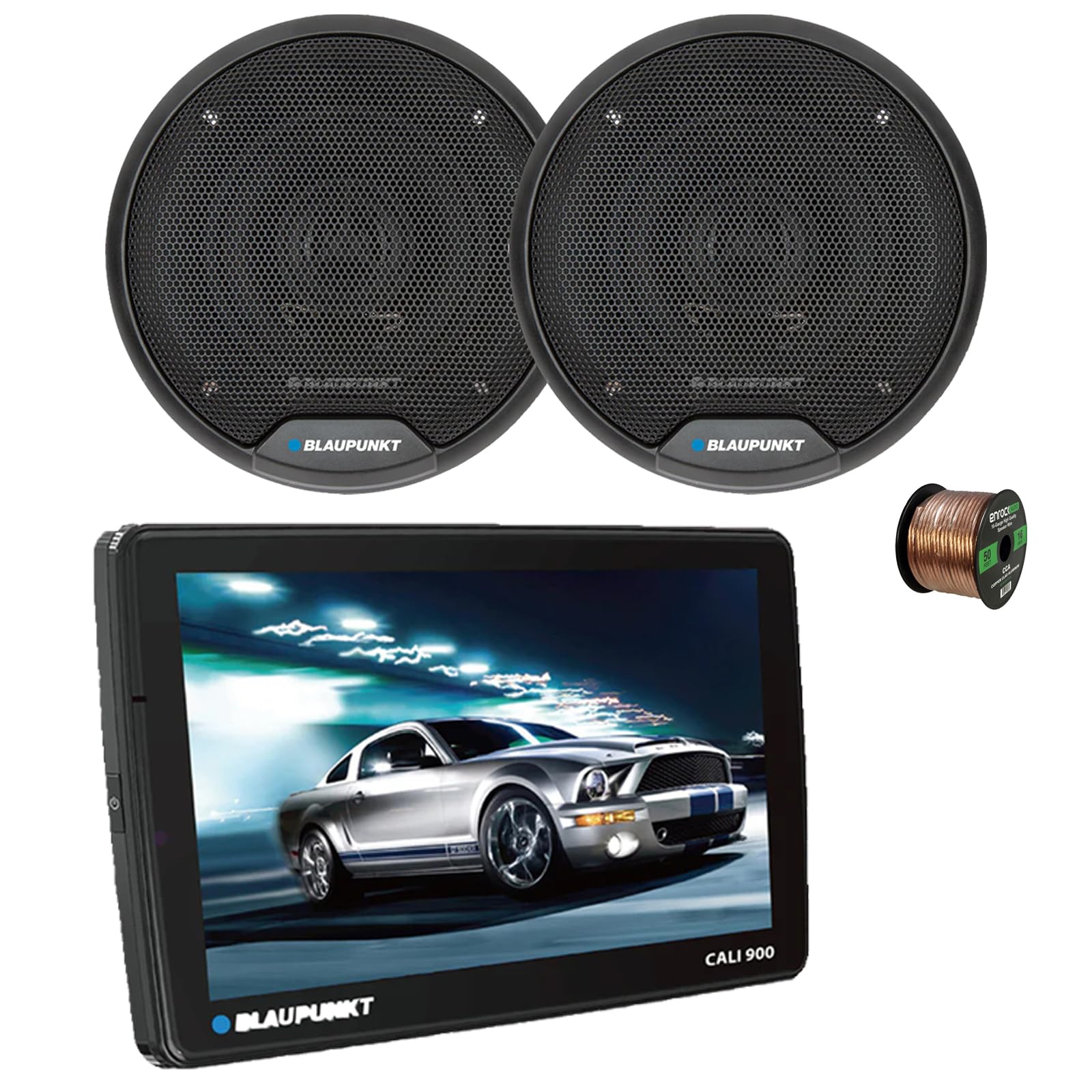
Image 1.1: Blaupunkt CALI 900 Receiver. This image shows the front view of the CALI 900 receiver with its 9-inch QLED touchscreen display, featuring a car image on the screen.
2. Ozi nchekwa
- Akwadoro nwụnye ọkachamara: Due to the complexity of car audio systems, professional installation is highly recommended. Incorrect installation can lead to damage to the product, vehicle, or personal injury.
- Isi mmalite ike: Jikọọ ngwaọrụ ahụ naanị na ọkụ eletrik 12V DC nke nwere ala na-adịghị mma.
- Wiring: Ensure all wiring is correctly connected according to the wiring diagram. Incorrect wiring can cause malfunctions or damage. Avoid short circuits.
- Igwe ikuku: Gbaa mbọ hụ na ikuku ikuku zuru oke gburugburu unit ahụ iji gbochie ikpo oke ọkụ.
- Nchekwa ịnya ụgbọ ala: Ejila unit ahụ rụọ ọrụ n'ụzọ ga-adọpụ uche gị n'ịkwọ ụgbọala. Na-ebute nchekwa okporo ụzọ ụzọ mgbe niile.
- Ọkwa olu: Avoid excessively high volume levels that may impair your ability to hear traffic sounds or emergency vehicles.
3. Ihe ngwugwu
The Blaupunkt CALI 900 bundle includes the following components:
- Blaupunkt CALI 900 9" Touchscreen Single DIN Receiver
- 2x Blaupunkt BPS-E653 6" 3-Way Car Speakers
- 50 Feet of 16-gauge Speaker Wire
- Mounting Hardware and Wiring Harness (for receiver)
- Speaker Grilles and Mounting Screws (for speakers)
4. Ngwaahịa gafereview
4.1 CALI 900 Receiver Features
The CALI 900 is a versatile single DIN digital multimedia receiver designed for modern vehicle integration.
- Ngosipụta: 9-inch QLED Touchscreen (1280x720 resolution) with capacitive touch panel.
- Sistemụ nrụọrụ: Android 10.0 OS with A53 quad-core processor (2.0GHz) and 2+32G memory.
- Njikọta: Built-in WiFi (5G), Bluetooth (4.1 version), Wireless Apple CarPlay & Android Auto.
- Ntugharị: GPS arụnyere n'ime ya.
- Audio: DSP audio processing, 32-band equalizer, RCA 4.1 Channel Output (FL/FR/RL/RR/SUB).
- Ntinye: Two rear USB ports.
- Mgbakwunye: Support for 720P and 1080P AHD camera, Seven Colors Illumination.

Foto 4.1: N'ihu view of the Blaupunkt CALI 900 Receiver. This image displays the sleek design of the receiver's front panel and large touchscreen.

Image 4.2: CALI 900 Floating Panel and Connectivity. This image illustrates the floating panel design, showing how the screen can be adjusted, and highlights compatibility with Apple CarPlay and Android Auto.
4.2 BPS-E653 Speaker Features
The BPS-E653 speakers are designed to deliver clear and dynamic audio performance.
- Ụdị: 6-inch 3-Way Coaxial Speaker.
- Woofer: Polypropylene cone with rubber surround.
- Tweeter: PET balanced dome tweeter with neodymium magnet, ceramic w/PET diaphragm super tweeter.
- Ijikwa ike: 40 Watt Max (20 Watt RMS) per speaker.
- Nhazi: Steel basket, zero tweeter protrusion, includes grilles for flush fit.

Image 4.3: Blaupunkt BPS-E653 6-inch Car Speakers. This image shows a pair of the BPS-E653 speakers with their protective grilles.
5. Ntọala na nwụnye
5.1 Ntuziaka nwụnye izugbe
- Kwupu njikọ ọdụ batrị adịghị mma nke ụgbọ ala tupu ịmalite ọrụ eletrik ọ bụla.
- Ensure all wiring is routed away from moving parts, heat sources, and sharp edges.
- Use appropriate tools and protective gear.
- Consult your vehicle's service manual for specific dashboard and panel removal instructions.
5.2 Receiver Installation (CALI 900)
The CALI 900 is a single DIN unit with a floating 9-inch display. Install the main chassis into your vehicle's single DIN opening. The display can then be adjusted for optimal viewakụkụ n'akuku.
- Secure the single DIN chassis into the vehicle's dashboard using the provided mounting hardware.
- Connect the wiring harness to the receiver and then to the vehicle's corresponding wires (power, ground, accessory, speaker outputs, etc.).
- Connect any additional accessories such as GPS antenna, USB cables, or camera inputs.
- Attach the 9-inch display panel to the main chassis and adjust its position.
5.3 Speaker Installation (BPS-E653)
The BPS-E653 speakers are designed for standard 6-inch openings. Ensure the mounting location is clear and provides adequate depth.
- Remove existing speakers or prepare the mounting location.
- Connect the provided 16-gauge speaker wire to the speaker terminals, ensuring correct polarity (+ to + and - to -).
- Mount the speakers securely using the provided screws.
- Install the speaker grilles if desired.

Image 5.1: 16-Gauge Speaker Wire. This image shows the spool of 16-gauge speaker wire included for connecting your speakers.
5.4 Njikọ njikọ
Refer to the wiring diagram included with your receiver for specific connections. General connections include:
- Waya odo odo: 12V na-adịgide adịgide (batrị)
- Waya uhie: 12V agbanwere (ihe ngwa)
- waya ojii: Ala
- waya na-acha anụnụ anụnụ: Gbanwuo ime anya (maka amplifier/antenna)
- Wires ọkà okwu: Connect to the BPS-E653 speakers, ensuring correct polarity for each channel (Front Left, Front Right, Rear Left, Rear Right).
After all connections are made, reconnect the vehicle's negative battery terminal.
6. Ntuziaka ọrụ
6.1 Gbanyụọ ma ọ bụ gbanyụọ
- Ike Na: Turn your vehicle's ignition to the ACC or ON position. The receiver should power on automatically. If not, press the power button on the unit.
- Gbanyụọ: Turn your vehicle's ignition to the OFF position. The receiver will power off.
6.2 Ihuenyo mmetụ
The 9-inch QLED touchscreen provides intuitive control. Tap icons to select functions, swipe to navigate menus, and use pinch-to-zoom gestures where applicable.
6.3 Apple CarPlay na Android Auto enweghị eriri
- Gbaa mbọ hụ na agbanyere Bluetooth na Wi-Fi nke ama gị.
- On the receiver, select the CarPlay or Android Auto icon.
- Follow the on-screen prompts to pair your phone via Bluetooth. Once paired, the system will establish a Wi-Fi connection for wireless CarPlay/Android Auto.
- For wired connection, connect your smartphone to one of the receiver's USB ports.
6.4 Njikọ Bluetooth
- On the receiver, select the Bluetooth icon.
- Kwado Bluetooth na ekwentị mkpanaaka gị wee chọọ ngwaọrụ dị.
- Select "Blaupunkt CALI 900" from the list on your device.
- Kwenye koodu njikọ ma ọ bụrụ na kpaliri ya.
- Once paired, you can make hands-free calls and stream audio.
Redio 6.5 nke Ụtụtụ/FM
- Select the Radio icon from the main menu.
- Use the on-screen controls to scan for stations, manually tune, or select preset stations.
6.6 USB playback
- Insert a USB drive into one of the rear USB ports.
- The receiver will automatically detect the USB device and display its contents.
- Navigate through folders and select audio or video files maka playback.
6.7 GPS igodo
The built-in GPS allows for navigation. Ensure the GPS antenna is properly installed and has a clear view of the sky. Access navigation through the dedicated icon on the main menu.
6.8 Ntọala ọdịyo
Access the audio settings menu to adjust sound parameters:
- Mmepụta: Use the 32-band equalizer to fine-tune frequency response.
- DSP: Digital Sound Processing offers various sound enhancements and sound stage mmezi.
- Nhazi/Fader: Adjust sound distribution between left/right and front/rear speakers.
- Njikwa Subwoofer: Adjust subwoofer output level and crossover frequency if a subwoofer is connected to the RCA output.
7. Nlekọta
7.1 Nhicha
- Ihuenyo: Jiri akwa dị nro, nke na-enweghị lint, jiri nwayọ hichaa ihuenyo mmetụ ahụ. Maka isi ike smudges, ntakịrị dampJiri mmiri ma ọ bụ ihe nhicha dị mma kpuchie ákwà ahụ. Ejila ihe nhicha ma ọ bụ ihe mgbaze.
- Nkeji: Wipe the main unit and speaker grilles with a dry, soft cloth. Avoid getting liquids inside the unit.
7.2 Mmelite ngwanrọ
Periodically check the official Blaupunkt website for any available software or firmware updates for your CALI 900 receiver. Updates can improve performance, add features, or fix bugs. Follow the instructions provided with the update files nke ọma.
8. Nchọpụta nsogbu
| Nsogbu | Ihe nwere ike ime | Ngwọta |
|---|---|---|
| Enweghị ike ịnata | Blown fuse; incorrect wiring (power/ground); ignition off. | Check vehicle fuses and receiver fuse. Verify power and ground connections. Ensure ignition is on. |
| Enweghị ụda sitere na ndị ọkà okwu | Speaker wires disconnected or shorted; volume too low; mute activated; incorrect audio source. | Check all speaker connections for proper polarity and shorts. Increase volume. Deactivate mute. Select correct audio source. |
| Nsogbu njikọ Bluetooth | Device not in pairing mode; receiver not discoverable; interference. | Ensure both devices are in pairing mode. Delete previous pairings and try again. Move closer to the receiver. |
| Ihuenyo mmetụ anaghị anabata | System freeze; temporary software glitch. | Perform a soft reset (refer to receiver manual for specific button combination or small reset hole). If issue persists, disconnect battery for 5 minutes. |
| CarPlay/Android Auto anaghị ejikọ | Phone settings; cable issue (for wired); Wi-Fi/Bluetooth off. | Ensure phone is compatible and has the latest OS. Check phone settings for CarPlay/Android Auto permissions. Try a different USB cable. Verify Wi-Fi and Bluetooth are active. |
9. Nkọwapụta
9.1 CALI 900 Receiver Specifications
| Njirimara | Nkọwapụta |
|---|---|
| Ngosipụta | 9-inch QLED Touchscreen (1280x720) |
| Sistemụ nrụọrụ | Android 10.0 |
| Nhazi | A53 Quad-core, 2.0GHz |
| Ebe nchekwa | 2GB Ram + 32GB ROM |
| Njikọta | WiFi (5G), Bluetooth 4.1, Wireless Apple CarPlay & Android Auto |
| Nsoro ụzọ | GPS arụnyere n'ime ya |
| Nhazi ọdịyo | DSP, 32-band Equalizer |
| ọdụ ụgbọ mmiri USB | 2x Rear USB |
| Akụkụ | Single DIN chassis with floating panel |
| Ibu Ibu | 15 ounces (Receiver only) |
| UPC | 840440916147 |
9.2 BPS-E653 Speaker Specifications
| Njirimara | Nkọwapụta |
|---|---|
| Ụdị | 6-inch 3-Way Coaxial Speaker |
| Ijikwa ike | 20W RMS / 40W Max (per speaker) |
| Mgbochi | 4 Ohm |
| Nzaghachi ugboro ugboro | 65Hz - 20 kHz |
| Mmetụta | 84.5dB |
| Ihe eji eme Woofer | PP Cone with Rubber Surround |
| Ihe Tweeter | Neodymium Tweeter Magnet, PET Balanced Dome Tweeter, Ceramic w/PET Diaphragm Super Tweeter |
| Ihe nkata | Igwe igwe |

Image 9.1: BPS-E653 Speaker Diagram. This image provides a detailed view of the BPS-E653 speaker components and lists its key specifications.
10. Akwụkwọ ikike na nkwado
10.1 Ozi akwụkwọ ikike
Blaupunkt products are manufactured to high-quality standards. For specific warranty terms and conditions, please refer to the warranty card included with your product or visit the official Blaupunkt websaịtị. Debe ihe akaebe nke ịzụrụ maka akwụkwọ ikike.
10.2 Nkwado ndị ahịa
If you encounter any issues or have questions not covered in this manual, please contact Blaupunkt customer support. You can typically find contact information (phone, email, or support portal) on the official Blaupunkt websaịtị:
When contacting support, please have your product model (CALI 900, BPS-E653) and proof of purchase ready.


