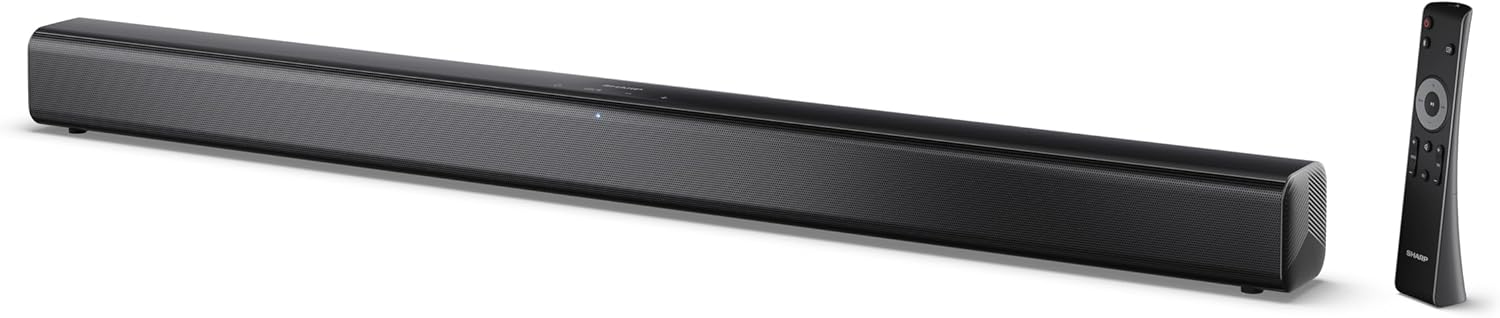
Image 0.1: The SHARP HT-SB145 2.0 Channel Soundbar shown alongside its remote control.
1. Okwu mmalite
This manual provides essential instructions for the safe and efficient operation of your SHARP HT-SB145 2.0 Channel Soundbar. Please read this manual thoroughly before use and retain it for future reference.
2. Ozi nchekwa
Lee ihe ndị a iji gbochie mgbawa eletriki, ọkụ, ma ọ bụ mmebi nke unit ahụ:
- Ewepụla ngwa a na ntapu ma ọ bụ fesa.
- Edokwala ihe jupụtara na mmiri mmiri, dị ka vases, na ngwa.
- Hụ na ikuku na-abata nke ọma. Ekpuchila oghere ikuku.
- Awụnyela n'akụkụ ebe okpomọkụ ọ bụla dị ka radiators, ndekọ okpomọkụ, stovu, ma ọ bụ ngwa ndị ọzọ (gụnyere amplifiers) nke na-emepụta okpomọkụ.
- Chebe eriri ọkụ ka ị ghara ịgagharị ma ọ bụ tuo ya.
- Jiri naanị mgbakwunye / ngwa ndị nrụpụta akọwapụtara.
- Kwupu ngwa a n'oge oke mmiri ozuzo ma ọ bụ mgbe ejighi ya ogologo oge.
- Tụtụ aka n'aka ndị ọrụ ruru eru.
3. Ihe ngwugwu
Nyochaa na etinyere ihe niile edepụtara n'okpuru na ngwugwu gị:
- SHARP HT-SB145 ụda ụda
- Njikwa anya
- Igwe ọkụ ọkụ
- Mkwàdo Ugwu Mgbidi (2)
- Screws and Wall Plugs (for mounting)
- Batrị AAA (2)
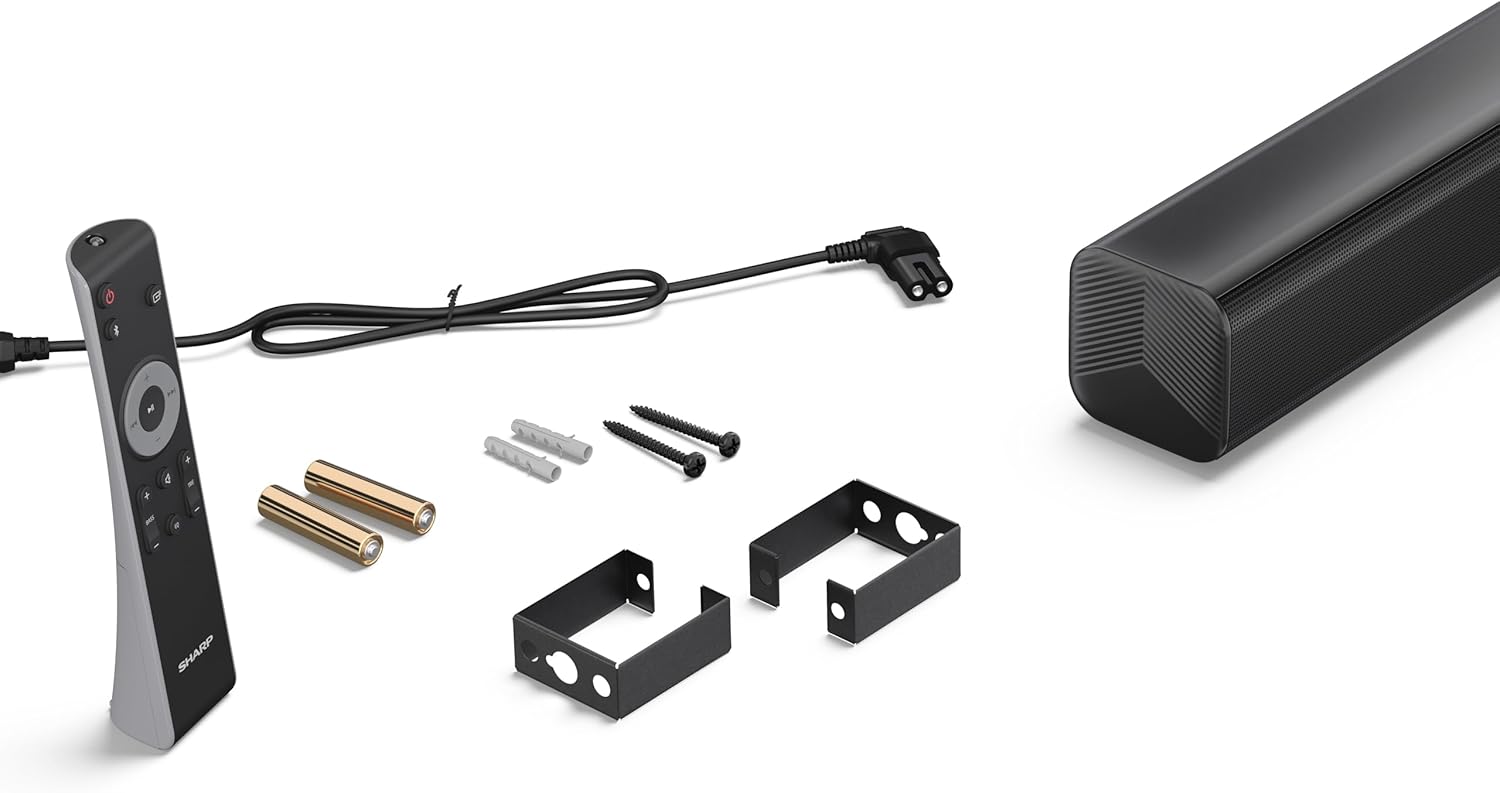
Image 3.1: Contents of the SHARP HT-SB145 Soundbar package, including the soundbar, remote control, power cable, wall mount brackets, screws, and two AAA batteries.
4. Ngwaahịa gafereview
4.1 Ihu na elu View

Foto 4.1: N'ihu view of the SHARP HT-SB145 Soundbar, showcasing the speaker grille and the central LED indicator.
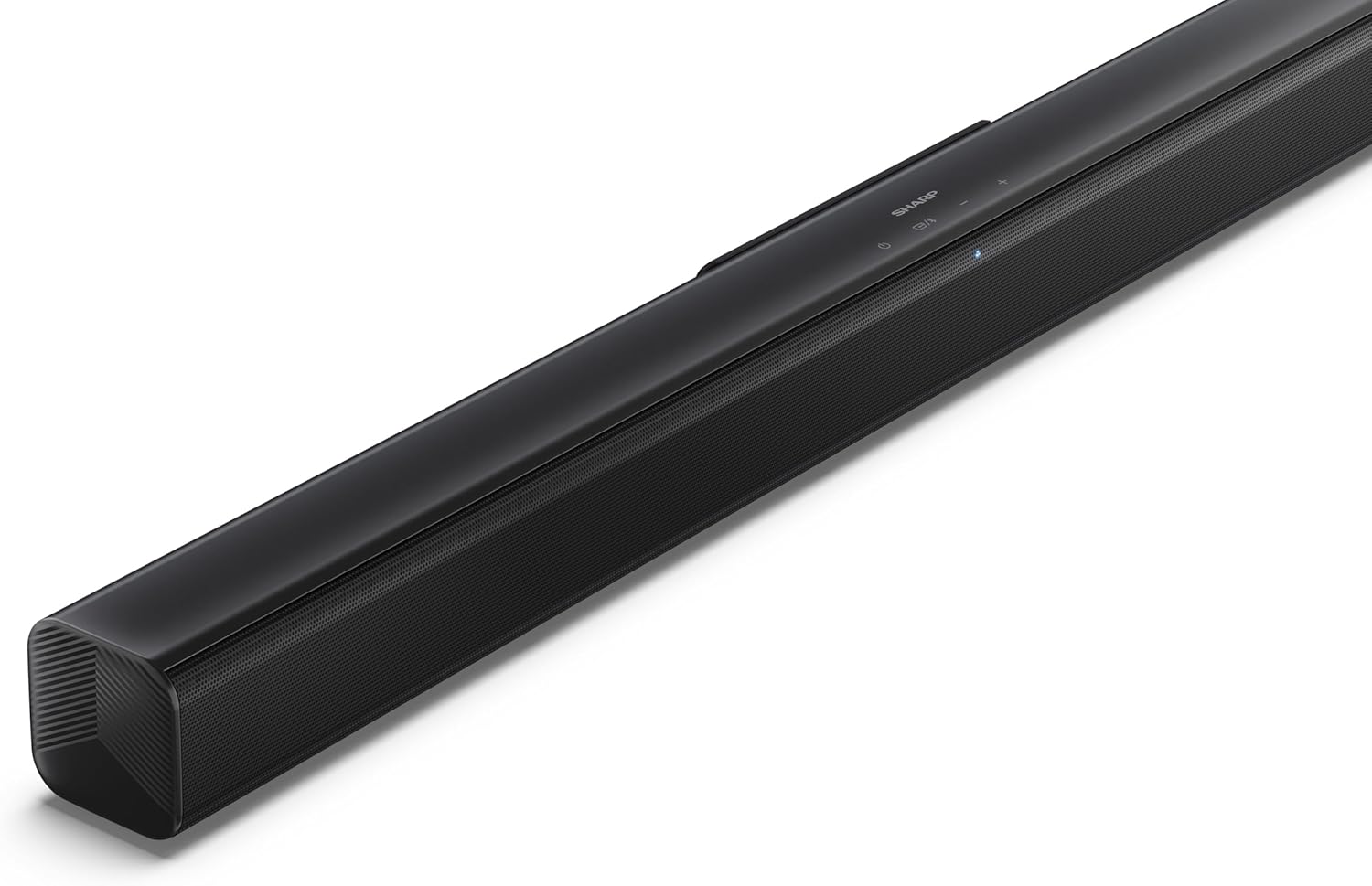
Image 4.2: Angled top view of the soundbar, highlighting the integrated control buttons for power, source selection, and volume adjustment, along with the SHARP logo.

Image 4.3: Close-up of the top-mounted control panel, showing the power button, source/Bluetooth button, and volume up/down buttons.
4.2 Njikọ azụ azụ

Foto 4.4: N'azụ view of the soundbar, displaying the various input ports and power connection.

Foto 4.5: Zuru ezu view of the rear panel connections, including OPTICAL input, USB port (5V 500mA), AUX input, and HDMI ARC (TV) port.
5. Nhazi
5.1 Nhọrọ ntinye
The SHARP HT-SB145 Soundbar offers flexible placement options:
- Ndokwa tebụl: Place the soundbar on a stable, flat surface in front of your TV. Ensure it does not obstruct the TV's remote sensor.
- Ịkwanye mgbidi: Use the provided wall mount brackets to attach the soundbar to a wall below your TV. Refer to section 5.4 for detailed wall mounting instructions.

Image 5.1: The soundbar positioned on a media console beneath a television, demonstrating a typical tabletop setup.
5.2 Ijikọ n'ike
- Connect the power cable to the AC IN port on the rear of the soundbar.
- Tinye nsọtụ nke ọzọ nke eriri ọkụ n'ime oghere mgbidi.
5.3 Njikọ ọdịyo
Choose one of the following methods to connect the soundbar to your TV or other audio source:
- HDMI ARC/CEC (Recommended):
Connect an HDMI cable (not included) from the HDMI ARC port on the soundbar to the HDMI ARC port on your TV. This connection allows for audio return and control via your TV remote.
- Ngwa anya:
Connect an optical cable (not included) from the OPTICAL port on the soundbar to the optical digital output on your TV or audio source.
- AUX:
Connect a 3.5mm audio cable (not included) from the AUX port on the soundbar to the headphone jack or audio output on your TV or audio source.
5.4 Mgbidi Mgbidi
Soro usoro ndị a maka itinye mgbidi siri ike:
- Determine the desired mounting location on the wall, ensuring it is level and within reach of power and audio cables.
- Mark the positions for the two wall mount brackets using a pencil. The distance between the brackets should match the mounting points on the soundbar.
- Drill pilot holes at the marked positions. Insert the wall plugs if mounting into drywall or plaster.
- Secure the wall mount brackets to the wall using the provided screws.
- Carefully attach the soundbar to the mounted brackets. Ensure it is securely seated.
6. Ntuziaka ọrụ
6.1 Gbanyụọ ma ọ bụ gbanyụọ
- Pịa Ike bọtịnụ dị na ogwe ụda ma ọ bụ njikwa dịpụrụ adịpụ iji gbanye ma ọ bụ gbanyụọ ngwaọrụ ahụ.
6.2 Nhọrọ Isi mmalite
Pịa Isi mmalite button on the soundbar or remote control repeatedly to cycle through the available input sources:
- HDMI AKA: For audio from a TV connected via HDMI ARC.
- OPTICAL: For audio from a device connected via optical cable.
- AUX: For audio from a device connected via 3.5mm audio cable.
- BLUETOOTH: Maka nkwanye egwu ọdịyo ikuku.
- USB: For audio playback from a USB drive.
6.3 Njikwa olu
- Pịa Mpịakọta + bọtịnụ ka iwelie olu.
- Pịa Mpịakọta - bọtịnụ iji belata olu.
6.4 Njikọ Bluetooth
- Turn on the soundbar and select the Bluetooth source. The LED indicator will flash, indicating pairing mode.
- Mee ka Bluetooth rụọ ọrụ na ekwentị gị, mbadamba gị, ma ọ bụ ngwaọrụ ọzọ.
- Chọọ maka "SHARP HT-SB145" in your device's Bluetooth list and select it to pair.
- Once paired, the LED indicator on the soundbar will glow steadily. You can now stream audio wirelessly.
6.5 USB playback
The soundbar supports MP3/WAV audio playback from a USB drive.
- Insert a USB drive containing MP3/WAV audio files into the USB port on the rear of the soundbar.
- Select the USB source using the Source button.
- Playback will begin automatically. Use the remote control to navigate tracks (if supported).
The USB port also provides 5V 500mA for charging compatible devices.
7. Nlekọta
- Nhicha: Jiri ákwà dị nro ma kpọọ nkụ hichaa elu nke ihe nchacha ụda. Ejila ihe nhicha mmiri ma ọ bụ ihe ndị na-eme ka ọ dị nro.
- Nchekwa: Ọ bụrụ na ị na-echekwa ngwaọrụ ahụ ruo ogologo oge, wepụ ya na ebe ọkụ eletrik ma debe ya n'ebe dị jụụ ma kpọọ nkụ.
8. Nchọpụta nsogbu
| Nsogbu | Ihe nwere ike ime | Ngwọta |
|---|---|---|
| Enweghị ike | Power cable not connected or outlet not active. | Gbaa mbọ hụ na ejikọrọ eriri ọkụ na nke ọma na ntinye ahụ na-arụkwa ọrụ. |
| Enweghị ụda | Incorrect input source selected, volume too low, or cable connection issue. | Select the correct input source. Increase volume. Check audio cable connections. |
| Njikọ Bluetooth ada ada | Soundbar not in pairing mode, or device too far. | Ensure soundbar is in Bluetooth pairing mode (flashing LED). Move device closer. Try re-pairing. |
| Njikwa anya anaghị arụ ọrụ | Batteries depleted or obstructed signal. | Replace batteries. Ensure no obstructions between remote and soundbar. |
9. Nkọwapụta
| Njirimara | Nkọwa |
|---|---|
| Aha Nlereanya | Htt-SB145 |
| Ụdị Ọkà Okwu | Igwe ụda ụda |
| Ọwa | 2.0 Ọwa |
| Ike kacha mma | 150 Watt |
| Ụdị Bluetooth | 5.3 |
| Njikọta | HDMI ARC/CEC, Optical, AUX, Bluetooth, USB |
| USB playback | MP3 / WAV |
| Nchaji USB | 5V 500mA |
| Akụkụ ngwaahịa (L x W x H) | 80 cm x 6.2 cm x 6.3 cm (31.5 na x 2.4 na x 2.5 na) |
| Ibu Ibu | 1.4 Kilogram (3.1 lbs) |
| Ngwa gụnyere | Remote Control, Power Cable, Wall Mount Brackets, AAA Batteries |

Image 9.1: Diagram illustrating the dimensions of the SHARP HT-SB145 Soundbar: 800mm length, 63mm height, and 63mm depth.
10. Akwụkwọ ikike na nkwado
For warranty information and technical support, please refer to the warranty card included with your product or visit the official Sharp websaịtị. Debe ihe akaebe nke ịzụrụ maka akwụkwọ ikike.
For further assistance, contact Sharp customer service.


