1. Ngwaahịa gafereview
The BUGANI Luster Bluetooth Speaker is a portable wireless stereo speaker designed for high-quality audio output with dynamic colorful lighting. It features Bluetooth 5.3 connectivity, IPX6 waterproofing, and extended playtime, making it suitable for various indoor and outdoor environments.

Image: The BUGANI Luster Bluetooth Speaker, showcasing its design and the vibrant light effects, surrounded by water splashes to highlight its waterproof capabilities.
2. Kedu ihe dị na Igbe ahụ
- BUGANI Luster Bluetooth Speaker
- USB-C eriri USB
- AUX-na USB
- Ntuziaka mmalite ngwa ngwa
- Lanyard dịpụrụ adịpụ
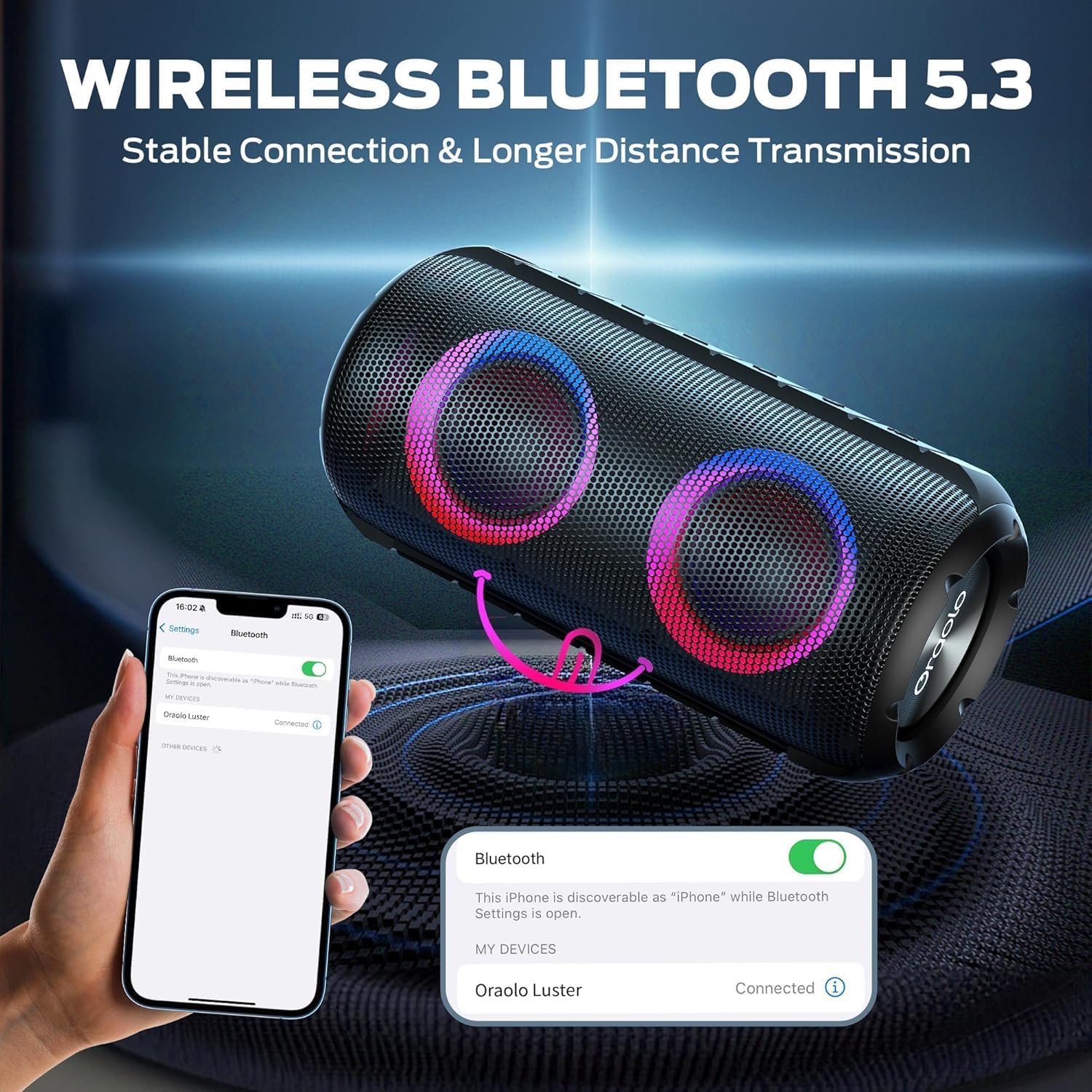
Image: The BUGANI Luster Bluetooth Speaker with its detachable lanyard, illustrating its portability and ease of carrying.
3. Nhazi
3.1 Nchaji izizi
Before first use, fully charge the speaker. Connect the provided USB-C cable to the speaker's charging port and the other end to a USB power adapter (not included) or a computer's USB port. The charging indicator light will show the charging status.
3.2 Gbanyụọ ma ọ bụ gbanyụọ
- Ike Na: Pịa ma jide bọtịnụ ike (⏻) for 2-3 seconds until you hear an audible prompt and the lights illuminate.
- Gbanyụọ: Pịa ma jide bọtịnụ ike (⏻) for 2-3 seconds until you hear an audible prompt and the lights turn off.
3.3 Njikọ Bluetooth
- Ensure the speaker is powered on and in Bluetooth pairing mode (indicated by a flashing blue light).
- Na ngwaọrụ gị (smartphone, tabletị, wdg), gbanye Bluetooth wee chọọ ngwaọrụ dịnụ.
- Select "BUGANI Luster" from the list of devices.
- Once connected, you will hear a confirmation sound, and the Bluetooth indicator light will become solid blue.
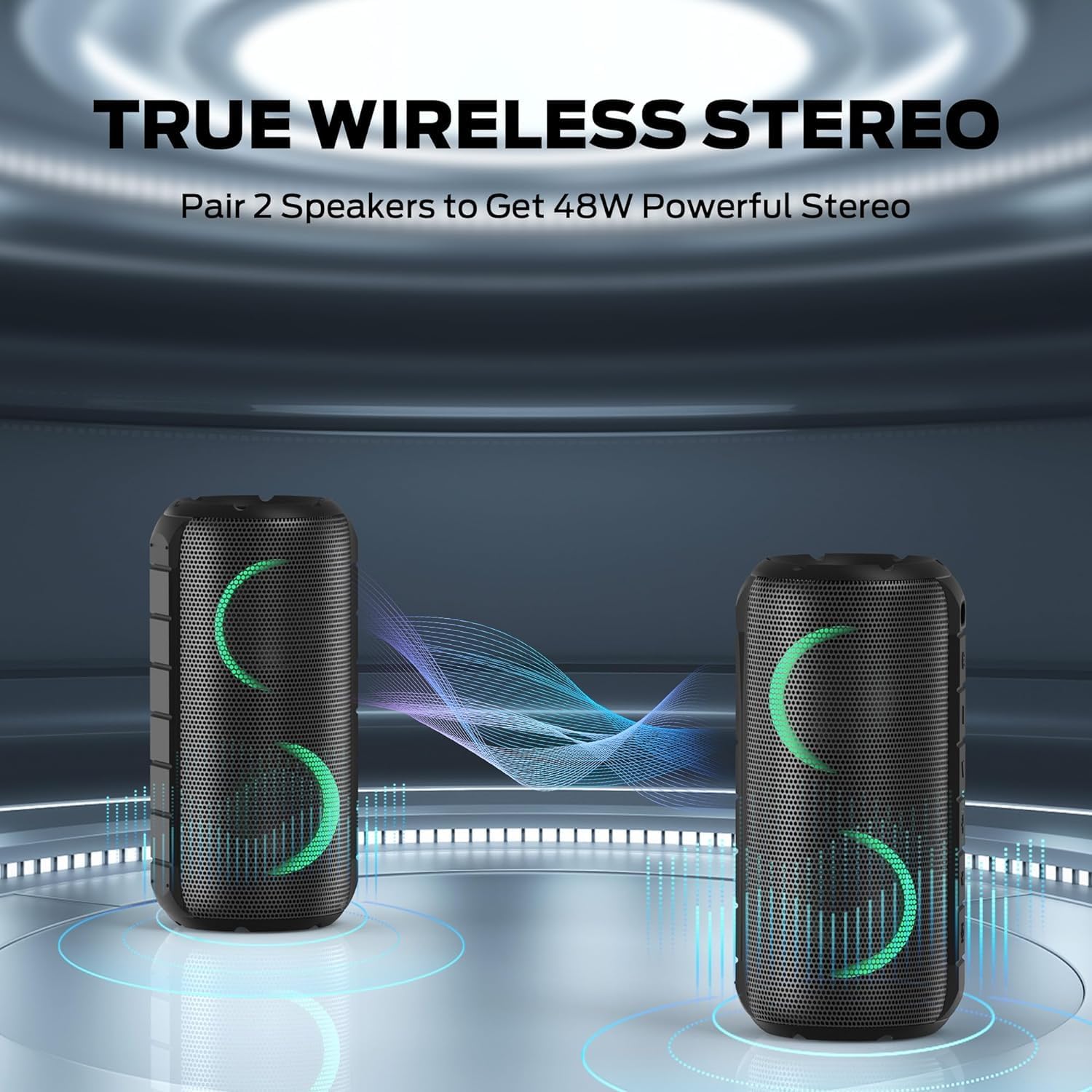
Image: A smartphone displaying its Bluetooth settings, showing a successful connection to the "Oraolo Luster" (BUGANI Luster) speaker, demonstrating the ease of Bluetooth 5.3 pairing.
3.4 Ezi ikuku stereo (TWS) ijikọ
To achieve a more immersive stereo sound, you can pair two BUGANI Luster speakers together.
- Gbaa mbọ hụ na agbanyere igwe okwu abụọ a na ejighi ya na ngwaọrụ Bluetooth ọ bụla.
- On one speaker (this will be the primary speaker), press the TWS button (often indicated by two interlocking circles or a dedicated TWS icon). The speaker will enter TWS pairing mode.
- The primary speaker will automatically search for the secondary speaker. Once connected, you will hear a confirmation sound, and the lights on both speakers will synchronize.
- Ugbua, jikọọ ngwaọrụ gị na ọkà okwu bụ isi site na Bluetooth dịka akọwara na ngalaba nke 3.3. Ọdịyo ga-akpọ site na ọkà okwu abụọ ahụ na stereo.

Image: Two BUGANI Luster speakers positioned to illustrate their True Wireless Stereo (TWS) pairing capability, creating a wider soundstage.
Njikọ AUX 3.5
For non-Bluetooth devices, use the provided 3.5mm AUX-in cable.
- Connect one end of the 3.5mm AUX-in cable to the speaker's AUX-in port.
- Jikọọ nsọtụ nke ọzọ na jaak mmepụta ọdịyo nke ngwaọrụ gị.
- The speaker will automatically switch to AUX-in mode.
4. Ntuziaka ọrụ
4.1 bọtịnụ Ọrụ

Foto: A nso nso view of the BUGANI Luster speaker's top panel, clearly showing the control buttons for various functions.
| Bọtịnụ | Ọrụ (Short Press) | Ọrụ (Long Press) |
|---|---|---|
| ⏻ (Ike) | N/A | Gbanyụọ/ Gbanyụọ |
| + (Mpịakọta Elu) | Elu elu | Track na-esote |
| - (Mpịakọta ọnụ) | Mpịakọta ọnụ | Egwu gara aga |
| ▶‖ (Kpọọ/Kwụsị) | Gwuo/kwụsịtụ; Zaa/Kwụsị Oku | Reject Call; Activate Voice Assistant |
| 💡 (Light Mode) | Cycle through Light Modes | Gbanwuo/ Gbanyụọ ọkụ |
| TWS (TWS Pairing) | N/A | Tinye Ụdị Mmakọ TWS |
4.2 Colorful Light Show
The speaker features a dynamic RGB light system with 7 colors and 5 light modes. Press the Light Mode button (💡) to cycle through the available modes. Long press the button to turn the lights on or off.

Image: The BUGANI Luster speaker showcasing its vibrant and dynamic colorful light patterns, which enhance the listening experience.
4.3 Oku na-enweghị aka
When connected via Bluetooth, the speaker's built-in microphone allows for hands-free calls.
- Azịza/Kwụsị Oku: Pịa obere bọtịnụ Play/Pause (▶‖).
- Jụ oku: Long press the Play/Pause button (▶‖).
4.4 Mmelite Onye Enyemaka Olu
Long press the Play/Pause button (▶‖) to activate your phone's voice assistant (e.g., Siri, Google Assistant).
5. Nlekọta
5.1 Nhicha
Jiri nwayọ hichaa ọkà okwu, damp ákwà. Ejila ihe nhicha na-eme ka ihe dị ọcha, mmanya na-aba n'anya, ma ọ bụ ihe mgbaze kemịkalụ, n'ihi na ihe ndị a nwere ike imebi elu ma ọ bụ ihe dị n'ime.
5.2 Nlekọta Mmiri Na-anaghị Adọba Mmiri (IPX6)
The speaker has an IPX6 waterproof rating, meaning it is protected against powerful water jets. It is suitable for use in rainy conditions or near water bodies like pools and beaches. However, it is ọ bụghị designed for submersion in water. Ensure the charging port cover is securely closed before exposing the speaker to water.
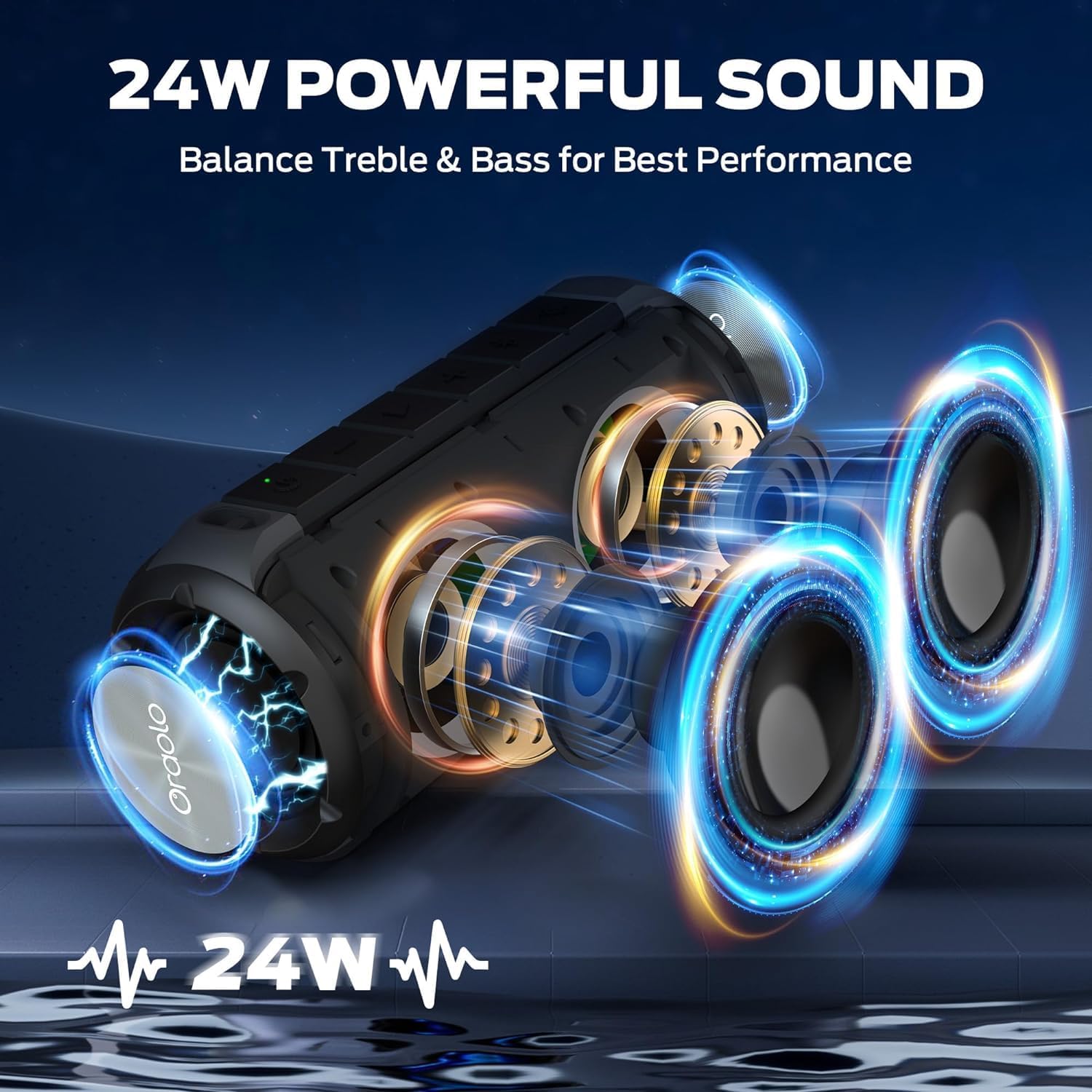
Image: The BUGANI Luster speaker resting on a wet rock with water droplets, visually confirming its IPX6 waterproof rating for outdoor use.
5.3 Nchekwa
Store the speaker in a cool, dry place away from direct sunlight and extreme temperatures. If storing for an extended period, charge the battery to approximately 50% every few months to maintain battery health.
6. Nchọpụta nsogbu
6.1 Enweghị ike
- Gbaa mbọ hụ na chajịrị ọkà okwu.
- Pịa ma jide bọtịnụ Ike maka sekọnd 2-3.
6.2 Enweghị ụda
- Lelee ọkwa olu na ma ọkà okwu na ngwaọrụ gị ejikọrọ.
- Ensure the speaker is correctly paired via Bluetooth or the AUX-in cable is securely connected.
- Ọ bụrụ na ị na-eji Bluetooth, gbalịa ịkwụsị ma jikọọ ngwaọrụ ahụ ọzọ.
6.3 Okwu njikọta Bluetooth
- Ensure the speaker is within the effective range (up to 33 feet/10 meters) of your device.
- Clear the Bluetooth pairing history on your device and try pairing again.
- Gbanyụọ ma gbanye ma ọkà okwu ma ngwaọrụ gị.
- Hụ na ngwaọrụ Bluetooth ndị ọzọ anaghị egbochi gị.
6.4 TWS Pairing Fails
- Ensure both speakers are fully charged and not connected to any other Bluetooth device.
- Place the speakers close to each other during the TWS pairing process.
- Follow the TWS pairing steps precisely as described in section 3.4.
7. Nkọwapụta
| Njirimara | Nkọwa |
|---|---|
| Ụdị | BUGANI |
| Aha Nlereanya | M166 |
| Ụdị Ọkà Okwu | Ọkà okwu Stereo nwere ike ibugharị |
| Ike Nwepu kacha elu | 24 Watt |
| Teknụzụ Njikọta | Bluetooth 5.3, Auxiliary (3.5mm AUX-in) |
| Ngosi nke enweghị mmiri | IPX6 |
| Oge egwuregwu | Up to 24 hours (at 50% volume, lights off) |
| Akụkụ ngwaahịa | 4"D x 8"W x 4"H |
| Ibu Ibu | 1.34 pound (0.61 Kilogram) |
| Batrị | achọrọ batrị AA 1 (gụnyere) |
8. Akwụkwọ ikike na nkwado
BUGANI products are manufactured to high-quality standards. For specific warranty information and support, please refer to the warranty card included with your product or visit the official BUGANI websaịtị. Debe nnata nzụta gị dị ka ihe akaebe nke ịzụrụ maka nkwupụta ikike.
For technical assistance or customer service inquiries, please contact BUGANI customer support through their official channels.


