1. Okwu mmalite
This manual provides detailed instructions for the AULA S99 99-Key Tri-Mode Wireless RGB Gaming Keyboard. Please read this manual thoroughly before use to ensure proper operation and to maximize your experience with the product.
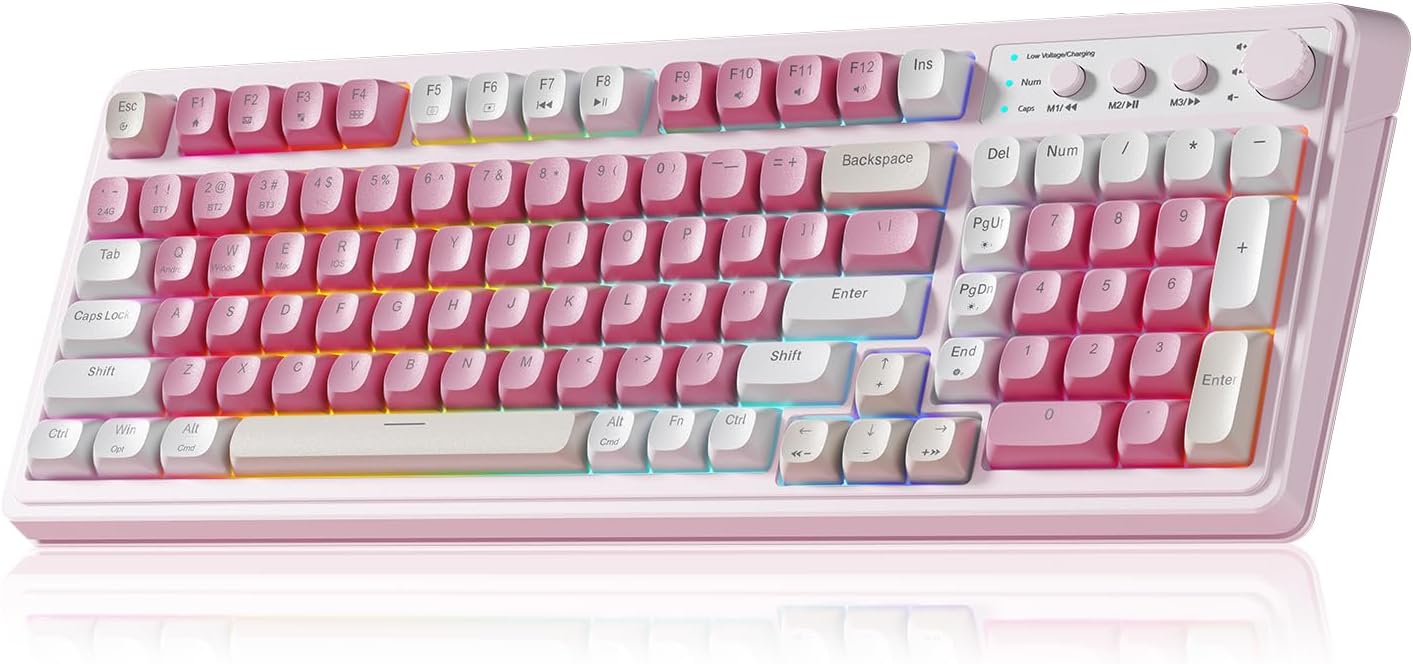
Figure 1: AULA S99 99-Key Tri-Mode Wireless RGB Gaming Keyboard (Pink variant).
2. Kedu ihe dị na Igbe ahụ
- 1x AULA S99 99-Key Tri-Mode Wireless RGB Gaming Keyboard - Pink
- 1x Type-C Cable (Please use our original charging cable, otherwise it may damage the keyboard)
- 1 x Onye na-adọba mkpịsị ugodi
- 1x Akwụkwọ ntuziaka onye ọrụ
3. Ngwaahịa gafereview
The AULA S99 keyboard is designed for versatility and performance, featuring a compact 99-key layout that includes a number pad. It offers multiple connectivity options, vibrant RGB backlighting, and ergonomic considerations for extended use.

Figure 2: Key features of the AULA S99 keyboard.
Akụkụ ndị bụ isi:
- 99-Igodo Nhazi: Compact design with a dedicated number pad.
- Njikọta ụdị atọ: Supports Bluetooth 5.0, 2.4GHz wireless, and USB wired connections.
- RGB ọkụ azụ: 16.8 million colors with 16 pre-set lighting effects, adjustable brightness and speed.
- Igodo mmemme: M1/M2/M3 buttons for macro customization.
- Mkpọchi ọtụtụ ọrụ: Adjusts volume, connection mode, and backlight settings.
- Nhazi Ergonomic: Features a foldable 2-stage kickstand for adjustable tilt angles.
- Batrị na-adịte aka: Equipped with a 2000mAh battery.
- Mara: This is a membrane keyboard and does not support hot-swapping of switches.
4. Nhazi
The AULA S99 keyboard offers three connection modes: Bluetooth, 2.4GHz wireless, and USB wired. Follow the instructions below to set up your preferred connection.

Figure 3: Triple Mode Connection options for the AULA S99 keyboard.
4.1. Ịgbanwe Ụdị Njikọ
Ka iweghachite ntọala ụlọ ọrụ, pịa FN + Esc. Then, quickly switch keyboard modes using FN + ' ~ ! 1(1) / @ 2(#) / # 3($) igodo.
4.2. 2.4GHz Njikọ ikuku
- Switch the mode button on the keyboard to 2.4G.
- Pịa FN + 4($). The Num indicator (blue) will flash rapidly.
- Insert the 2.4GHz USB receiver into your device.
- The Num indicator will flash slowly upon successful connection.
4.3. Njikọ Bluetooth
- Switch the mode button on the keyboard to BT.
- Pịa FN + 1(!), FN + 2(@), ma ọ bụ FN + 3(#) to select a Bluetooth channel. The CAP indicator will flash rapidly.
- On your device, search for
Akwụkwọ ndị emetụtara - S99

Ntuziaka Onye Ọrụ AULA Wolf Spider SC100 Wireless Gaming Òké
Akwụkwọ ntuziaka zuru ezu maka òké egwuregwu ikuku AULA Wolf Spider SC100, nke gụnyere nhazi igodo, nkọwapụta ngwaahịa, ntinye, ntuziaka ọrụ, asambodo nchekwa gburugburu ebe obibi, na ozi akwụkwọ ikike.
Ntuziaka Onye Ọrụ nke AULA Mountain S99 Keyboard Gaming
Chọpụta atụmatụ na ọrụ nke ahụigodo egwuregwu AULA Mountain S99. Akwụkwọ ntuziaka a na-enye ozi zuru ezu gbasara njikọ, ụzọ mkpirisi, chaja, na mgbanwe ụdị maka ahụmịhe egwuregwu kacha mma.
Akwụkwọ ntuziaka onye ọrụ ahụigodo AULA F87
Akwụkwọ ntuziaka onye ọrụ maka ahụigodo Mechanical AULA F87, na-akọwa njikọ njikọ 3-mode (USB Type-C, 2.4G, Bluetooth), njirimara mgbochi ghosting, usoro ijikọ akwụkwọ ntuziaka, ihe nchaji, yana ọkụ RGB.
Akwụkwọ ntuziaka maka iji ahụigodo egwuregwu atọ nke AULA S99Pro
Nduzi zuru oke maka ahụigodo egwuregwu AULA S99Pro Tri-Mode, nke na-ekpuchi njikọ waya, ikuku 2.4G, na Bluetooth, ọrụ ndị dị mkpa, mgbanwe ọkụ azụ, na ntuziaka chaja.
Ntuziaka Onye Ọrụ AULA F98 Pro: Ntọala, Atụmatụ, na Nhazi
Akwụkwọ ntuziaka zuru oke maka ahụigodo igwe anaghị agba nchara AULA F98 Pro. Mụta otu esi agbanyụọ/gbanyụọ ahụigodo ahụ, na-agagharị na ọrụ ihuenyo LCD na knob, jikọọ site na Bluetooth, 2.4GHz, ma ọ bụ USB-C, hazie ọkụ RGB, ma jiri atụmatụ ngwanrọ.
Ntuziaka Ọrụ Ngwa Ngwa nke AULA F87 nke Mechanical Mechanical Keyboard Ụdị 3
Ntuziaka zuru oke maka iji ahụigodo AULA F87 3-Mode Mechanical, nke gụnyere njikọ 2.4G na Bluetooth, yana njikọ waya.