1. Okwu mmalite
Thank you for choosing the Baseus Qi2 Certified 15W Wireless Magnetic Power Bank. This device is designed to provide convenient and efficient charging for your compatible mobile devices, featuring both wireless and wired charging capabilities. Please read this manual thoroughly before use to ensure proper operation and to maximize the product's lifespan.

Image 1.1: The Baseus Qi2 Certified 15W Wireless Magnetic Power Bank.
2. Ngwaahịa gafereview
Ihe ngwugwu 2.1
- Baseus Qi2 Certified 15W Wireless Magnetic Power Bank (10000mAh)
- USB-C ka USB-C USB chaja
- Akwụkwọ ntuziaka onye ọrụ
2.2 Atụmatụ
- Qi2 Certified Wireless Charging: Provides up to 15W wireless charging for compatible devices.
- High-Speed Wired Charging: Features a USB-C port with up to 22.5W Power Delivery (PD) output.
- Mgbakwụnye magnetik: Strong magnetic connection compatible with MagSafe-enabled devices (iPhone 12-17 series).
- Ike 10000mAh: Offers substantial power for multiple charges.
- Atụmatụ nchekwa dị elu: Equipped with AI temperature monitoring and graphene for enhanced heat dissipation, preventing overheating.
- Nhazi kọmpat na nke enwere ike ibugharị: Slim profile maka mfe ibu.
- Ngafe-Site na Nchaji: Na-enye ohere ịchaji n'otu oge nke ụlọ akụ ike na ngwaọrụ ejikọrọ.
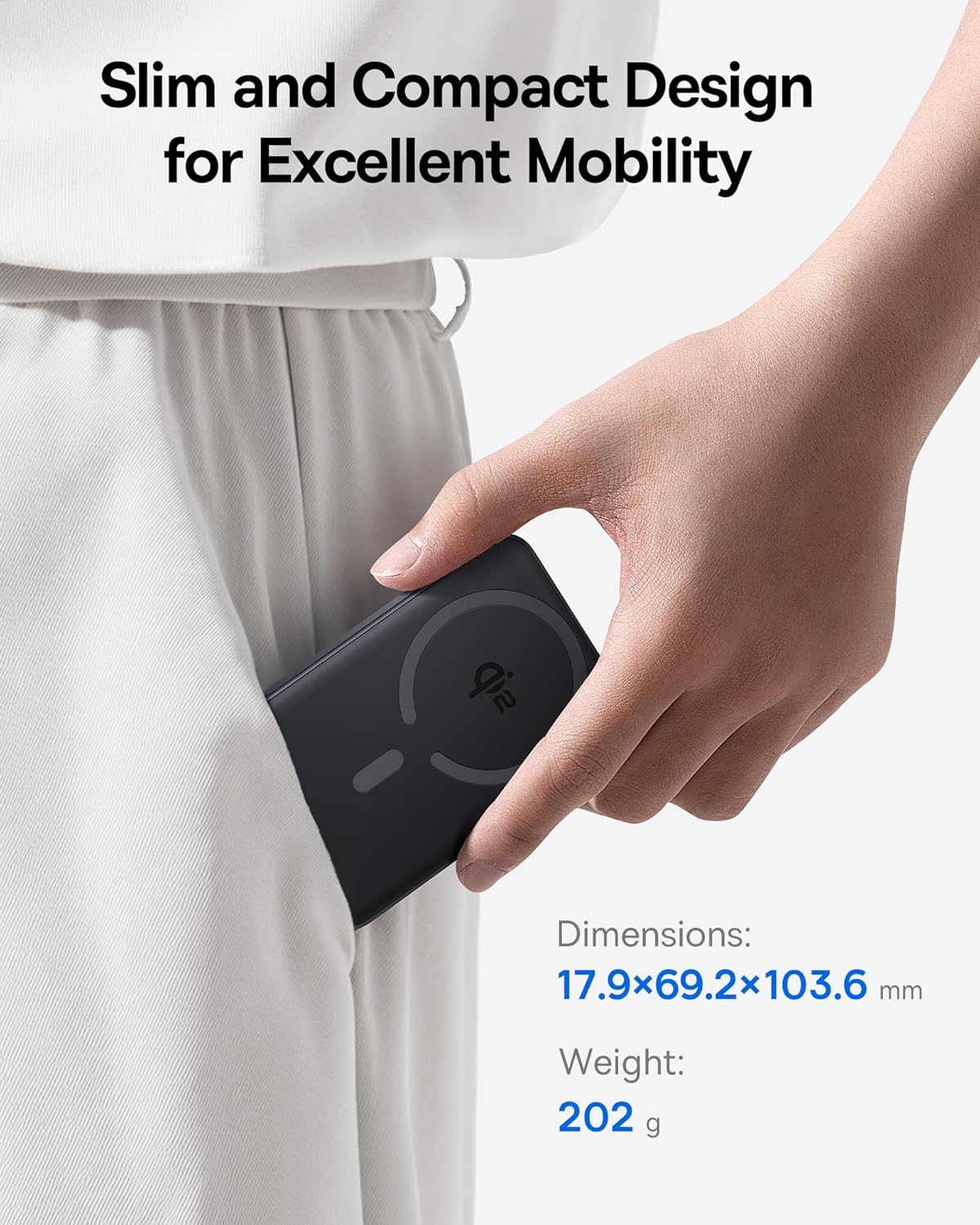
Image 2.1: The power bank's compact design allows for easy portability.
3. Nhazi
3.1 Ụgwọ mbụ
- Before first use, fully charge the power bank.
- Connect the provided USB-C cable to the power bank's USB-C port.
- Jikọọ nsọtụ nke ọzọ nke eriri USB-C na nkwụnye ọkụ USB dakọtara (anaghị etinye ya).
- Ihe ngosi LED dị na bank ike ga-enwu iji gosi ọnọdụ chajị. LED niile ga-adị ike ma chajịchaa ya nke ọma.
4. Ntuziaka ọrụ
4.1 Ịchaji Power Bank
To recharge the power bank, use the included USB-C cable and connect it to a power source. The power bank supports fast input charging.
4.2 Wireless Charging Your Device
- Ensure your device is compatible with MagSafe or Qi2 wireless charging (e.g., iPhone 12-17 series).
- Align the back of your compatible device with the magnetic charging area of the power bank. The magnets will snap into place, securing the connection.
- Wireless charging will begin automatically. The power bank does not require a power button for wireless charging.

Image 4.1: Wireless charging in progress, demonstrating the magnetic connection.

Image 4.2: Magnetic attachment for effortless charging.
4.3 Wired Charging Your Device
- Connect one end of the USB-C cable to the power bank's USB-C port.
- Connect the other end of the USB-C cable to your device's charging port.
- Ụlọ akụ ọkụ ga-achọpụta ngwaọrụ ejikọrọ na-akpaghị aka wee malite chajị.
4.4 Nchaji Ngafe
The power bank supports pass-through charging, allowing you to charge both the power bank and a connected device simultaneously. Connect the power bank to a wall adapter, and then connect your device to the power bank via either wireless or wired connection.

Image 4.3: The power bank supports both wired and wireless charging simultaneously.
4.5 ndakọrịta zuru ụwa ọnụ

Image 4.4: Compatibility overview for wireless and wired charging.
5. Ozi nchekwa
Iji hụ na ọrụ nchekwa ma gbochie mmebi ngwaọrụ ma ọ bụ mmerụ ahụ, biko debe ụkpụrụ nchekwa ndị a:
- Ewepụla ụlọ akụ ike ka ọ bụrụ oke okpomọkụ, ìhè anyanwụ kpọmkwem, ma ọ bụ ọkụ.
- Ewepụla, gbanwee, ma ọ bụ rụkwaa ngwaọrụ ahụ.
- Debe ụlọ akụ ọkụ na mmiri na mmiri mmiri ndị ọzọ.
- Zere idobe ma ọ bụ idobe ngwaọrụ ahụ na mmetụta siri ike.
- Jiri naanị eriri nchaji na nkwụnye ọkụ gbaara agbamu.
- Debe ebe ụmụaka na-apụghị iru.
- The power bank features multiple built-in protections, including over-voltage, n'okpuru-voltage, overcharge, over-discharge, over-temperature, over-current, short circuit, recovery, and over-power protection.

Image 5.1: Advanced thermal management for safe charging.

Image 5.2: Comprehensive safety protections integrated into the power bank.
6. Nlekọta
Proper maintenance ensures the longevity and optimal performance of your power bank:
- Jiri akwa dị nro hichaa ngwaọrụ ahụ. Ejila ihe nchacha abrasive ma ọ bụ ihe mgbaze.
- Chekwaa ụlọ akụ ike n'ebe dị jụụ, kpọrọ nkụ mgbe ọ naghị eji ya.
- If storing for extended periods, charge the power bank to approximately 50% every three months to maintain battery health.
7. Nchọpụta nsogbu
7.1 Device Not Charging Wirelessly
- Ensure your device is Qi2 or MagSafe compatible.
- Check for proper alignment of your device on the power bank's charging surface.
- Remove any thick cases or metallic objects between your device and the power bank.
- Verify the power bank has sufficient charge.
7.2 Device Not Charging Via USB-C
- Gbaa mbọ hụ na ejikọrọ eriri USB-C na nchekwa ma ụlọ akụ ọkụ yana ngwaọrụ gị.
- Try using a different USB-C cable to rule out cable malfunction.
- Verify the power bank has sufficient charge.
7.3 Power Bank anaghị agbaji
- Ensure the USB-C cable is securely connected to the power bank and the wall adapter.
- Try a different wall adapter and/or USB-C cable.
- Ensure the wall adapter provides sufficient power output.
8. Nkọwapụta
| Nọmba nlereanya | E00285 |
| Ike batrị | 10000mAh (3.7V/37Wh) |
| Ntinye USB-C | 5V=3A; 9V=2.22A |
| USB-C mmepụta | 5V=3A; 9V=2.22A; 12V=1.5A; 10V=2.25A (Max 22.5W) |
| Mbupute ikuku | 5W/7.5W/15W (Max 15W) |
| Mkpokọta mpụta | 5V=3A |
| Akụkụ ngwaahịa | 4.6 x 2.7 x 0.7 sentimita (17.9 x 69.2 x 103.6 mm) |
| Ibu Ibu | 8.8 ounces (202g) |
| Agba | Black (also available in Moon White, Baby Pink) |
9. Akwụkwọ ikike na nkwado
Baseus products are designed and manufactured to the highest quality standards. This product is covered by a limited warranty from the date of purchase. For detailed warranty information, product support, or to register your product, please visit the official Baseus websaịtị ma ọ bụ kpọtụrụ ndị ahịa ha ọrụ.
Biko dowe ihe akaebe nke ịzụrụ ihe maka akwụkwọ ikike.


