1. Ngwaahịa gafereview
This manual provides detailed instructions for the Nitecore MH25 PRO and MH10 V2 rechargeable flashlights. The MH25 PRO features a NiteLab UHi 40 LED with a maximum output of 3,300 lumens, designed for long-range illumination. The MH10 V2 utilizes a CREE XP-L2 V6 LED, offering a maximum output of 1,200 lumens, suitable for everyday carry and general use. Both flashlights are durable, rechargeable, and designed for various outdoor and daily applications.
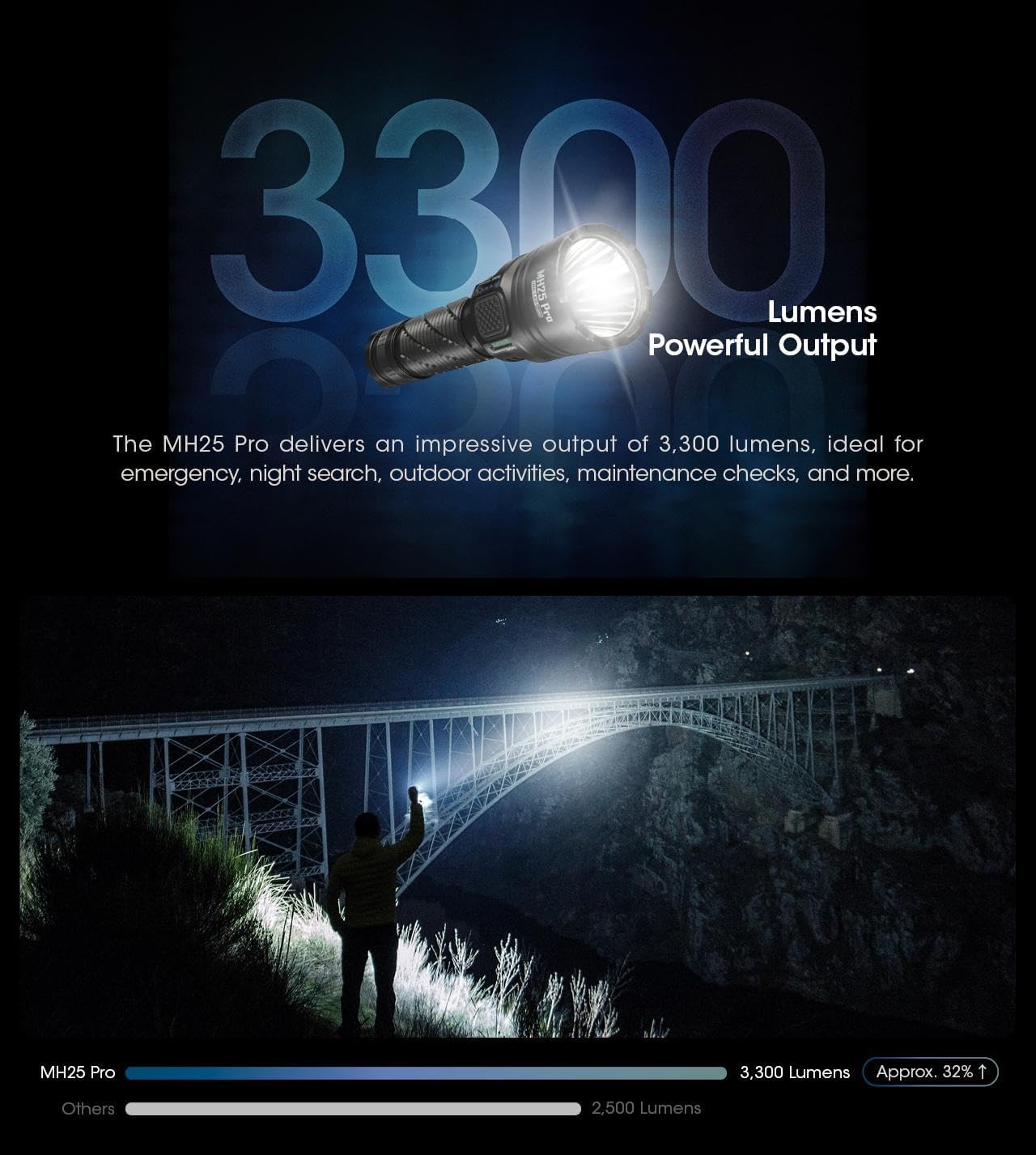
Image: The Nitecore MH25 PRO and MH10 V2 flashlights shown together, highlighting their compact design.
2. Ihe ngwugwu
Chọpụta na ihe niile dị na ngwugwu gị:
- Nitecore MH25 PRO Flashlight
- Nitecore MH10 V2 Flashlight
- NITECORE NL2153HP Li-ion Battery (for MH25 PRO)
- Li-ion Battery (for MH10 V2)
- USB-C eriri USB
- Lanyard
- O-mgbanaka mapụtara
- Clip
- Holster
3. Nhazi
3.1 Ntinye batrị
Before first use, ensure the batteries are correctly installed. Unscrew the tail cap of each flashlight and insert the included Li-ion battery with the positive (+) terminal facing towards the head of the flashlight. Screw the tail cap back on tightly to ensure proper contact and water resistance.
3.2 Nchaji izizi
Both flashlights are equipped with a USB-C charging port. Connect the provided USB-C cable to the flashlight's charging port and to a USB power source (e.g., wall adapter, computer, power bank). The charging indicator will provide feedback on the charging status. A full charge is recommended before initial use to maximize battery life.

Image: Close-up of the Nitecore MH10 V2's USB-C charging port, showing its location and design for direct charging.
4. Ọrụ
4.1 Njikwa Izugbe
Both MH25 PRO and MH10 V2 feature a tail switch for momentary and constant illumination, and a side mode button for brightness level and special mode selection.
4.2 MH25 PRO Operating Modes
The MH25 PRO offers two user modes: Ụdị kwa ụbọchị na Usoro atụmatụ. It has 5 brightness levels (Ultralow, Low, Mid, High, Turbo) and 3 special modes (Strobe, Beacon, SOS).
- Gbanyụọ/ Gbanyụọ: Fully press the tail switch to turn the flashlight on or off.
- Ndozi ihie: With the light on, press the side mode button to cycle through brightness levels.
- Ụdị pụrụ iche: Double-press the mode button to activate Strobe. Press again to cycle through Beacon and SOS.
- Ụdị mgbanwe: Refer to the detailed instructions in the included manual for switching between Daily and Tactical modes.
4.3 MH10 V2 Operating Modes
The MH10 V2 also features multiple brightness levels and special modes.
- Gbanyụọ/ Gbanyụọ: Fully press the tail switch to turn the flashlight on or off.
- Ndozi ihie: With the light on, press the side mode button to cycle through brightness levels (Ultralow, Low, Mid, High).
- Ụdị pụrụ iche: Double-press the mode button to activate Strobe. Press again to cycle through Beacon and SOS.

Image: Diagram illustrating the Daily Mode and Tactical Mode interfaces with their respective brightness and special modes.
4.4 Power and Level Indicators
Both flashlights feature power indicators near the mode button to display remaining battery power and current brightness level. Consult the specific product manual for detailed indicator patterns.
4.5 Sensor Protection Function (MH25 PRO)
The MH25 PRO includes a built-in optical sensor. If an obstruction is detected at close range, the flashlight's brightness will automatically decrease to prevent overheating and potential damage.

Image: The Nitecore MH25 PRO flashlight held in hand, showcasing its anti-slip knurling and overall design for a secure grip.

Image: The Nitecore MH25 PRO flashlight emitting a powerful beam, illustrating its 3300 lumens output and long throw capability.
Image: The Nitecore MH10 V2 flashlight held in a gloved hand, demonstrating its compact size and lightweight design.
5. Nkọwapụta
5.1 Nitecore MH25 PRO Specifications
| Njirimara | Nkọwa |
|---|---|
| Mpụta kacha | 3,300 Lumen |
| Ogologo oke beam | 705 mita |
| Max Beam ike | 124,300 cd |
| Oge ịgba ọsọ kacha | 650 hours (Ultralow) |
| Ikanam | NiteLab UHi 40 LED |
| Batrị | 1 x NL2153HP (5,300mAh) Li-ion |
| Ụdị Pụrụ Iche | STROBE, BEACON, SOS |
| Nguzogide mmetụta | 1 mita |
| Ngosi nke enweghị mmiri | IP68 (mita 2 nwere ike ime ya) |
Image: Technical data table for the Nitecore MH25 PRO, detailing lumens, runtime, beam distance, and intensity for various modes.
5.2 Nitecore MH10 V2 Specifications
| Njirimara | Nkọwa |
|---|---|
| Mpụta kacha | 1,200 Lumen |
| Ogologo oke beam | 202 mita |
| Max Beam ike | 10,200 cd |
| Oge ịgba ọsọ kacha | 1500 hours (Ultralow) |
| Ikanam | CREE XP-L2 V6 LED |
| Batrị dakọtara | 1 x 21700, 1 x 18650, 2 x CR123/RCR123 |
| Ụdị Pụrụ Iche | STROBE, BEACON, SOS |
| Nguzogide mmetụta | 1 mita |
| Ngosi nke enweghị mmiri | IP68 (mita 2 nwere ike ime ya) |
Image: Technical data table for the Nitecore MH10 V2, detailing lumens, runtime, beam distance, and intensity for various modes.
5.3 Nkọwa n'ozuzu
- Ihe: Aero grade aluminum alloy
- Mechaa: HA III military grade hard-anodized
- Ịchaji: USB-C nwere ike ịchaji
- lenses anya: Double-sided scratch resistant coating
6. Nlekọta
6.1 Nhicha
Regularly clean the flashlight's body with a soft, damp cloth. For the lens, use a lens cleaning cloth to avoid scratches. Do not use abrasive cleaners or solvents.
6.2 Nlekọta batrị
To maintain optimal battery performance, charge the batteries regularly. If the flashlight will not be used for an extended period, remove the batteries to prevent leakage and store them in a cool, dry place. Avoid over-discharging or over-charging the batteries.
6.3 Mmiri Nguzogide
Both flashlights are rated IP68, meaning they are dustproof and submersible to 2 meters. Ensure all caps and covers (especially the USB-C port cover) are securely closed before exposing the flashlight to water or dusty environments.
7. Nchọpụta nsogbu
- Igwe ọkụ anaghị agbanwu:
- Lelee ma etinyere batrị ahụ nke ọma ka ọ na-eji ọdụ (+) chere ihu n'isi.
- Gbaa mbọ hụ na agbachiela okpu ọdụ ahụ nke ọma.
- Charge the battery to ensure it has sufficient power.
- Ìhè na-egbuke egbuke ma ọ bụ na-egbuke egbuke:
- Batrị ahụ nwere ike ịdị ala; gbanye ya.
- Clean the battery contacts and flashlight threads.
- Ọkụ ọkụ na-ekpo ọkụ ngwa ngwa:
- The MH25 PRO has an Advanced Temperature Regulation (ATR) module and sensor protection to prevent overheating. If it becomes excessively hot, it may be operating in a high mode for an extended period or in a high ambient temperature. Reduce the brightness level.
- Nsogbu ịchaji:
- Ensure the USB-C cable is properly connected to both the flashlight and the power source.
- Gbalịa eriri USB-C dị iche ma ọ bụ ihe nkwụnye ọkụ.
8. Akwụkwọ ikike na nkwado
For warranty information, please refer to the warranty card included with your product or visit the official Nitecore website. For technical support or service inquiries, please contact Nitecore customer service directly through their official channels.


