1. Okwu mmalite
The AstroAI P8 4000A Jump Starter is a versatile and powerful device designed to provide reliable jump-starting for vehicles, act as a portable power bank, and offer emergency lighting. This manual provides essential information for safe and effective use of your device.
2. Ozi nchekwa
WARNING: Read all safety warnings and instructions before using this product. Failure to follow the warnings and instructions may result in electric shock, fire, and/or serious injury.
- This car starter includes 10 built-in comprehensive protections for enhanced safety. These safety features include reverse polarity, overcurrent, overcharge, overdischarge, high & low temperature protection, reverse connection, over voltage, overload, short circuit, and spark-proof clamps.
- Do not attempt to jump start any engine that exceeds the maximum displacement supported by the jump starter (10L Gas or 8L Diesel).
- Do not crank the engine for more than 3 seconds at a time. Allow the jump starter to cool down for at least 1 minute between each start attempt.
- Ensure the device has at least 50% charge before use.
- Debe ebe ụmụaka na-apụghị iru.
- Ewepụla ngwaahịa a na mmiri ozuzo ma ọ bụ ọnọdụ mmiri.
- Ewepụla ngwaahịa a.

Image: AstroAI P8 Jump Starter highlighting its 10 safety protections including reverse polarity, overcurrent, overcharge, overdischarge, high & low temperature protection, reverse connection, over voltage, overload, short circuit, and spark-proof clamps.
3. Ihe ngwugwu
- AstroAI P8 Jump Starter Unit
- Smart Jumper Cables
- USB-C eriri USB
- Akwụkwọ ntuziaka onye ọrụ
- Akpa nchekwa

Image: The AstroAI P8 Jump Starter, smart jumper cables, USB-C charging cable, user manual, and a storage bag, laid out on a dark background.
4. Akụrụngwa Ngwaahịa
- Mmalite dị ike: 4000A peak current for 10L gas and 8L diesel engines. Compatible with motorbikes, cars, SUVs, lawnmowers, tractors, and motorboats.
- Multifunctional Power Bank: USB-A output Port works with 5V⎓3A, 9V⎓2A, 12V⎓1.5A (QC 3.0). Serves as a reliable backup power source for electronic devices.
- Kọmpat & Enwere ike ibugharị: Size 7.20in*3.45in*1.53in (183mm*88mm*39mm) for easy carrying and storage in glove boxes and door pockets.
- Multi-Mode LED Flashlight: Provides 3 modes: illumination, SOS, and strobe for convenient lighting in various scenarios.
- Nchekwa zuru oke: 10 built-in protections for enhanced safety, including reverse polarity, overcurrent, overcharge, overdischarge, high & low temperature protection, reverse connection, over voltage, overload, short circuit, and spark-proof clamps.

Image: The AstroAI P8 Jump Starter demonstrating its three main functions: jump starter, power bank, and LED flashlight.
5. Ngwaahịa gafereview (Ihe mejupụtara ya)
The AstroAI P8 features a robust design with clearly marked ports and indicators for ease of use.
- Bọtịnụ ike: Activates the device and checks battery level.
- Ihe ngosi ọkwa batrị: Displays the remaining charge.
- Jumper Cable Port: For connecting the smart jumper cables.
- USB-A Output Ports (QC 3.0): Maka ịchaji ngwaọrụ mpụga.
- Ọdụ ụgbọ mmiri ntinye/mpụta USB-C: For charging the jump starter and external devices.
- Igwe ọkụ ọkụ LED: Multi-mode light for illumination, SOS, and strobe.
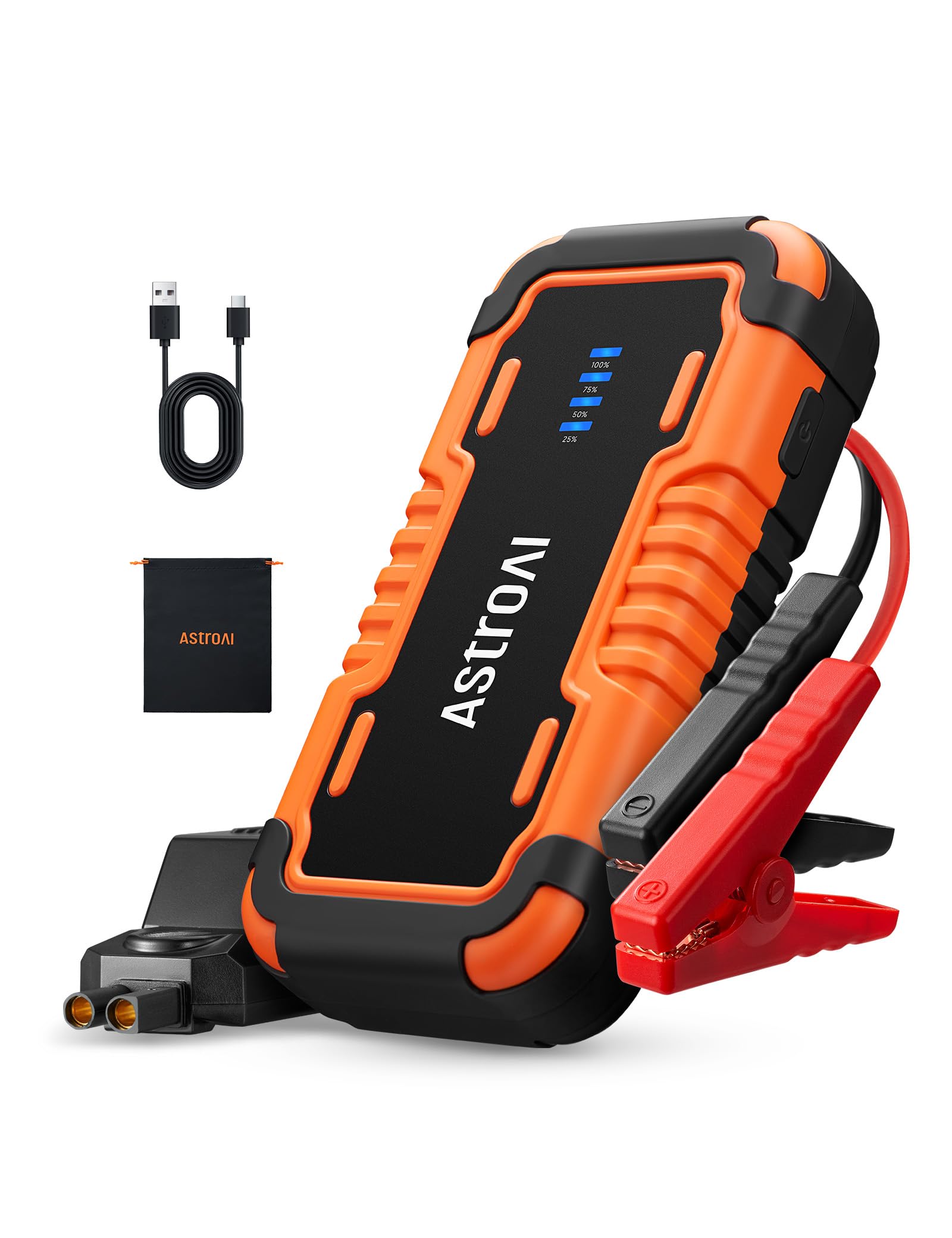
Image: The AstroAI P8 Jump Starter with its smart jumper cables connected, ready for use.
6. Charging the Jump Starter
Before first use, fully charge the AstroAI P8. It is recommended to recharge the unit after each use to maintain battery health.
- Connect the provided USB-C charging cable to the USB-C input/output port on the jump starter.
- Plug the other end of the USB-C cable into a compatible USB wall adapter (not included) or car charger.
- The battery level indicator lights will illuminate and flash, indicating the charging progress. All lights will be solid when fully charged.

Image: The AstroAI P8 Jump Starter connected via USB-C to charge a smartphone and a tablet, demonstrating its power bank functionality.
7. Ntuziaka ọrụ
7.1. Malie Malite Ụgbọala
- Ensure the jump starter is sufficiently charged (at least 50%).
- Connect the smart jumper cables to the jump starter's port. Ensure a secure connection.
- Gbakwunye uhie clamp gaa na njedebe dị mma (+) nke batrị ụgbọala ahụ.
- Tinye oji clamp gaa na njedebe nke batrị ụgbọala ahụ na-adịghị mma (-).
- Check the indicator light on the smart jumper cable. A solid green light indicates a correct connection and readiness to jump start. If it's flashing or red, check connections or refer to troubleshooting.
- Start the vehicle's engine. If it doesn't start immediately, wait at least 1 minute before trying again. Do not crank for more than 3 seconds per attempt.
- Once the vehicle starts, immediately remove the black clamp from the negative terminal, then the red clamp site na nti ọnụ.
- Disconnect the smart jumper cables from the jump starter.

Image: A person connecting the AstroAI P8 Jump Starter to a car battery, illustrating the process of jump starting a vehicle.
7.2. Iji dị ka Power Bank
The AstroAI P8 can charge various electronic devices.
- Connect your device's USB charging cable to one of the USB-A output ports or the USB-C port on the jump starter.
- Ihe mmalite mbuli elu ga-amalite ịchaji ngwaọrụ gị na akpaghị aka.
7.3. Iji ọkụ ọkụ LED
The built-in LED flashlight offers multiple modes for different situations.
- Press and hold the power button for 3 seconds to turn on the flashlight (illumination mode).
- Press the power button once to switch to SOS mode.
- Press the power button again to switch to strobe mode.
- Press the power button once more to turn off the flashlight.

Image: A person using the AstroAI P8 Jump Starter's multi-mode LED flashlight under the hood of a car at night.
8. Nlekọta
- Debe ihe mmalite ahụ n'ebe dị jụụ ma kpọọ nkụ, ebe anwụ na-anaghị anwụ kpọmkwem na oke okpomọkụ dị oke njọ.
- Recharge the unit every 3-6 months, even if not used, to maintain battery health.
- Jiri ịdị nro hichaa mpụtaamp akwa . Ejila kemịkalụ siri ike ma ọ bụ ihe mkpocha abrasive.
- Nyochaa eriri na clamps for any damage before each use.
9. Nchọpụta nsogbu
| Nsogbu | Ihe nwere ike ime | Ngwọta |
|---|---|---|
| Ụgbọala anaghị amalite. | Low charge on jump starter, incorrect connection, or vehicle battery completely dead. | Ensure jump starter is at least 50% charged. Recheck clamp connections. If battery is extremely dead, allow jump starter to connect for a few minutes before attempting to start. |
| Smart jumper cable indicator is red or flashing. | Reverse polarity, short circuit, or other safety protection activated. | Kwupu njikọ clamps and re-attach them correctly (red to positive, black to negative). If issue persists, check for short circuits or other battery issues. |
| Jump starter not charging. | Eriri ma ọ bụ ihe nkwụnye chaja na-adịghị mma. | Try a different USB-C cable and wall adapter. Ensure connections are secure. |
10. Nkọwapụta
- Ụdị: P8
- Ọnụ ọgụgụ kasị elu ugbu a: 4000 Amps
- Ndakọrịta njin Ruo 10L gas ma ọ bụ dizel 8L
- Voltage: 12 volts
- Ụdị batrị: Lithium polymer (gụnyere)
- USB-A mmepụta (QC 3.0): 5V⎓3A, 9V⎓2A, 12V⎓1.5A
- Ntinye/Mpụta USB-C: 5V⎓3A, 9V⎓2A
- Akụkụ: 183mm x 88mm x 39mm (7.20in x 3.45in x 1.53in)
- Ibu ihe: 710 g
- Mba onye si: China
11. Akwụkwọ ikike na nkwado
AstroAI products come with a manufacturer's warranty. For detailed warranty information, product support, or to register your product, please visit the official AstroAI websaịtị ma ọ bụ kpọtụrụ ndị ahịa ha ozugbo. Debe akwụkwọ nnata ịzụrụ maka akwụkwọ ikike.
Onye nrụpụta: Astro AI
Kpọtụrụ: Nkwado@astroai.com