Okwu mmalite
Daalụ maka ịzụrụasing the Fisher FBX390 Portable Bluetooth Speaker. This manual provides essential information for setting up, operating, and maintaining your speaker. Please read it thoroughly before use to ensure optimal performance and longevity of your device. This speaker combines powerful audio with dynamic lighting, True Wireless Stereo (TWS) capabilities, and IPX4 water resistance, making it suitable for various environments.
Ihe ngwugwu
- Ọkà Okwu Bluetooth Fisher FBX390
- Igwe ọkụ ọkụ
- Ntuziaka mmalite ngwa ngwa
- Akwụkwọ ikike kaadị
Ngwaahịa gafereview
Familiarize yourself with the components and controls of your Fisher FBX390 speaker.

N'ihu view of the Fisher FBX390 Portable Bluetooth Speaker, showcasing its grille and overall design.

N'elu view of the speaker, highlighting the control panel with buttons for mode, volume, play/pause, power, and AUX input.
Control Buttons and Ports:
- M (Bọtịnụ Ụdị): Press to switch between Bluetooth, FM Radio, and AUX input modes.
- - (Volume Down / Previous Track): Pịa obere oge iji belata olu. Pịa ma jide iji gaa na egwu gara aga.
- Bọtịnụ Kwụsị/Kwụsị: Press to play or pause audio. In FM mode, press and hold to auto-scan for stations.
- + (Volume Up / Next Track): Press briefly to increase volume. Press and hold to go to the next track.
- Bọtịnụ ike: Pịa ma jide iji gbanye ma ọ bụ gbanyụọ ọkà okwu.
- Ntinye AUX: Maka ijikọ ngwaọrụ ọdịyo mpụga site na eriri ọdịyo 3.5mm.
- Nchaji ọdụ ụgbọ mmiri: For connecting the power cable to charge the speaker.
Melite
Nchaji mbụ
Before first use, fully charge the speaker. Connect the provided power cable to the charging port on the speaker and plug the other end into a suitable power source. The charging indicator light will illuminate. Once fully charged, the light may change color or turn off, depending on the model. A full charge provides up to 5 hours of playtime.
Ntuziaka ọrụ
Gbanyụọ/ Gbanyụọ
- To turn on: Press and hold the Power Button until you hear an audible prompt or see the indicator lights activate.
- To turn off: Press and hold the Power Button again until the speaker powers down.
Njikọ Bluetooth
- Ensure the speaker is powered on and in Bluetooth mode. If not, press the 'M' (Mode) button to switch to Bluetooth mode. The speaker will enter pairing mode, indicated by a flashing LED light.
- Na ngwaọrụ mkpanaaka gị (smartphone, tabletị, wdg), gbanye Bluetooth wee chọọ ngwaọrụ dịnụ.
- Họrọ "FBX390" site na ndepụta ngwaọrụ.
- Ozugbo ejikọtara ya, ọkà okwu ahụ ga-ewepụta ụda nkwenye, ọkụ LED ahụ ga-akwụsịkwa ịgbawa.
- Ị nwere ike ugbu a kpọọ ụda site na ngwaọrụ gị site na ọkà okwu.
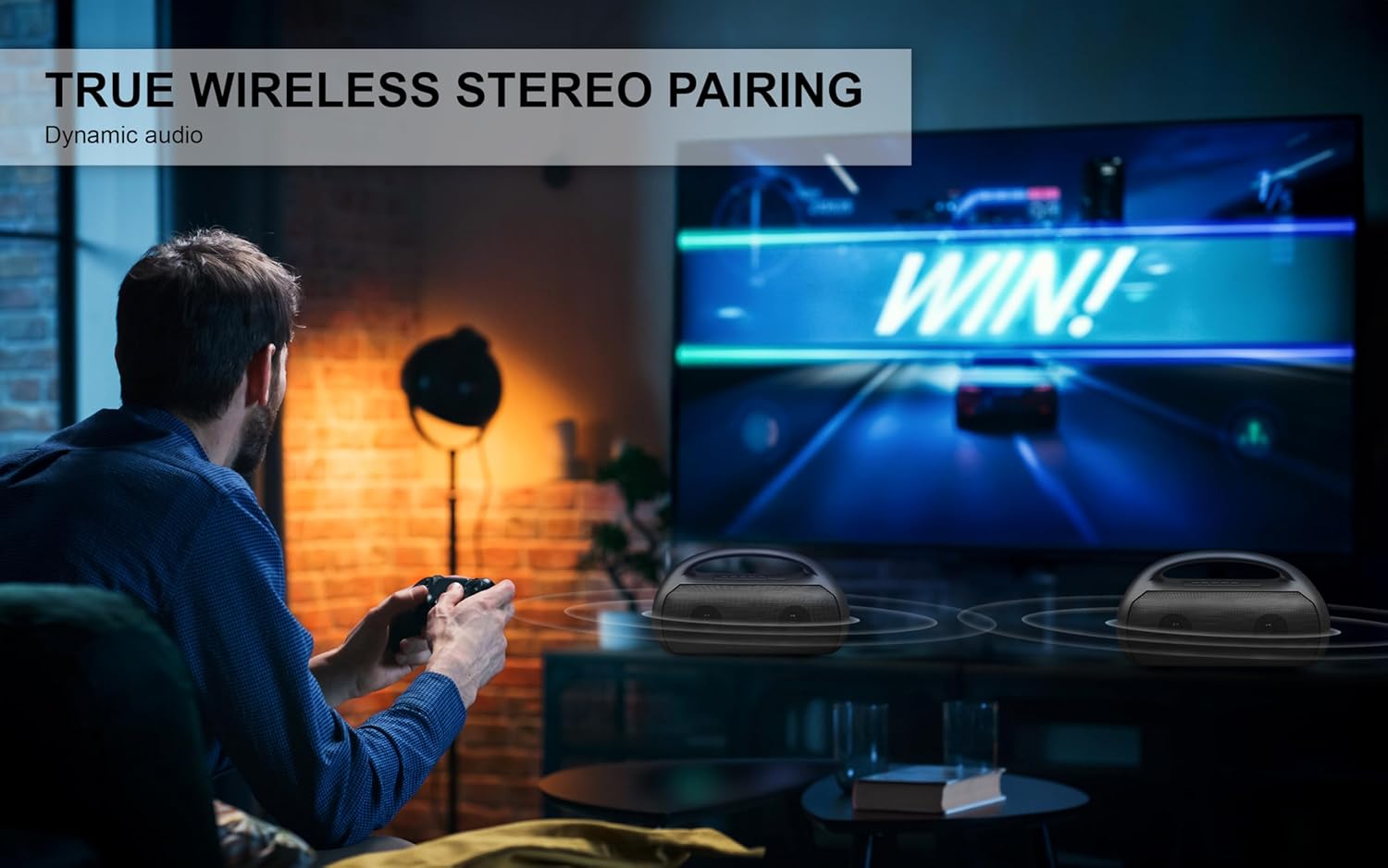
Image depicting the speaker connecting wirelessly via Bluetooth 5.3 to various devices like smartphones, tablets, computers, and laptops, also showing USB, TF Card, and AUX input options.
Ezi ikuku stereo (TWS) ijikọ
To achieve a stereo sound experience, you can pair two FBX390 speakers together.
- Ensure both FBX390 speakers are powered on and in Bluetooth mode, but not yet connected to any device.
- On one of the speakers (this will be your primary speaker), press and hold the Play/Pause button for a few seconds until you hear a pairing tone.
- Igwe okwu abụọ ahụ ga-ejikọta onwe ha na-akpaghị aka. Ụda nkwenye ga-egosi ijikọ TWS na-aga nke ọma.
- Ugbu a, jikọọ ekwentị mkpanaaka gị na isi okwu site na Bluetooth dị ka akọwara na ngalaba "Bluetooth Pairing".
- Audio will now play in stereo across both speakers.

A user enjoying a game with two Fisher FBX390 speakers wirelessly paired for an immersive True Wireless Stereo sound experience.
Redio FM
- Press the 'M' (Mode) button to switch to FM Radio mode.
- Press and hold the Play/Pause button to initiate an automatic scan for available FM stations. The speaker will save detected stations.
- Use the '-' and '+' buttons to navigate between saved stations.
Ọkụ RGB
The speaker features dynamic RGB lights that synchronize with the music. The lights automatically activate when the speaker is turned on. Specific controls for changing light modes or turning them off may vary; refer to the Quick Start Guide for detailed instructions if available.

Akụkụ view of the speaker, illustrating the dynamic RGB lighting feature.
Ntinye aka AUX
To play audio from a device without Bluetooth:
- Jikọọ otu njedebe nke eriri ọdịyo 3.5mm (anaghị etinye ya) na ọdụ ụgbọ mmiri AUX dị na ọkà okwu.
- Connect the other end to the audio output jack of your external device.
- Press the 'M' (Mode) button to switch to AUX mode.
- Control playback and volume directly from your connected device.
Ịchaji
The speaker is equipped with a 1500mAh battery, providing up to 5 hours of playback time on a single charge. When the battery is low, the speaker may indicate this with an audible alert or a flashing LED. Connect the speaker to a power source using the provided power cable to recharge. Charging time may vary.
Nlekọta
- Nhicha: Jiri ákwà dị nro ma kpọọ nkụ hichaa mpụta okwu ahụ. Ejila ihe nhicha ma ọ bụ ihe mgbaze.
- Nguzogide mmiri: The speaker has an IPX4 water resistance rating, meaning it is protected against splashing water from any direction. It is not designed to be submerged in water. Ensure the charging port cover is securely closed when exposed to water.
- Nchekwa: Chekwaa ọkà okwu n'ebe dị jụụ, kpọrọ nkụ na-adịghị na ìhè anyanwụ kpọmkwem na oke okpomọkụ.
- Nlekọta batrị: Iji mee ka batrị dị ogologo, zere ịgbapụta batrị ahụ mgbe niile. Chajie igwe okwu mgbe niile, ọbụlagodi na ọ naghị eji ya ruo ogologo oge.

A person relaxing by a pool with the Fisher FBX390 speaker, demonstrating its suitability for outdoor environments due to its water resistance.
Nchọpụta nsogbu
| Nsogbu | Ihe nwere ike ime | Ngwọta |
|---|---|---|
| Ọkà okwu anaghị agbanwuo. | Batrị agwụla. | Chajie ọkà okwu zuru ezu. |
| Enweghị ike ijikọ site na Bluetooth. | Ọkà okwu adịghị na ọnọdụ njikọta ma ọ bụ tere aka na ngwaọrụ. | Ensure speaker is in Bluetooth pairing mode. Move device closer to speaker (within 33ft). Turn off and on Bluetooth on your device. |
| Enweghị ụda. | Volume too low, incorrect mode, or device not playing. | Increase speaker and device volume. Ensure correct mode (Bluetooth/AUX/FM) is selected. Check if audio is playing on the connected device. |
| Njikota TWS ada ada. | Speakers already connected to a device or too far apart. | Ensure both speakers are disconnected from other devices. Place speakers close to each other. Follow TWS pairing steps carefully. |
Nkọwapụta
| Njirimara | Nkọwa |
|---|---|
| Aha Nlereanya | FBX390 |
| Ụdị Ọkà Okwu | Single Speaker (with TWS capability) |
| Teknụzụ Njikọta | Bluetooth 5.3 |
| Ikuku iche | Ruo 33 ụkwụ (mita 10) |
| Ike mmepụta okwu | 10W RMS (ọnụọgụ 20W) |
| Nzaghachi ugboro ugboro | 80Hz-18kHz |
| Ike batrị | 1500mAh |
| Oge egwuregwu | Ruo awa iri abụọ |
| Mmiri Nguzogide | IPX4 |
| Akụkụ (W x H x D) | 13.64" x 8.1" x 5.58" |
| Ibu Ibu | 3.13 pound |
| Ngwa gụnyere | Eriri Ike, Nduzi Mmalite Ngwa Ngwa, Kaadị Akwụkwọ ikike |

Diagram showing the dimensions of the Fisher FBX390 speaker: 13.64 inches (W) x 8.1 inches (H) x 5.58 inches (D).
Akwụkwọ ikike na nkwado
This Fisher FBX390 Portable Bluetooth Speaker comes with a Limited Warranty. Please refer to the included Warranty Card for detailed terms and conditions, including coverage period and how to make a claim. For technical support or customer service inquiries, please contact the manufacturer or retailer where you purchased the product. Keep your proof of purchase for warranty purposes.


