Okwu mmalite
This manual provides essential information for the setup, operation, and maintenance of your Bose QuietComfort Ultra Earbuds (2nd Gen). Please read thoroughly before use.
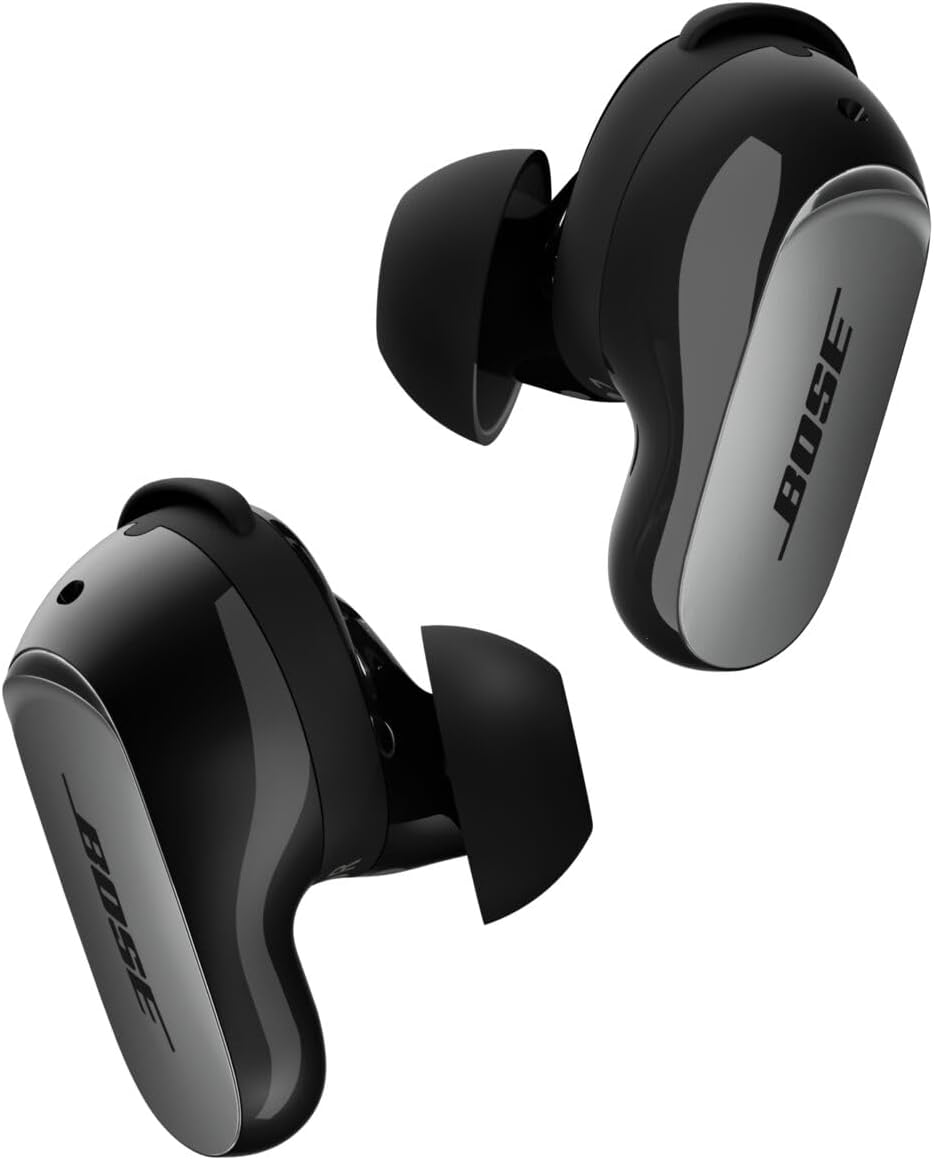
Image: Bose QuietComfort Ultra Earbuds (2nd Gen) in Black, showcasing ha sleek imewe.
Kedu ihe dị na Igbe ahụ
- 2 Bose QuietComfort Ultra Earbuds (2nd Gen)
- Bose Fit Kit: 3 pairs of eartips (S, M, L) and 3 pairs of stability bands (1, 2, 3)
- Akpa nchaji ikuku
- 12-inch USB-C (A to C) cable
- Mpempe akwụkwọ nchekwa

Image: A pair of Bose QuietComfort Ultra Earbuds (2nd Gen) and their charging case held in hands, representing the product contents.
Melite
Ịchaji akpa na ntị ntị
Before initial use, fully charge the charging case and earbuds. Connect the provided USB-C cable to the charging case and a power source. The case also supports wireless charging.

Image: The Bose QuietComfort Ultra Earbuds (2nd Gen) charging case in black, with earbuds inside, indicating charging status.
Finding Your Perfect Fit
The Bose Fit Kit includes three sizes of eartips (S, M, L) and three sizes of stability bands (1, 2, 3). Experiment with different combinations to find the most secure and comfortable fit for your ears. A proper seal is crucial for optimal audio performance and noise cancellation.

Image: Close-up bottom view of the earbuds, highlighting the eartips and charging contacts.
Ijikọ na Ngwaọrụ gị
- Open the charging case. The earbuds will enter pairing mode.
- On your device, go to Bluetooth settings and select "Bose QC Ultra Earbuds (2nd Gen)".
- Soro ihe ọ bụla na-egosi na ihuenyo ka ịmechaa njikọta.

Image: A person wearing Bose QuietComfort Ultra Earbuds (2nd Gen), demonstrating proper fit.
Official Product Video: QuietComfort Ultra Earbuds (2nd Gen)
Video: An official Bose video showcasing the features and design of the QuietComfort Ultra Earbuds (2nd Gen).
Ntuziaka ọrụ
Njikwa mmetụ
The earbuds feature intuitive touch controls for managing audio playback, calls, and noise control modes. Customize these controls via the Bose app.

Foto: Top view of the earbuds, highlighting the touch-sensitive surface for controls.
Ụdị njikwa mkpọtụ
The earbuds offer various noise control modes to adapt to your environment:
- Ụdị dị jụụ: Provides full noise cancellation for an immersive listening experience.
- Ụdị Mara Ihe: Allows you to hear your surroundings with maximum transparency while enjoying your audio. ActiveSense technology smooths sudden loud noises.
- Ụdị imikpu: Blends noise cancellation with Bose Immersive Audio for a spatialized listening experience.
- Ọnọdụ Cinema: Spatializes audio for video content, balancing background sounds and effects for a theater-like experience.
Audio na-emikpu
Bose Immersive Audio spatializes your listening experience, placing sound beyond the earbuds to create a more expansive and realistic soundstage. This feature enhances both music and video content.
Njikwa Oku
The earbuds feature SpeechClarity technology with noise-rejecting microphones to filter out background noise and wind, focusing on your voice for clear phone calls. You can take calls using both earbuds or a single earbud.
Ozi batrị
- Ndụ batrị earbud: Up to 6 hours in Quiet or Aware Mode (up to 4 hours with Immersive Audio).
- Nchaji akpa: Provides up to three full charges, extending total listening time to 24 hours.
- Oge nchaji: Ihe dị ka awa 2 maka ụgwọ zuru ezu.
Nchaji ikuku
The charging case supports wireless charging via any Qi-certified charging pad, in addition to USB-C charging.
Nlekọta
Na-ehicha ihe ntị ntị gị
Regularly clean your earbuds and charging case to maintain optimal performance. Use a soft, dry cloth to wipe the surfaces. For eartips, gently remove them and clean with mild soap and water, then dry thoroughly before reattaching.
Mmiri Nguzogide
The earbuds have an IPX4 rating, meaning they are resistant to splashing water from any direction. They are not designed to be submerged in water.
Nchọpụta nsogbu
If you encounter any issues with your Bose QuietComfort Ultra Earbuds (2nd Gen), try the following steps:
- Gbaa mbọ hụ na ejirila earbuds na chaja chaja nke ọma.
- Verify Bluetooth connection on your device.
- Restart your device and attempt to re-pair the earbuds.
- Perform an earbud seal test via the Bose app to ensure proper fit.
- For further assistance, refer to the Bose app or visit the official Bose support websaịtị.
Nkọwapụta
| Aha Nlereanya | Bose QuietComfort Ultra Earbuds (2nd Gen), Black |
| Nọmba Nlereanya ihe | 896637-0010 |
| Teknụzụ Njikọta | Ikuku (Bluetooth 5.3) |
| Atụmatụ Njikwa Mkpọtụ | Active Noise Cancellation, Aware Mode, Immersion Mode |
| Ndụ batrị (Earbuds) | Up to 6 Hours (4 hours with Immersive Audio) |
| Ndụ batrị (ya na igbe) | Ruo awa 24 |
| Oge Nchaji | Awa 2 |
| Ọkwa Nguzogide mmiri | IPX4 (mmiri na-eguzogide) |
| Ibu Ibu | 80 grams (2.82 ounces) |
| Akụkụ ngwaahịa | 1.06 x 2.35 x 2.6 sentimita asatọ |
| Ụdị njikwa | Njikwa ngwa |
| Ngwa gụnyere | Earbuds, Fit Kit (eartips & stability bands), Wireless Charging Case, USB-C cable, Safety sheet |
Nkwado
For the latest software updates, additional features, and personalized settings, download the Bose app from your device's app store.
For warranty information and further technical support, please visit the official Bose websaịtị ma ọ bụ kpọtụrụ ndị ahịa.


