1. Okwu mmalite
This manual provides essential information for the setup, operation, and maintenance of your iFFALCON 55-Inch Class U85 Series QD-Mini LED 4K UHD Google Smart TV. Please read this manual thoroughly before using your television to ensure proper and safe operation. Keep this manual for future reference.
The iFFALCON U85 Series TV features advanced display technologies including QD-Mini LED for precise lighting, QLED for vibrant colors, 4K UHD resolution, HDR 1000 nits peak brightness, and a 144Hz native refresh rate. It integrates Google TV for smart entertainment and offers enhanced audio with Dolby Atmos and DTS Virtual X. Gaming is optimized with features like 240Hz DLG and FreeSync Premium Pro.
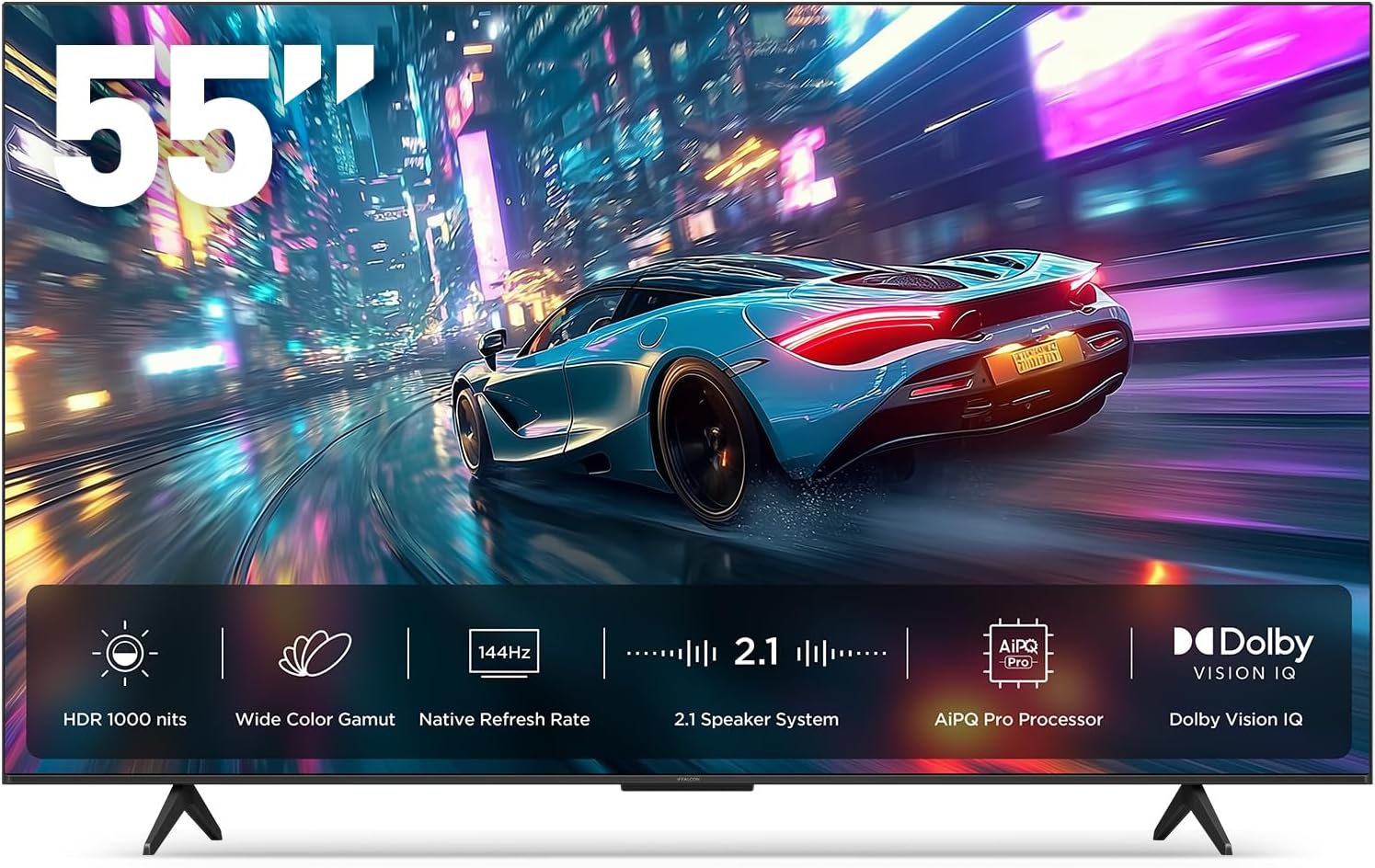
Foto 1.1: N'ihu view of the iFFALCON 55-Inch U85 Series TV, showcasing its display with a vibrant image of a car on a city street.
2. Kedu ihe dị na Igbe ahụ
Carefully unpack your television and ensure all items are present. If any items are missing or damaged, contact your retailer.
- Obere TV LED
- Igwe ọkụ
- Batrị 2 x AAA maka ime ime
- 6 x Guzoro kposara
- Table stands (2 pieces)
- 5 x obere eriri USB
- Ntuziaka mmalite ngwa ngwa
- Igwepụ TV
3. Nhazi
3.1 Nhazi anụ ahụ
Before proceeding, ensure the TV is placed on a stable, flat surface or securely mounted to a wall. Refer to the Quick Start Guide for detailed instructions on attaching the table stands or mounting the TV to a wall bracket (wall mount sold separately).
3.2 Njikọta Peripherals
Connect your external devices such as cable boxes, gaming consoles, or Blu-ray players to the TV's HDMI ports. Ensure the power cable is securely connected to the TV and a power outlet.
3.3 Ike izizi na Google TV Ntọala
- Tinye eriri ọkụ n'ime oghere eletrik.
- Pịa bọtịnụ ike na njikwa anya ma ọ bụ TV.
- Follow the on-screen instructions to complete the initial setup, including network connection, Google account sign-in, and channel scanning.
4. Na-arụ ọrụ na TV
4.1 Ọrụ njikwa anya
The included remote control allows you to navigate menus, adjust volume, change channels, and access smart features. Familiarize yourself with the button layout for optimal use.
4.2 Smart Features: Google TV, Google Assistant, and Alexa
Your iFFALCON U85 TV is equipped with Google TV, providing access to a wide range of streaming services and apps. Use the built-in Google Assistant or connect to an Alexa-enabled device for hands-free voice control.
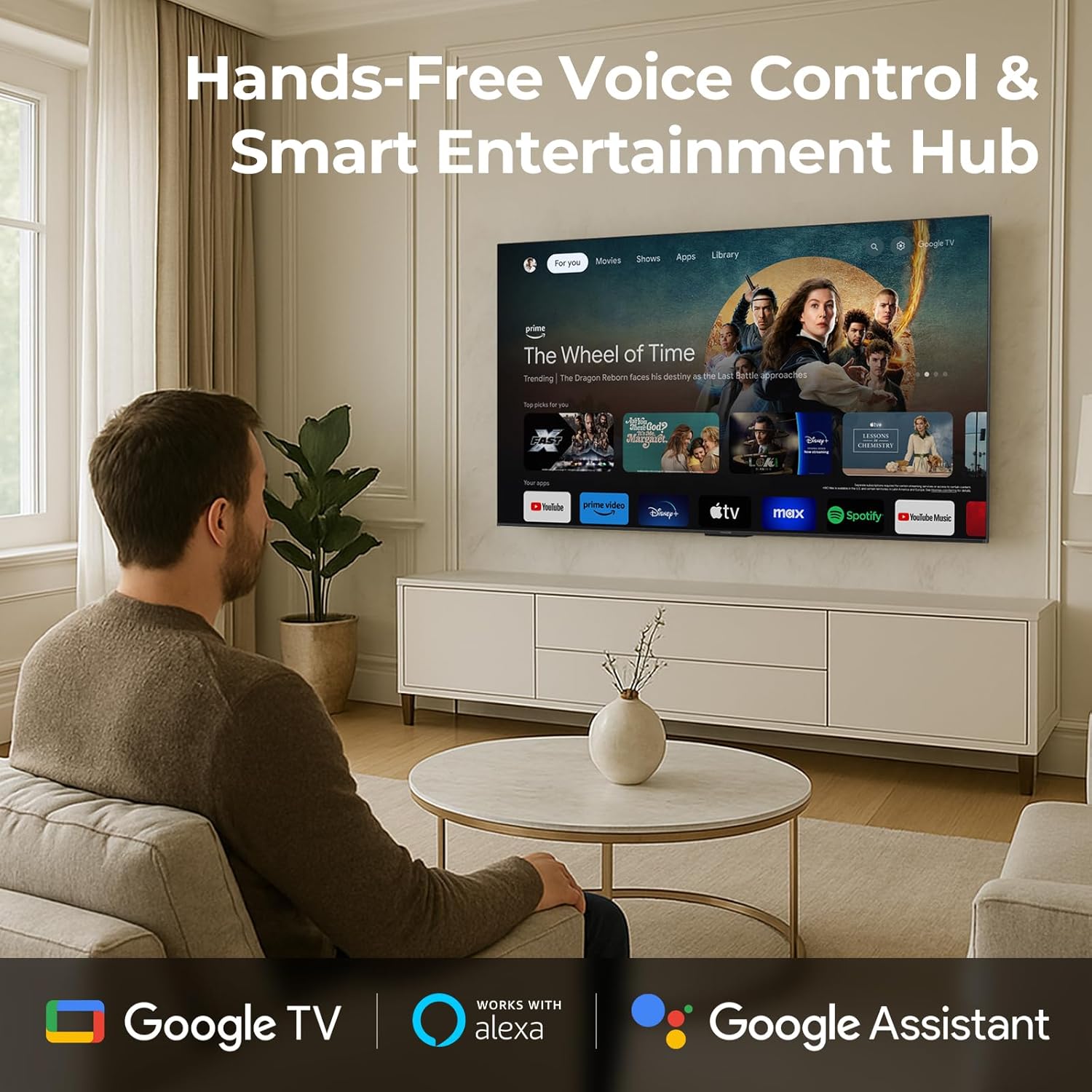
Image 4.1: A man interacting with the iFFALCON TV using voice commands, demonstrating the hands-free control feature.
4.3 Picture Settings and Quality
The U85 Series TV offers exceptional picture quality through several advanced technologies:
- QD-Obere LED: Provides precise lighting control with up to 144 local dimming zones and 1000 nits peak brightness for bright highlights and deep blacks.
- QLED Wide Color: Quantum Dot technology delivers a 93% DCI-P3 wide color gamut for true-to-life images.
- Ihe nhazi AiPQ: Optimizes brightness, contrast, and detail in real-time for enhanced visual performance.
- Dolby Vision IQ: Automatically adjusts HDR brightness based on ambient light conditions.
- 6000:1 nha nha anya: Achieves deep blacks and vibrant colors with enhanced contrast.

Image 4.2: Visual comparison illustrating how Mini-LED technology enhances bright highlights and deep blacks compared to conventional TVs.
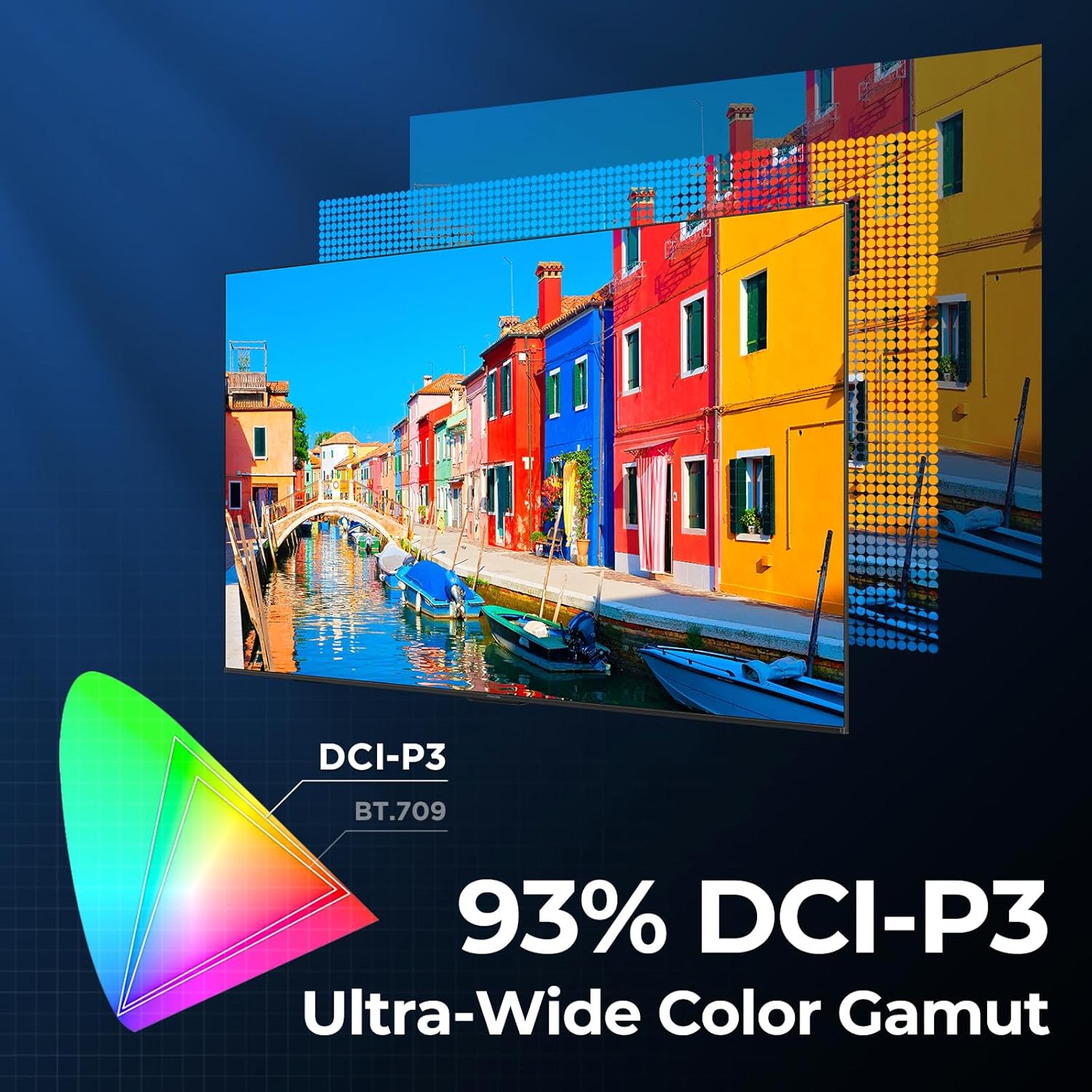
Image 4.3: Diagram showing the 93% DCI-P3 ultra-wide color gamut, indicating the TV's ability to display a broad spectrum of colors.
4.4 Audio Settings and Quality
Experience immersive sound with the TV's integrated audio features:
- 2.1-channel 50W Sound System: Delivers powerful stereo sound with deep bass.
- Dolby Atmos: Provides multi-dimensional audio that flows around and above you.
- DTS Virtual X: Creates expansive, room-filling sound with virtual height and surround effects.
- Emelitere IMAX: Optimizes audio and visual performance for a cinematic experience.

Image 4.4: A couple enjoying a movie on the iFFALCON TV, illustrating the immersive audio experience with sound waves emanating from the screen.
4.5 Njirimara egwuregwu
The iFFALCON U85 TV is designed for an optimal gaming experience:
- 4K 144Hz Panel with VRR: Ensures smooth, crystal-clear motion and reduces screen tearing.
- 240Hz DLG Acceleration: Boosts refresh rates for ultra-smooth action.
- FreeSync Premium Pro: Provides tear-free, low-latency HDR gaming.
- Game Mode & Game Bar: Dedicated settings and on-screen overlay for quick adjustments during gameplay.
- ALLM (Ụdị nkwụsị nke obere akpaaka): Automatically switches to a low-latency mode for responsive gameplay.

Image 4.5: A gaming console connected to the iFFALCON TV, highlighting the 144Hz refresh rate and other gaming features.
4.6 Atụmatụ Nkasi Obi Anya
Maka agbatịkwuru viewing comfort, the TV incorporates multiple eye-care technologies:
- Ìhè na-acha anụnụ anụnụ dị ala: Na-ebelata mwepụta ọkụ na-acha anụnụ anụnụ na-emerụ ahụ.
- Flicker Reduction: Minimizes screen flicker for a more comfortable viewahụmahụ.
5. Nlekọta
To ensure the longevity and optimal performance of your iFFALCON U85 TV, follow these maintenance guidelines:
- Na-ehicha ihuenyo: Jiri nwayọ hichaa ihuenyo ahụ site na iji akwa dị nro, kpọrọ nkụ, akwa enweghị akwa. Maka akara ndị isi ike, dị obere dampen akwa na mmiri ma ọ bụ pụrụ iche ihuenyo Cleaner. Zere kemịkalụ siri ike ma ọ bụ ihe na-emebi emebi.
- Na-ehicha Frame: Jiri ákwà dị nro ma kpọọ nkụ hichaa etiti TV na ihe nkwụnye ya.
- Igwe ikuku: Gbaa mbọ hụ na ikuku ikuku zuru oke na gburugburu TV. Akwụsịla oghere ikuku.
- eriri ike: Lelee eriri ọkụ mgbe niile maka mmebi ọ bụla. Ọ bụrụ mebiri emebi, kwụsị iji ma kpọtụrụ nkwado ndị ahịa.
- Zere ìhè anyanwụ kpọmkwem: Do not expose the TV to direct sunlight or excessive heat.
6. Nchọpụta nsogbu
If you encounter issues with your TV, refer to the following common solutions. If the problem persists, contact customer support.
| Nsogbu | Ihe nwere ike ime | Ngwọta |
|---|---|---|
| Enweghị ike | Ejikọghị eriri ọkụ eletrik; ihe nkwụnye ọkụ anaghị arụ ọrụ | Hụ na e tinyere eriri ọkụ eletrik n'ime ya nke ọma; Nwalee ebe a na-etinye ya na ngwaọrụ ọzọ. |
| Enweghị foto, mana ụda dị | Isi mmalite ntinye ezighi ezi; eriri HDMI dị nro | Select correct input source; Reconnect HDMI cable securely |
| Enweghị ụda, mana foto dị | Volume muted or too low; External audio device issue | Unmute or increase volume; Check connections to external audio devices |
| Njikwa anya anaghị arụ ọrụ | Batteries depleted; Obstruction between remote and TV | Replace batteries; Remove any obstructions |
| Nsogbu njikọ netwọkụ | Wi-Fi signal weak; Router issue | Move TV closer to router or use Ethernet; Restart router |
7. Nkọwapụta
| Njirimara | Nkọwa |
|---|---|
| Ụdị | iFFALCON |
| Nọmba nlereanya | 55U85 |
| Nha ihuenyo | 55 sentimita asatọ |
| Ngosipụta teknụzụ | Obere LED, QLED |
| Mkpebi | 4K UHD |
| Ọnụego ume ọhụrụ | 120 Hz (Native), 144Hz Game Mode Pro, 240Hz DLG |
| Ọnụ na-egbuke egbuke | 1000 nits |
| Ọnụọgụ ọdịiche | 6000:1 |
| Mpaghara mbelata nke mpaghara | 144 |
| Atụmatụ pụrụ iche | Dynamic Contrast Enhancer, Eye Comfort Mode, Game Mode, Intelligent Voice Recognition, Local Dimming, Dolby Vision IQ, Dolby Atmos, DTS Virtual X, IMAX Enhanced, Google TV, Google Assistant, Alexa Compatibility, FreeSync Premium Pro, ALLM |
| Teknụzụ Njikọta | Bluetooth, WiFi |
| Akụkụ ngwaahịa (D x W x H) | 10.8" x 48.3" x 30.2" |
| Ibu Ibu | 27.3 pound |
| Batrị achọrọ | 2 batrị AAA (maka ime ime) |
8. Akwụkwọ ikike na nkwado
Your iFFALCON 55-Inch Class U85 Series QD-Mini LED 4K UHD Google Smart TV is covered by a manufacturer's warranty. For specific warranty details and duration, please refer to the warranty card included with your product or visit the official iFFALCON support websaịtị.
For technical assistance, troubleshooting beyond this manual, or to inquire about warranty service, please contact iFFALCON customer support. Contact information can typically be found on the manufacturer's websaịtị ma ọ bụ na Ntuziaka mmalite ngwa ngwa.
Biko dowe ihe akaebe nke ịzụrụ ihe maka akwụkwọ ikike.


