Okwu mmalite
The EPOS Adapt E1 True Wireless Bluetooth Earbuds are designed for both professional and personal use, offering an exceptional audio experience. They feature Microsoft Teams and Made for iPhone certifications, multi-point connectivity, and up to 50 hours of battery life. EPOS IntelligentFit™ technology ensures comfort and acoustic performance. Hybrid active noise cancellation allows for effortless concentration, making them suitable for calls, meetings, music, and travel.
Kedu ihe dị na Igbe ahụ
- ADAPT E1 True Wireless Bluetooth Earbuds - Scandinavian Black
- 3 x Sizes Silicone Eartips
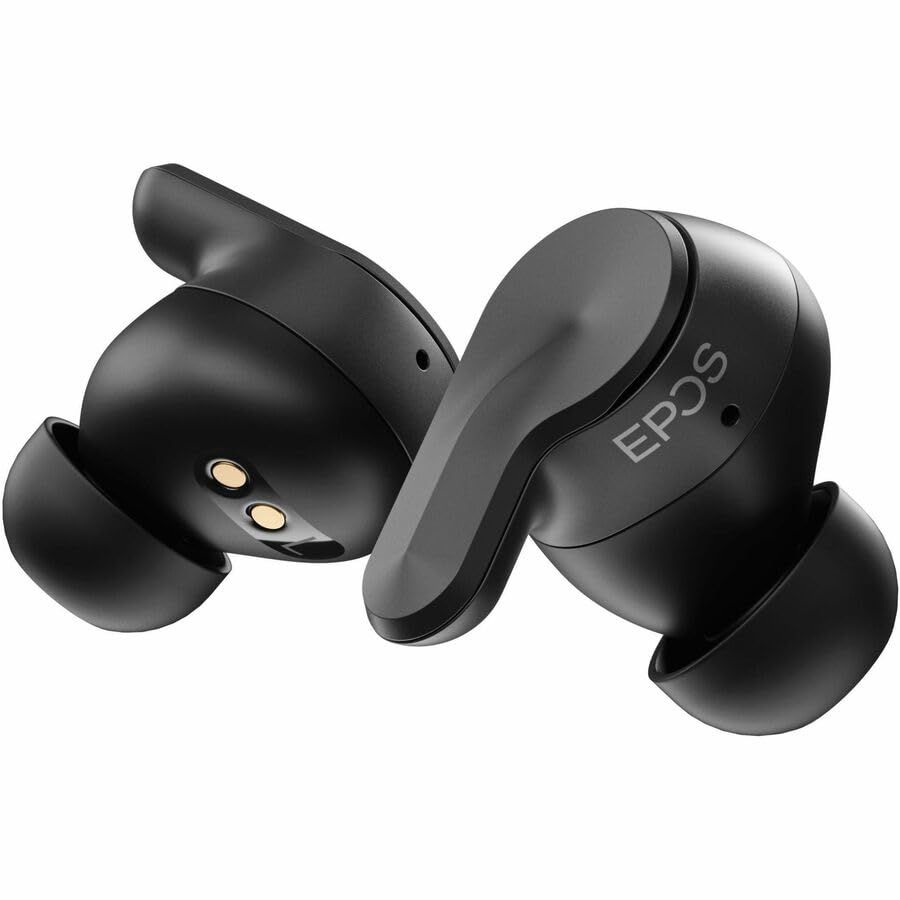
Image: EPOS Adapt E1 earbuds shown in their charging case with the USB-C charging cable connected.
Njirimara ngwaahịa
- EPOS' unique ear tip design provides unmatched comfort and outstanding acoustic performance.
- Certified for iPhone, ensuring an exceptional user experience.
- Free software for asset management, remote updates and adhering to company policy.
- Just 5 minutes of charging gives you 1 hour of battery.
- Solo mode allows you charge one earbud and stay on the call with the other.
- Removing one earbud pauses audio, reinserting it resumes music playback effortlessly.
- Select from preset sound profiles, available on both mobile and PC.
- Enjoy quick, easy pairing with Google Fast Pair.
- Durable earbuds that are water-resistant, sweatproof, rainproof, and splashproof.
- The slim case with magnetic lid ensures earbuds and USB-C dongle stay in place.

Foto: Ihe gbawara view of the EPOS Adapt E1 earbud showing its internal components and the unique ear tip design.
Melite
1. Ịchaji ihe ntị na akpa
Before first use, fully charge your earbuds and the charging case. Connect the USB-C cable to the charging case and a power source. The LED indicators on the case will show charging status. A 5-minute quick charge provides 1 hour of battery life.
2. Ịhọrọ Eartips ziri ezi
Choose the silicone eartips that provide the best seal and comfort for your ears. Experiment with the different sizes (S, M, L) included in the box to find the optimal fit for sound quality and active noise cancellation performance.

Image: EPOS Adapt E1 earbuds resting in their open charging case, ready for use.
3. Ijikọ na ngwaọrụ
Maka PC: Insert the USB-C dongle into your computer's USB-C port. The earbuds will automatically pair with the dongle for a low-latency connection. Ensure the earbuds are in pairing mode (refer to quick start guide for specific steps).
For Mobile Devices (iPhone, Android): Open the charging case. The earbuds will automatically enter pairing mode. On your mobile device, go to Bluetooth settings and select 'EPOS Adapt E1' from the list of available devices. For Android, Google Fast Pair is supported for quick setup.
Ntuziaka ọrụ
Njikwa ntọala
- Gwuo/kwụsịtụ: Kpatụ ntị ntị otu ugboro.
- Njikwa olu: Swipe up or down on the earbud's touch surface.
- Azịza/Kwụsị Oku: Kpatụ ntị ntị otu ugboro.
- Jụ oku: Pịa ma jide otu ntị ntị.
- Active Noise Cancellation (ANC)/Transparency Mode: Tap and hold either earbud to cycle through modes.
Atụmatụ pụrụ iche
- Ụdị Solo: Use one earbud while the other charges in the case.
- Auto Pause/Resume: Audio pauses when an earbud is removed and resumes when reinserted.
- Njikọta ọtụtụ ebe: Connect to two Bluetooth devices simultaneously (e.g., PC and smartphone).
Nlekọta
Nhicha
Regularly clean the earbuds and charging case with a soft, dry, lint-free cloth. Do not use harsh chemicals or abrasive materials. Remove eartips and clean separately with water if necessary, ensuring they are completely dry before reattaching.
Nchekwa
Mgbe ị na-ejighị ya, debe ekweisi ntị n'ime akpa chaja ha iji chebe ha ma hụ na ha na-achaji. Debe ha n'ebe dị jụụ ma kpọọ nkụ, ebe anwụ na-anaghị apụta kpọmkwem ma ọ bụ oke okpomọkụ.
Nchọpụta nsogbu
- Enweghị ogo ụda/adịghị mma: Ensure earbuds are charged, properly paired, and eartips provide a good seal. Check device volume.
- Okwu Njikọta: Ensure Bluetooth is enabled on your device. Try unpairing and re-pairing the earbuds. Ensure the USB-C dongle is securely connected to the PC.
- Ịchaji nsogbu: Check that the charging cable is securely connected to both the case and the power source. Ensure the charging contacts on the earbuds and case are clean.
- Earbọd Anaghị aza: Try resetting the earbuds (refer to the quick start guide for specific reset instructions).
Nkọwapụta
| Njirimara | Nkọwa |
|---|---|
| Aha Nlereanya | ADAPT E1 |
| Teknụzụ Njikọta | Ikuku (Bluetooth 5.3) |
| Njikwa mkpọtụ | Nkagbu mkpọtụ nọ n'ọrụ |
| Oge Nchaji | Nkeji iri maka egwuregwu otu awa |
| Ọkwa Nguzogide mmiri | Mmiri na-eguzogide |
| Usoro njikwa | Ngwa / Metụ aka |
| Ngwa dakọtara | iPhone, Mobile Devices, Tablets, PC |
| Ibu Ibu | 4.9 ounces (0.14 Kilogram) |
| Akụkụ ngwaahịa | 4.5 x 3.5 x 2 sentimita asatọ |
Akwụkwọ ikike na nkwado
The EPOS Adapt E1 True Wireless Bluetooth Earbuds come with a standard manufacturer's warranty. For detailed warranty information, product support, or service requests, please visit the official EPOS websaịtị ma ọ bụ kpọtụrụ ndị ọrụ nlekọta ndị ahịa ha. Atụmatụ nchekwa dịkwa maka mkpuchi ogologo oge.


