Okwu mmalite
Thank you for choosing the ZHENYEMEI 3D Sleep Mask with Bluetooth Headphones. This innovative product combines the comfort of a sleep mask with the convenience of wireless audio, designed to enhance your relaxation and sleep experience. Featuring a 3D contoured design, ultra-thin stereo speakers, and Bluetooth 5.4 connectivity, this mask provides a 100% blackout environment and up to 10 hours of playback time. Please read this manual carefully to ensure proper use and maintenance of your device.
Ihe ngwugwu
- 1 x ZHENYEMEI 3D Sleep Mask with Bluetooth Headphones
- 1 x USB-C Nchaji USB
- 1 x Akpa ebu ibu
- 1 x Akwụkwọ ntuziaka onye ọrụ
- 1 x Ụzọ nkwụnye ntị

Image: The ZHENYEMEI 3D Sleep Mask shown with its accompanying USB-C charging cable, portable carrying bag, and a pair of earplugs.
Njirimara ngwaahịa
- 3D Contoured Design: Ergonomically shaped to fit your face and nose, ensuring zero pressure on eyes and eyelashes for comfortable, long-lasting sleep and 100% light blockage.
- Njikọ Bluetooth 5.4: Equipped with the latest Bluetooth 5.4 chip for fast pairing, low power consumption, and stable connection up to 45 feet.
- Ultra-Thin Stereo Speakers: Built-in speakers provide high-fidelity stereo sound for music, audiobooks, or meditation, ideal for side sleepers.
- Ogologo ndụ batrị: USB-C rechargeable battery offers 10+ hours of playback time after only 1-2 hours of charging.
- Comfortable & Breathable Fabric: Made with memory foam and super soft, skin-friendly, hypoallergenic material for ultimate comfort.
- eriri nwere ike idozi: Features a Velcro-adjustable strap to fit various head sizes comfortably, reducing pressure on ears and head.

Image: The interior of the mask showing the 3D contoured eye cups for comfort and light blockage.

Image: The mask's control panel with Bluetooth 5.4 chip for wireless connection and calling.
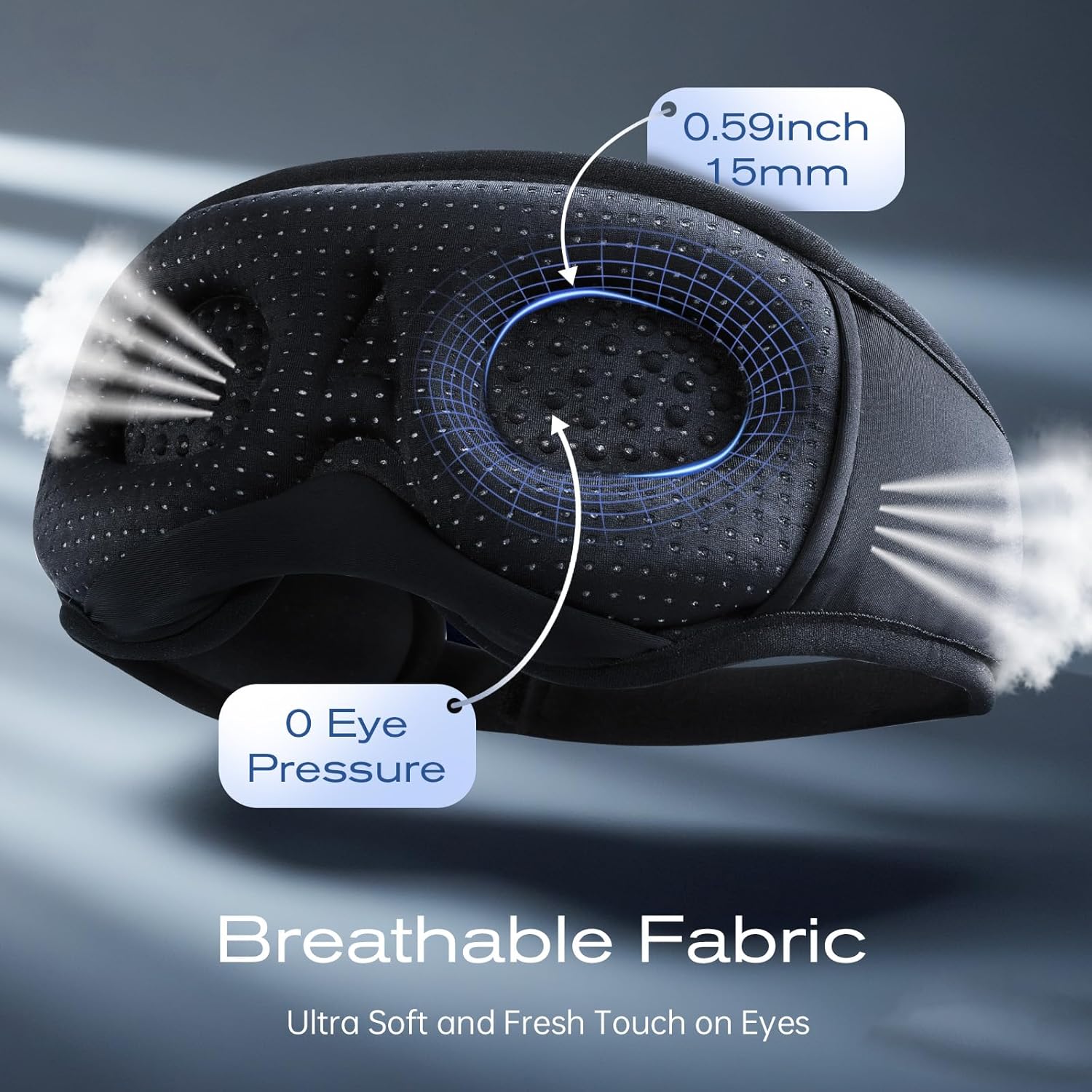
Image: Illustration of the breathable fabric and zero eye pressure design for enhanced comfort.
Melite
1. Charging the Sleep Mask
- Locate the USB-C charging port on the side of the mask.
- Connect the provided USB-C charging cable to the mask and a compatible USB power adapter (not included).
- The LED indicator will illuminate red during charging and turn blue when fully charged.
- A full charge typically takes approximately 1-2 hours and provides 10+ hours of playback.

Image: The sleep mask connected to a USB-C charging cable, illustrating its charging and playback duration.
2. Njikọ Bluetooth
- Ensure the sleep mask is fully charged.
- Press and hold the power button on the front of the mask for approximately 3 seconds until the LED indicator flashes red and blue alternately, indicating pairing mode.
- On your smartphone or Bluetooth-enabled device, go to Bluetooth settings and select "V03" (or similar product name) from the list of available devices.
- Once successfully paired, the LED indicator will turn blue.

Image: Bluetooth pairing process shown with a smartphone and the sleep mask.
Ntuziaka ọrụ
1. Njikwa ntọala
- Gbanyụọ/ Gbanyụọ: Press and hold the power button (middle button) for 3 seconds.
- Elu elu/Egwu na-esote: Press the '+' button once for volume up; press and hold for next track.
- Egwu ala/Oge gara aga: Press the '-' button once for volume down; press and hold for previous track.
- Gwuo/Kwụsị/zaa oku: Pịa bọtịnụ ike otu ugboro.
2. Adjusting Speakers
The ultra-thin speakers are located within pockets on each side of the mask. You can gently slide them to align perfectly with your ears for optimal sound delivery and comfort, especially for side sleepers.

Image: Demonstration of adjusting the internal speakers for personalized fit.
3. Adjusting the Head Strap
The mask features a Velcro-adjustable strap at the back. Adjust the strap to achieve a snug yet comfortable fit around your head, ensuring the mask stays in place without causing discomfort.

Image: The adjustable Velcro strap for a customized and secure fit.
4. Official Product Videos
Video: ZHENYEMEI 3D Sleep Mask with Bluetooth Headphones - This video demonstrates the mask's features, including its 3D design, speaker placement, and control functions.
Video: Wireless Music Eye Mask for Men, Women, Tech Gifts - This video showcases the sleep mask in various settings, highlighting its versatility and comfort for different users.
Nlekọta
1. Ntuziaka nhicha
- Before washing, gently remove the electronic components (speakers and control panel) from their pockets within the mask.
- Hand wash the fabric mask with mild soap and cold water.
- Rinse thoroughly and air dry completely before reinserting electronic components.
- Do not machine wash or tumble dry to prevent damage to the fabric or electronic parts.
2. Speaker Removal and Reinsertion
- The ultra-thin speakers can be carefully removed from the internal fabric pockets for cleaning or precise adjustment.
- To reinsert, gently slide each speaker back into its designated pocket, ensuring the wires are not twisted or pinched.
Nchọpụta nsogbu
- Ngwaọrụ agaghị agbanwu: Ensure the mask is fully charged. Connect to the USB-C charging cable and check the LED indicator.
- Enweghị ike ijikọ site na Bluetooth: Make sure the mask is in pairing mode (flashing red/blue LED). Ensure Bluetooth is enabled on your device and select "V03" (or similar) from the list. Move closer to the device to ensure it's within the 45-foot range.
- Ogo ụda adịghị mma: Adjust the position of the internal speakers to align directly with your ears.
- Light leakage: Adjust the Velcro strap for a tighter fit around your head. Ensure the 3D contoured eye cups are properly positioned over your eyes and nose bridge.
Nkọwapụta
- Nọmba nlereanya: ZY10
- Akụkụ ngwugwu: 8.78 x 4.53 x 1.22 sentimita asatọ
- Ibu ihe: 5.64 ounces
- Batrị: 1 batrị lithium polymer chọrọ (gụnyere)
- Ihe: ụfụfụ
- Njirimara Pụrụ Iche: 3D Contoured, Breathable, Skin Friendly
- Agba: Nwa
Ozi nchekwa
kpachara anya: Not intended for use by individuals with difficulty breathing or who may have trouble removing the mask by themselves. Keep away from children to prevent choking hazards. Do not use if the mask causes discomfort or impairs breathing.
Nkwusa iwu: FDA enyochabeghị nkwupụta gbasara mgbakwunye nri na ebughị n'obi ịchọpụta, gwọọ, gwọọ ma ọ bụ gbochie ọrịa ọ bụla ma ọ bụ ọnọdụ ahụike.
Akwụkwọ ikike na nkwado
ZHENYEMEI products come with a 24-Months Worry-free Warranty, ensuring lasting performance and reliability. For any questions, technical support, or warranty claims, please contact ZHENYEMEI Official US Store customer service. Our 24/7 online service is available to assist you.
You can visit the ZHENYEMEI Store on Amazon for more information and support: ZHENYEMEI Official US Store


