1. Ngwaahịa gafereview
The BUGANI Shock Bluetooth Speaker is a powerful and portable audio device designed for both indoor and outdoor use. Featuring 60W super power output, Bluetooth 5.4 connectivity, and IPX6 waterproofing, it delivers robust sound quality and durability. Its long-lasting battery also functions as a power bank for your mobile devices.

2. Kedu ihe dị na Igbe ahụ
Upon unboxing your BUGANI Shock Bluetooth Speaker, please ensure all the following items are present:
- BUGANI Shock Bluetooth Speaker
- -Dị-C Nchaji USB
- eriri AUX
- Akwụkwọ ntuziaka (akwụkwọ a)
- Ntuziaka mmalite ngwa ngwa

3. Atụmatụ igodo
3.1. Powerful Audio System
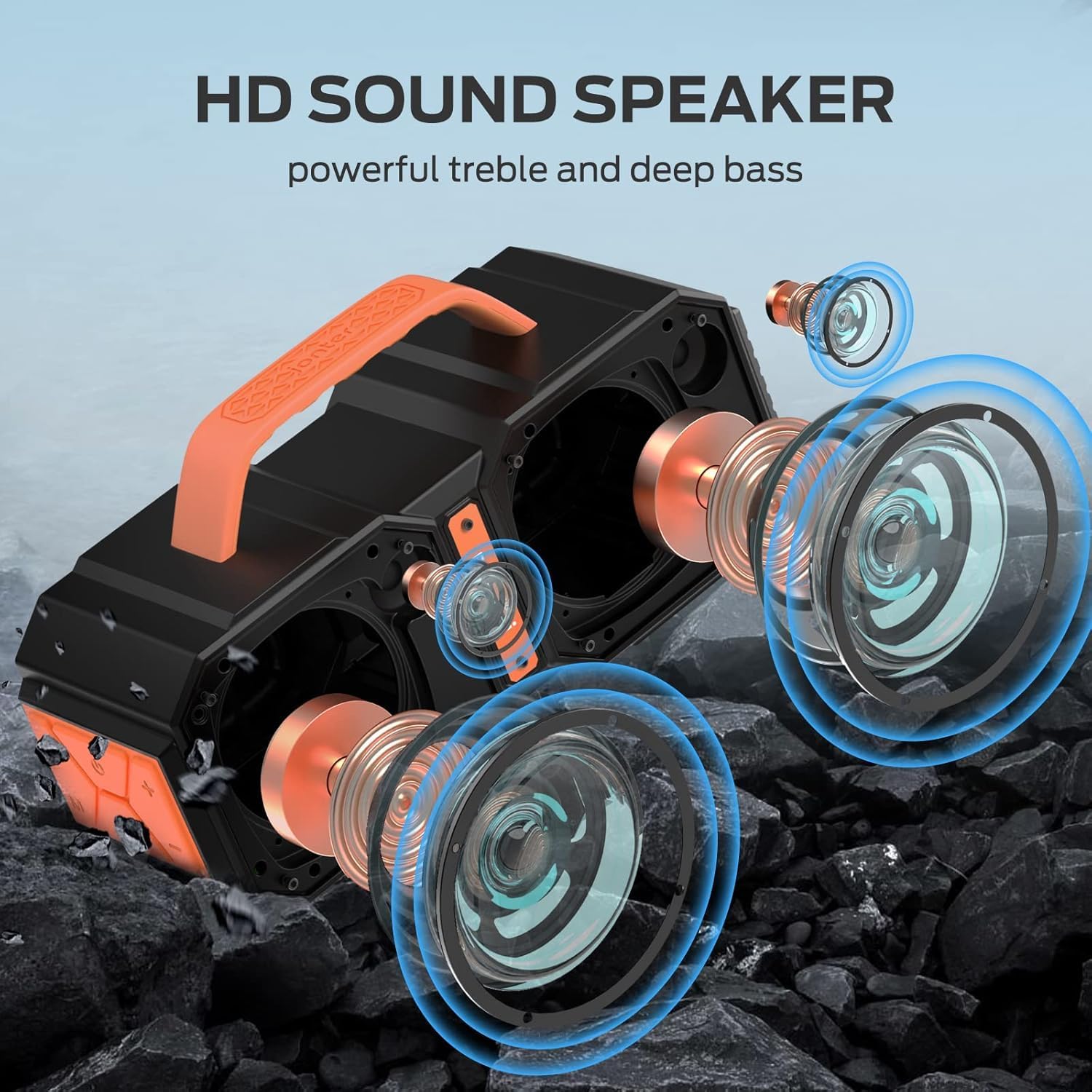
The speaker features two mid-bass external magnetic speakers, two tweeters, and two subwoofer diaphragms. With 60 watts of power, it delivers robust sound quality with deep bass and clear treble, providing surprisingly loud, room-filling volume without distortion, even at maximum levels.
3.2. Advanced Bluetooth 5.4 Connectivity
Equipped with the latest Bluetooth 5.4 technology, the speaker ensures faster connection speeds, more stable signal transmission, and lower power consumption. It offers a wireless connection range of up to 100 feet, allowing seamless pairing with mobile phones, computers, and MP3 players. A built-in microphone supports hands-free calls.
3.3. True Wireless Stereo (TWS) Functionality
For an enhanced audio experience, you can connect two BUGANI Shock speakers together to achieve a combined 120W stereo surround sound. This feature creates a dynamic and immersive listening environment.

3.4. IPX6 Waterproof Rating
The BUGANI Shock speaker boasts an IPX6 waterproof mechanical casing, making it resistant to high-pressure, heavy sprays of water. This robust design ensures durability and reliability for outdoor adventures, whether at the beach, by the pool, or during campnjem njem.

3.5. Built-in Power Bank Function
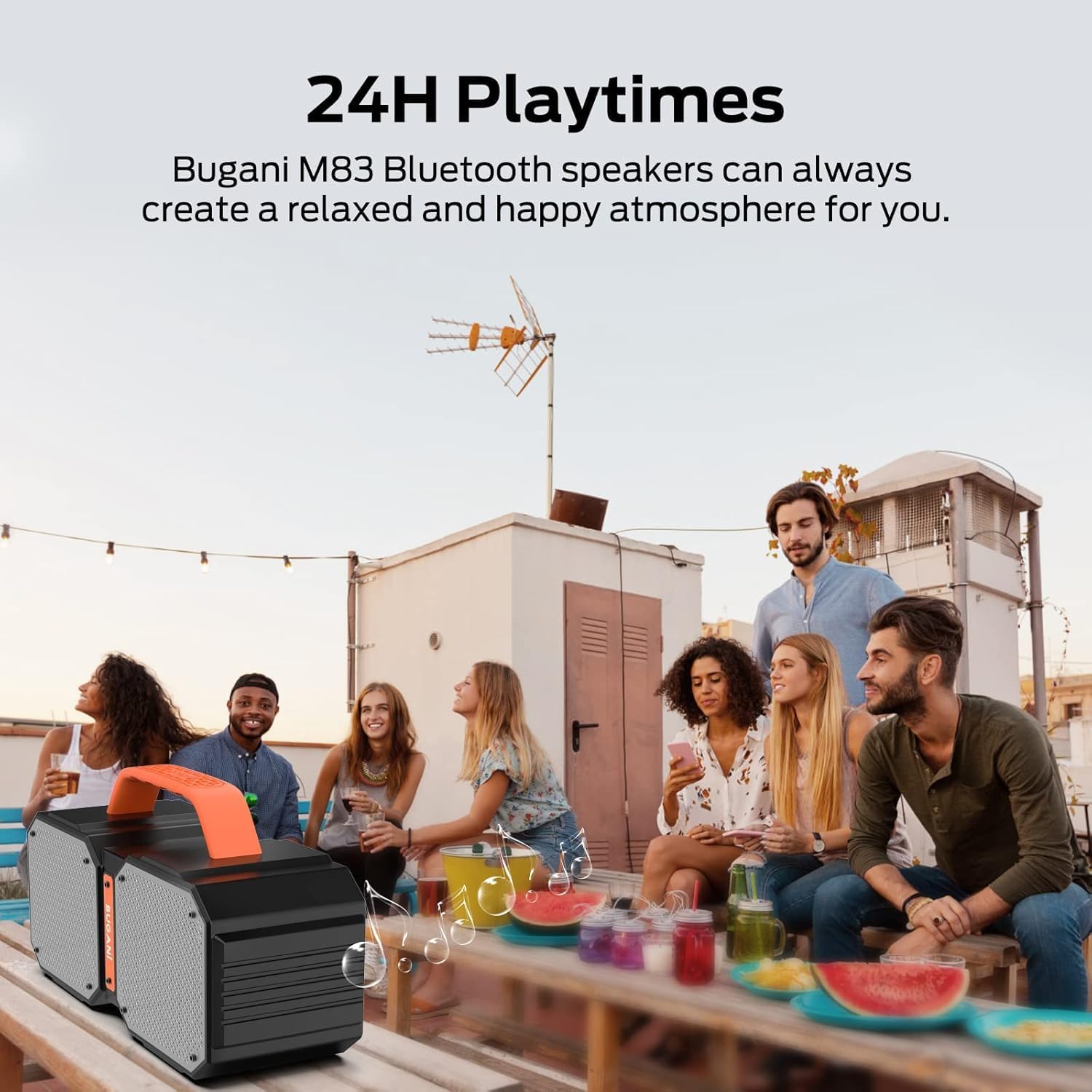
The speaker includes a massive built-in battery that provides up to 32 hours of playtime on a single charge. Additionally, it can function as a power bank, allowing you to charge your smartphone or other USB-powered devices via a USB cable, ensuring your devices stay powered during outdoor activities.

3.6. Dual EQ Modes (Indoor/Outdoor)
The speaker offers two equalization (EQ) modes, optimized for indoor and outdoor listening environments, allowing you to adjust the sound profile for the best audio experience wherever you are.
4. Nhazi
4.1. gingchaji Okwu Okwu
- Jikọọ eriri chaja Ụdị-C enyere na ọdụ ụgbọ mmiri nke ọkà okwu.
- Jikọọ nsọtụ nke ọzọ nke eriri na ihe nkwụnye ọkụ USB (anaghị etinye ya) ma ọ bụ ọdụ ụgbọ USB nke kọmputa.
- The charging indicator light will illuminate. Once fully charged, the light will change or turn off.
4.2. Njikọ Bluetooth
- Ensure the speaker is powered on. The Bluetooth indicator light will flash, indicating it's in pairing mode.
- Na ngwaọrụ gị (smartphone, tabletị, wdg), gbanye Bluetooth wee chọọ ngwaọrụ dịnụ.
- Select "BUGANI Shock" from the list of devices.
- Once connected, the Bluetooth indicator light will become solid, and you will hear an audible confirmation.
4.3. Ezi Ikuku Stereo (TWS) Pairing
To pair two BUGANI Shock speakers for TWS:
- Hụ na ejiri igwe okwu abụọ ahụ rụọ ọrụ ma ghara ijikọ ha na ngwaọrụ Bluetooth ọ bụla ọzọ.
- On one speaker (this will be the primary speaker), press and hold the TWS button (often indicated by two interlocking circles or a similar icon) for a few seconds until you hear a pairing tone.
- Igwe okwu isi ga-achọ ma jikọọ na igwe okwu nke abụọ na akpaghị aka.
- Once successfully paired, both speakers will emit a confirmation tone, and their TWS indicator lights will become solid.
- Ugbua, jikọọ ngwaọrụ gị na ọkà okwu bụ isi site na Bluetooth dịka akọwara na ngalaba nke 4.2. Ọdịyo ga-akpọ site na ọkà okwu abụọ ahụ na stereo.
5. Ntuziaka ọrụ
5.1. Njikwa karịrịview
| Bọtịnụ/Ọdụ ụgbọ mmiri | Ọrụ |
|---|---|
| bọtịnụ ike | Press and hold to power ON/OFF. Short press to play/pause music. |
| Mpịakọta + | Obere pịa ka iwelie olu. |
| Mpịakọta - | Obere pịa ka ibelata olu. |
| Egwu gara aga | Long press Volume - to go to previous track. |
| Track na-esote | Long press Volume + to go to next track. |
| Ụdị bọtịnụ (M). | Pịa obere oge iji gbanwee n'etiti ụdị Bluetooth, AUX, na TF Card. |
| TWS bọtịnụ | Press and hold to initiate TWS pairing (see section 4.3). |
| Ọdụ ụgbọ mmiri AUX | Connect external audio devices via 3.5mm AUX cable. |
| Oghere TF Kaadị | Insert TF card for direct music playback. |
| USB-A Ọpụpụ Port | Use as a power bank to charge external devices. |
| Ọdụ ụgbọ mmiri USB-C | Ọdụ chaja maka ọkà okwu. |
5.2. Switching EQ Modes
The BUGANI Shock speaker features two EQ modes: Indoor and Outdoor. To switch between these modes, locate the dedicated EQ button (if present, otherwise it might be integrated with another button or automatic). Refer to the Quick Start Guide for specific button functionality related to EQ mode switching.
6. Nlekọta
6.1. Nhicha
Jiri nwayọ hichaa ọkà okwu, damp cloth. Do not use harsh chemicals or abrasive cleaners. Ensure all ports are dry before charging or connecting cables.
6.2. Mgbochi mmiri (IPX6)
The IPX6 rating means the speaker can resist high-pressure, heavy sprays of water. It is not designed for submersion. Ensure the charging port cover is securely closed before exposing the speaker to water.
6.3. Nchekwa
Store the speaker in a cool, dry place away from direct sunlight and extreme temperatures. If storing for an extended period, charge the battery to approximately 50% every few months to maintain battery health.
7. Nchọpụta nsogbu
| Okwu | Ihe nwere ike ime | Ngwọta |
|---|---|---|
| Ọkà okwu anaghị agba ọkụ | Batrị dị ala | Chajie ọkà okwu zuru ezu. |
| Enweghị ike ijikọ site na Bluetooth | Ọkà okwu adịghị n'ụdị njikọta; Agbanyụrụ Bluetooth ngwaọrụ; Oke anya site na ọkà okwu | Ensure speaker is in pairing mode (flashing light). Turn on device Bluetooth. Move device closer to speaker (within 100ft). |
| Enweghị ụda ma ọ bụ olu dị ala | Volume too low on speaker/device; Incorrect input mode; Not connected properly | Increase volume on both speaker and device. Press 'M' button to cycle through modes. Re-pair Bluetooth or re-connect AUX cable. |
| Njikota TWS ada ada | Ejikọlarị ndị na-ekwu okwu na ngwaọrụ ndị ọzọ; Ọ dị oke anya n'ebe dị anya. | Disconnect both speakers from any other Bluetooth devices. Ensure speakers are within close proximity during TWS pairing. |
| Charging external device fails | Speaker battery low; Incorrect cable | Ensure speaker has sufficient charge. Use a compatible USB cable for your device. |
8. Nka na ụzụ nkọwa
| Nkọwapụta | Uru |
|---|---|
| Aha Nlereanya | Brief Pro |
| Ụdị Ọkà Okwu | 3D |
| Ngwa dakọtara | MP3 Player, Tablet, Smartphone |
| Ọnụọgụ nkeji | 1.0 Ọnụ |
| Nhazi ọwa ụda gburugburu | 2.1 |
| Agba | oroma |
| Ndụ batrị | Awa 32 |
| Akụkụ ngwaahịa | 3"D x 3"W x 3"H |
| Ibu Ibu | 7.26 pound (3.3 Kilogram) |
| Enweghị mmiri | true (IPX6) |
| Oke kacha | 100 Feet (Bluetooth) |
| Usoro njikwa | Remote (via connected device) |
| Teknụzụ nzikọrịta ozi ikuku | Bluetooth |
| Isi Iyi Ike | Akwanyere batrị |
| Ọnụọgụ nke batrị | 1 A batteries required (internal rechargeable) |
| Ụdị ọkwọ ụgbọ ala ọdịyo | Ọkwọ ụgbọala dị ike |
| Protocol Njikọta | Bluetooth, inyeaka |
| Ụdị | M83 |
| Onye nrụpụta | BUGANI |
| Ike Nwepu kacha elu | 160 Watts (Elu) |
| Ọnọdụ mmepụta ọdịyo | Stereo, Gburugburu |
9. Akwụkwọ ikike na nkwado
The BUGANI Shock Bluetooth Speaker comes with a Akwụkwọ ikike nwere okeBiko lee kaadị akwụkwọ ikike dị na ngwugwu gị maka usoro na ọnọdụ akọwapụtara.
BUGANI also offers Nkwado nka na ụzụ ndụ oge niile for this product. If you encounter any issues or have questions not covered in this manual, please contact our support team:
- Email: support@bugani.com (example)
- Ekwentị: 1-800-BUGANI (example)
- Websaịtị: Visit the BUGANI Store on Amazon


