1. Ntuziaka nchekwa dị mkpa
Biko gụọ ntuziaka niile nke ọma tupu i jiri ngwa ahụ ma debe ha maka ntụaka n'ọdịnihu. Ọ bụrụ na i meghị iwu ndị a, ọ nwere ike ibute nkụchi ọkụ eletrik, ọkụ, ma ọ bụ mmerụ ahụ dị njọ.
- Gbaa mbọ hụ na ọkọnọ ọkụ voltage dakọtara na akara ọkwa dị na ngwa ahụ.
- Ejila ngwa ahụ n'elu mmiri ma ọ bụ iji bulie mmiri mmiri.
- Debe ntutu isi, uwe na-adịghị mma, mkpịsị aka na akụkụ ahụ niile pụọ na oghere na akụkụ ndị na-akpụ akpụ.
- Kwupu na ntinye mgbe ejighị ya na tupu ihicha ma ọ bụ rụọ ọrụ.
- Ejila eriri ma ọ bụ plọg mebiri emebi arụ ọrụ ọ bụla.
- UV-C lamp emits ultraviolet radiation. Avoid direct exposure to eyes and skin. The UV-C lamp is designed to activate only when the appliance is in contact with a surface.
- Ekwela ka ụmụaka jiri ihe nhicha ahụ. Ọ dị mkpa ka a na-elekọta ha nke ọma mgbe a na-eji ha nso ụmụaka.
- Jiri naanị dị ka akọwara n'akwụkwọ ntuziaka a. Jiri naanị mgbakwunye atụnyere ndị nrụpụta.
2. Ngwaahịa gafereview
The Jimmy BX7 Pro is a corded mattress vacuum cleaner designed for deep cleaning of beds, sofas, and other upholstered surfaces. It features powerful suction, UV-C sterilization, ultrasonic technology, and a quick-heating function to effectively remove dust, pet hair, and allergens.

Foto 2.1: Jimmy BX7 Pro Mattress Vacuum Cleaner. This image shows the complete vacuum cleaner unit, highlighting its compact design and the transparent dust cup.
Akụkụ ndị bụ isi:
- Mmanya dị ike: 480W power and 16Kpa suction for effective dust and pet hair removal.
- Intelligent Dust Sensor: Automatically detects dust levels and displays cleanliness via LED indicators (red for dirty, green for clean).
- UV-C & Ultrasonic Technology: Designed to remove allergens and microorganisms from surfaces.
- Quick Heating Function: Heats to 140°F (60°C) in 5 seconds to assist in dust removal. This function activates only when the machine is in contact with the mattress.
- Nzacha HEPA: Equipped with a HEPA filter to capture fine particles.
- Ogologo eriri USB: 5m (16ft) cable for extended reach.
- Wide Suction Port: 245mm wide suction port for efficient cleaning.
3. Nhazi
The Jimmy BX7 Pro is designed for ease of use with minimal setup required.
- Iwepu: Carefully remove all components from the packaging. Ensure all parts listed in the product manual (not provided in this context, but generally expected) are present.
- Njikọ ike: Plug the power cord into a suitable electrical outlet. Ensure the outlet voltage matches the specifications of the vacuum cleaner.
- Nyocha mbụ: Before first use, ensure the dust cup and filter are correctly installed.
4. Ntuziaka ọrụ
4.1 Gbanyụọ/ gbanyụọ
To turn the vacuum cleaner on, press the power button located on the handle. Press it again to turn the appliance off.
4.2 Using UV-C and Ultrasonic Technology
The BX7 Pro integrates UV-C light and ultrasonic technology to target microorganisms and allergens. These features activate automatically when the vacuum head is pressed against a surface, ensuring safe operation and effective cleaning.
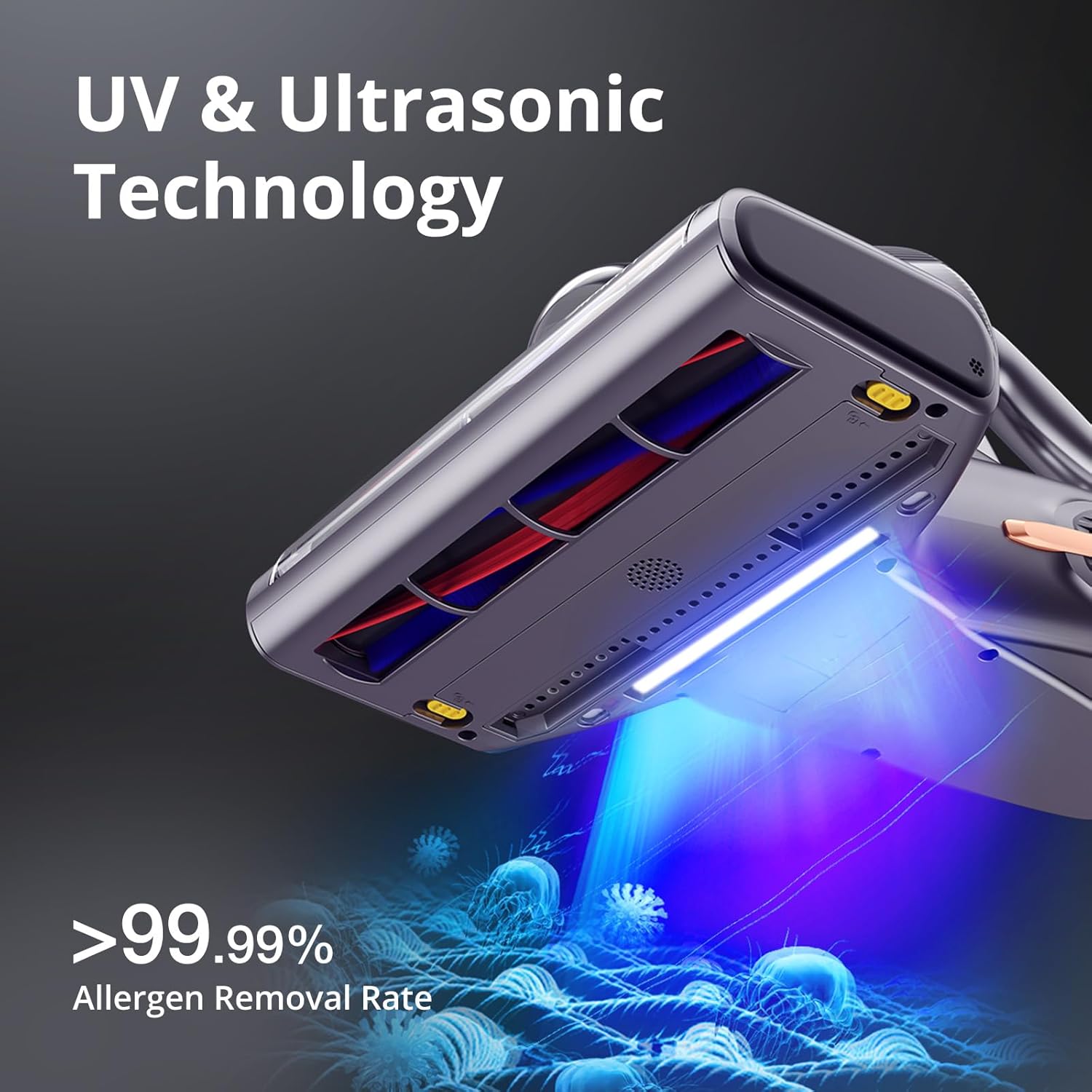
Foto 4.1: UV & Ultrasonic Technology. This image illustrates the UV light emitting from the bottom of the vacuum head, indicating its activation during cleaning.
4.3 Quick Heating Function
The vacuum cleaner features a 5-second quick heating function, reaching 140°F (60°C). This heat assists in loosening dust and moisture from fabrics. The heating function is designed to activate only when the machine is in direct contact with the mattress or surface. It will automatically stop heating if the machine is lifted.
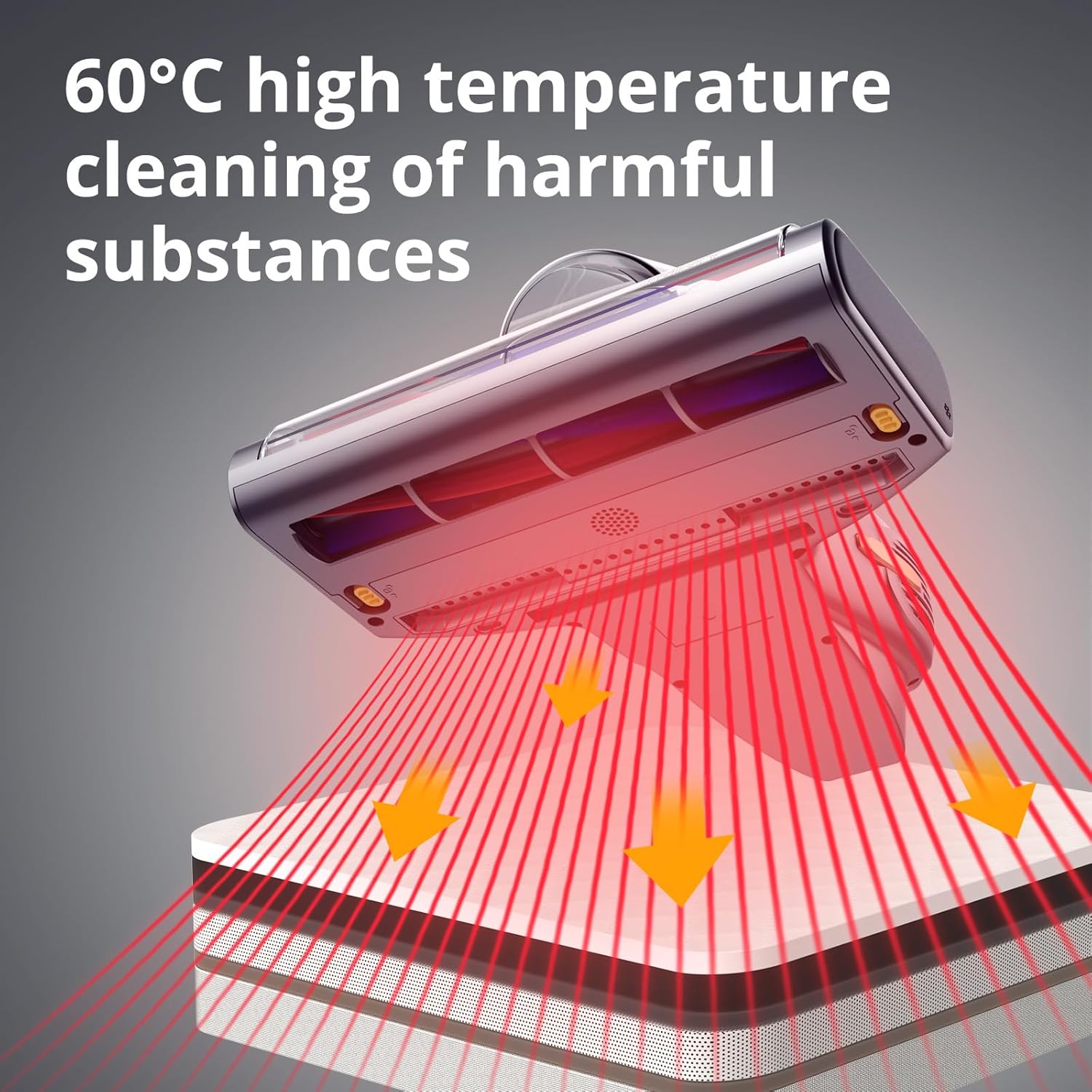
Foto 4.2: Quick Heating Function. This image shows red heat rays emanating from the vacuum's base, demonstrating the heating action on a surface.
4.4 Intelligent Dust Sensor and LED Display
The Intelligent Dust Sensor automatically calculates the concentration of dust on the surface being cleaned. An integrated LED display provides real-time feedback on cleanliness:
- Ìhè uhie: Indicates a very dirty area.
- Red to Blue Light: Indicates a dirty area that is becoming cleaner.
- Ìhè na-acha anụnụ anụnụ: Indicates a clean area.

Foto 4.3: Intelligent Dust Sensor. This diagram illustrates the internal workings of the dust sensor and the corresponding LED color indicators for different levels of cleanliness.
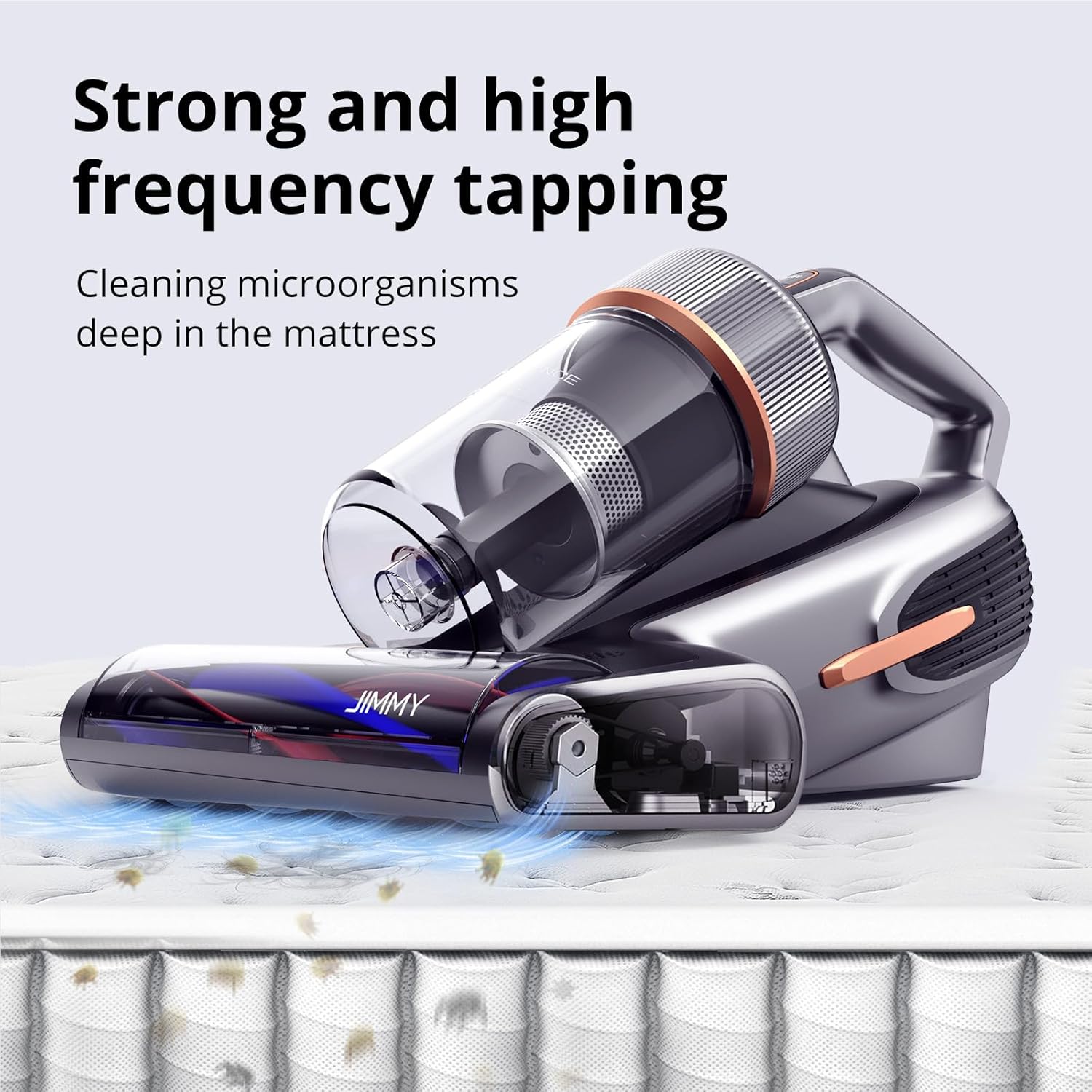
Foto 4.4: LED Display Screen. This image shows the vacuum in use on a mattress, with the LED display visible on the top, indicating cleaning performance.
5. Nlekọta
Regular maintenance ensures optimal performance and extends the lifespan of your Jimmy BX7 Pro.
5.1 Ikpochapụ iko uzuzu
The transparent dust cup allows you to monitor dust accumulation. Empty the dust cup regularly, especially when the "Red Light" indicator persists or suction power decreases.
- Gbaa mbọ hụ na akpọpụla ihe nchacha agụụ na igwe ọkụ.
- Locate the dust cup release button (refer to product diagram in full manual if available).
- Press the release button and carefully detach the dust cup from the main unit.
- Hold the dust cup over a trash receptacle and open the bottom flap to empty the contents.
- Reattach the dust cup securely until it clicks into place.

Foto 5.1: Emptying the Dust Cup. This image shows a hand holding the transparent dust cup, filled with collected dust, ready to be emptied.
5.2 Na-ehicha ihe nzacha HEPA
The HEPA filter should be cleaned regularly to maintain optimal suction and filtration efficiency. It is recommended to clean the filter after every few uses, or when you notice a decrease in performance.
- Gbaa mbọ hụ na ewepụghị ihe nhicha ahụ.
- Wepụ iko uzuzu ahụ dịka akọwara n'elu.
- Jiri nlezianya wepụ ihe nzacha HEPA n'ime iko uzuzu.
- Pịa ihe nzacha ahụ nwayọ n'elu ihe mkpofu iji wepụ uzuzu na-adịghị mma.
- Rinse the filter under cool running water until the water runs clear. Do not use detergents.
- Allow the filter to air dry completely for at least 24 hours before reinserting it. Do not use a dryer or other heating devices.
- Once dry, reinsert the HEPA filter into the dust cup and reattach the dust cup to the main unit.

Foto 5.2: Cleaning the HEPA Filter. This image shows the filter being rinsed under running water, demonstrating the cleaning process.
6. Nchọpụta nsogbu
If you encounter issues with your Jimmy BX7 Pro, please refer to the following common problems and solutions:
| Nsogbu | Ihe nwere ike ime | Ngwọta |
|---|---|---|
| Vacuum anaghị agbanye. | Not plugged in; power outlet malfunction; damaged power cord. | Ensure the power cord is securely plugged into a working outlet. Check the power cord for damage. |
| Ọnwụ nke mmiri ara. | Full dust cup; clogged filter; obstruction in the suction path. | Empty the dust cup. Clean the HEPA filter. Check the suction port and brush roll for any blockages. |
| UV-C lamp not activating. | Vacuum not in contact with surface; lamp arụ ọrụ. | Ensure the vacuum head is firmly pressed against the cleaning surface. If the issue persists, contact customer support. |
| Ọrụ kpo oku anaghị arụ ọrụ. | Vacuum not in contact with surface. | The heating function only activates when the vacuum is in contact with the mattress. Ensure proper contact. |
| LED dust indicator always red. | Area is very dirty; sensor is obstructed. | Continue cleaning the area until the light turns blue. Ensure the sensor area on the vacuum head is clean. |
7. Nkọwapụta
| Njirimara | Nkọwa |
|---|---|
| Ụdị | Jimmy |
| Aha Nlereanya | Jimmy BX7 Pro |
| Njirimara Pụrụ Iche | Ejiri ya |
| Ụdị nzacha | EGO HEPA |
| Ngwa gụnyere | Ngwa ọkụ gụnyere |
| Enweghị eriri? | Mba |
| Ike | 1 pound |
| Wattage | 480 watt |
| Eji akwadoro maka ngwaahịa | Akwa |
| Ụdị Ihe | Ejidere |
| Agba | Agba ntụ |
| Akụkụ ngwaahịa | 16.14"L x 12.99"W x 9.84"H |
| Onye nrụpụta | Jimmy |
| Ọnụọgụ nke ihe | 1 |
| Ụdị | BX7 Pro-Gray |
| Enwere ike ibugharị | Ee |
| Ọnụọgụ nke ọkwa ike | 1 |
| Ojiji ime ime/n'èzí | Ime ụlọ |
| Ụdị ngosi | Enweghị Ngosipụta |
| Ibu Ibu | 7.98 pound |
| Achọrọ batrị | Mba |
8. Akwụkwọ ikike na nkwado
Ozi akwụkwọ ikike:
Jimmy provides a warranty for its products. For any quality problems within one year of purchase, a new machine replacement or refund is offered. If the issue arises after one year, please contact customer service for parts replacement or repair services.
For detailed warranty terms and conditions, please refer to the official Jimmy websaịtị ma ọ bụ kpọtụrụ nkwado ndị ahịa.
Nkwado ndị ahịa:
If you have any questions, require technical assistance, or need to claim warranty service, please contact Jimmy customer support. Contact details can typically be found on the official Jimmy websaịtị ma ọ bụ n'ime nkwakọ ngwaahịa.
Ị nwekwara ike ịga na Jimmy Store on Amazon maka ozi ngwaahịa na akụrụngwa nkwado.


