Okwu mmalite
Thank you for choosing Bluedee Computer Speakers. These speakers are designed to provide clear, balanced audio for your desktop PC, laptop, or projector. Featuring 10W high-power drivers, they deliver crisp vocals and rich sound, enhancing your gaming, movie-watching, and music listening experiences. With a simple plug-and-play USB/Type-C connection and dynamic RGB lighting, these speakers offer both convenience and aesthetic appeal.
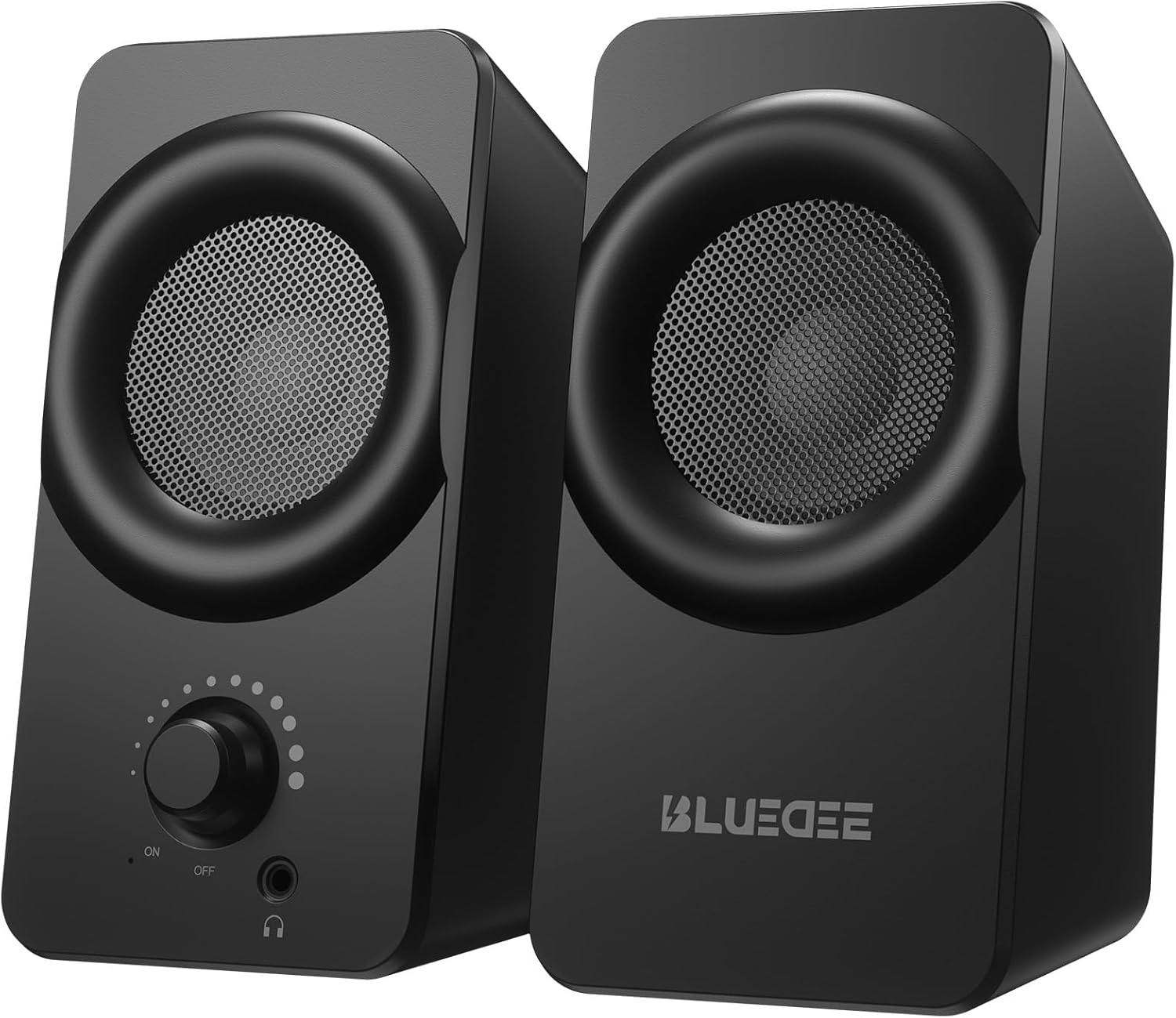
Foto: N'ihu view of the two Bluedee computer speakers, showcasing their compact black design with circular speaker grilles and a volume knob on the right speaker.
Kedu ihe dị na Igbe ahụ
Upon opening your Bluedee Computer Speakers package, you will find the following items:
- Two (2) Bluedee Computer Speakers
- Integrated USB/Type-C Cable (Undetachable)
- Akwụkwọ ntuziaka (akwụkwọ a)
Video: An unboxing and setup guide for the Bluedee computer speakers, demonstrating what's included in the package and how to connect the speakers.
Melite
Setting up your Bluedee Computer Speakers is quick and straightforward, thanks to their plug-and-play design.
- Nkwanye: Position the two speakers on your desk or desired surface. Ensure they are stable and the non-slip pads on the bottom are making full contact to minimize vibrations.
- Connect to Power/Audio: The speakers are powered and receive audio via a single USB/Type-C cable.
- If your device has a USB-C port, connect the Type-C end of the cable directly.
- If your device has a standard USB-A port, use the included USB-A adapter to connect the cable.
- Ike Na: Rotate the volume knob on the front of the right speaker clockwise until you hear a click to turn the speakers ON.

Image: A close-up of the USB/Type-C cable connecting to a laptop, illustrating the versatile connectivity options for the speakers.
For a visual guide on connecting your speakers, please refer to the "What's in the Box & How to Use" video in the previous section, specifically from the 0:18 mark.
Ntuziaka ọrụ
Your Bluedee speakers are designed for intuitive control.
- Njikwa olu: Nnukwu bọtịnụ dị n'ihu ọkà okwu aka nri na-achịkwa ike na olu.
- Tụgharịa n'akụkụ elekere ka iwelie olu.
- Rotate counter-clockwise to decrease volume.
- Rotate fully counter-clockwise until it clicks to turn the speakers OFF.
- RGB ọkụ: The speakers feature dynamic RGB lights that can be controlled with a touch-sensitive symbol on top of the right speaker.
- Tap the light symbol once to turn the RGB lights ON or OFF.
- The lights will pulse with your music or game audio, creating an immersive atmosphere.
- Jack ekweisi: A 3.5mm headphone jack is located on the front of the right speaker.
- Plug in your headphones for a private listening experience.
- Connecting headphones will automatically mute the speakers.

Foto: nkọwa zuru ezu view of the right speaker's controls, highlighting the volume knob, headphone jack, and the touch-sensitive RGB light control symbol.
For a demonstration of the controls, including power, volume, and RGB light operation, please refer to the "What's in the Box & How to Use" video from the 0:29 mark.
Nlekọta
To ensure the longevity and optimal performance of your Bluedee Computer Speakers, follow these simple maintenance guidelines:
- Nhicha: Jiri ákwà dị nro ma kpọọ nkụ hichaa elu okwu ahụ. Zere iji ihe nhicha, ihe mgbaze, ma ọ bụ kemịkal siri ike, n'ihi na ihe ndị a nwere ike imebi njedebe ya.
- Mwepụ uzuzu: Jiri nwayọ hichaa uzuzu ọ bụla dị n'ime ihe e ji akpọ okwu site na iji ahịhịa dị nro ma ọ bụ ite ikuku a kpọchiri akpọchi.
- Nchekwa: Mgbe a naghị eji ya ogologo oge, chekwaa ndị ọkà okwu n'ebe dị jụụ, kpọrọ nkụ na-adịghị na ìhè anyanwụ kpọmkwem na oke okpomọkụ.
- Zere Mmiri mmiri: Do not expose the speakers to water or other liquids. They are not waterproof.
Nchọpụta nsogbu
If you encounter any issues with your Bluedee Computer Speakers, please refer to the following troubleshooting steps:
| Nsogbu | Ihe nwere ike ime | Ngwọta |
|---|---|---|
| Enweghị ụda sitere na ndị ọkà okwu |
|
|
| Ụda agbagọ ma ọ bụ edoghị anya |
|
|
| Igwe ọkụ RGB anaghị arụ ọrụ |
|
|
If the problem persists after trying these steps, please contact Bluedee Customer Support for further assistance.
Nkọwapụta
Detailed specifications for your Bluedee Computer Speakers:
| Njirimara | Nkọwa |
|---|---|
| Aha Nlereanya | BD-SK800 |
| Ụdị Ọkà Okwu | Ọkà okwu Kọmputa |
| Teknụzụ Njikọta | USB (includes Type-C adapter) |
| Ike Nwepu kacha elu | 10 Watt |
| Akụkụ ngwaahịa (L x W x H) | 3.74"D x 3.15"W x 6.11"H |
| Ibu Ibu | 1.6 pound |
| Ihe onwunwe | Ọla, plastik |
| Usoro njikwa | Touch (for RGB lights) |
| Ụdị njikwa | Knob (for volume/power) |
| Ọnọdụ mmepụta ọdịyo | Stereo |
| Isi Iyi Ike | Eriri eletriki (site na USB) |
| UPC | 732133620731 |

Image: The two speakers shown with their dimensions (length, width, height) overlaid, emphasizing their compact size.
Akwụkwọ ikike na nkwado
Bluedee stands behind the quality of its products. Your Bluedee Computer Speakers are backed by an Nkwenye ịdị mma nke ọnwa 18.
If you encounter any issues or have questions regarding your product, please do not hesitate to contact Bluedee Customer Support. We are committed to resolving any concerns within 24 hours.
For support, please reach out to the seller, HanMeng Direct, through the platform where you made your purchase.
Additional protection plans may be available for purchase separately. Please refer to your purchase details for more information on extended warranty options.


