1. Okwu mmalite
Thank you for choosing the Baseus Picogo Power Bank. This ultra-mini magnetic portable charger is designed to provide convenient and fast power for your mobile devices on the go. Featuring Qi2 certified 15W wireless charging and a 20W USB-C port, along with a built-in kickstand, it offers a versatile charging solution for your daily needs.

Figure 1.1: Baseus Picogo Power Bank magnetically attached to a smartphone, demonstrating its compact size and seamless integration.
2. Kedu ihe dị na Igbe ahụ
Biko lelee ọdịnaya nke ngwugwu gị ka ị hụ na ihe niile dị:
- 1x Baseus PicoGo 5000mAh Ultra-Mini Magnetic Power Bank
- 1x 60W Nylon Braided USB-C Cable
- 1 x Akwụkwọ ntuziaka onye ọrụ (akwụkwọ a)
- 1x 24-Month Warranty + Lifetime Support Information
Video 2.1: An unboxing video demonstrating the contents of the Baseus Picogo Power Bank package, including the power bank, USB-C cable, and user manual.
3. Ngwaahịa gafereview
Familiarize yourself with the components of your Baseus Picogo Power Bank:
- A. Magnetic Charging Surface: For wireless charging compatible devices.
- B. LED Indicators: Gosi ọkwa batrị na ọnọdụ chaja.
- C. bọtịnụ ike: To turn on/off and activate low current mode.
- D. USB-C Port: For wired charging and recharging the power bank.
- E. Built-in Kickstand: For hands-free viewing mgbe ị na-ana.

Ọgụgụ 3.1: nso nso view of the Baseus Picogo Power Bank, highlighting its integrated kickstand and the soft silicone material on the magnetic charging surface.

Figure 3.2: Size comparison of the Baseus Picogo Power Bank, illustrating its ultra-mini dimensions relative to a smartphone and a standard soda can.
4. Nhazi
4.1 Nchaji mbụ nke ụlọ akụ ọkụ
Before first use, it is recommended to fully charge your Baseus Picogo Power Bank. Connect the provided USB-C cable to the power bank's USB-C port and the other end to a compatible USB power adapter (not included). The LED indicators will illuminate to show the charging progress.
4.2 Nyochaa ọkwa batrị
Press the power button once to check the current battery level. The LED indicators will light up:
- 1 LED: 0-25%
- 2 LED: 25-50%
- 3 LED: 50-75%
- 4 LED: 75-100%
5. Ntuziaka ọrụ
5.1 Magnetic Wireless Charging (Qi2 15W)
For magnetic wireless charging, ensure your device is MagSafe compatible (e.g., iPhone 12-16 Series) or has a magnetic case. Simply align the power bank with the back of your phone. The strong magnets will securely attach, and charging will begin automatically. The LED indicator for magnetic charging will illuminate.
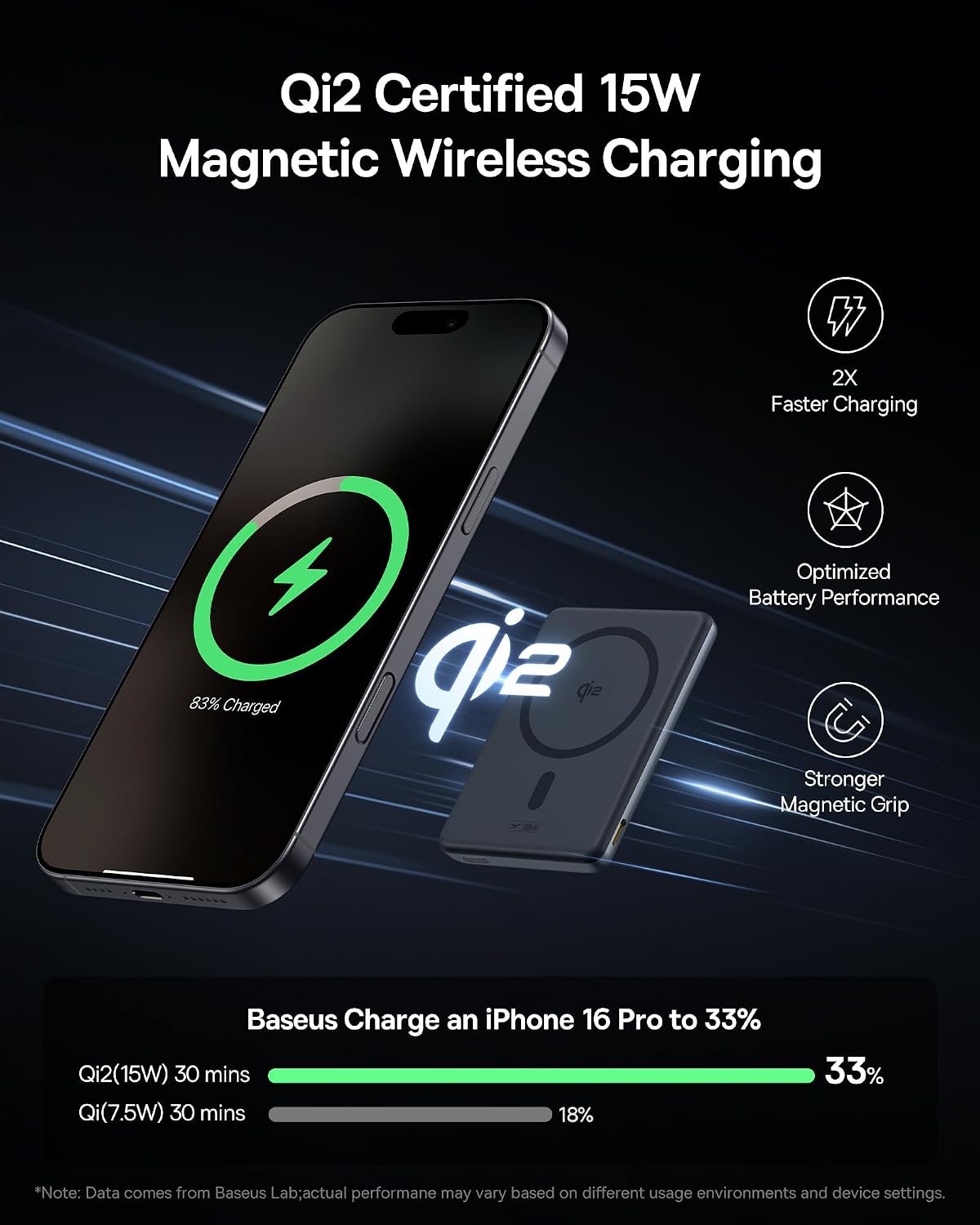
Figure 5.1: The Baseus Picogo Power Bank demonstrating Qi2 certified 15W wireless charging, showing the power bank magnetically attached to an iPhone.
5.2 Wired Charging (USB-C 20W)
To charge your device via cable, connect one end of the provided 60W Nylon Braided USB-C cable to the power bank's USB-C port and the other end to your device's charging port. The power bank will automatically detect the device and begin charging at up to 20W output.

Figure 5.2: Illustration of the Baseus Picogo Power Bank's dual charging capabilities, supporting both 15W wireless and 20W USB-C wired charging simultaneously.
5.3 Using the Built-in Kickstand
The integrated aluminum kickstand allows for hands-free viewing while your device charges. Simply pull out the kickstand from the back of the power bank and position your phone horizontally or vertically on a flat surface. This is ideal for watching videos, making video calls, or browsing content.
Video 5.3: A demonstration of the Baseus Picogo Power Bank's built-in kickstand, showing how it can be used to prop up a phone for hands-free viewing mgbe ị na-ana.
5.4 Ọnọdụ dị ala ugbu a
For charging low-power devices like AirPods or smartwatches, double-press the power button to activate low current mode. This ensures optimal and safe charging for smaller devices.
6. Nlekọta
- Debe ụlọ akụ ọkụ na mmiri, ọkụ na oke okpomọkụ.
- Jiri ákwà dị nro ma kpọọ nkụ hichaa ngwaọrụ ahụ. Ejila kemịkalụ siri ike ma ọ bụ ihe ndị na-emebi emebi.
- Chekwaa n'ebe dị jụụ, kpọrọ nkụ mgbe ọ naghị eji ya.
- Zere idobe ma ọ bụ idobe ụlọ akụ ike na mmetụta siri ike.
7. Nchọpụta nsogbu
7.1 Power Bank Not Charging Device
- Ensure the power bank is sufficiently charged. Check LED indicators.
- For wireless charging, ensure proper alignment and MagSafe compatibility.
- For wired charging, ensure the cable is securely connected and not damaged.
- Try restarting the power bank by pressing the power button.
7.2 Charging Slows Down at 80%
Your iPhone may slow charging at 80% to protect the battery. This can happen if it gets too warm during charging as part of iOS's thermal control strategy. Charging will resume once the device cools down. Moving your phone to a cooler area may help.

Figure 7.1: The Baseus Picogo Power Bank showcasing its enhanced cooling features, including aluminum alloy for heat dissipation and an NTC Smart Temperature Control chip.
8. Nkọwapụta
| Njirimara | Nkọwa |
|---|---|
| Ụdị | Baseus |
| Nọmba nlereanya | PPKPC-0520S |
| Ike batrị | 5000mAh |
| Ntinye USB-C | 5V=3A; 9V=2.22A |
| USB-C mmepụta | 5V=2.4A; 9V=2.22A; 12V=1.5A (Max 20W) |
| Mbupute ikuku | 5W / 7.5W / 15W (Qi2 Certified) |
| Akụkụ | 3.4 x 2.3 x 0.5 sentimita asatọ |
| Ibu Ibu | 0.29 lbs (5.9 ounces) |
| Ihe onwunwe | Silicone, Aluminum Alloy |
| Ndakọrịta | iPhone 12-16 Series, AirPods, Apple Watch, Galaxy S21-S24 Series, and other Qi2/USB-C compatible devices. |

Figure 8.1: Visual representation of the Baseus Picogo Power Bank's broad compatibility with both Apple Essentials (iPhone 12-16 Series, AirPods, Apple Watch) and various Android devices (Galaxy S21-S24 Series).
9. Ozi nchekwa
To ensure safe operation and prolong the lifespan of your power bank, please adhere to the following safety guidelines:
- Achịkọtala, mepee, ma ọ bụ kụrie mkpọ batrị.
- Ewepụla ụlọ akụ ike ọkụ ma ọ bụ ọkụ. Zere nchekwa na ìhè anyanwụ.
- Adịla mkpirisi mkpọ batrị.
- Ewepụla ụlọ akụ ike na ujo igwe.
- In case of battery leakage, do not allow the liquid to come into contact with skin or eyes. If contact has been made, wash the affected area with copious amounts of water and seek medical advice.
- Debe ụlọ akụ ọkụ ka ụmụaka ghara iru.
- Dispose of the power bank in accordance with local regulations. Do not dispose of it as household waste.
- The product meets global standards and is certified by FCC, UL, TÜV, DOE, CEC, UN, IEC, and RoHS, ensuring safety and environmental compliance.
10. Akwụkwọ ikike na nkwado
Baseus offers a Akwụkwọ ikike nke ọnwa 24 for your PicoGo Power Bank, ensuring worry-free ownership. Additionally, you receive lifelong 24/7 professional support. For any technical assistance, product guidance, or warranty claims, please contact our customer service team. Free returns or replacements are available for guaranteed satisfaction.
For more information or support, please visit the official Baseus Brand Store: Baseus Brand Store


