1. Okwu mmalite
This manual provides comprehensive instructions for the Dell Latitude 5420 laptop. It is designed to assist users with initial setup, daily operation, maintenance, and basic troubleshooting. Please read this manual thoroughly to ensure proper use and longevity of your device.
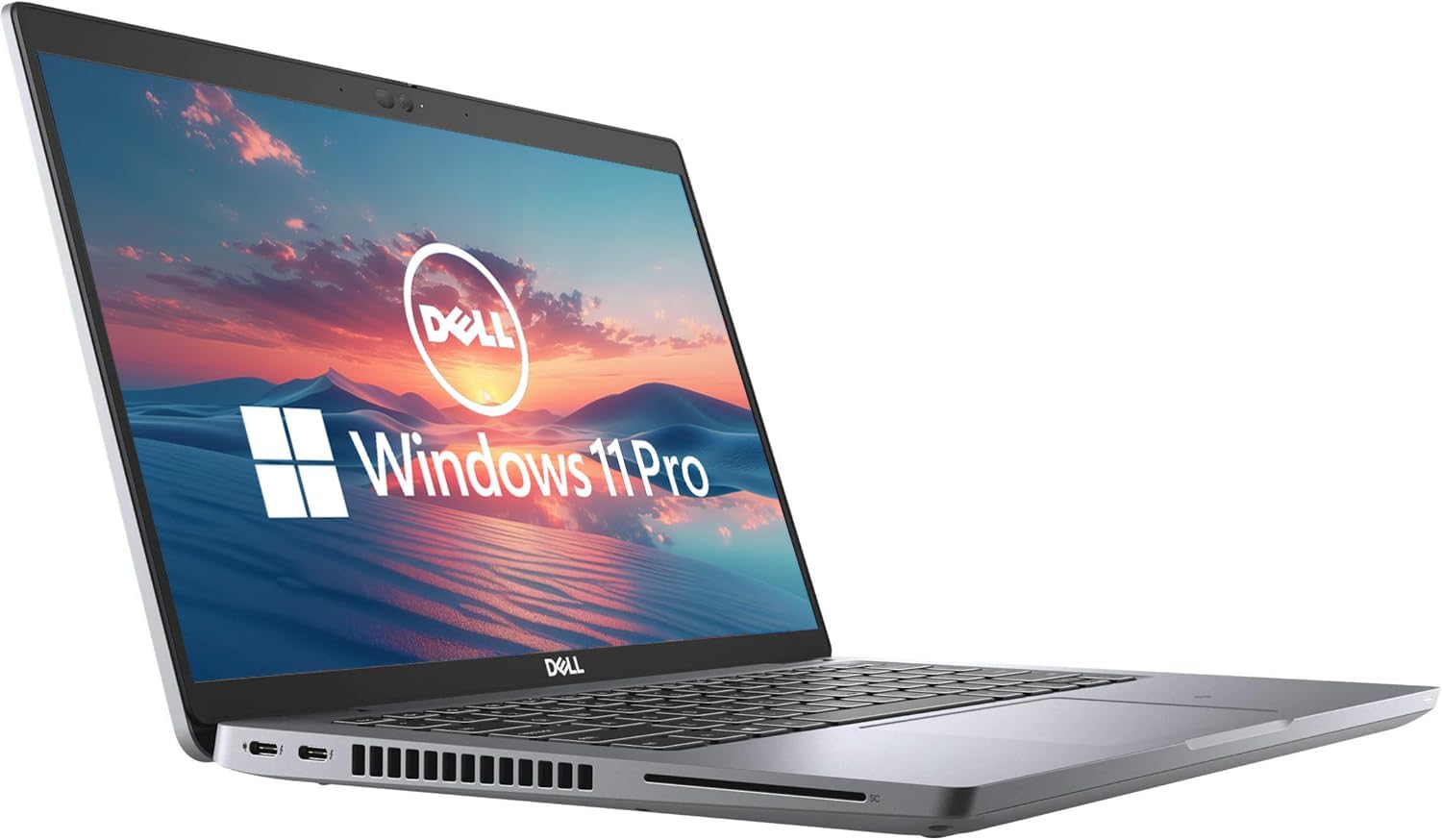
The Dell Latitude 5420 is a 14-inch business laptop featuring an Intel Quad-Core i5-1145G7 processor, 16GB DDR4 RAM, and a 256GB SSD, running Windows 11 Pro. This particular unit is a renewed product, which means it has been inspected and restored to full functionality.
2. Ngwaahịa gafereview
The Dell Latitude 5420 is engineered for productivity and reliability. Its compact design and robust specifications make it suitable for various professional tasks.
Akụkụ ndị bụ isi:
- Ihe nhazi: Intel Quad-Core i5-1145G7 for efficient performance.
- Ebe nchekwa: 16GB DDR4 RAM for smooth multitasking.
- Nchekwa: 256GB Solid State Drive (SSD) for fast boot times and data access.
- Ngosipụta: 14-inch Full HD (1920 x 1080) screen.
- Sistemụ nrụọrụ: Pre-installed with Windows 11 Pro.
- Njikọta: Includes HDMI and various USB ports.
- Ejikọtara Webcam: For video conferencing and online communication.
Laptọọpụ Views:



3. Nhazi ntuziaka
3.1 Agbanye ike mbụ
- Ịkwapu: Jiri nlezianya wepụ laptọọpụ na ngwa niile na nkwakọ ngwaahịa.
- Njikọ Ike: Tinye ihe nkwụnye AC n'ime ọdụ ụgbọ mmiri nke laptọọpụ wee banye n'ime oghere mgbidi.
- Ike Na: Open the laptop lid and press the power button, usually located on the top-right of the keyboard deck.
- Ntọala Windows: Follow the on-screen prompts to complete the Windows 11 Pro setup. This includes selecting your region, language, connecting to a Wi-Fi network, and creating a user account.
3.2 Njikọta Peripherals
You can connect external devices such as a mouse, keyboard, or external monitor using the available ports:
- ọdụ ụgbọ mmiri USB: Use the USB-A or USB-C ports for connecting external storage, mouse, or keyboard.
- Ọdụ ụgbọ mmiri HDMI: Connect an external display using an HDMI cable.
- Njikọ Ethernet: Maka njikọ netwọk waya.
- Jack ọdịyo: Maka ekweisi ma ọ bụ ọkà okwu mpụga.
4. Ntuziaka ọrụ
4.1 Basic Arụmọrụ
- Gbanyụọ/ Gbanyụọ: Pịa bọtịnụ ike ka ịgbanwuo. Iji mechie, pịa bọtịnụ Malite, wee Power> Mechie.
- Ahụigodo na Touchpad: Use the integrated keyboard for typing and the touchpad for navigation. The touchpad supports multi-touch gestures.
- Na-agbanwe olu: Use the function keys (F-keys) on the keyboard, often F1-F12, in combination with the Fn key, to adjust volume. Refer to the keyboard icons for specific functions.

4.2 Jikọọ na Wi-Fi
- Pịa Akara ngosi netwọkụ (Wi-Fi or Ethernet) in the taskbar.
- Họrọ netwọk Wi-Fi nke ịchọrọ na listi ahụ.
- Pịa Jikọọ and enter the network security key (password) if prompted.
5. Nlekọta
5.1 Na-ehicha laptọọpụ
- Ihuenyo: Jiri akwa dị nro na nke enweghị mmiri ọkụ dampjiri mmiri ma ọ bụ ihe nhicha ihuenyo kpuchie ya. Afesala mmiri mmiri ozugbo na ihuenyo.
- Ahụigodo na chassis: Jiri akwa dị nro ma kpọọ nkụ. Maka unyi isi ike, ntakịrị damp A pụrụ iji ákwà nwere ncha dị nro mee ihe, na-eme ka mmiri ghara ịbanye n'ime oghere.
- Igwe ikuku: Jiri ikuku a kpakọbara hichaa grilles ventilashị kwa oge iji gbochie uzuzu wuo ma hụ na ọ dị jụụ.
5.2 Nlekọta batrị
- Zere oke okpomọkụ.
- Akwụsịla batrị kpamkpam ugboro ugboro.
- For prolonged storage, charge the battery to about 50-60%.
5.3 Mmelite ngwanrọ
Regularly check for and install Windows updates and Dell driver updates to ensure optimal performance and security. Go to Ntọala > Mmelite Windows ịlele maka mmelite.
6. Nchọpụta nsogbu
This section addresses common issues you might encounter with your Dell Latitude 5420 laptop.
6.1 Laptọọpụ anaghị agba ọkụ
- Gbaa mbọ hụ na ejikọrọ ihe nkwụnye ọkụ AC na kọmpụta ahụ yana ebe ọkụ na-arụ ọrụ.
- Lelee ma oghere ọkụ na-arụ ọrụ site na nkwụnye na ngwaọrụ ọzọ.
- Ọ bụrụ na batrị ahụ agbanyụọ kpamkpam, ọ nwere ike were nkeji ole na ole iji chajie kọmputa ahụ tupu laptọọpụ ahụ amalite ịgba ọkụ.
6.2 Okwu Njikọta Wi-Fi
- Chọpụta na enyere Wi-Fi aka na ntọala Windows.
- Malitegharịa ekwentị gị na modem gị.
- Gbaa mbọ hụ na ị na-abanye paswọọdụ Wi-Fi ziri ezi.
- Try connecting to a different Wi-Fi network if available to isolate the issue.
6.3 Ịrụ ọrụ nwayọ
- Mechie ngwa na-adịghị mkpa na-agba n'azụ.
- Lelee ma wụnye mmelite Windows ọ bụla na-echere.
- Ensure your storage (SSD) is not nearly full.
- Run a malware scan.
For more complex issues, refer to the Dell support website or contact the seller for assistance.
7. Nkọwapụta
| Njirimara | Nkọwa |
|---|---|
| Aha Nlereanya | Latitude 5420 |
| Nha ihuenyo | 14 sentimita asatọ |
| Mkpebi ihuenyo | 1920 x 1080 pikselụ (FHD) |
| Nhazi | 2.4 GHz Intel Core i5-1145G7 |
| RAM | 16 GB DDR4 SDRAM |
| Draịvụ ike | 256 GB SSD |
| Ihe eserese eserese | Ihe eserese Intel Integrated |
| Sistemụ nrụọrụ | Windows 11 Pro |
| Ụdị ikuku | 802.11n |
| Ibu Ibu | 2.2 pound |
| Akụkụ ngwaahịa | 8.35 x 12.76 x 0.76 sentimita asatọ |
| Njirimara Pụrụ Iche | HD Audio |
8. Akwụkwọ ikike na nkwado
As a renewed product, the Dell Latitude 5420 typically comes with a limited warranty provided by the seller or the Amazon Renewed program. Please refer to your purchase documentation for specific warranty details. The buybox winner indicates a 90-day return policy.
8.1 Nkwado kọntaktị
- For product-specific issues or technical support, visit the official Nkwado Dell websaịtị.
- For questions regarding your purchase, returns, or the renewed product condition, please contact the seller directly through your Amazon order history.
8.2 Amazon Renewed Conditions
Amazon Renewed products are pre-owned and professionally inspected, tested, and cleaned by Amazon-qualified suppliers. They are fully functional and come with generic or original accessories and packaging. Cosmetic condition varies by grade (Excellent, Good, Acceptable).


