1. Okwu mmalite
This manual provides essential instructions for the safe and effective use of your TATTU Plus 1.0 Compact Version 10000mAh 15C 44.4V 12S1P Lipo Smart Battery Pack. Please read this manual thoroughly before operating the battery to ensure proper handling, charging, discharging, and storage procedures. Adherence to these guidelines will help prevent damage to the battery and ensure user safety.

Foto 1: N'ihu view of the TATTU Plus 1.0 Compact Lipo Smart Battery Pack, showcasing its design and key specifications.
2. Ntuziaka nchekwa
Lithium Polymer (LiPo) batteries are powerful and require careful handling. Failure to follow these safety instructions can result in fire, personal injury, and property damage.
Akpachara anya nchekwa izugbe:
- Always use a LiPo-compatible charger. Never use a NiCd/NiMH charger.
- Never charge unattended. Always monitor the battery during charging.
- Charge in a fire-safe area, away from flammable materials.
- Do not charge or discharge a damaged battery. Inspect for swelling, punctures, or leaks.
- Emegharịala ọdụ batrị dị mkpụmkpụ.
- Emela ka batrị ahụ gbawaa, gbawaa, ma ọ bụ gbanwee ya.
- Debe batrị ebe ụmụaka na anụ ụlọ apụghị iru.
- Avoid exposing the battery to extreme temperatures (above 60°C / 140°F or below 0°C / 32°F).
- If the battery swells, immediately discontinue use and place it in a fire-safe container outdoors.
Nchaji nchekwa:
- Ensure the charger settings match the battery's voltage (44.4V) and cell count (12S).
- Always use the balance port during charging to ensure all cells are equally charged.
- Etinyela batrị ahụ n'ime ihe karịrị akarị. Kwụpụ ya ozugbo chajịchara ya nke ọma.
Discharging Safety:
- Do not over-discharge the battery. Maintain a minimum voltage of 3.0V per cell (36V total for 12S).
- Monitor battery temperature during high-current discharge. Discontinue use if it becomes excessively hot.
3. Nhazi
3.1 Nyocha mbụ
- Upon receiving your TATTU battery, carefully inspect it for any signs of physical damage, such as dents, punctures, or swelling.
- Verify that the XT90-S plug and Molex-43045-1600 balancer connector are intact and free from damage.
- If any damage is observed, do not attempt to use or charge the battery. Contact customer support immediately.
3.2 Ụgwọ mbụ
Before first use, fully charge the battery using a compatible LiPo balance charger.
- Connect the XT90-S main discharge plug to your charger's output port.
- Connect the Molex-43045-1600 balance connector to the charger's balance port.
- Set your charger to the LiPo balance charge mode for a 12S (44.4V) battery.
- Set the charge current to 1C (10 Amps for a 10000mAh battery) or lower for optimal battery life.
- Initiate the charging process and monitor the battery closely. Disconnect once charging is complete.

Foto 2: Akụkụ view of the TATTU Plus 1.0 battery, highlighting the XT90-S anti-spark connector and the robust casing.
4. .rụ ọrụ
4.1 Connecting to Device
- Ensure your device (e.g., drone) is powered off before connecting the battery.
- Connect the XT90-S plug of the battery to the corresponding XT90-S connector on your device. The XT90-S plug is designed to minimize sparks during connection.
- Secure the battery within your device to prevent movement during operation.
4.2 Mwepu
- Operate your device as intended. Monitor the battery voltage n'oge eji.
- Discontinue use when the battery reaches its minimum safe voltage (3.0V per cell, 36V total for 12S). Over-discharging can permanently damage the battery.
- Allow the battery to cool down before recharging or storing after heavy discharge.
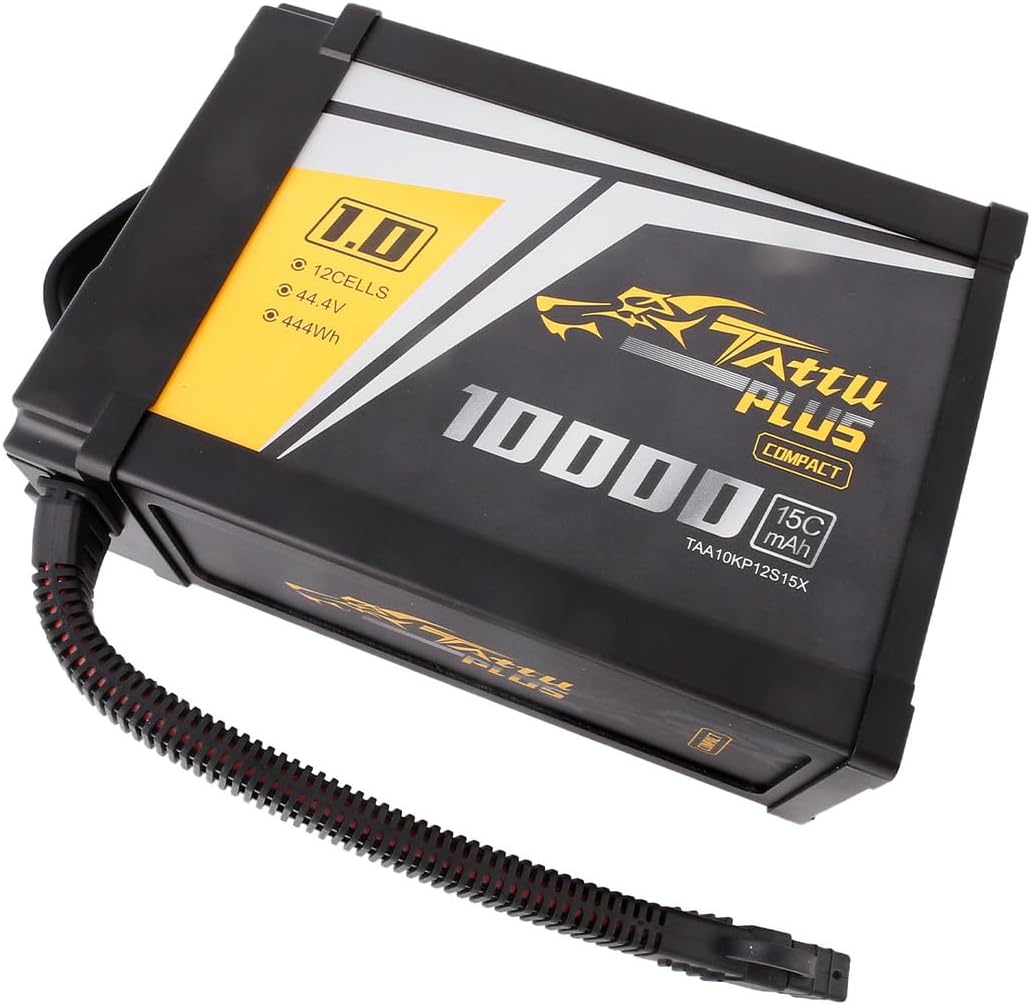
Ọgụgụ 3: N'akuku view of the TATTU Plus 1.0 battery, showing the compact form factor and the TATTU Plus branding.
5. Nlekọta
5.1 Nchekwa
- For long-term storage, charge or discharge the battery to a storage voltage of 3.8V-3.85V per cell (approximately 45.6V-46.2V for 12S).
- Store the battery in a cool, dry place, away from direct sunlight, heat sources, and flammable materials. A LiPo-safe bag or container is recommended.
- Avoid storing fully charged or fully discharged batteries for extended periods, as this can reduce battery life.
5.2 Nhicha
- Clean the battery casing na akwa dị nro, kpọrọ nkụ.
- Ejila ihe mgbaze ma ọ bụ ihe nchacha.
- Ensure connectors are clean and free of debris for optimal contact.
5.3 mkpofu
- Never dispose of LiPo batteries in regular household waste.
- Discharge the battery completely before disposal.
- Recycle LiPo batteries at designated recycling centers or through specialized battery disposal services.

Foto 4: Akụkụ view of the TATTU Plus 1.0 battery, showing a warning label and the integrated power indicator/button panel.
6. Nchọpụta nsogbu
This section addresses common issues you might encounter with your TATTU Lipo battery.
| Nsogbu | Ihe nwere ike ime | Ngwọta |
|---|---|---|
| Batrị anaghị achaji | Incorrect charger settings, damaged connectors, faulty charger. | Verify charger settings (LiPo, 12S, 44.4V). Check all connections for damage. Try a different charger if available. |
| Battery swells during use/charge | Overcharging, over-discharging, internal damage, excessive heat. | Immediately discontinue use. Place battery in a fire-safe container outdoors. Do not attempt to use or charge. |
| Obere oge ịgba ọsọ | Battery aging, improper storage, over-discharging. | Ensure proper storage voltage. Avoid over-discharging. Battery capacity naturally degrades over time. |
| Battery gets hot during use | Excessive current draw, short circuit in device, internal battery issue. | Reduce load on the battery. Check device for short circuits. If heat is extreme, discontinue use. |
7. Nkọwapụta
Detailed technical specifications for the TATTU Plus 1.0 Compact Version 10000mAh 15C 44.4V 12S1P Lipo Smart Battery Pack.
| Nkọwapụta | Uru |
|---|---|
| Ike kacha nta | 10000mAh |
| Nhazi | 12S1P / 44.4V / 12 cells |
| Ọnụego mwepụta | 15C |
| Net Weight (±20g) | 2942g |
| Akụkụ (L x W x H) | 217.08mm x 80.31mm x 150.52mm |
| Balancer Connector Type | Molex-43045-1600 |
| Main Discharge Connector | XT90-S (Anti-spark) |
| Njupụta ike | Approximately 200Wh/kg |
| Akwadoro ojiji | Drone |
| Reusability | Enwere ike ibugharị |

Ọgụgụ 5: N'elu-ala view of the TATTU Plus 1.0 battery, illustrating its integrated handle for easy transport and installation.
8. Akwụkwọ ikike na nkwado
TATTU provides local after-sales service for this product. For any warranty claims, technical support, or service inquiries, please contact TATTU customer support. Our service center is located in Livermore, CA, ensuring prompt assistance for our customers.
Please refer to your purchase documentation or the official TATTU websaịtị maka usoro akwụkwọ ikike akọwapụtara yana ozi kọntaktị.


