1. Ozi nchekwa
Please read all safety instructions carefully before using this product. Retain this manual for future reference.
- Etinyela ụda n'ime mmiri ozuzo, mmiri ozuzo, ma ọ bụ oke okpomọkụ.
- Akwụsịla oghere ikuku ikuku ọ bụla.
- Jiri naanị mgbakwunye / ngwa ndị nrụpụta akọwapụtara.
- Unplug the soundbar during lightning storms or when unused for long periods.
- Tụtụ aka n'aka ndị ọrụ ruru eru.
2. Ihe ngwugwu
Chọpụta na ihe niile dị na ngwugwu:
- THOMSON B210 Bluetooth Soundbar
- Njikwa anya
- Ihe nkwụnye ọkụ
- Akwụkwọ ntuziaka onye ọrụ
- Audio Cables (e.g., Optical, AUX - specific cables may vary)
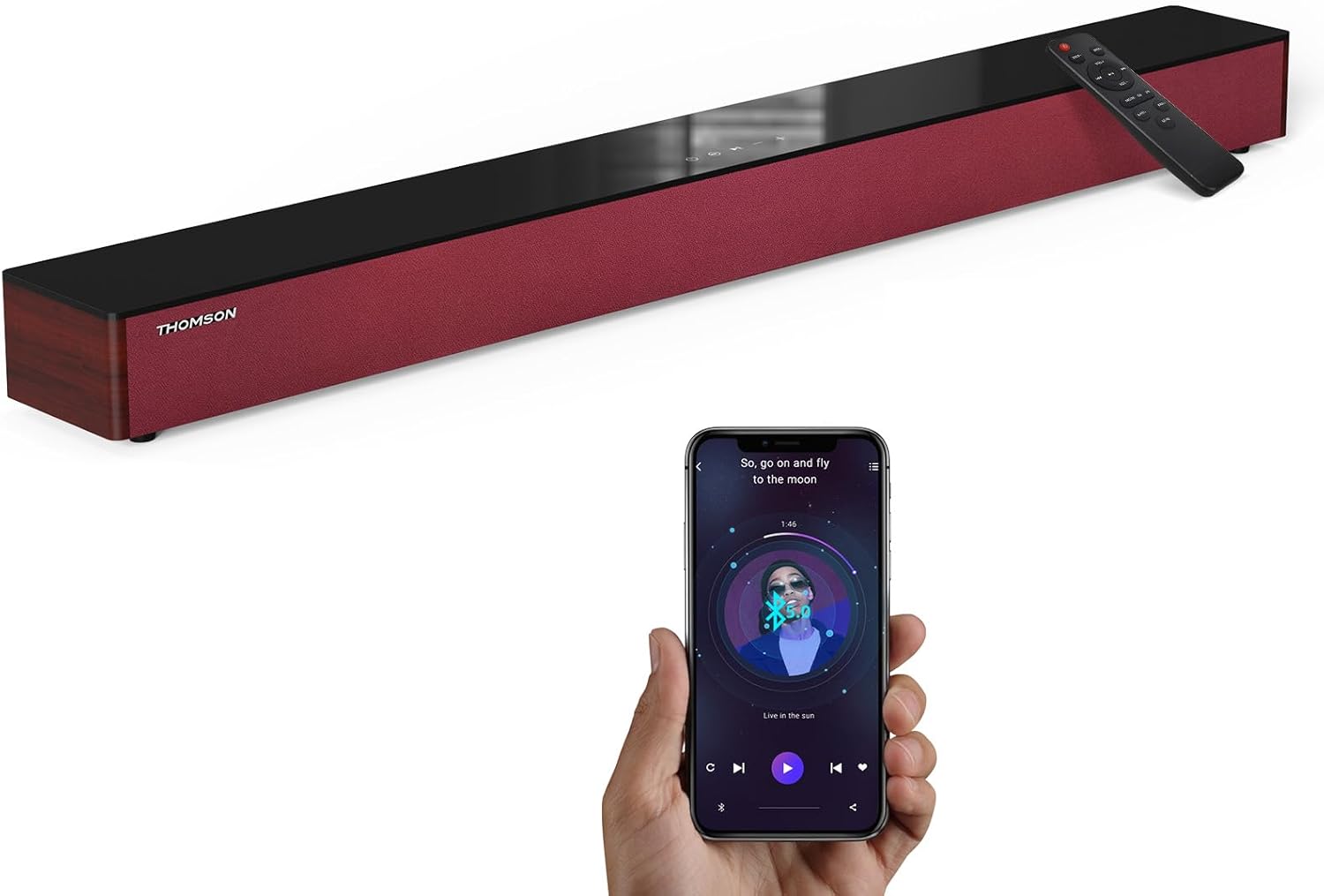
Image: The THOMSON B210 Soundbar, its remote control, and a smartphone demonstrating Bluetooth connectivity.
3. Ngwaahịa gafereview
3.1 Front and Top Panel
The soundbar features intuitive controls on its top panel for easy access.
3.2 Njikọ azụ azụ
The rear panel provides various input ports for connecting to different audio sources.

Foto: Zuru ezu view of the soundbar's rear connection ports, including AUX IN, COAXIAL, OPTICAL, HDMI ARC, USB, and DC IN.
3.3 Ime Remote
The included remote control allows for convenient operation of all soundbar functions.

Image: A hand operating the soundbar with its remote control, demonstrating wireless command over the device.
4. Nhazi
4.1 Ntinye
Place the soundbar on a stable, flat surface directly in front of your television for optimal sound dispersion. Ensure there is adequate space around the soundbar for ventilation.
4.2 Njikọ ike
- Connect the power adapter to the DC IN port on the rear of the soundbar.
- Tinye nsọtụ ọzọ nke nkwụnye ọkụ n'ime oghere mgbidi.
5. Ntuziaka ọrụ
5.1 Gbanyụọ ma ọ bụ gbanyụọ
Press the Power button on the soundbar's top panel or the remote control to turn the unit on or off.
5.2 Njikwa olu
Jiri bọtịnụ olu elu (+) na ụda ala (-) dị na ụda ụda ma ọ bụ njikwa ime ihe iji dozie ọkwa ụda.
5.3 Nhọrọ ntinye
Press the 'MODE' button on the soundbar or remote control to cycle through available input sources: ARC, Optical, AUX, USB, and Bluetooth.
5.4 Ụdị nhazi nhata
The soundbar offers three distinct equalizer modes to optimize audio for different content types:
- Ụdị egwu: Enhances musical clarity and bass.
- Ọnọdụ ihe nkiri: Provides a more immersive cinematic experience.
- Ụdị akụkọ: Optimizes dialogue for clear speech.
Press the corresponding EQ button on the remote control to select your desired mode.

Image: Visual representation of the soundbar's optimized audio modes for Music, Movie, and News content.
6. Njikọ
The THOMSON B210 Soundbar supports multiple connection types for versatility.

Image: The soundbar demonstrating its compatibility with multiple devices such as projectors, PCs, game consoles, and smartphones.
6.1 HDMI ARC Connection
For the best audio quality and control, connect your TV to the soundbar using an HDMI cable via the ARC port.
- Connect one end of an HDMI cable to the HDMI ARC port on your TV.
- Connect the other end to the HDMI ARC port on the soundbar.
- Select 'ARC' as the input source on the soundbar.
6.2 Njikọ Anya
Use an optical cable for a high-quality digital audio connection.
- Connect one end of an optical cable to the Optical OUT port on your TV or audio device.
- Connect the other end to the OPTICAL port on the soundbar.
- Select 'Optical' as the input source on the soundbar.
6.3 Njikọ AUX
For analog audio devices, use an AUX cable.
- Connect one end of a 3.5mm audio cable to the headphone jack or AUX OUT port on your device.
- Jikọọ nsọtụ nke ọzọ na ọdụ ụgbọ mmiri AUX IN na ụda ụda.
- Select 'AUX' as the input source on the soundbar.
6.4 USB njikọ
Kpọọ ọdịyo files ozugbo site na ngwaọrụ nchekwa USB.
- Insert a USB drive into the USB port on the soundbar.
- Select 'USB' as the input source on the soundbar.
- The soundbar will automatically begin playing compatible audio files.
6.5 Njikọ Bluetooth
Connect your smartphone, tablet, or other Bluetooth-enabled device wirelessly.
- Turn on the soundbar and select 'Bluetooth' mode using the 'MODE' button. The Bluetooth indicator will flash.
- Kwado Bluetooth na ngwaọrụ gị wee chọọ ngwaọrụ dị.
- Select 'THOMSON B210' from the list.
- Once paired, the Bluetooth indicator will stop flashing and remain solid.

Image: A family enjoying entertainment with the soundbar, illustrating seamless Bluetooth connectivity from a smartphone.
7. Nlekọta
Iji hụ na ogologo ndụ na arụmọrụ kacha mma nke ụda ụda gị, soro ntuziaka mmezi ndị a:
- Nhicha: Jiri ákwà dị nro ma kpọọ nkụ hichaa elu nke ihe nchacha ụda. Ejila ihe nhicha mmiri ma ọ bụ ihe ndị na-eme ka ọ dị nro.
- Nchekwa: Ọ bụrụ na ị na-echekwa ụda olu ahụ ruo ogologo oge, wepụ ya na ebe ọkụ eletrik ma debe ya n'ebe dị jụụ ma kpọọ nkụ.
- Igwe ikuku: Hụ na oghere ikuku anaghị egbochi iji gbochie oke okpomọkụ.
8. Nchọpụta nsogbu
If you encounter issues with your THOMSON B210 Soundbar, refer to the following common problems and solutions:
| Nsogbu | Ihe nwere ike ime | Ngwọta |
|---|---|---|
| Enweghị ike | Ejikọghị eriri ọkụ; Ọkụ ọkụ anaghị arụ ọrụ | Ensure power cable is securely connected; Try a different power outlet |
| Enweghị ụda | Incorrect input source; Volume too low; Mute activated; Cable connection issue | Select correct input source; Increase volume; Deactivate mute; Check audio cable connections |
| Njikọ Bluetooth ada ada | Soundbar not in pairing mode; Device Bluetooth off; Device too far | Ensure soundbar is in Bluetooth mode (flashing indicator); Enable Bluetooth on device; Move device closer to soundbar |
| Njikwa anya anaghị arụ ọrụ | Batrị agwụla; Ihe mgbochi dị n'etiti remote na soundbar | Replace remote control batteries; Remove any obstructions; Ensure remote is pointed at the soundbar's sensor |
9. Nkọwapụta
Detailed technical specifications for the THOMSON B210 Soundbar:
- Ụdị: B210
- Akara: THỌMSON
- Akụkụ ngwaahịa: 36.5"D x 4.7"W x 2.9"H (92.7 cm x 11.8 cm x 7.3 cm)
- Ibu ihe: 11 pound (ihe dị ka 5 n'arọ)
- Ike Nwepụta Kachasịnụ: 50 Watt
- Ụdị nkwụnye: Ugwu okpokoro
- Ụdị Bluetooth: 5.3
- Algbaàmà-na-Noise ruru: 70dB
- Ndị na-ekwu okwu: 4 Full Range Speakers, 2 Woofers (Advanced Bass Diaphragms)
- Njikọ ntinye: ARC (HDMI), Optical, AUX, USB, Bluetooth

Image: Physical dimensions of the soundbar, showing length, width, and height in centimeters, along with a view of the rear ports.

Image: Internal component diagram of the soundbar, detailing its 4 high-performance drivers and 2 advanced bass diaphragms for enhanced audio.
10. Akwụkwọ ikike na nkwado
THOMSON products are manufactured to high-quality standards. For warranty information and technical support, please refer to the warranty card included with your product or visit the official THOMSON support websaịtị.
For further assistance, please contact THOMSON customer service.


