1. Okwu mmalite
This manual provides essential information for the safe and efficient use of your Philips B4000 Soundbar. Please read these instructions carefully before using the product and retain them for future reference. The Philips B4000 Soundbar is designed to enhance your television's audio experience with clear 2.0 channel sound and versatile connectivity options.

Image: The Philips B4000 Soundbar, its remote control, and a television displaying colorful content, illustrating the product in use.
2. Ihe ngwugwu
Chọpụta na ihe niile dị na ngwugwu gị:
- Philips B4000 Soundbar
- Njikwa anya
- Batrị 2 x AAA (maka njikwa anya)
- Mgbidi Ugwu mgbidi
- Ntuziaka mmalite ngwa ngwa
- Akwụkwọ ikike kaadị
3. Ngwaahịa gafereview
The Philips B4000 Soundbar features a compact design with integrated speakers and various input options for seamless integration with your home entertainment system.

Image: The Philips B4000 Soundbar positioned below a television in a living room, emphasizing its 2.0 channel audio, 60W maximum output power, and dual full-range speakers.
4. Ntọala na nwụnye
4.1 Nhọrọ ntinye
The soundbar offers flexible placement to suit your setup:
- Nkwanye TV: Place the soundbar on a flat surface directly in front of your TV. Ensure it does not obstruct the TV's remote sensor.
- Mgbidi Mgbidi: Use the included wall mount brackets to attach the soundbar to the wall below your TV. Refer to the Quick Start Guide for detailed wall mounting instructions.
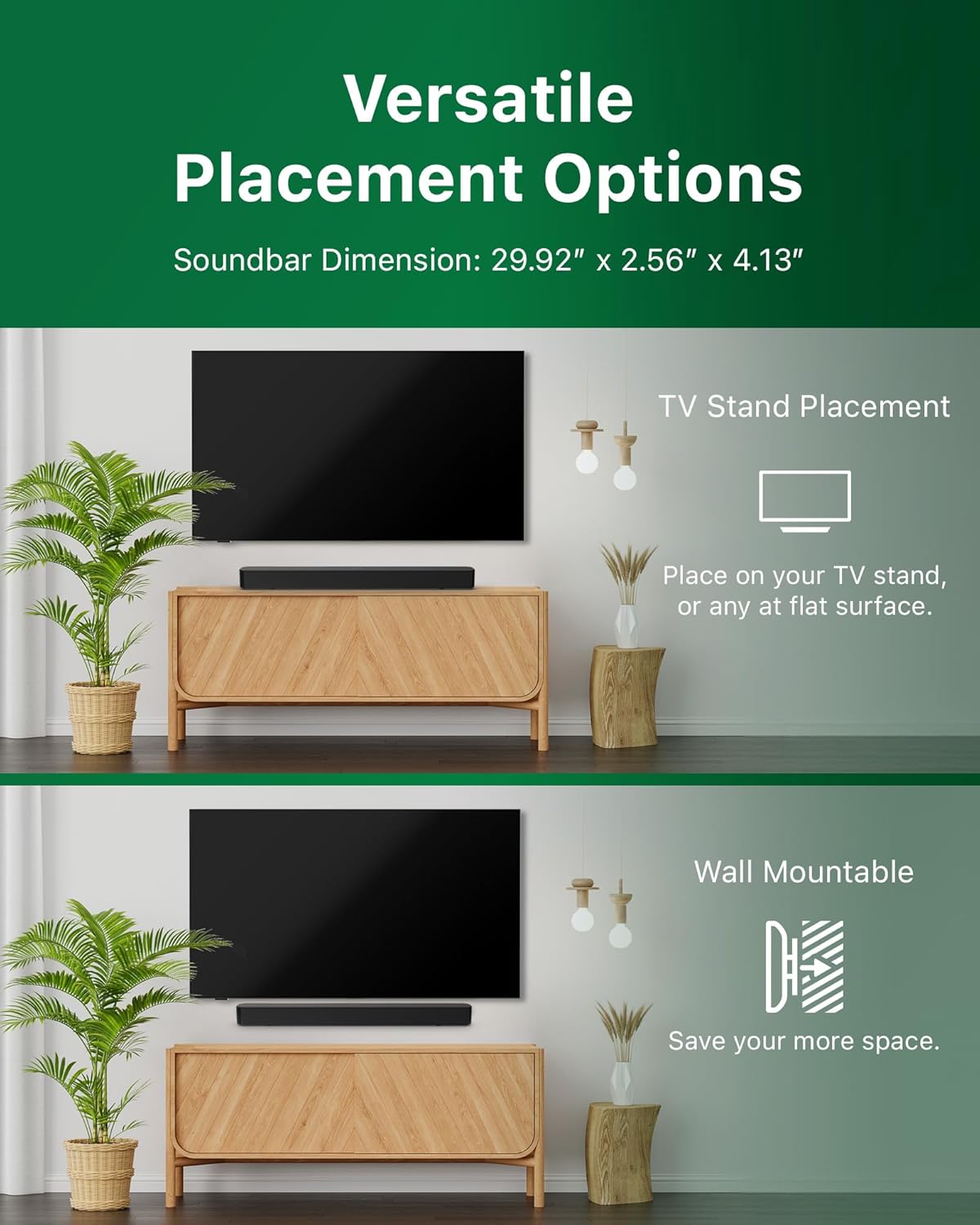
Image: Illustrations demonstrating the two primary placement methods for the soundbar: resting on a TV stand and securely mounted on a wall.
4.2 Ijikọ na TV gị
The soundbar supports multiple connection types:
- HDMI ARC (A kwadoro): Connect an HDMI cable (not included) from the HDMI ARC port on your TV to the HDMI ARC port on the soundbar. This allows for audio return and control via your TV remote.
- Bluetooth: For wireless audio streaming, pair your soundbar with a Bluetooth-enabled device.
- USB: Connect a USB device for audio playback.
- DC N'ime: Connect the power adapter to the DC IN port.

Image: A visual representation of the soundbar's available audio input ports, including HDMI (ARC), USB, Bluetooth, and DC IN for power.
4.3 Roku TV Ready Setup
The Philips B4000 Soundbar is Roku TV Ready certified, simplifying setup and control when paired with a Roku TV.
- Connect the soundbar to your Roku TV via HDMI ARC.
- Your Roku TV should automatically detect and configure the soundbar.
- Use your Roku TV remote to control the soundbar's power and volume.

Image: The Philips B4000 Soundbar seamlessly integrated with a television, illustrating its 'Roku TV Ready' certification for simplified setup and control.
4.4 Ntọala njikwa anya
Insert the two included AAA batteries into the remote control, ensuring correct polarity.
5. Ọrụ
5.1 Gbanyụọ ma ọ bụ gbanyụọ
Pịa bọtịnụ ike dị na ụda ma ọ bụ njikwa anya iji gbanye ma ọ bụ gbanyụọ ngwaọrụ ahụ.
5.2 Nhọrọ ntinye
Press the 'Source' button on the remote control to cycle through available input sources (HDMI ARC, Bluetooth, USB).
5.3 Njikwa olu
Use the 'Volume Up' and 'Volume Down' buttons on the remote control to adjust the audio level. If connected via HDMI ARC to a Roku TV, your TV remote may also control the volume.
5.4 Njikọ Bluetooth
- Press the 'Bluetooth' button on the remote control to enter Bluetooth pairing mode. The indicator light on the soundbar will flash.
- On your mobile device, search for Bluetooth devices and select 'Philips B4000'.
- Once paired, the indicator light will become solid, and you can stream audio wirelessly.
5.5 Sound Modes and Equalizer
The soundbar may offer various sound modes or equalizer settings to optimize audio for different content types (e.g., Movie, Music, News). Use the remote control to access and adjust these settings. While specific equalizer details are not extensively documented, experimentation with available settings is encouraged to find your preferred audio profile.

Image: The Philips soundbar remote control in the foreground, with a television screen in the background displaying the EasyLink 2.0 menu for adjusting sound styles, including Bass, Treble, and Custom Equalize options.
6. Nlekọta
Iji hụ na ogologo ndụ na arụmọrụ kacha mma nke ụda ụda gị, soro ntuziaka mmezi ndị a:
- Nhicha: Jiri ákwà dị nro ma kpọọ nkụ hichaa elu nke ihe nkpuchi ụda. Ejila ihe nhicha mmiri ma ọ bụ ihe ndị na-eme ka ọ dị nro, n'ihi na ha nwere ike imebi njedebe ahụ.
- Igwe ikuku: Ensure the soundbar's ventilation openings are not blocked. Proper airflow prevents overheating.
- Nchekwa: Ọ bụrụ na ị na-echekwa ụda ụda ruo ogologo oge, kwụpụ ya na ike wee chekwaa ya n'ebe dị jụụ na nkụ.
7. Nchọpụta nsogbu
If you encounter issues with your Philips B4000 Soundbar, refer to the following common problems and solutions:
| Nsogbu | Ihe nwere ike ime | Ngwọta |
|---|---|---|
| Enweghị ụda sitere na ụda ụda |
|
|
| Static or distorted sound |
|
|
| Nsogbu njikọta Bluetooth |
|
|
| Njikwa anya anaghị arụ ọrụ |
|
|
8. Nkọwapụta
| Njirimara | Nkọwa |
|---|---|
| Aha Nlereanya | TAB4000/37 |
| Ụdị Ọkà Okwu | Igwe ụda ụda |
| Nhazi ọwa ụda gburugburu | 2.0 |
| Ike Nwepu kacha elu | 60 Watt |
| Teknụzụ Njikọta | Bluetooth (5.4), HDMI ARC, USB |
| Atụmatụ pụrụ iche | Advanced Bluetooth 5.4 Connectivity, Bass Boost, Roku TV Ready™ Certification, Wall mountable |
| Akụkụ ngwaahịa | 4.1"D x 30"W x 2.56"H |
| Ibu Ibu | 4.89 pound (2.22 Kilogram) |
| Isi Iyi Ike | Battery Powered (for remote), AC Power (for soundbar) |
| Ntinye Voltage | 120 volts |
| Ngwa gụnyere | Battery, Quick Start Guide, Remote, Wall Mount Bracket, Warranty Card |
9. Akwụkwọ ikike na nkwado
9.1 Ozi akwụkwọ ikike
The Philips B4000 Soundbar comes with a Limited Warranty. Please refer to the included Warranty Card for specific terms, conditions, and duration of coverage. Retain your proof of purchase for warranty claims.
9.2 Nkwado ndị ahịa
Maka enyemaka ndị ọzọ, nkwado teknụzụ, ma ọ bụ ajụjụ ọrụ, biko gaa na nkwado Philips gọọmentị. website or contact their customer service. Contact details can typically be found on the Philips websaịtị ma ọ bụ na Ntuziaka mmalite ngwa ngwa.


