1. Okwu mmalite
Welcome to the user manual for your new Tomofree BEE Electric Scooter. This manual provides essential information for the safe operation, assembly, maintenance, and troubleshooting of your scooter. Please read this manual thoroughly before using the scooter to ensure optimal performance and safety.

Figure 1: Tomofree BEE Electric Scooter. This image displays the main view of the scooter, highlighting its robust design and the internal components of the motor.
2. Ozi nchekwa
Your safety is paramount. Adhere to all local laws and regulations regarding electric scooter usage. Always wear a helmet and appropriate safety gear. Familiarize yourself with the scooter's controls before riding.
- breeki: The dual mechanical disc brakes provide instant stopping power. Practice braking in a safe, open area to understand the scooter's stopping distance.
- Taya: The 11-inch tubeless off-road tires are designed for superior grip on various terrains. Regularly inspect tires for wear and proper inflation.
- Ogologo onye na-agba ya: Designed for riders between 5' to 6'3" to ensure proper posture and safe control.
- Oke ibu: Agafela ikike ibu kacha nke 267 lbs (121 n'arọ).
- Ọnọdụ gburugburu: Avoid riding in heavy rain, snow, or extreme temperatures. The scooter is designed for all-terrain suitability but extreme conditions can affect performance and safety.
- Ọkụ: Utilize the bright headlight and integrated taillight for visibility, especially during low-light conditions.

Figure 2: Rider demonstrating the scooter's use, with an overlay of key specifications such as battery, motor, max speed, tire size, max load, and slope capability.
3. Ihe ngwugwu
Upon opening the package, verify that all items listed below are present and undamaged:
- BEE Escooter (main unit)
- Ihe njide ekwentị x1
- chaja x1
- Toolkit Box x1
- Akwụkwọ ntuziaka (akwụkwọ a)
4. Ntọala na Mgbakọ
Follow these steps to assemble your Tomofree BEE Electric Scooter. It is recommended to watch the assembly video for visual guidance.
4.1. Unboxing na mbido nyocha
Carefully remove the scooter and all accessories from the packaging. Inspect for any visible damage during transit. Keep the original packaging for 30 days in case of return.
Video 1: BEE Electric Scooter Assembly. This video provides a comprehensive guide to unboxing and assembling your scooter, including attaching the lights, handlebars, and optional seat.
4.2. Unfolding the Scooter
- Place the folded scooter on a flat surface.
- Locate the folding mechanism near the base of the handlebar stem.
- Release the locking pin/lever and carefully raise the handlebar stem until it locks into the upright position. Ensure it is securely latched.
4.3. Attaching Front Lights
- Identify the two front lights and their mounting brackets.
- Align each light with the pre-drilled holes on the front of the scooter's stem.
- Secure the lights using the provided screws and tools from the toolkit. Ensure they are firmly attached and facing forward.

Figure 3: Installation of the front lights on the scooter's stem, showing the secure attachment process.
4.4. Installing Handlebars
- Locate the handlebar clamp on the top of the stem.
- Remove the top plate of the clamp iji mgbanaka Allen enyere.
- Position the handlebar into the clamp, ensuring it is centered and the brake levers/controls are easily accessible.
- Replace the top plate and tighten the screws evenly to secure the handlebar.
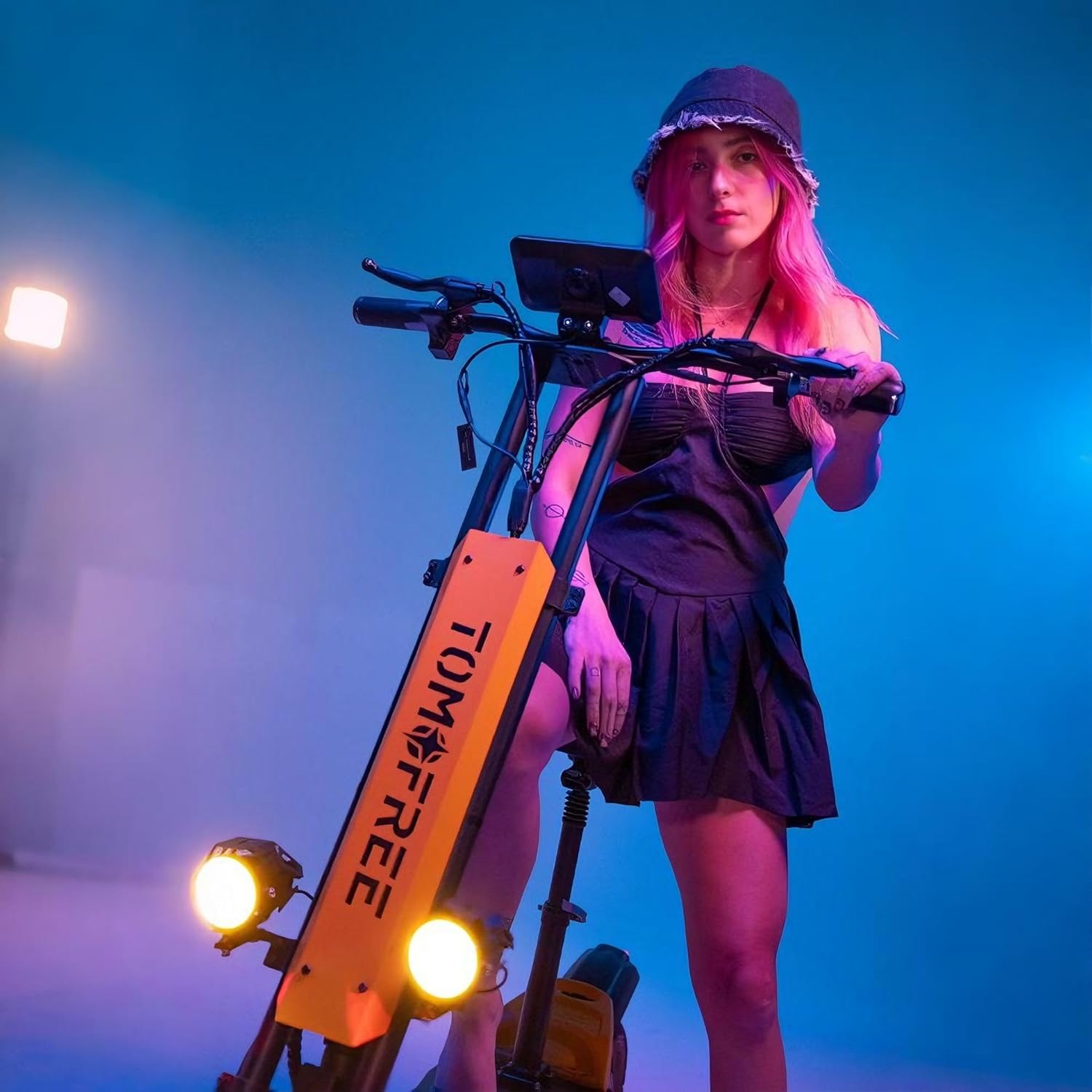
Figure 4: The process of attaching the handlebars to the scooter's stem, showing the clamp and screw points.
4.5. Attaching Phone Holder (Optional)
- Assemble the phone holder components, including the clamp and the holder itself.
- Tinye clamp to a suitable position on the handlebar, ensuring it does not obstruct other controls or the display.
- Secure the phone holder to the clamp.
4.6. Installing Optional Seat
If your model includes an optional seat, follow these steps:
- Locate the seat mounting point on the rear of the scooter's deck.
- Insert the seat post into the mounting hole.
- Adjust the seat height to a comfortable position and secure it using the quick-release lever or tightening mechanism.

Figure 5: The scooter's dual-arm, three-link mechanical suspension system, designed to absorb road vibrations for a comfortable ride.
5. Ntuziaka ọrụ
This section covers the basic operation of your BEE Electric Scooter.
5.1. Ịgbanye / gbanyụọ
Press and hold the power button on the display to turn the scooter on or off. The large mid-mounted display will illuminate, showing battery level, speed, and other indicators.
5.2. Ụdị ọsọ
The scooter features 3-speed modes, allowing you to adjust your riding experience:
- Ọkwa 1: Approximately 13 MPH
- Ọkwa 2: Approximately 21 MPH
- Ọkwa 3: Approximately 31 MPH (Max Speed)
Switch between modes using the designated button on the handlebar controls.
5.3. Ọsọ ọsọ na brek
Use the throttle on the right handlebar to accelerate. Apply the brake levers on both handlebars for controlled stopping. The dual mechanical disc brakes ensure reliable stopping power.
5.4. Sistemụ ọkụ
Activate the front headlight and rear taillight using the light control button on the handlebar. The taillight also functions as a brake indicator, enhancing visibility and safety.

Figure 6: The scooter's lighting system, showing the bright front headlights and the integrated rear taillight with brake indicator function.
6. Nlekọta
Nlekọta oge niile na-eme ka ogologo ndụ na ọrụ nchekwa nke skuuta gị dị.
- Nlekọta batrị: The 48V 20Ah battery provides an extended range. Charge the battery fully after each use. Avoid completely draining the battery. Charging time is approximately 7-8 hours.
- Nrụgide taya: Check tire pressure regularly. Proper inflation is crucial for ride quality and tire lifespan.
- Nyocha breeki: Periodically inspect brake pads and cables for wear. Adjust or replace as needed to maintain effective braking.
- Nhicha: Jiri mgbasa ozi hichaa skuutaamp akwa . Zere iji ụgbọ elu mmiri nwere nrụgide ozugbo na akụrụngwa eletrik.
- Onye njikwa: The controller is mounted on the front side for improved heat dissipation, extending the scooter's lifespan. Keep this area clear of debris.

Figure 7: An illustration showing the internal structure of the 48V 20Ah high-capacity battery, which provides a range of 28-40 miles on a single charge.
7. Nchọpụta nsogbu
This section addresses common issues you might encounter with your scooter.
| Nsogbu | Ihe nwere ike ime | Ngwọta |
|---|---|---|
| Scoota anaghị agba ọkụ. | Low battery; loose connections. | Charge the battery. Check all cable connections, especially to the display and battery. |
| Oke ma ọ bụ ọsọ dị ala. | Under-inflated tires; low battery charge; heavy load; riding uphill frequently. | Check tire pressure. Fully charge the battery. Reduce load if possible. Adjust riding style. |
| Breeki na-enwe mmetụta nke rụrụ arụ ma ọ bụ adịghị arụ ọrụ. | Worn brake pads; stretched brake cables. | Inspect brake pads and replace if worn. Adjust brake cable tension. If unsure, consult a professional. |
| Mkpọtụ na-adịghị ahụkebe n'oge arụ ọrụ. | Loose components; debris in wheels/motor. | Inspect all visible parts for looseness and tighten. Check wheels and motor area for foreign objects. |
8. Nka na ụzụ nkọwa
| Njirimara | Nkọwapụta |
|---|---|
| Ụdị | Tomofree |
| Aha Nlereanya | BEE |
| Ike moto | 1500W Peak Motor |
| Batrị | 48V 20 ah |
| Ọsọ kacha | 31 MPH (50 km / h) |
| Oke kwa ụgwọ | 20-40 Miles (32-64 km) |
| Nha taya | Taya Tubeless 11-inch Off-Road |
| Ibu Ibu | 267 lbs (121 n'arọ) |
| Akụkụ ịrị elu | Ruo 30 ° |
| Sistemụ breeki | Brakes Mechanical Disc Dual |
| Nkwusioru | Nkwusioru abuo |
| Akụkụ ngwaahịa (L x W x H) | 52" x 11" x 51" (133 x 28 x 129 cm) |
| Ibu Ibu | 79 lbs (35.8 n'arọ) |
| Frame Ihe | High Carbon Steel & Aluminum Alloy |
9. Akwụkwọ ikike na nkwado
9.1. Akwụkwọ ikike Ozi
The Tomofree BEE Electric Scooter comes with a Akwụkwọ ikike ikike nke onye nrụpụta afọ 1Akwụkwọ ikike a na-ekpuchi ntụpọ dị na ihe na ọrụ aka mgbe ejiri ya nkịtị. Biko lee kaadị akwụkwọ ikike dị na ngwugwu gị maka usoro na ọnọdụ zuru oke.
Keep your box and foam for 30 days in case of return.
9.2. Nkwado ndị ahịa
For technical assistance, troubleshooting, or warranty claims, please contact Tomofree Customer Support. You can find contact information on the official Tomofree websaịtị ma ọ bụ site na ikpo okwu ịzụrụ ihe.
Gaa leta Tomofree Official Store maka ozi ndị ọzọ na akụrụngwa nkwado.


