1. Okwu mmalite
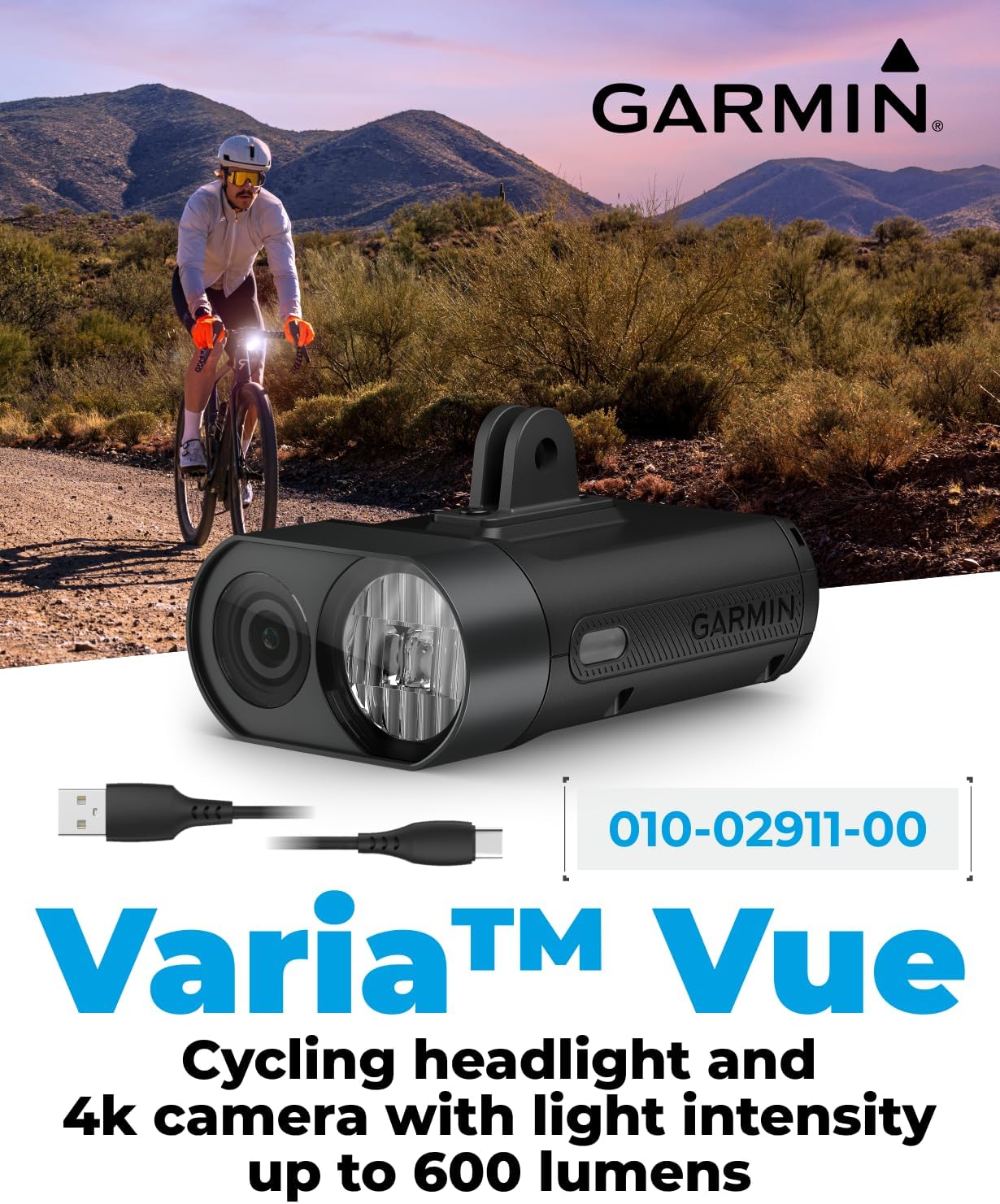
This manual provides essential information for the setup, operation, and maintenance of your Wearable4U Garmin Varia Vue Cycling Headlight and 4K Camera. The Varia Vue combines a powerful 600-lumen headlight with a high-resolution 4K camera, offering enhanced visibility and incident recording capabilities for cyclists. Please read this manual thoroughly before using the device.
2. Kedu ihe dị na Igbe ahụ
- 1x Varia Vue cycling camera with headlight
- Flush out-front mount; Mounting kit
- Charging/data cable; Tether
- 1x Wearable4U PowerBank
- Akwụkwọ
3. Atụmatụ igodo
- Ndekọ vidiyo 4K: Captures crisp 4K video for clear playback and incident recording. A memory card is required (not included).
- High-Intensity Headlight: Offers up to 600 lumens of brightness with multiple lighting modes and auto brightness control.
- Cutoff Beam Safety: Smart cutoff beam reduces light intensity above a specific line to prevent blinding oncoming traffic.
- Automatic Incident Saving: Detects and automatically saves footage before, during, and after an incident (memory card required).
- Clear Audio Recording: Built-in concealed microphone captures high-quality audio.
- Ogologo ndụ batrị: Up to 7 hours in day flash mode with camera recording. Can be used while charging.
- Rear-Facing Video Support: Pair with Varia RCT715 radar tail light for simultaneous rear-facing footage (memory card required).
- Varia App Integration: Control camera and light functions, edit videos, and add data overlays.
- Garmin Vault & Edge Compatibility: Control settings from your Edge cycling computer. Secure video storage and automatic uploads via Wi-Fi with Garmin Vault subscription. Compatible with Edge out-front mounts.
4. Ntọala & nwụnye
The Varia Vue comes with a flush out-front mount and mounting kit for easy installation on your bicycle's handlebars. Ensure the mount is securely fastened and the device clicks into place.

For detailed visual instructions on mounting and connecting the device, please refer to the official seller video below.
Official seller video demonstrating the Garmin Varia Vue Headlight Bicycle Camera 4K Video Recording and its features.
5. Ntuziaka ọrụ
The Varia Vue offers various operating modes for both the headlight and camera functions. Familiarize yourself with the controls to optimize your cycling experience.


Ụdị ọkụ isi:
- Elu: 600 lumens for maximum visibility.
- Ọkara: Nchapụta ziri ezi maka ojiji izugbe.
- Ala: Extended battery life for longer rides.
- Flash ụbọchị: High-visibility flash pattern for daytime riding.
- Ọkụ abalị: Flash pattern optimized for nighttime visibility.
- ihie akpaaka: Adjusts light intensity based on your speed and ambient light when paired with a compatible Edge cycling computer.
Ndekọ vidiyo:
The camera continuously records in 4K resolution. Footage is automatically saved before, during, and after an incident. A memory card (not included) is required for all recording functions.
Ndekọ ọdịyo:
The built-in concealed microphone captures high-quality audio to complement your video footage.
6. Ịchaji
The Varia Vue is equipped with a rechargeable battery. Use the provided USB-C charging/data cable to charge the device. The included Wearable4U PowerBank can be used to extend battery life on long rides or to charge other USB-C compatible devices.
The device can be used while charging, making it suitable for extended use during long cycling trips.
7. Varia App Integration
Download the Varia app on your compatible smartphone (iOS or Android) to unlock additional functionalities.

Ọrụ ngwa:
- Adjust camera and light settings.
- Access and transfer recorded footage.
- Edit videos and add data overlays (speed, route information).
8. Garmin Vault & Edge Compatibility
The Varia Vue seamlessly integrates with other Garmin devices and services.

Garmin Vault:
With an active Garmin Vault subscription (free trial available), you can get secure video storage and automatic uploads of locked footage via Wi-Fi.
Edge Cycling Computer:
Control camera and headlight settings directly from your compatible Edge cycling computer. The Varia Vue is compatible with Edge out-front mounts for easy setup.
9. Ntuziaka nchekwa
The Varia Vue is designed with features to enhance cyclist safety.

Cutoff Beam Safety:
The smart cutoff beam reduces light intensity above a specific line to help avoid blinding oncoming drivers, pedestrians, or other cyclists, improving safety for everyone.
Nchọpụta ihe mberede:
The camera automatically detects and saves footage before, during, and after an incident. This feature requires a memory card (not included) and may be subject to legal limitations in some areas.
Ihe dị mkpa: Some jurisdictions regulate or prohibit the use of camera devices. It is your responsibility to know and comply with applicable laws and rights to privacy in jurisdictions where you plan to use this device.
10. Nkọwapụta
| Njirimara | Nkọwapụta |
|---|---|
| Ojiji ime ime/n'èzí | N'èzí |
| Isi Iyi Ike | Akwanyere batrị |
| Ụdị nkwụnye | Ogwe aka |
| Mkpebi ịse vidiyo | 4k |
| Agba | Nwa |
| Teknụzụ nzikọrịta ozi ikuku | Bluetooth, WiFi |
| Ihe onwunwe | Plastic |
| Ọkwa Nguzogide mmiri | Mmiri na-eguzogide |
| Ibu Ibu | 7 ounces |
| UPC | 810132456947 |
| Akụkụ ngwugwu | 6.1 x 4.2 x 2.7 sentimita asatọ |
| Aha Nlereanya | Varia Vue |
| Njirimara Pụrụ Iche | 4k video recording, up to 600 lumens of brightness, cutoff beam safety, concealed microphone, review and edit video, up to 7 hours ride time, incident detection, variavue headlight camera |
11. Nlekọta
To ensure optimal performance and longevity of your Varia Vue, follow these maintenance guidelines:
- Nhicha: Jiri nwayọ hichaa ngwaọrụ ahụ mgbe niile, damp akwa . Zere ihe nhicha ma ọ bụ ihe mgbaze.
- Nchekwa: Chekwaa ngwaọrụ ahụ n'ebe dị jụụ, kpọrọ nkụ pụọ na ìhè anyanwụ kpọmkwem mgbe ọ naghị eji ya.
- Nlekọta batrị: Charge the battery regularly, even if the device is not used frequently, to maintain battery health.
- Ịkwanye: Periodically check that the mount is secure and free from damage.
12. Nchọpụta nsogbu
If you encounter issues with your Varia Vue, try the following:
- Ngwaọrụ anaghị agbanwu: Gbaa mbọ hụ na agbagoro batrị. Jikọọ na isi iyi ike wee nwaa ọzọ.
- Video Recording Issues: Check if a compatible memory card is inserted and has sufficient free space. Format the memory card if necessary.
- Nsogbu Njikọta: Ensure Bluetooth and Wi-Fi are enabled on both the Varia Vue and your connected device (smartphone or Edge computer). Try restarting both devices.
- Light Malfunction: Cycle through the different light modes to ensure the light is not simply in an off or low-power state.
13. Akwụkwọ ikike & Nkwado
The Garmin Varia Vue comes with a 2-year warranty. For detailed warranty information, product support, or to access additional resources, please refer to the official Garmin documentation included in the box or visit the Wearable4U websaịtị.


