Okwu mmalite
Thank you for choosing the Micool Mini Sleep Earbuds Wireless. These earbuds are designed for ultimate comfort and discretion, especially for sensitive sleepers. Featuring IPX5 waterproofing, Bluetooth 5.3 connectivity, and a lightweight, invisible design, they provide a peaceful audio experience for relaxation, sleep, or discreet listening.

Image: Micool Mini Sleep Earbuds in their charging case.
Ihe ngwugwu
- Micool Mini Sleep Earbuds (Left and Right)
- Nchaji case
- USB-C eriri USB
- Akwụkwọ ntuziaka onye ọrụ
Melite
1. Nchaji mbụ
- Tinye ntị ntị abụọ n'ime akpa chaja.
- Connect the USB-C charging cable to the port on the charging case and to a power source.
- Ngosipụta dijitalụ dị na igbe nchaji ga-egosi pasentị batrịtage. Ensure the earbuds are fully charged before first use.
2. Njikọ Bluetooth
- Mepee igbe nchaji. Igwe ntị ga-abanye na ọnọdụ njikọta na-akpaghị aka.
- On your device (e.g., smartphone, tablet, laptop), enable Bluetooth.
- Chọọ maka available Bluetooth devices and select "Micool Q26" (or similar name) from the list.
- Ozugbo ejikọrọ, ị ga-anụ ngwa ngwa odiyo, na ntị ntị ga-adị njikere maka ojiji.
Ntuziaka ọrụ
Yi akwa ntị
The Micool Mini Sleep Earbuds are designed to fit snugly and discreetly within your ear, making them ideal for side sleepers. Gently insert each earbud into your ear canal until it feels secure and comfortable. The soft silicone ear tips adapt to your ear shape, minimizing pressure for extended wear.
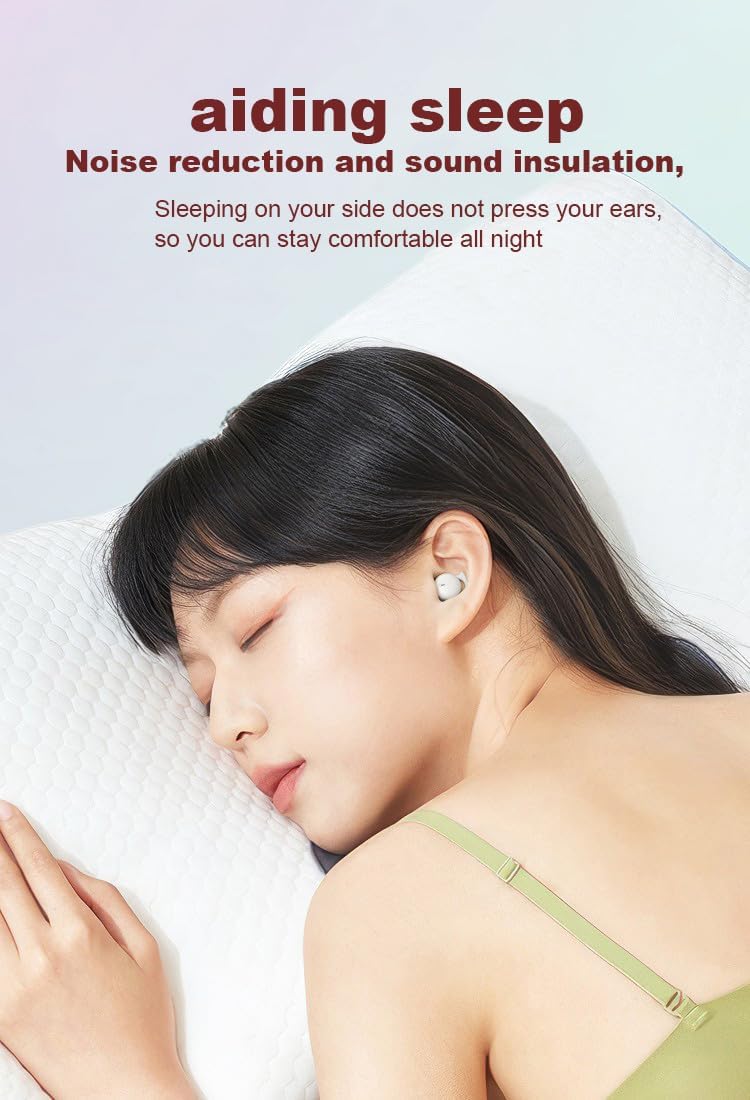
Image: Earbud worn discreetly for sleep.
Njikwa mmetụ
Each earbud features a touch-sensitive button for easy control of your audio and calls.

Image: Touch button controls diagram.
- Gwuo/kwụsịtụ: Otu mgbata na ntị ntị.
- Zaa/Kwuo oku: Otu pịa ma ọ bụ ekwe ntị n'oge oku mbata ma ọ bụ oku nọ n'ọrụ.
- Abụ na-esote: Pịa bọtịnụ ntị aka nri ugboro abụọ.
- Abụ gara aga: Kpatụ ntị ugboro abụọ n'akụkụ aka ekpe.
- Jụ oku: Pịa ma jide otu ntị ntị maka sekọnd 2 n'oge oku mbata.
- Mee ka onye enyemaka olu rụọ ọrụ: Pịa ugboro atọ na ntị ntị.
Independent Earbud Use
Both earbuds can be used independently. You can use one earbud while the other charges in the case, effectively extending your listening time. Simply remove one earbud from the case to use it in mono mode.
Nguzogide mmiri (IPX5)
The earbuds are rated IPX5 water-resistant, meaning they can withstand splashes of water and sweat. They are suitable for use during light rain or workouts, but should not be submerged in water.
Nlekọta
- Jiri akwa dị nro na-ehicha ihe ntị ntị na chaja mgbe niile.
- Zere iji ihe nhicha ma ọ bụ ihe mgbaze.
- Debe kọntaktị chajị dị na ntị na ihe mkpuchi ahụ ka ọ dị ọcha iji hụ na chajị ya nke ọma.
- Chekwaa ntị ntị n'akpa chaja ha mgbe anaghị eji ya iji chekwaa ya na idobe ndụ batrị.
Nchọpụta nsogbu
Earbuds anaghị ejikọta ọnụ
- Gbaa mbọ hụ na ejirila ekwe ntị abụọ a chaja nke ọma.
- Gbanyụọ Bluetooth na ngwaọrụ gị, wee gbanye ya ọzọ.
- Forget/delete "Micool Q26" from your device's Bluetooth list and attempt to pair again.
- Tinye earbuds azụ n'ime akpa ahụ, mechie mkpuchi, chere sekọnd ole na ole, wee mepee ka ịmalitegharịa ọnọdụ njikọta.
Enweghị ụda ma ọ bụ ụda dị ala
- Lelee ọkwa olu dị na ngwaọrụ gị na ekweisi gị.
- Gbaa mbọ hụ na ekwe ntị na-anọdụ ala nke ọma na ntị gị.
- Jikọọkwa ntị ntị na ngwaọrụ gị.
Okwu Ịchaji
- Nyochaa na ejikọrọ eriri USB-C nke ọma na ma ikpe ahụ yana isi iyi ike.
- Gbaa mbọ hụ na kọntaktsị chaja dị na ntị ntị na n'ime akpa ahụ dị ọcha na enweghị irighiri ihe.
- Gbalịa iji eriri USB-C dị iche ma ọ bụ nkwụnye ọkụ.
Nkọwapụta
| Aha Nlereanya | Q26 |
| Ụdị | Micool |
| Teknụzụ Njikọta | Ikuku (Bluetooth 5.3) |
| Mmiri Nguzogide | IPX5 |
| Ntinye ntị | Na Ntị |
| Ụdị Ihe | Na Ntị |
| Ihe onwunwe | Plastic |
| Ngwa gụnyere | Cable, Akwụkwọ ntuziaka onye ọrụ |
| UPC | 770029329733 |
| Onye nrụpụta | MICOOL |
| Ụbọchị mbụ dị | Ọnwa Isii 12, 2023 |
Akwụkwọ ikike na nkwado
Specific warranty information for the Micool Mini Sleep Earbuds (Model Q26) is not provided in the product details. Please refer to the warranty card included in your package or contact Micool customer support for detailed warranty terms and conditions.
For further assistance, technical support, or inquiries, please visit the official Micool website or contact their customer service department. Contact information can typically be found in the included user manual or on the product packaging.


