Okwu mmalite
Thank you for choosing the GOBOULT Flex On-Ear Bluetooth Headphones. This manual provides essential information for setting up, operating, and maintaining your headphones to ensure optimal performance and longevity. Please read this manual thoroughly before using the product.
Kedu ihe dị na Igbe ahụ
- GOBOULT Flex On-Ear Bluetooth Headphones
- Type-C Fast Charging Cable
- Akwụkwọ ntuziaka onye ọrụ
- Akwụkwọ ikike kaadị
Ngwaahịa gafereview
The GOBOULT Flex headphones are designed for comfort and high-quality audio. They feature 40mm bass-boosted drivers, Bluetooth 5.4 connectivity, and an adjustable, foldable design.

Foto: Ofeview of GOBOULT Flex features including 40mm drivers, Bluetooth 5.4, 4 EQ modes, 60ms low latency, 80-hour battery, and ENC calling.
Isi ihe:
- Earcups: Soft, cushioned earcups for comfort.
- Ihe mkpuchi isi nwere ike idozi: Allows for a customized fit.
- bọtịnụ njikwa: Located on the earcups for power, volume, playback, and call management.
- Ụdị-C ọdụ ụgbọ mmiri: Maka ịchaji ekweisi.
- Ntinye AUX: Maka njikọ ọdịyo wired.
- Igwe okwu: Integrated Zen™ ENC mic for clear calls.

Image: The adjustable headband and earcups of the GOBOULT Flex headphones, designed for a comfortable fit.
Melite
1. Ịchaji ekweisi
Before first use, fully charge your GOBOULT Flex headphones. Use the provided Type-C charging cable.
- Connect the Type-C cable to the charging port on the headphones.
- Jikọọ nsọtụ nke ọzọ nke eriri ahụ na isi iyi ike USB (dịka ọmụmaatụ, nkwụnye mgbidi, ọdụ ụgbọ USB kọmputa).
- The LED indicator will show charging status (refer to product for specific light patterns).
- A full charge takes approximately 60 minutes and provides up to 80 hours of playtime.
- Fast charging provides 5 hours of playtime with just 10 minutes of charging.
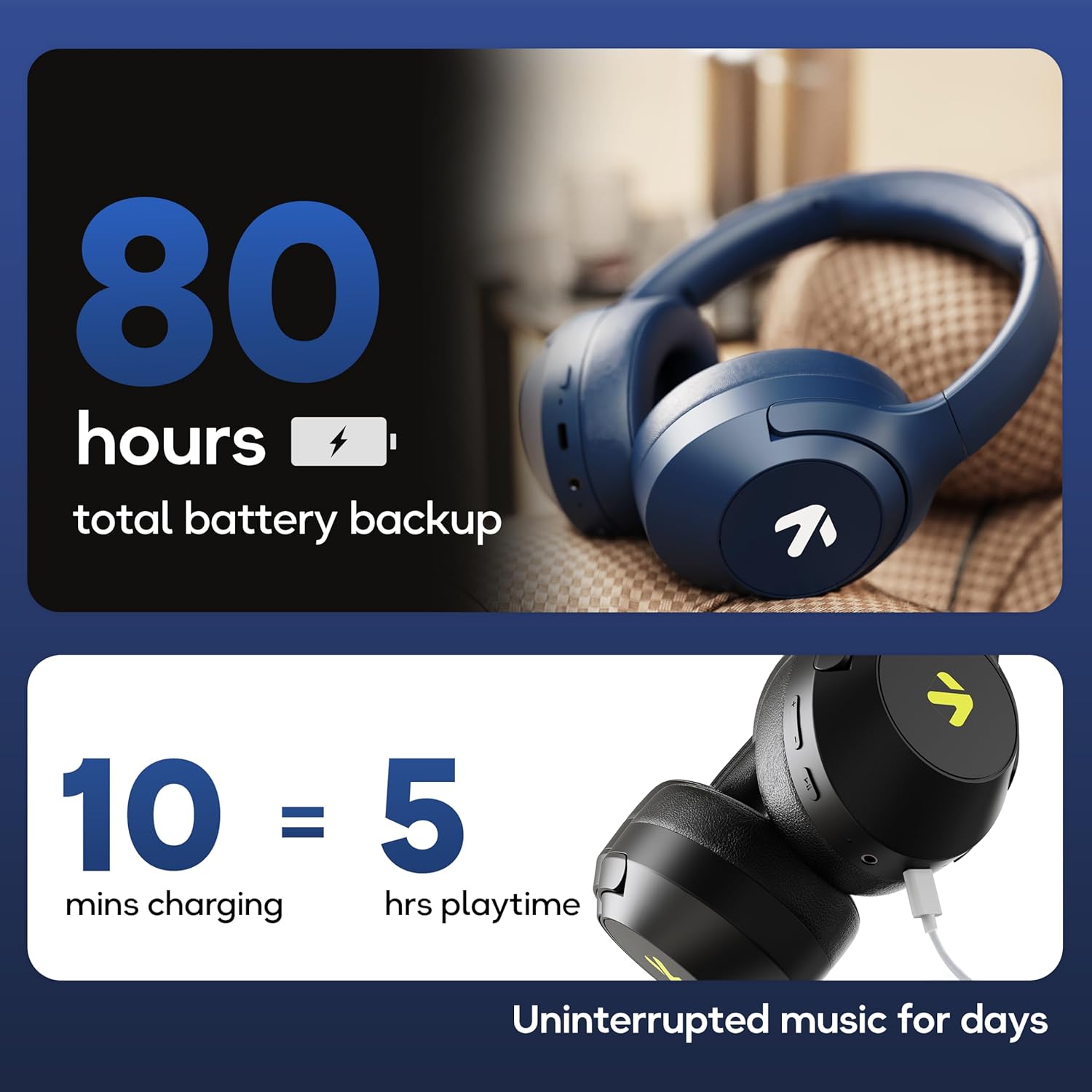
Image: Visual representation of the 80-hour battery life and fast charging capability (10 minutes charge for 5 hours playback).
2. Njikọ Bluetooth
Jikọta ekweisi gị na ngwaọrụ gị maka ọdịyo ikuku.
- Hụ na ekweisi ndị ahụ agbanyụrụ ma gbanyụọ ha.
- Press and hold the Power button until the LED indicator flashes (usually blue and red alternately), indicating pairing mode.
- Na ngwaọrụ gị (smartphone, tabletị, laptọọpụ), gbanye Bluetooth wee chọọ ngwaọrụ dị.
- Select "GOBOULT Flex" from the list of devices.
- Ozugbo ejikọtara ya, ihe ngosi LED ga-egosikarị ìhè acha anụnụ anụnụ siri ike ma ọ bụ ọkụ nwayọọ nwayọọ.
- The headphones feature Bluetooth 5.4 and Blink & Pair™ technology for fast and stable connections.

Image: The headphones connected via Bluetooth 5.4, highlighting the Blink & Pair feature for quick device connection.
Ntuziaka ọrụ
Gbanyụọ/ Gbanyụọ
- Ike Na: Pịa ma jide bọtịnụ Ike maka ihe dị ka sekọnd abụọ.
- Gbanyụọ: Pịa ma jide bọtịnụ Ike maka ihe dị ka sekọnd abụọ.
Njikwa egwu
- Gwuo/kwụsịtụ: Pịa bọtịnụ Multi-function ozugbo.
- Track na-esote: Press and hold the Volume Up button.
- Gara aga Track: Pịa ma jide bọtịnụ ụda ala.
- Olu elu: Pịa obere bọtịnụ Mpịakọta Elu.
- Olu ala: Pịa obere bọtịnụ Mbelata Olu.
Njikwa oku
The Zen™ ENC mic ensures clear communication by reducing environmental noise.

Foto: Zuru ezu view of the Zen™ ENC microphone technology for effective environmental noise cancellation during calls.
- Azịza/Kwụsị Oku: Pịa bọtịnụ Multi-function ozugbo.
- Jụ oku: Pịa ma jide bọtịnụ ọtụtụ ọrụ maka sekọnd iri na abụọ.
- Nọmba Ikpeazụ emegharịgharịrị: Pịa bọtịnụ Multi-function ugboro abụọ.
Onye enyemaka olu
Activate your device's voice assistant (e.g., Google Assistant) directly from the headphones.
- Mee ka onye enyemaka olu rụọ ọrụ: Triple-pịa bọtịnụ Multi-function.

Image: The headphones featuring voice assistant compatibility and IPX5 water resistance for protection against sweat and splashes.
Gaming Mode (60ms Low Latency)
Engage Combat™ Gaming Mode for ultra-low latency audio, ideal for gaming.
- Activate Gaming Mode: Refer to the specific button combination in your quick start guide (often a dedicated button or a long press of a volume button).
- This mode reduces audio latency to 60ms for a synchronized gaming experience.
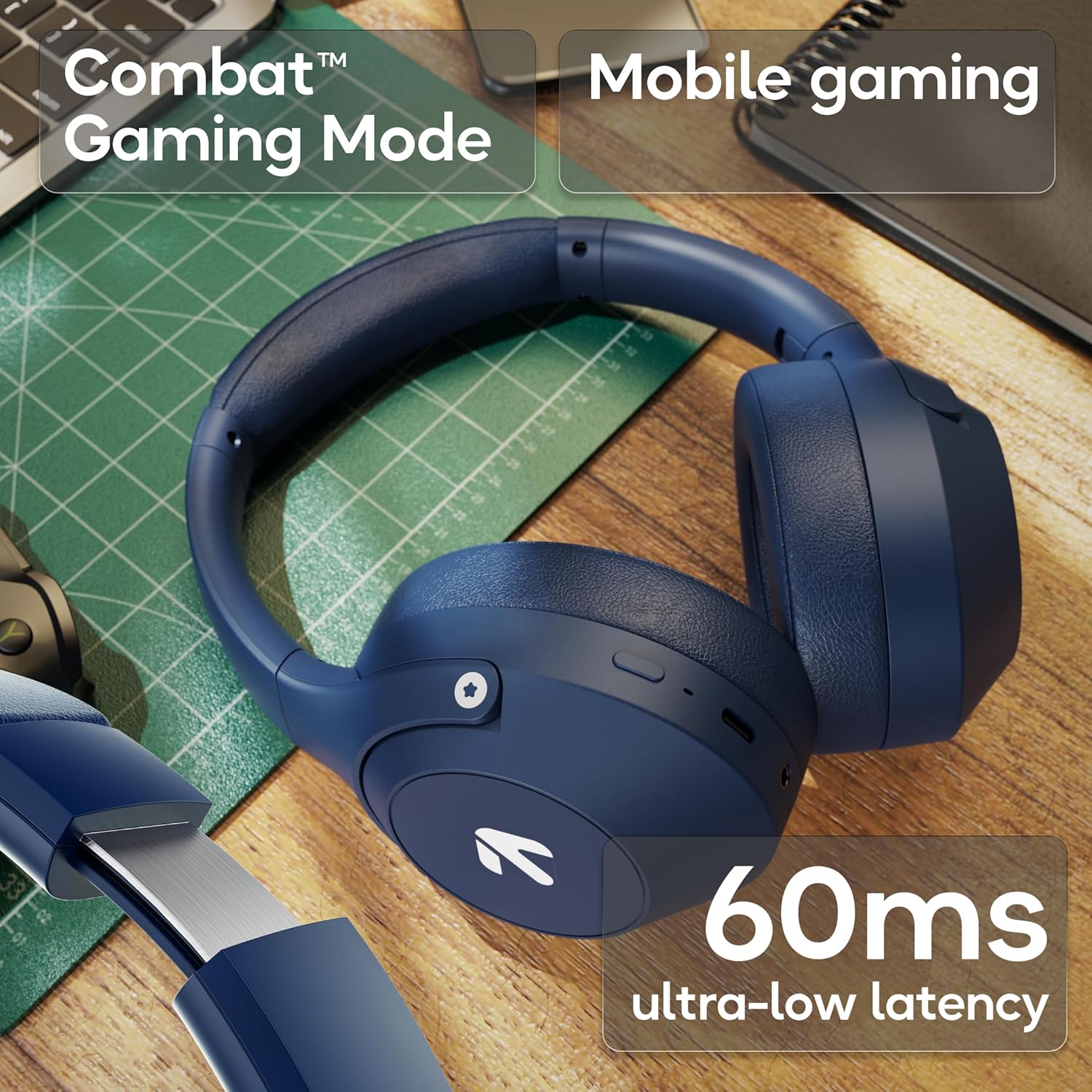
Image: The headphones highlighting the Combat™ Gaming Mode with 60ms ultra-low latency for an enhanced gaming experience.
Ọnọdụ Wired
Use the included AUX cable for a wired connection when wireless is not preferred or the battery is low. Note that the microphone is typically off in wired mode.
- Connect one end of the 3.5mm AUX cable to the headphone's AUX port.
- Connect the other end to your audio source's 3.5mm jack.
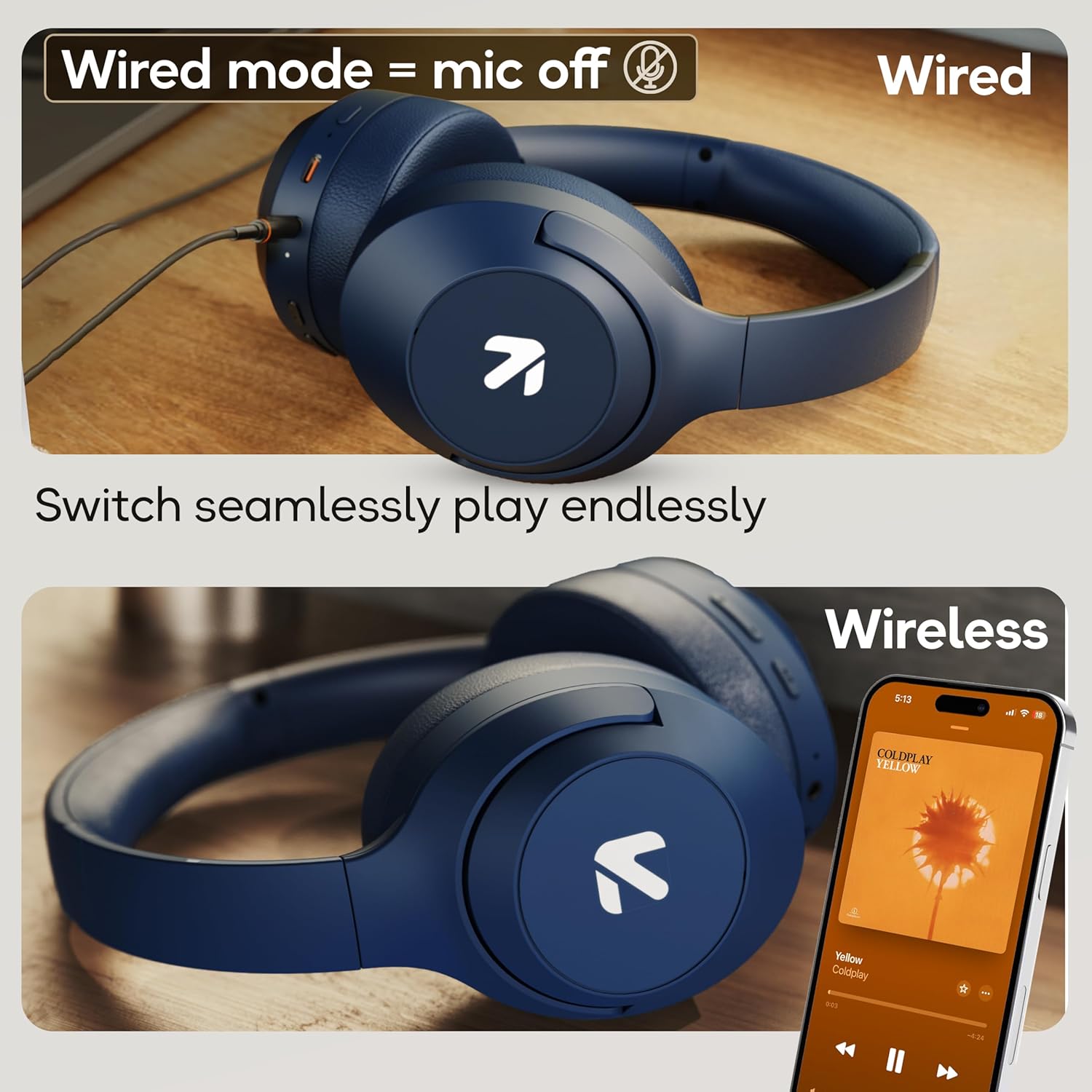
Image: Comparison of wired mode (with mic off) and wireless mode, demonstrating the flexibility of connection options.
EQ esdị
The headphones offer 4 Equalizer (EQ) modes to customize your audio experience.
- Ụdị dị: Bass, Rock, Pop, Vocal.
- Ụdị mgbanwe: Refer to the specific button combination in your quick start guide (often a dedicated EQ button or a combination press).

Image: The headphones emphasizing powerful bass delivered by 40mm boosted drivers with Boomx™ technology, and support for AAC/SBC codecs.

Foto: Ime view of the headphones showing the DSP processor, indicating features like seamless VoIP calls, adaptive audio equalization, and 16-bit dual-audio processing.
Nlekọta
Proper maintenance ensures the longevity of your headphones.
- Nhicha: Jiri ákwà dị nro ma kpọọ nkụ hichaa ekweisi. Ejila kemịkal siri ike ma ọ bụ ihe ndị na-emebi ihe.
- Nchekwa: Debe ekweisi n'ebe dị jụụ ma kpọọ nkụ, ebe anwụ na-anaghị anwụ kpọmkwem na oke okpomọkụ dị elu. Nhazi a na-apịachi apịachi na-enye ohere maka nchekwa dị obere.
- Nguzogide mmiri: The headphones are IPX5 rated, meaning they are resistant to sweat and light splashes. Do not submerge them in water or expose them to heavy rain.
Nchọpụta nsogbu
Enweghị ike
- Gbaa mbọ hụ na chajịrị ekweisi nke ọma.
- Lelee eriri chaja na isi iyi ike.
Enweghị ike ijikọ site na Bluetooth
- Ensure the headphones are in pairing mode (LED flashing blue/red).
- Make sure Bluetooth is enabled on your device and it is within 10 meters of the headphones.
- Forget "GOBOULT Flex" from your device's Bluetooth list and try pairing again.
- Malitegharịa ekwentị ma ekweisi na ngwaọrụ gị.
Enweghị ụda
- Lelee ọkwa olu na ma ekweisi yana ngwaọrụ ejikọrọ.
- Gbaa mbọ hụ na ejikọtara ekweisi nke ọma yana jikọọ ya.
- If using wired mode, ensure the AUX cable is fully inserted into both the headphones and the audio source.
Ogo oku na-adịghị mma
- Gbaa mbọ hụ na egbochighị igwe okwu.
- Move to a quieter environment to allow the ENC mic to function optimally.
- Check your device's call settings.
Nkọwapụta
| Njirimara | Nkọwapụta |
|---|---|
| Aha Nlereanya | Flex |
| Ụdị | GOBOULT |
| Teknụzụ Njikọta | Bluetooth, Ikuku |
| Ụdị Bluetooth | 5.4 (Product Title says 5.4, Specs say 5.3, using 5.4 as per title) |
| Oke Bluetooth | 10 mita |
| Nha ọkwọ ụgbọ ala ọdịyo | 40 Millimita |
| Ụdị ọkwọ ụgbọ ala ọdịyo | Ọkwọ ụgbọala dị ike |
| Ndụ batrị | Awa 80 (Oge egwuregwu) |
| Oge Nchaji | Nkeji 60 |
| Nchaji ngwa ngwa | Nkeji 10 maka awa 5 oge egwuregwu |
| Jack ekweisi | Type-C Fast Charging Jack, 3.5mm AUX |
| Igwe okwu | Zen™ ENC Mic |
| Ọnọdụ Latency dị ala | 60ms (Combat™ Gaming Mode) |
| Ọkwa Nguzogide mmiri | IPX5 (Sweatproof, Water-resistant, Splashproof) |
| Njikwa mkpọtụ | Nkagbu mkpọtụ mkpọtụ |
| Ibu Ibu | 214 grams |
| Akụkụ ngwaahịa | 5 x 19 x 20 cm |
| Ngwa gụnyere | Cable, Headphone, Type-C Fast Charging Cable, User Manual, Warranty Card |
Akwụkwọ ikike na nkwado
The GOBOULT Flex On-Ear Bluetooth Headphones come with a Akwụkwọ ikike afọ 1.
For warranty registration, technical support, or customer service inquiries, please visit the official GOBOULT website or contact their customer support team using the information provided on the warranty card.


