1. Okwu mmalite
The SPECIAL PIE Shot Timer is designed to enhance your match performance and training. It is officially used in major international matches, including IPSC and IDPA events, offering high shot detection accuracy with echo filtering, even in loud indoor ranges. This device supports seamless integration with scoring apps like PractiScore 2 and IPSC ESS via Bluetooth. Featuring upgraded shortcut keys, it provides quick access to walkthrough mode, shot history, PAR timing, and sensitivity settings. Its rugged, waterproof body is built to withstand dust, mud, and impact, while the extra-large screen and top LED indicators ensure clear visibility in various lighting conditions. With up to 72 hours of battery life and a customizable ECO mode, it supports extended training sessions and multi-day competitions.
2. Atụmatụ igodo
- Official Timer for Accuracy: Used in major international matches (IPSC, IDPA) with unmatched shot detection accuracy and echo filtering.
- Njikọ Bluetooth: Supports official scoring apps such as PractiScore 2 and IPSC ESS for seamless integration.
- Enhanced Visibility with Vertical Display: Features a specially designed vertical display screen with auto-backlighting for clear visibility in bright sunlight or low-light indoor ranges.
- Easy to Use with Optimized Shortcuts: Upgraded shortcut keys provide instant access to walkthrough countdowns and history data with simple one-button operation.
- Ndụ batrị dị ogologo: Equipped with a 1000mAh rechargeable battery, offering up to 72 hours of continuous use. Customizable ECO mode (1-60 minutes) for automatic power-off.
- Nhazi na-adịgide adịgide: Rugged, waterproof body withstands dust, mud, and impact.
- Ọ dị mfe iburu: Includes a lanyard and belt clip for secure and easy access during training and matches.
3. Ihe ngwugwu
- SPECIAL PIE Shot Timer (Model: QGK001)
- Ịchaji eriri
- Lanyard
- Mpempe eriri eriri
4. Ngwaahịa gafereview
The SPECIAL PIE Shot Timer features an advanced sensor for various gun types, a loud buzzer, and a vertical display for clear data visualization. It is designed for robust performance in diverse environments.
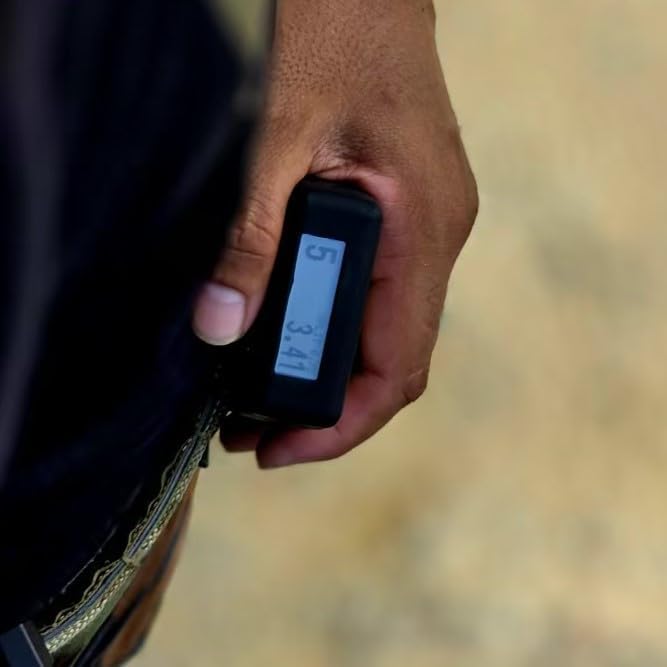
Foto: Ofeview of the shot timer highlighting its advanced sensor, loud buzzer, and vertical display capabilities.
The device incorporates a vertical display with auto-backlight, ensuring readability whether it's clipped to your belt or held in hand. This dual-screen design allows for easy monitoring of your shooting data.
Video: Demonstrates the dual-screen display of the shot timer, showing clear readability from different angles during use.
5. Ntọala na Basic Arụ Ọrụ
5.1 Gbanyụọ/ gbanyụọ
Iji gbanye ngwaọrụ ahụ, pịa ma jide bọtịnụ ike ahụ ruo mgbe ihuenyo ahụ ga-enwu. Iji gbanyụọ, pịa ma jide bọtịnụ ike ahụ ruo mgbe ngwaọrụ ahụ ga-agbanyụ.
5.2 Basic Timing
To start a new timing session, ensure you are on the main screen. Press the left button to initiate the timing sequence. The timer will start with a beep. To stop the timing after shooting, press the right button. The device will display the total time and split times.
Video: Illustrates the quick and easy setup and intuitive button controls for basic timing operations.
5.3 Reviewna History Data
After a shooting session, you can review the recorded data. Long press the history data button (usually the left button with an EQ icon) to enter the history review mode. Use the right button to navigate through the data of the current group, showing time and interval for each shot. Use the left button to switch between different groups of saved data. Up to 20 groups of data can be saved. To exit history mode, long press the history data button again. You will be prompted to delete the data; select 'Yes' or 'No' using the right and left buttons respectively.
Video: Demonstrates one-hand operation for checking history data easily, including navigating through past shooting sessions.
5.4 Adjusting Volume and Sensitivity
To adjust the volume and sensitivity settings, long press the settings button (usually the left button with a gear icon). The default volume is high frequency level 2, and sensitivity is level 5. Short press the settings button to cycle through volume levels (3 high frequency, 3 low frequency, and silent). Use the plus (+) or minus (-) keys to increase or decrease the sensitivity. There are 9 levels of sensitivity, suitable for various gun types including 9mm, LR22, airsoft, rifles, and shotguns. Level 9 sensitivity is specifically designed for dry fire training.
Video: Shows how to adjust multiple levels of volume and sensitivity settings on the shot timer.
6. Ụdị ọrụ
6.1 Firearm Mode (Delay Options)
The timer offers various delay options for firearm training: Instant, Random (1-4 seconds), and Fixed (3 seconds or 1-10 seconds customized). These settings allow for versatile training scenarios.

Image: Illustrates the Par Mode settings, including options for random, fixed, or customized delays, and cycle repetitions for individual training.
6.2 Walkthrough Mode
Walkthrough mode is ideal for competition use, providing a countdown before the start signal. This allows shooters to mentally prepare and visualize the stage. The upgraded shortcut keys offer instant access to this mode.
Video: Demonstrates the Walkthrough Mode being used in a shooting competition, highlighting its utility for stage preparation.
6.3 PAR Timing
PAR timing allows you to set a target time for your shooting drills, providing immediate feedback on whether you met your goal. This feature is crucial for structured individual training.
7. Njikọta
The SPECIAL PIE Shot Timer supports Bluetooth connectivity, enabling it to communicate with various devices and scoring applications like PractiScore 2 and IPSC ESS. This wireless connection allows for easy synchronization of shooting data, streamlining the scoring process in competitions and providing detailed analysis for training.
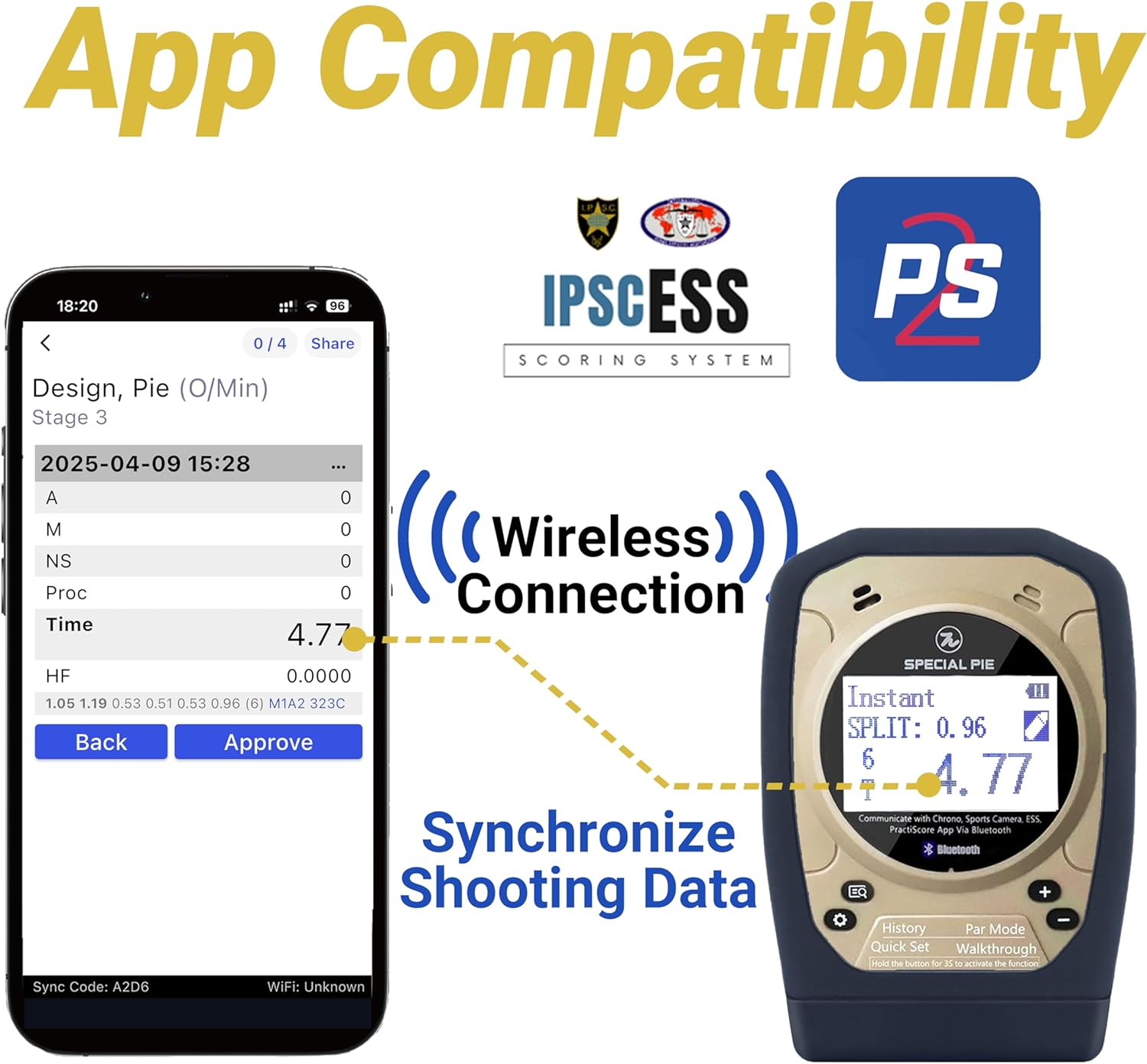
Image: Illustrates the shot timer's app compatibility and wireless synchronization of shooting data with scoring systems via Bluetooth.
8. Ndụ batrị na Nchaji
The shot timer is equipped with a 1000mAh rechargeable battery, providing up to 72 hours of continuous use. It features a USB-C charging port for convenient recharging. The customizable ECO mode (1-60 minutes) automatically powers off the device after a period of inactivity, conserving battery life during extended training sessions and multi-day competitions.

Image: Details the shot timer's 72-hour battery life, 1000mAh capacity, universal USB-C charging port, and adjustable auto shut-down feature.
9. Nhọrọ Ibu
For convenience and secure access during training and matches, the SPECIAL PIE Shot Timer comes with both a lanyard and a belt clip. These accessories allow you to wear or attach the device securely, ensuring it is always within reach.

Image: Demonstrates the various compact and convenient carrying options for the shot timer, including a lanyard and a belt clip.
10. Nkọwapụta
| Njirimara | Nkọwa |
|---|---|
| Ụdị | PIE Pụrụ Iche |
| Aha Nlereanya | QGK001 |
| Agba | Khaki/Black |
| Ihe onwunwe | Plastic |
| Ibu Ibu | 5.6 ounces |
| Ọnụọgụ nke Ntọala | 18 |
| Ndụ batrị | Up to 72 hours (1000mAh rechargeable battery) |
| Njikọta | Bluetooth (PractiScore 2, IPSC ESS compatible) |
| Ngosipụta | Vertical display with auto-backlighting |
| Ọkwa mmetụta | 9 levels (including Dry Fire) |
11. Nchọpụta nsogbu
- Ngwaọrụ anaghị agbanye: Ensure the battery is charged. Connect the device to the charging cable and allow it to charge for at least 30 minutes before attempting to power on again.
- Inaccurate shot detection: Adjust the sensitivity settings. Higher sensitivity levels are suitable for quieter environments or specific gun types. Ensure the microphone is not obstructed.
- Nsogbu njikọ Bluetooth: Ensure Bluetooth is enabled on both the shot timer and your paired device. Try restarting both devices. If issues persist, unpair and re-pair the devices.
- Screen not visible: Check the auto-backlighting settings. Ensure the device is not exposed to extreme temperatures.
- Bọtịnụ anaghị anabata: Ensure the device is not in a locked mode. If the issue persists, try restarting the device.
12. Akwụkwọ ikike na nkwado
The SPECIAL PIE Shot Timer comes with a 1-afọ akwụkwọ ikike. For any questions about the product, technical support, or warranty claims, please contact the manufacturer or seller directly. Contact information can typically be found on the product packaging or the seller's official websaịtị.
If you have any questions about the product, please contact us at your convenience!


