Okwu mmalite
This manual provides detailed instructions for the setup, operation, and maintenance of your Garmin Tactix 8, 51mm Solar, Elite Tactical GPS Smartwatch. Designed for adventurers and tactical professionals, this premium smartwatch offers robust features for navigation, fitness tracking, and tactical operations. This bundle also includes a Wearable4U PowerBank for extended power on the go.
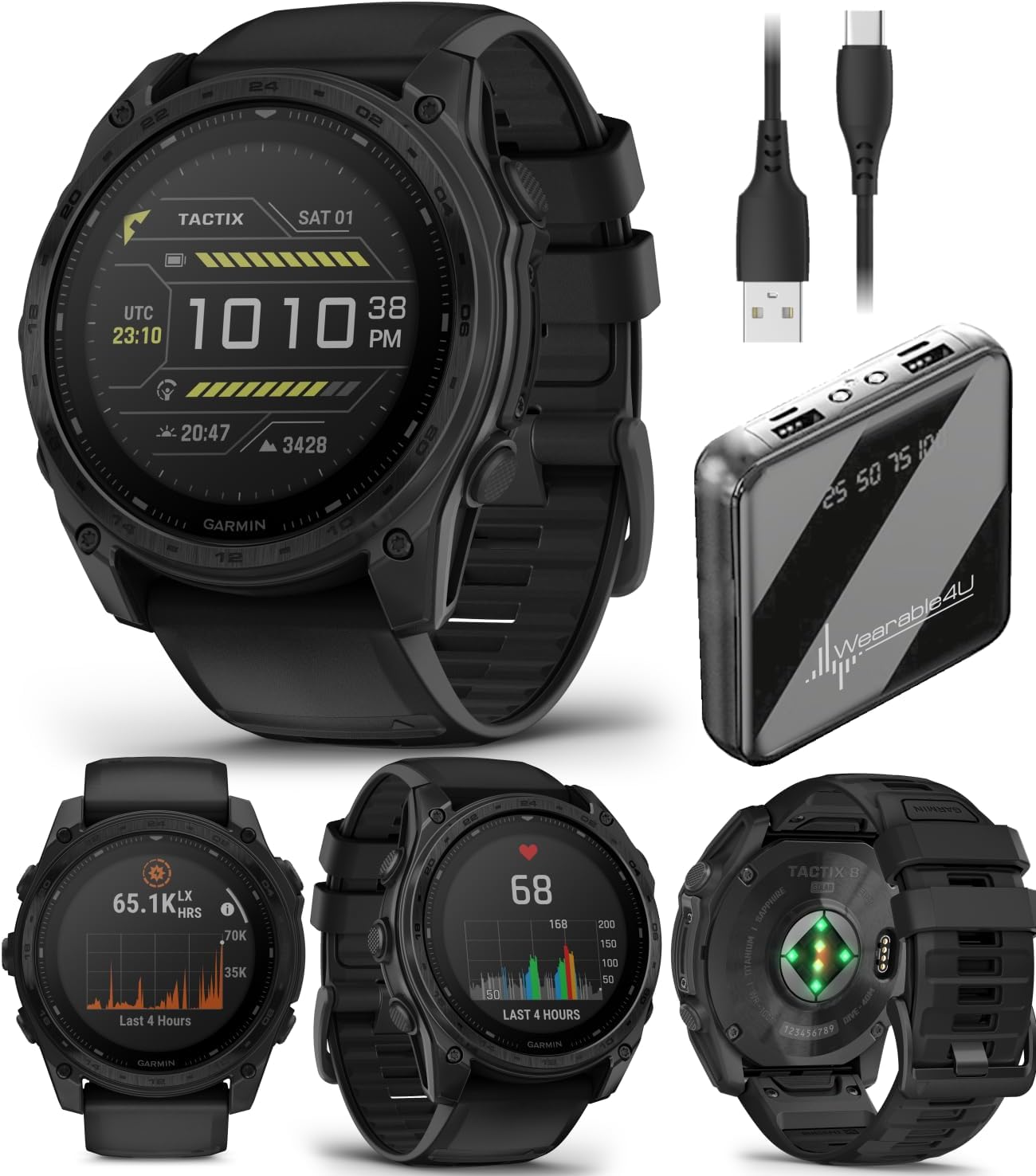
Image: The Garmin Tactix 8 Smartwatch shown alongside the Wearable4U PowerBank and charging cables, illustrating the complete bundle contents.
Melite
1. Nchaji mbụ
Before first use, ensure your Tactix 8 smartwatch is fully charged. Connect the included charging/data cable to the watch and a USB power source. The watch features a solar-charged display, which can extend battery life when exposed to sunlight. The Wearable4U PowerBank can be used to charge your watch or other devices while away from a wall outlet.
2. Ijikọ na Garmin Jikọọ ngwa
- Budata ya Njikọ Garmin mobile app on your compatible smartphone.
- Mepee ngwa ahụ ma soro ntuziaka na ihuenyo ka ịmepụta akaụntụ ma ọ bụ banye.
- Select 'Add Device' and choose your Tactix 8 from the list.
- Soro ntuziaka njikọta na elekere gị na ekwentị gị iji mezue njikọ ahụ.
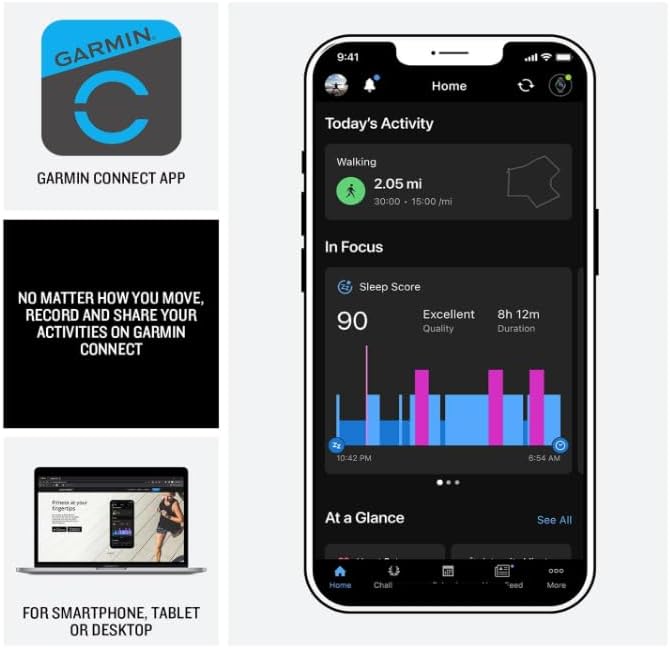
Image: A smartphone screen displaying the Garmin Connect app interface, showing activity tracking and sleep score data. The app is essential for managing watch settings and reviewing performance metrics.
Operating Your Tactix 8 Smartwatch
Navigation na GPS
The Tactix 8 provides superior positioning accuracy with multi-band GPS and SatIQ technology. It includes built-in sensors for a 3-axis compass, gyroscope, and barometric altimeter for comprehensive outdoor navigation.
- Preloaded Maps: Explore with preloaded TopoActive maps featuring relief shading. Access free additional downloadable maps globally.
- Golf & Ski Maps: Built-in maps for thousands of golf courses and ski resorts worldwide.
- Ekekọrịta Garmin: Share saved locations, courses, and workouts with compatible Garmin devices.

Image: A man in outdoor gear navigating through a forest, checking his Garmin Tactix 8 smartwatch. This illustrates the watch's utility for outdoor navigation with its advanced GPS and sensor capabilities.
Tactical Features
Dedicated tactical functionalities enhance operational readiness:
- Ọrụ Jumpmaster: Specialized mode for airborne operations.
- Ntụle Waypoint: Project waypoints for navigation.
- Ụdị GPS nke Abụọ: Display two sets of coordinate systems on one screen.
- Ụdị nzuzo: Disables GPS and wireless connectivity, and stops saving and sharing your GPS position.
- Gbugharị: Wipes all user data from the device.
- Night Vision Compatibility: Allows for operation with night vision goggles.
- Ọrụ ịgba egwu: Onye raara onwe ya nye profile to input and track your pack weight during rucks.
- Applied Ballistics Elite Solver: An advanced, unlocked solver for aiming solutions in long-range shooting. Download the AB Quantum mobile app for profile and target management.

Image: Four different views of the Garmin Tactix 8 watch face, showcasing its tactical features including Applied Ballistics, Stealth Mode, a side profile, and a dive mode display. These illustrate the specialized functions available.
Nlekọta Ahụike na Ahụ Ike
The Tactix 8 offers comprehensive health and wellness tracking:
- Ọnụọgụgụ obi dabere n'aka: Mgbe niile sampmee ka obi gị wee tụọ ike mgbatị ahụ.
- Nleba anya ụra dị elu: Egwu ụra stages and provides insights for improved sleep quality. Includes a sleep coach.
- Nyocha iku ume & Pulse Ox: Monitors breathing and blood oxygen saturation (Pulse Ox not available in all countries).
- Ngwa ECG: Records heart rhythm and checks for signs of atrial fibrillation (not available in all regions; for people 22 years or older).
- Akụkọ ụtụtụ: Customizable overview of sleep, training outlook, HRV status, and weather upon waking.
- Mmega ahụ akọwapụtara nke ọma: Targeted strength training plans, real-time stamina tracking, and a full range of built-in sports apps.
- Akara ntachi obi: Na-eji VO2 max, ibu ọzụzụ, na ihe ndị ọzọ iji tụọ ikike ịkwado mbọ ogologo oge.

Image: Four different views of the Garmin Tactix 8 watch face, displaying health and fitness metrics such as endurance score, smart notifications, a side profile, and a workout tracking screen. These highlight the watch's comprehensive monitoring capabilities.
Atụmatụ ndị ọzọ
- Oke mmiri mmiri 40-mita: Supports scuba and apnea dive activities.
- Igwe ọkụ ọkụ ọkụ arụnyere n'ime ya: Multicolor LED flashlight for low-light conditions (green or white light). Features NVG mode for dimmable green light.
- Aviation Navigation System: Includes worldwide dynamic moving map, GPS navigation, NEXRAD, weather display, and airport information.
- Amamọkwa Smart: Receive emails, texts, and alerts when paired with your smartphone.
- Ọkà okwu na igwe okwu arụnyere n'ime ya: Make and take phone calls from your watch when paired to your smartphone. Control watch functions with off-grid voice commands.
- Garmin akwụ ụgwọ: Contactless payment solution.

Image: A man in low-light conditions using the built-in LED flashlight on his Garmin Tactix 8 smartwatch, which emits a green light. This demonstrates the practical utility of the integrated flashlight feature.
Nlekọta
Nhicha Ngwaọrụ gị
Regularly clean your Tactix 8 smartwatch to ensure optimal performance and hygiene. Use a soft, lint-free cloth to wipe the display and watch body. For stubborn dirt, a slightly damp enwere ike iji akwa mee ihe. Zere kemịkalụ siri ike ma ọ bụ ihe na-emebi emebi.
Nlekọta batrị
The Tactix 8 features a solar charging lens. For maximum battery life, expose the watch to direct sunlight for at least 3 hours per day. When not in use for extended periods, store the watch in a cool, dry place. Recharge the Wearable4U PowerBank as needed using its designated charging cable.
Mmiri Nguzogide
The Tactix 8 has a 40-meter dive rating. Rinse the watch with fresh water after exposure to salt water or chlorinated water to prevent corrosion.
Nchọpụta nsogbu
Okwu na ngwọta nkịtị
- Lelee anaghị agbanye: Hụ na elekere ahụ chajịchara nke ọma. Jikọọ ya na eriri chajị na isi iyi ọkụ eletrik.
- GPS not acquiring signal: Gaa na mpaghara mepere emepe nwere oghere doro anya view of the sky. Ensure GPS is enabled in settings.
- Nsogbu njikọ Bluetooth: Ensure Bluetooth is enabled on both the watch and your smartphone. Try restarting both devices and re-attempting the pairing process through the Garmin Connect app.
- Ọgụgụ obi na-ezighi ezi: Ensure the watch is worn snugly on your wrist, above the wrist bone. Clean the optical sensor on the back of the watch.
- Ndụ batrị dị mkpụmkpụ: Reduce backlight brightness, disable unnecessary features (e.g., Wi-Fi, continuous Pulse Ox), and ensure regular solar charging.
Nkọwapụta
| Njirimara | Nkọwa |
|---|---|
| Nlereanya | Garmin Tactix 8, 51mm Solar, Elite |
| Ngosipụta nha | 1.4 sentimita asatọ |
| Ụdị ngosi | Solar charged |
| Ihe oghere oghere | Safaịre |
| Ihe Bezel | Titanium |
| Ibu Ibu | 3.35 ounce (gram 95) |
| Ike Nchekwa ebe nchekwa | 32 GB |
| Ogo etinyere ebe nchekwa RAM | 16 GB |
| Sistemụ nrụọrụ | Garmin OS |
| Ụdị batrị | Lithium ion (gụnyere) |
| Ogo mmiri | 40 mita |
| Njikọta | Bluetooth |
| Atụmatụ pụrụ iche | Solar charged display, titanium bezel, power sapphire lens, GPS navigation, Bluetooth, Smart connectivity, built-in LED flashlight, advanced tactical features, fitness & health tracking, multisport, Applied Ballistics Ultralight Elite solver |
Akwụkwọ ikike na nkwado
For detailed warranty information and support, please refer to the official Garmin documentation included with your product or visit the Garmin support website. For specific inquiries regarding the Wearable4U PowerBank bundle, please contact Wearable4U customer service.
An official user manual in PDF format is available for download: Garmin Tactix 8 User Manual (PDF)


