Okwu mmalite
Thank you for choosing the hOmeLabs 25 Pint Wi-Fi Dehumidifier. This manual provides essential information for the safe operation, maintenance, and troubleshooting of your new appliance. Designed for efficient moisture removal in spaces up to 3,500 sq ft, this dehumidifier features Wi-Fi smart control, quiet operation, and flexible drainage options to enhance your indoor environment.
Ntuziaka nchekwa dị mkpa
Please read all instructions carefully before using the dehumidifier. Failure to follow these instructions may result in electric shock, fire, or serious injury.
- Always plug the dehumidifier into a grounded electrical outlet.
- Ejila unit ahụ rụọ ọrụ ma ọ bụrụ na eriri ọkụ ma ọ bụ plọg mebiri emebi.
- Ensure the unit is placed on a level, stable surface to prevent tipping.
- Ekpuchila ọnụ ụzọ ikuku ma ọ bụ ebe a na-esi abanye. Debe oghere dị sentimita iri na abụọ n'akụkụ ebe ahụ.
- Wepụ ihe na-eme ka mmiri ghara iru mmiri tupu ị sachaa, ịkwaga, ma ọ bụ rụzie ihe ọ bụla.
- Ejila ihe ahụ n'ebe a na-echekwa mmiri ma ọ bụ gas ndị na-ere ọkụ.
- Ngwa a bụ maka naanị ebe obibi.
- Debe ụmụaka na anụ ụlọ n'ebe a na-arụ ọrụ.
Ngwaahịa gafereview
Familiarize yourself with the components of your hOmeLabs dehumidifier.

The hOmeLabs 25 Pint Wi-Fi Dehumidifier shown alongside its blue and white product packaging, highlighting its compact design and brand.

An illustration showing the dimensions of the dehumidifier: 19.6 inches high, 12.2 inches wide, and 8.2 inches deep, emphasizing its compact form factor.

A close-up of the dehumidifier's control panel, displaying buttons for Wi-Fi, fan speed, timer, comfort mode, and indicators for tank full and filter status.

The dehumidifier positioned in a gym setting next to a yoga mat, illustrating its compact design and emphasizing its ultra-quiet operation at 47 dB.
Isi ihe:
- Ogwe njikwa: Ngosipụta dijitalụ na bọtịnụ maka ntọala.
- Ọnụba/ụzọ ikuku: Ebe ikuku na-abanye ma na-apụ na unit ahụ.
- tank mmiri: Removable bucket for collected moisture.
- Ọpụpụ mmiri na-aga n'ihu: Port for connecting a drain hose for continuous operation.
- Caster Wheels & Handle: Maka ibugharị ngwa ngwa.
- Filter nwere ike ịsacha: Located at the back for air purification.
Ntuziaka nhazi
- Iwepu: Jiri nlezianya wepụ ihe mgbapụta na nkwakọ ngwaahịa ya. Jido ihe nkwakọ ngwaahịa maka nchekwa ma ọ bụ mbugharị n'ọdịnihu.
- Nkwanye: Place the unit upright on a firm, level surface in the area where dehumidification is desired. Ensure there is at least 8 inches (20 cm) of space around all sides of the unit for proper airflow. Avoid placing it near heat sources or in direct sunlight.
- Njikọ ike: Plug the power cord into a grounded 110-120V/60Hz electrical outlet. The unit will beep once, and the display will light up.
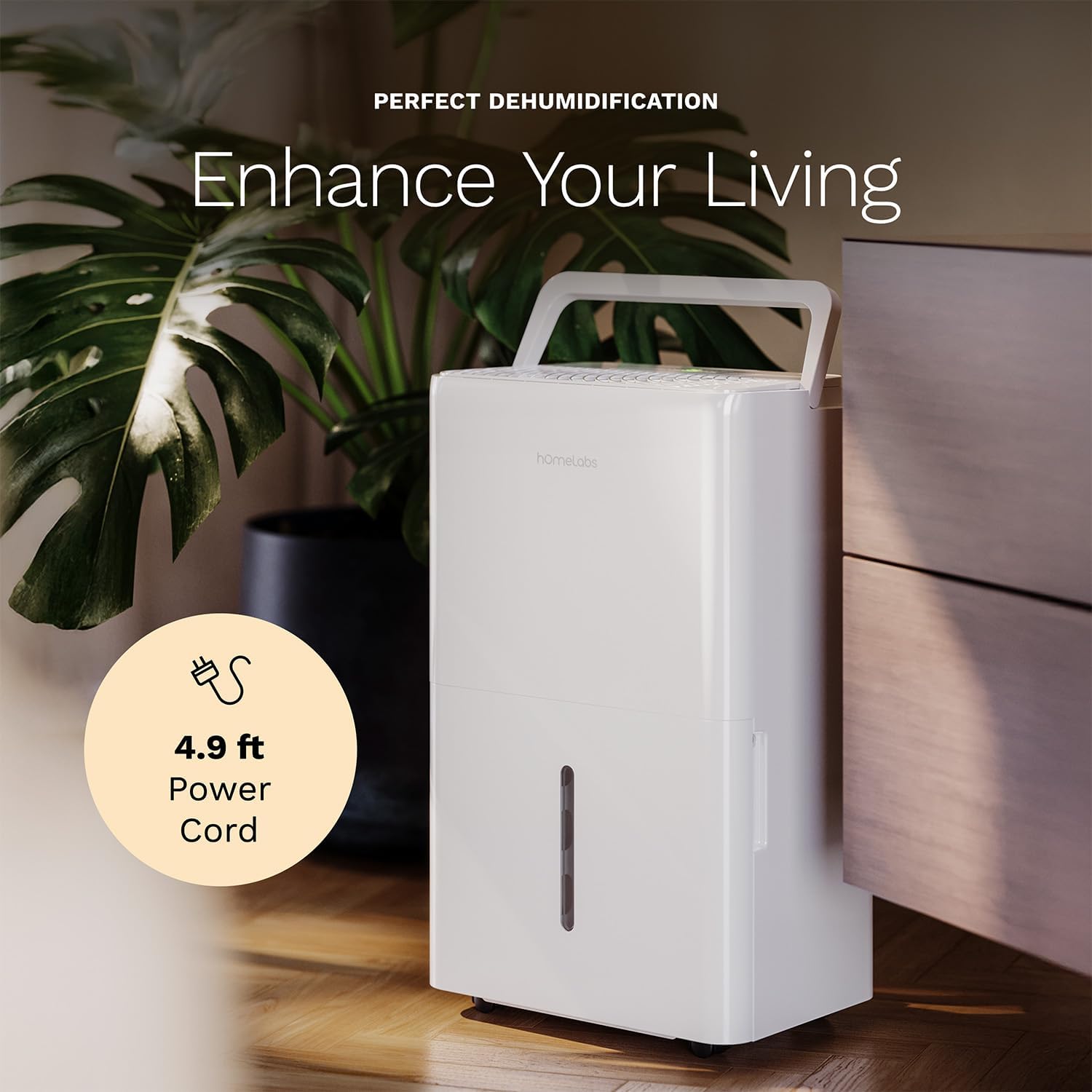
The dehumidifier positioned in a room, highlighting its 4.9 ft power cord for flexible placement.
- Drainage Option (Optional):

An image illustrating the two drainage options: using the built-in tank (manual emptying) or connecting a gravity drain hose for continuous drainage.
- Ntughari ntuziaka: The unit will collect water in the internal tank. When the tank is full, the unit will automatically shut off and indicate "Tank Full". Empty the tank as described in the Maintenance section.
- Mgbapu mmiri na-aga n'ihu: For continuous operation without emptying the tank, attach the included drain hose to the continuous drain outlet. Ensure the hose is sloped downwards to a suitable drain (e.g., floor drain, large bucket) to allow gravity drainage.
Ntuziaka ọrụ
Ọrụ Panel Control:
- Bọtịnụ ike: Pịa ka ịgbanwuo ma ọ bụ gbanyụọ unit ahụ.
- Humidity Setting Buttons (+/-): Adjust the desired humidity level from 35% to 85% relative humidity (RH) in 5% increments.
- Bọtịnụ Ọsọ Ọsọ: Cycle through High, Medium, and Low fan speeds.
- Bọtịnụ ngụ oge: Set a timer for automatic ON/OFF operation (1-24 hours).
- Comfort Mode Button: Activates a preset humidity level for optimal comfort.
- Bọtịnụ Wi-Fi: Activates Wi-Fi pairing mode.
Wi-Fi Smart Control:
Your dehumidifier can be controlled remotely via Wi-Fi using a smartphone app, Google Assistant, or Alexa.

The dehumidifier shown with icons indicating compatibility with Google Home and Alexa, along with a smartphone icon representing app control for remote operation.
- Budata ngwa: Download the hOmeLabs app from your smartphone's app store (iOS or Android).
- Na-ejikọta: Follow the in-app instructions to pair your dehumidifier with your home Wi-Fi network. This typically involves pressing and holding the Wi-Fi button on the control panel until the indicator light flashes.
- Njikwa anya: Once paired, you can adjust settings, monitor humidity levels, and set schedules from anywhere using your smartphone.
Nlekọta
Ndozi mgbe niile na-eme ka arụ ọrụ kacha mma na-agbatịkwu ogologo ndụ nke dehumidifier gị.
Ịpụpụ tank mmiri ahụ:
- When the water tank is full, the "Tank Full" indicator will illuminate, and the unit will stop operating.
- Jiri nlezianya wepụ tank mmiri ahụ n'ihu nke unit ahụ.
- Wepu mmiri a kpokọtara n'ime sink ma ọ bụ igbapu.
- Slide the empty tank back into the unit until it clicks into place. The unit will resume operation.
Na-ehicha ihe nzacha ikuku:
The "Filter" indicator light will illuminate after 250 hours of operation, reminding you to clean the filter. Clean the filter every two weeks or more frequently depending on usage and air quality.
- Gbanyụọ dehumidifier wee wepụ ya na oghere ọkụ.
- Wepu ihe nzacha ikuku n'azụ otu ahụ.
- Jiri mmiri ọkụ, ncha sachaa nzacha. Sachaa nke ọma.
- Kwe ka nzacha ahụ kpochaa kpamkpam tupu etinyegharịa ya. Ejila igwe nkụ ma ọ bụ ikpo ọkụ ozugbo.
- Once the filter is reinstalled, press and hold the "Filter" button for 3 seconds to reset the filter timer.
Nchacha izugbe:
- Jiri nwayọ hichaa mpụta nke otu ahụ, damp akwa .
- Ejila kemịkalụ siri ike, abrasives, ma ọ bụ ihe mgbaze.
- Na-asachapụ tank mmiri mgbe niile iji gbochie ebu na ibu ibu.
Nchọpụta nsogbu
Rụtụ aka na ngalaba a maka okwu nkịtị na azịza ha.
| Nsogbu | Ihe nwere ike ime | Ngwọta |
|---|---|---|
| Dehumidifier anaghị agbanwuo. | No power; Power cord not plugged in; Tank full. | Check power supply; Plug in power cord securely; Empty water tank. |
| Unit na-agba ọsọ mana ọ naghị anakọta mmiri. | Humidity setting too high; Room temperature too low; Air filter clogged. | Lower desired humidity setting; Ensure room temperature is above 41°F (5°C); Clean air filter. |
| Ngalaba na-eme mkpọtụ. | Unit not level; Air filter clogged; Fan obstruction. | Debe n'elu larịị; Nzacha ikuku dị ọcha; Lelee maka ihe mgbochi na mpaghara fan. |
| Nsogbu njikọ Wi-Fi. | Incorrect Wi-Fi password; Router too far; App issues. | Verify Wi-Fi password; Move unit closer to router; Restart app/unit. |
Nkọwapụta
| Njirimara | Nkọwa |
|---|---|
| Ụdị | hOmeLabs |
| Aha Nlereanya | hOmelabs - Dehumidifier - 25 Pint - WIFI (HME0088) |
| Dehumidification ikike | 25 Pints per Day (at 80°F, 60%RH) / MAX 64 Pints (at 95°F, 90%RH) |
| Mpaghara mkpuchi | Ruo 3,500 Sq Ft |
| Olu tank | 1 galọn |
| Akụkụ ngwaahịa (D x W x H) | 8.2"D x 12.2"W x 19.6"H |
| Ibu Ibu | 27.1 pound |
| Ụdị ọrụ | Akpaaka |
| Atụmatụ pụrụ iche | Adjustable Humidity Control, Automatic Defrost, Automatic Moisture Removal, Automatic Shutoff, Bucket Storage, Digital Display, Portable, Quiet Operation, Removable Tank, Timer, Washable Filter, Wi-Fi Enabled |
| Ịrụ ọrụ ike | Energy Star Most Efficient 2024 Certified |
Akwụkwọ ikike na nkwado
Your hOmeLabs 25 Pint Wi-Fi Dehumidifier comes with a standard manufacturer's warranty. For detailed warranty information, please refer to the official warranty document provided with your purchase or visit the hOmeLabs websaịtị.
Akwụkwọ akwụkwọ ikike: Budata akwụkwọ ikike (PDF)
For technical support, troubleshooting assistance, or to inquire about replacement parts, please contact hOmeLabs customer service. Contact information can typically be found on the hOmeLabs websaịtị ma ọ bụ na nkwakọ ngwaahịa gị.


