1. Ngwaahịa gafereview
The VIMIN 8-Port 10G Ethernet Switch is an unmanaged network switch designed to meet the high-speed networking demands of expanding enterprises and advanced home networks. It features eight 100M/1000M/2.5G/5G/10G Ethernet RJ45 ports with intelligent auto-negotiation, simplifying operational management across diverse networking environments. With a robust 160Gbps backplane bandwidth, this switch is ideal for applications requiring high data throughput, such as 10G NAS, 10G computers, 10G NICs, WiFi 6 routers, and 8K video streaming.
The switch is built with a durable metal case, includes 4KV lightning protection, and operates reliably within a temperature range of 0°C to 45°C (32°F to 113°F) and humidity levels of 10% to 90%. Its plug-and-play design ensures easy installation without requiring complex configuration.
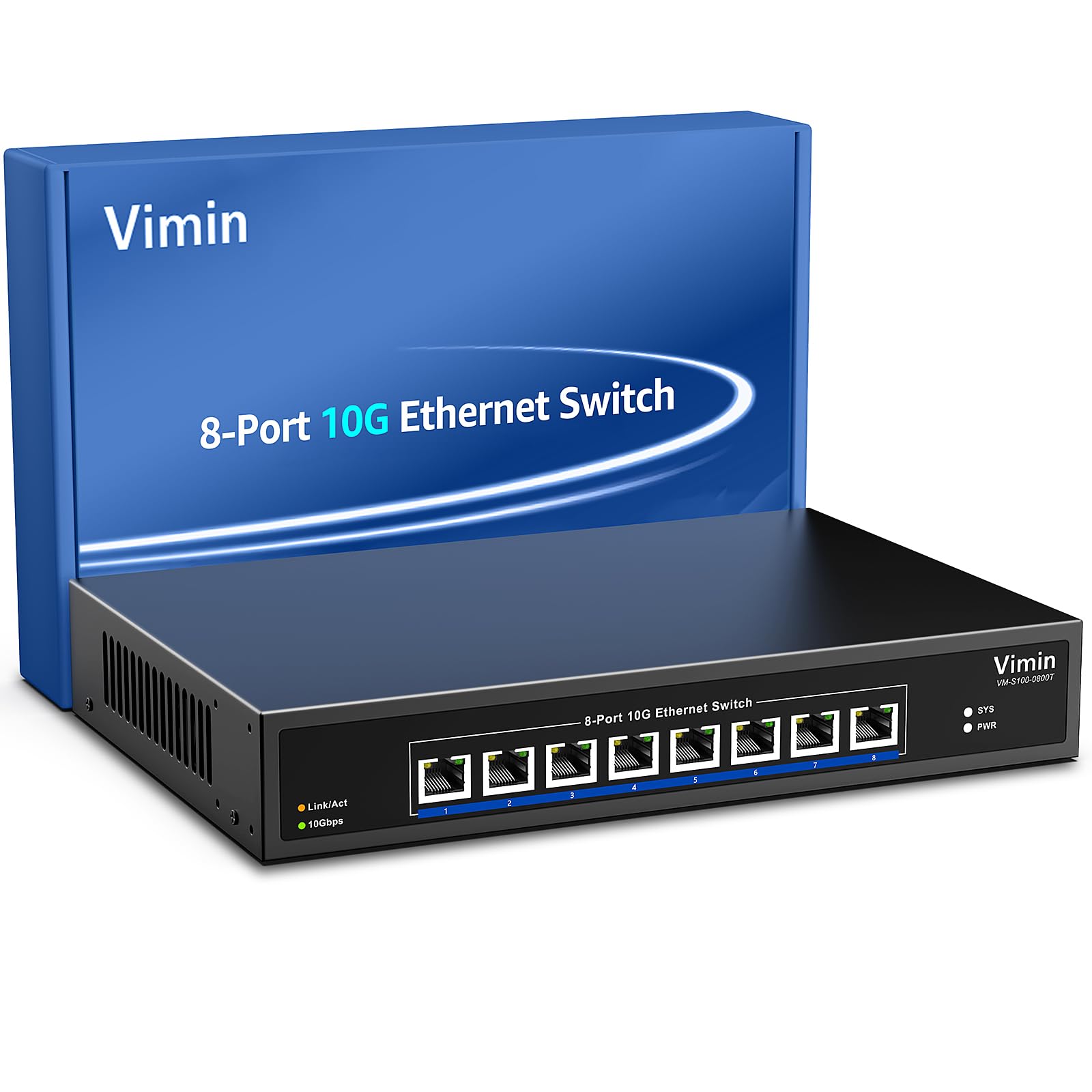
Image: The VIMIN 8-Port 10G Ethernet Switch, showcasing its compact design and highlighting features like 10G RJ45 ports, 160Gbps switch capacity, 12K Jumbo Frame, 119.04Mpps forwarding rate, and 16K MAC address table.
2. Ihe ngwugwu
- VIMIN 8-Port 10G Ethernet Switch (Model: 8x10G Ethernet)
- Ihe nkwụnye ọkụ
- 19-inch Rackmount Kit
- Akwụkwọ ntuziaka onye ọrụ
Video: An unboxing video demonstrating the contents of the VIMIN 8-Port 10G Ethernet Switch package, including the switch unit, power adapter, rackmount kit, and user manual.
3. Physical Description and Hardware Features
Ogwe ihu
The front panel features eight RJ45 ports, each supporting 100M/1G/2.5G/5G/10G speeds with auto-negotiation. LED indicators provide status information for power, system activity, and individual port link/activity and speed.
- Njikọ / Iwu LED: Indicates network link status and activity.
- 10Gbps LED: Indicates a 10Gbps connection speed.
- SYS LED: Flashing indicates normal operation.
- PWR LED: On when powered, off when powered off.

Image: A detailed diagram explaining the LED indicators on the VIMIN 8-Port 10G Ethernet Switch, showing what each color and state signifies for power, system, and port link/activity.
Ogwe azụ
The rear panel includes the AC power input (110-240V) and a grounding screw for enhanced safety. The device also features an industrial-grade 5000 RPM fan and vents for efficient heat dissipation, ensuring stable performance.

Image: The rear panel of the VIMIN 8-Port 10G Ethernet Switch, illustrating the AC 110-240V power input, grounding point, and cooling vents.
4. Nhazi
4.1 Ijikọ mgba ọkụ
- Connect the provided power adapter to the switch's power input and then to a power outlet.
- Connect your network devices (e.g., 10G NAS, PC, NIC, WiFi 6 router) to any of the 8 RJ45 ports using appropriate Ethernet cables (Cat6a or higher recommended for 10G speeds).
- The switch is plug-and-play; no configuration is required. It will automatically detect and negotiate the optimal speed for connected devices.
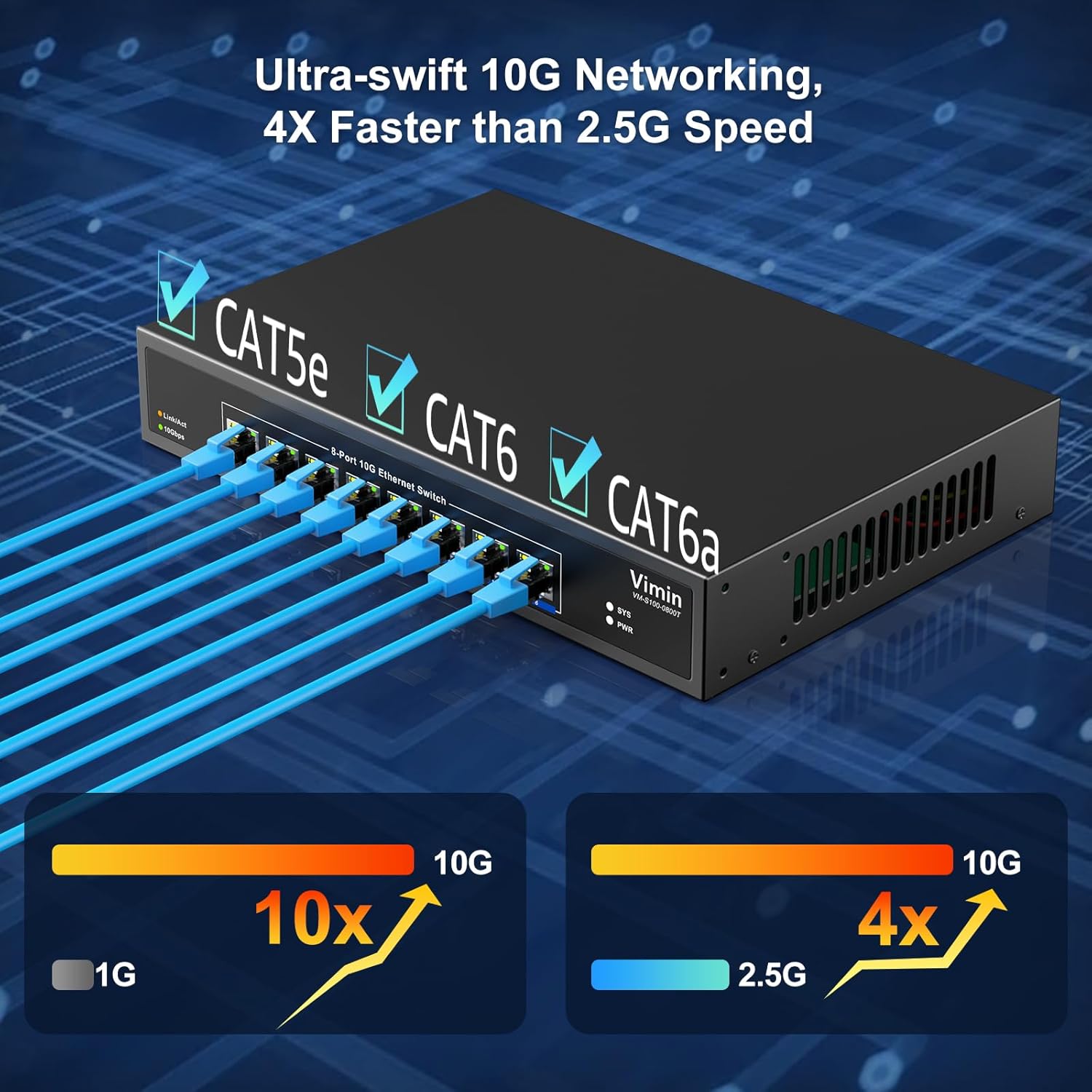
Image: A visual representation of the VIMIN 8-Port 10G Ethernet Switch connected to multiple devices such as a 10G NAS, PC, and WiFi 6 router, demonstrating its plug-and-play functionality.
4.2 Nhọrọ nrịgo
The VIMIN 8-Port 10G Ethernet Switch supports both desktop placement and 19-inch rack mounting, offering flexible deployment options for various environments.

Image: The VIMIN 8-Port 10G Ethernet Switch installed within a 19-inch rack, illustrating its rack-mount capability for organized network setups.
5. .rụ ọrụ
Once connected, the switch operates automatically. The auto-negotiation feature allows each port to detect the link speed of a connected network device (100M/1G/2.5G/5G/10G) and intelligently adjust for compatibility and optimal performance. The LED indicators on the front panel provide real-time status of the network connections.
Ihe ngosi LED pụtara
- PWR (Red): Solid red indicates the device is powered on.
- SYS (Green): Flashing green indicates normal operation.
- Link/Act (Yellow/Green): Yellow indicates 100M/1000M/2.5G/5G link/activity. Green indicates 10G link/activity.
Image: A detailed diagram explaining the LED indicators on the VIMIN 8-Port 10G Ethernet Switch, showing what each color and state signifies for power, system, and port link/activity.
6. Nlekọta
To ensure optimal performance and longevity of your VIMIN 8-Port 10G Ethernet Switch, follow these maintenance guidelines:
- Igwe ikuku: Ensure adequate airflow around the switch. Do not block the vents. The built-in fan helps maintain optimal operating temperatures.
- Nhicha: Regularly clean the exterior of the switch with a soft, dry cloth. Avoid using liquid cleaners or aerosols.
- gburugburu: Operate the switch within the specified temperature (0°C to 45°C) and humidity (10% to 90%) ranges. Avoid extreme conditions.
- Njikwa USB: Keep network cables organized to prevent strain on ports and improve airflow.
7. Nchọpụta nsogbu
If you encounter issues with your VIMIN 8-Port 10G Ethernet Switch, refer to the following common troubleshooting steps:
- Enweghị ike: Check if the power adapter is securely connected to both the switch and a working power outlet. Verify the PWR LED is illuminated.
- Enweghị njikọ na Port: Ensure the Ethernet cable is securely connected to both the switch port and the network device. Try a different cable or port. Verify the Link/Act LED is illuminated.
- Ọsọ nwayọ: Confirm that both the switch and the connected device support the desired speed (e.g., 10G). Ensure you are using appropriate Ethernet cables (Cat6a or higher for 10G). Check the 10Gbps LED for the port.
- Njikọ na-adịte aka: Check for loose cable connections. Ensure the switch is in a well-ventilated area to prevent overheating.
8. Nkọwapụta
| Njirimara | Nkọwa |
|---|---|
| Nọmba nlereanya | 8x10G Ethernet (Unmanaged) |
| Ọnụọgụ nke ọdụ ụgbọ mmiri | 8 x 100M/1000M/2.5G/5G/10G RJ45 Ports |
| Ike ịgbanwee | 160 Gbps |
| Ogwe osisi Jumbo | 12K |
| Ọnụego ebugharị | 119.04 Mpps |
| Tebụl adreesị MAC | 16K |
| Ntinye ike | AC 110-240V |
| Nchekwa ọkụ | 4KV |
| Okpomọkụ na-arụ ọrụ | 0°C ruo 45°C (32°F ruo 113°F) |
| Iru mmiri na-arụ ọrụ | 10% ruo 90% RH, na-abụghị condensing |
| Akụkụ (L x W x H) | 10.67 x 7.15 x 1.75 sentimita asatọ |
| Ibu Ibu | 4.27 pound |
9. Akwụkwọ ikike & Nkwado
VIMIN products are designed for reliability and performance. For any technical assistance or warranty inquiries, please refer to the contact information provided with your purchase or visit the official VIMIN support websaịtị. Debe akwụkwọ nnata ịzụrụ maka akwụkwọ ikike.


