Okwu mmalite
Thank you for choosing the Mibro Smartwatch Lite 3. This manual provides essential information for setting up, operating, and maintaining your device. Please read it carefully to ensure proper use and to maximize the performance of your smartwatch.
Ihe ngwugwu
Gbaa mbọ hụ na ihe niile dị na ngwugwu:
- Mibro Smartwatch Lite 3 (with strap)
- Igwe Oji Magnetik
- Akwụkwọ ntuziaka onye ọrụ
Ngwaahịa gafereview
The Mibro Smartwatch Lite 3 features a 1.3-inch AMOLED display, designed for clear visuals and intuitive interaction. It integrates various sensors for health monitoring and supports Bluetooth calling.
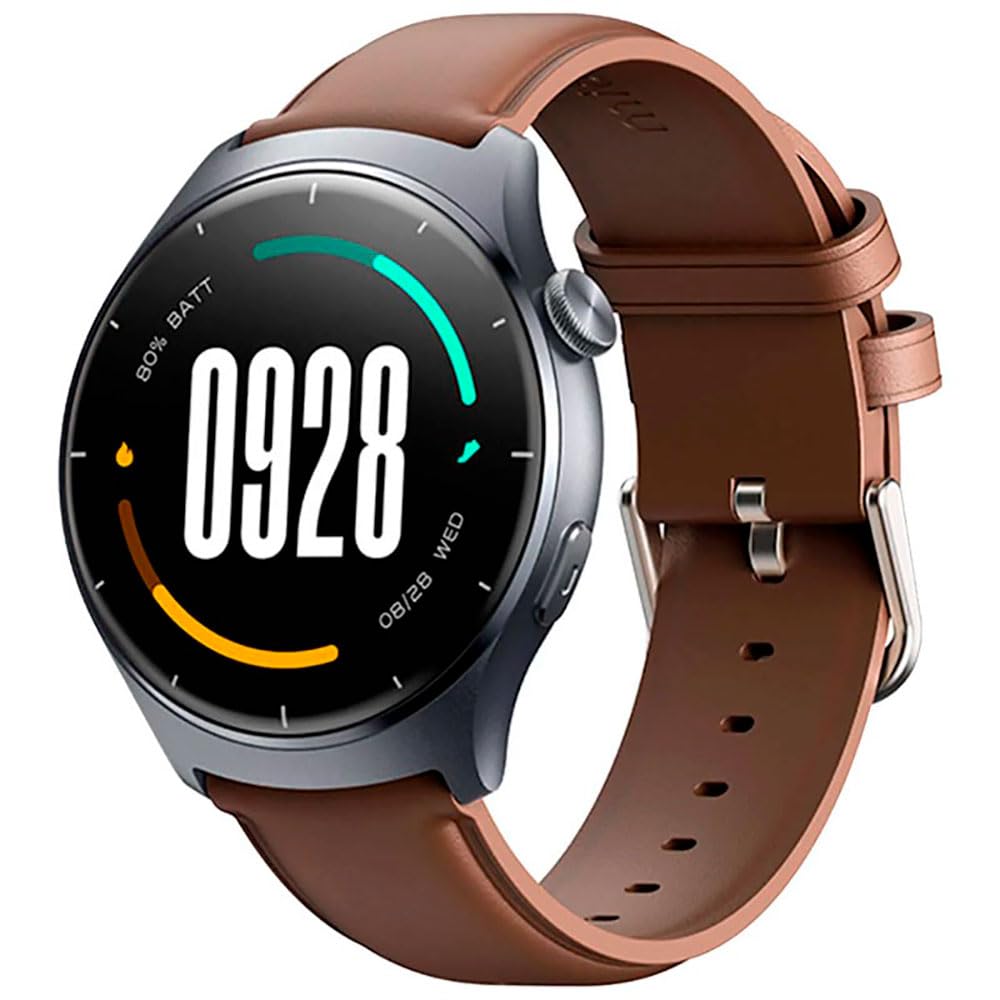
Foto: N'ihu view of the Mibro Smartwatch Lite 3, showcasing its round display and strap.
Melite
1. Ịchaji smartwatch
- Connect the magnetic charging cable to the charging contacts on the back of the smartwatch.
- Plug the USB end of the cable into a standard USB power adapter (5V/1A recommended) or a computer's USB port.
- The watch display will show a charging indicator. Ensure the watch is fully charged before first use.
2. Ngwa nwụnye na ijikọ
- Download the official Mibro Fit application from your smartphone's app store (App Store for iOS, Google Play Store for Android).
- Open the Mibro Fit app and create an account or log in.
- Gbaa mbọ hụ na agbanyere Bluetooth na ekwentị gị.
- In the Mibro Fit app, navigate to 'Device' or 'Add Device' and select 'Mibro Lite 3' from the list of available devices.
- Confirm the pairing request on both your smartphone and the smartwatch. A successful connection will be indicated on the watch display.
Na-arụ ọrụ
1. Nsoro ụzọ
- Mkpu ala: Nweta ntọala ngwa ngwa (dịka ọmụmaatụ, nchapụta, echegbula onwe gị, nchekwa batrị).
- Swipe elu: View ngosi.
- Sụgharịa akaekpe/aka nri: Navigate through widgets (e.g., heart rate, weather, activity data).
- Pịa bọtịnụ akụkụ: Return to the watch face or access the main menu.
- Long Press Side Button: Power on/off or restart the device.
2. Ụdị egwuregwu
The Mibro Lite 3 supports over 100 sports modes. To start a workout:
- From the main menu, select the 'Workout' or 'Sports' icon.
- Choose your desired activity (e.g., running, cycling, swimming).
- Tap 'Start' to begin tracking. The watch will display real-time data such as duration, heart rate, and calories burned.
- To pause or end a workout, press the side button or swipe on the screen as prompted.
3. Oku Bluetooth
Once paired with your smartphone, the Mibro Lite 3 allows you to make and receive calls directly from your wrist.
- Ịnata oku: When a call comes in, the watch will display the caller ID. Tap the green icon to answer or the red icon to reject.
- Ịkpọ oku: Access the 'Phone' or 'Dialer' function on the watch, then select a contact or dial a number.
4. Nlekọta ahụike
- Ọnụọgụgụ obi: Elekere ahụ na-enyocha obi gị mgbe niile. View real-time data by swiping to the heart rate widget or accessing the 'Heart Rate' app.
- SpO2 (Oxygen Ọbara): Measure your blood oxygen levels through the 'SpO2' app on the watch. Ensure the watch is snug on your wrist for accurate readings.
- Nchicha ụra: Wear the watch to bed for automatic sleep monitoring. Data on sleep stages and duration can be viewed in the Mibro Fit app.
- Stress Monitoring & Breath Training: Utilize these features to manage stress and improve relaxation.
5. Akụkụ ndị ọzọ
- Njikwa egwu: Control music playback on your smartphone directly from the watch.
- App Message Reminders: Receive notifications from various apps on your watch.
- Ihu igwe: Nweta mmelite ihu igwe ozugbo.
- Alarm, Timer, Stopwatch: Standard utility functions.
- Chọta ekwentị gị: Locate your paired smartphone by triggering an alert sound.
- Women's Health: Track menstrual cycles and related data.
Nlekọta
1. Nhicha
- Na-ehicha ahụ elekere mgbe niile ma jiri eriri dị nro, d hichaa ya.amp akwa .
- Ensure the charging contacts are free from dust and debris to maintain efficient charging.
- Zere iji kemịkalụ siri ike ma ọ bụ ihe na-ekpo ọkụ maka ihicha.
2. Mmiri Nguzogide
The Mibro Lite 3 is 2ATM waterproof, meaning it can withstand splashes, rain, and brief immersion in shallow water. It is suitable for activities like swimming in pools. However, it is not recommended for hot showers, saunas, or diving, as steam and high-pressure water jets may compromise the seal.
Nchọpụta nsogbu
- Lelee anaghị agbanye: Gbaa mbọ hụ na chajịrị elekere ahụ nke ọma. Jikọọ ya na chaja opekata mpe nkeji iri atọ.
- Enweghị ike ijikọ ya na ekwentị:
- Lelee ma agbanyere Bluetooth na ekwentị gị.
- Ensure the watch is within the Bluetooth range of your phone.
- Restart both the watch and your phone, then try pairing again.
- Make sure the Mibro Fit app is updated to the latest version.
- Data ahụike ezighi ezi: Ensure the watch is worn snugly on your wrist, about one finger's width from the wrist bone. Avoid excessive movement during measurements.
- Anataghị ọkwa:
- Check notification permissions for the Mibro Fit app in your phone settings.
- Ensure 'Do Not Disturb' mode is not active on either the watch or the phone.
- Verify that the app is running in the background on your phone.
- Ndụ batrị dị mkpụmkpụ: Reduce screen brightness, disable continuous heart rate monitoring if not needed, and limit background app refresh.
Nkọwapụta
| Njirimara | Nkọwapụta |
|---|---|
| Aha Nlereanya | Mibro Watch Lite 3 |
| Akụkụ | φ44.8mm, T=11.2mm (Without HR protrusion) |
| Ibu | 53.2g (with leather strap), 56g (with rubber strap) |
| Ngosipụta | 1.3-inch AMOLED, 360*360 resolution, AOD, PPI 277 |
| Njikọta | Bluetooth V5.3 |
| Ihe mmetụta | PPG Heart Rate/SpO2 Sensor/Accelerometer |
| Ngosi nke enweghị mmiri | 2ATM |
| Ndụ Batrị (Ụdị Kwa Ụbọchị) | Ruo ụbọchị 12 |
| Battery Life (Standby Mode) | Ruo ụbọchị 50 |
| Ndụ Batrị (Ụdị Egwu) | Ruo awa iri abụọ |
| Battery Life (BT-Calling Mode) | Ruo awa iri abụọ |
| Okpomọkụ na-arụ ọrụ | 0°C ~ 45°C |
Akwụkwọ ikike na nkwado
The Mibro Smartwatch Lite 3 comes with a 12-month warranty from the date of purchase. This warranty covers manufacturing defects under normal use. It does not cover damage caused by misuse, accidents, unauthorized modifications, or normal wear and tear.
For technical support, warranty claims, or further assistance, please contact Mibro customer service through the official Mibro websaịtị ma ọ bụ ozi kọntaktị enyere na akwụkwọ ịzụrụ ihe gị.


