1. Okwu mmalite
This manual provides detailed instructions for the setup, operation, and maintenance of your Tractive GPS Dog Tracker (2025 Release). This device is designed to help you monitor your dog's location, activity, and health, ensuring their safety and well-being.
Atụmatụ gụnyere:
- Real-time GPS Tracking: Monitor your dog's live location with frequent updates.
- Virtual Fences: Create safe zones and receive alerts if your dog leaves them.
- Akụkọ ebe: Review past movements to understand your dog's roaming patterns.
- Health Alerts & Bark Monitoring: Track sleep, activity, and barking patterns for early detection of potential health changes.
- Nhazi na-adịgide adịgide: Lightweight, waterproof, and built for outdoor adventures.
- Batrị na-adịte aka: Enjoy extended battery life with power-saving features.
A subscription plan is required for the tracker to function, covering the integrated SIM card and data costs.
2. Ntuziaka Nhazi
Follow these steps to set up your Tractive GPS Dog Tracker:
- Charge the Tracker: Before first use, fully charge your Tractive GPS Tracker using the provided charging cable. Connect the cable to the tracker and a USB power source.
- Download the Tractive GPS App: Download the free Tractive GPS app from your smartphone's app store (available for iOS and Android).
- Create an Account and Activate: Open the app, create a new account, and follow the on-screen instructions to activate your tracker. You will be prompted to choose a subscription plan during this process.
- Tinye na olu akwa: Securely attach the tracker to your dog's collar using the included rubber mount. Ensure it is snug but comfortable for your pet.
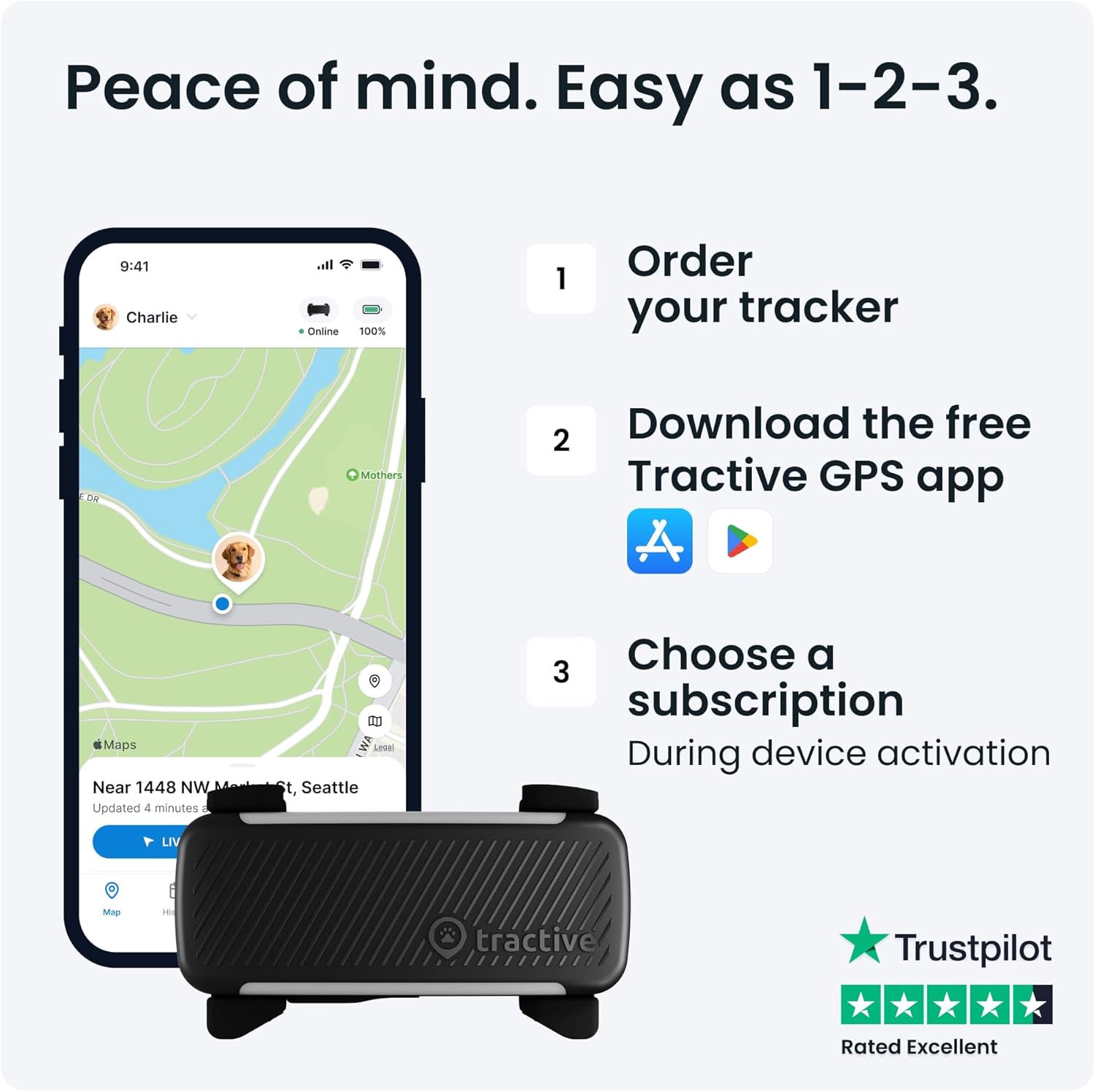
Nyocha 2.1: N'eluview of the Tractive GPS Tracker setup process, including app download and subscription activation.

Figure 2.2: The Tractive GPS Tracker securely attached to a dog's collar.
3. Ntuziaka ọrụ
Once your tracker is set up and active, you can utilize its features through the Tractive GPS app:
3.1 Real-time GPS Tracking
Open the Tractive GPS app to view your dog's current location on a map. The tracker provides location updates every 2-3 seconds, allowing for precise real-time monitoring. This feature is crucial for quickly locating your pet if they wander off.
3.2 Virtual Fences (Safe Zones)
Create custom safe zones (virtual fences) within the app. You will receive instant notifications on your smartphone if your dog enters or exits these predefined areas. This is ideal for securing your home, yard, or other frequently visited locations.
3.3 Location History
The app stores your dog's past movements, allowing you to review their location history. This can help you understand their routines and identify common routes or areas they explore.

Figure 3.1: Real-time GPS tracking and location history features in the Tractive app.
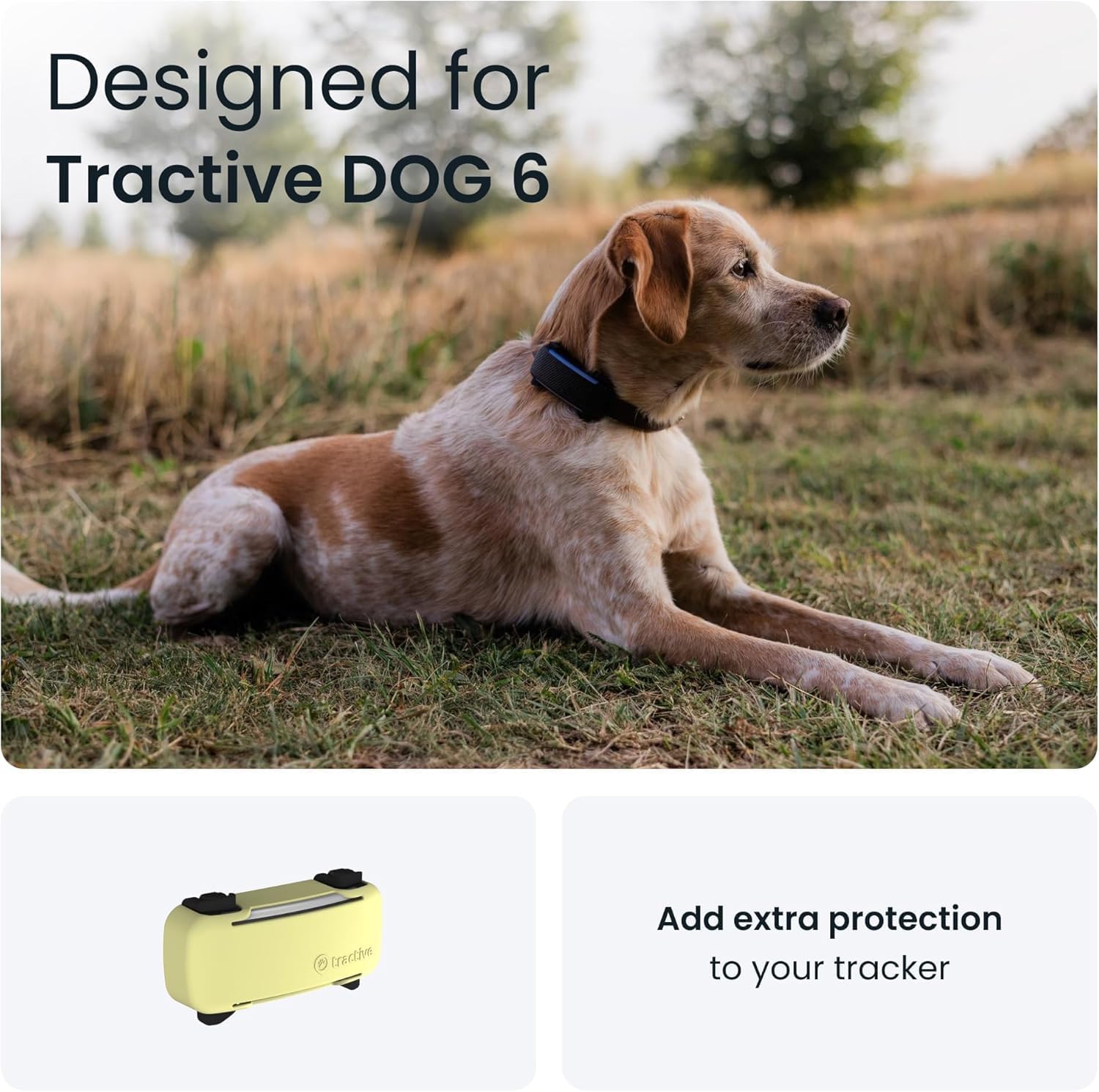
Figure 3.2: Virtual fence and danger alert features for enhanced pet safety.
3.4 Health Alerts & Bark Monitoring
The Tractive GPS Tracker monitors your dog's activity levels, sleep patterns, and barking frequency. If the app detects significant changes from their usual behavior, such as decreased activity or unusual barking, you will receive an alert. These alerts can help you identify potential health issues early and consult with your veterinarian.

Figure 3.3: Health and activity monitoring features of the Tractive GPS Tracker.
4. Nlekọta
4.1 Ịchaji batrị
The tracker's battery can last up to 10 days, with extended life possible when using Power Saving Zones (e.g., when connected to Wi-Fi at home). Charge the tracker regularly using the provided USB charging cable. A full charge ensures continuous tracking and monitoring.
4.2 Nhicha na Nlekọta
The Tractive GPS Tracker is waterproof and designed for outdoor use. To clean, wipe the device with a damp ákwà. Zere iji kemịkalụ siri ike ma ọ bụ ihe ndị na-emebi emebi. Hụ na kọntaktị chaja dị ọcha ma kpọọ nkụ tupu ị chaja.
4.3 Ogologo
The tracker is built to be rugged and withstand various outdoor conditions. However, avoid unnecessary impacts or extreme temperatures to prolong its lifespan.
5. Nchọpụta nsogbu
If you encounter issues with your Tractive GPS Dog Tracker, consider the following:
- No Location Updates:
- Gbaa mbọ hụ na a na-akwụ onye na-eso ya ụgwọ.
- Verify that LTE cellular coverage is available in the tracker's location.
- Check your subscription status in the Tractive GPS app.
- Restart the tracker and the app.
- Ndụ obere batrị:
- Ensure Power Saving Zones are configured for areas with Wi-Fi coverage.
- Frequent use of live tracking mode can drain the battery faster.
- Check for any app or firmware updates.
- Ngwa anaghị ejikọta:
- Gbaa mbọ hụ na ekwentị gị nwere njikọ ịntanetị kwụsiri ike.
- Update the Tractive GPS app to the latest version.
- Malitegharịa ekwentị ekwentị gị.
- Ebe ezighi ezi:
- GPS accuracy can be affected by dense foliage, tall buildings, or indoor environments.
- Ensure the tracker has a clear view nke igwe maka ezigbo nnabata mgbama GPS.
For further assistance, refer to the support section below.
6. Nkọwapụta
| Ụdị | Tractive |
| Nlereanya | Tractive GPS Dog Tracker (2025 Release) |
| ASIN | B0DW88LC68 |
| Ihe onwunwe | Plastic |
| Ụdị | Tracker w/ Cover |
| Ngwa gụnyere | Tractive GPS Tracker, Yellow Cover, SIM Card, Charging Cable, Rubber Mount |
| Ojiji akọwapụtara | Pet Monitoring, Location Tracking, Health & Activity Monitoring |
| Atụmatụ pụrụ iche | Geo-Fence, Real Time Tracking, Health Alerts, Bark Monitoring |
| Teknụzụ Njikọta | Cellular (LTE) |
| Ngwa akwadoro | Tractive GPS App |
| Dimensions (Tracker) | Approximately 2.8 inches (length) x 1.1 inches (width) |
| Weight (Tracker) | Ihe dị ka 1.4 ounces |
| Minimum Pet Weight | 8.8 lbs and above |

Figure 6.1: Physical specifications and included components of the Tractive GPS Tracker.
7. Akwụkwọ ikike Ozi
Tractive offers a nkwa azụghachi ego nke ụbọchị 30. For specific warranty terms and conditions, please refer to the official Tractive websaịtị ma ọ bụ kpọtụrụ nkwado ndị ahịa.
8. Nkwado ndị ahịa
For any questions, technical assistance, or support regarding your Tractive GPS Dog Tracker, please visit the official Tractive support page or contact their customer service team. Support resources are also available directly through the Tractive GPS app.
Ị nwere ike ịchọta ozi ndị ọzọ na nkọwa kọntaktị na Tractive Support Websaịtị.


