Ngwaahịa gafereview
The Gravity C28 Rugged Smartwatch is designed for durability and comprehensive health and fitness tracking. It features a 2.02-inch TFT high-resolution display, AI-generated watch faces, and over 100 sports modes. This device also includes Bluetooth calling, smart notifications, and robust water, shock, and dust resistance.

Foto: N'ihu view of the Gravity C28 Rugged Smartwatch, showcasing its robust design and digital display.
Atụmatụ igodo
- 2.02" HD Display: Clear visuals with 320x390 resolution and customizable watch faces.
- Nyocha ahụike zuru oke: Monitors heart rate, sleep patterns, step count, and calories.
- Ụdị egwuregwu 100+ Tracks various activities including running, cycling, and hiking.
- Bluetooth Calling & Smart Alerts: Answer calls and receive notifications directly from the wrist.
- Na-adịgide adịgide & na-eguzogide ihu igwe: 1 ATM waterproof, shockproof, and dustproof design.
- Ogologo ndụ batrị: Up to 25 days standby time with a 410mAh battery.
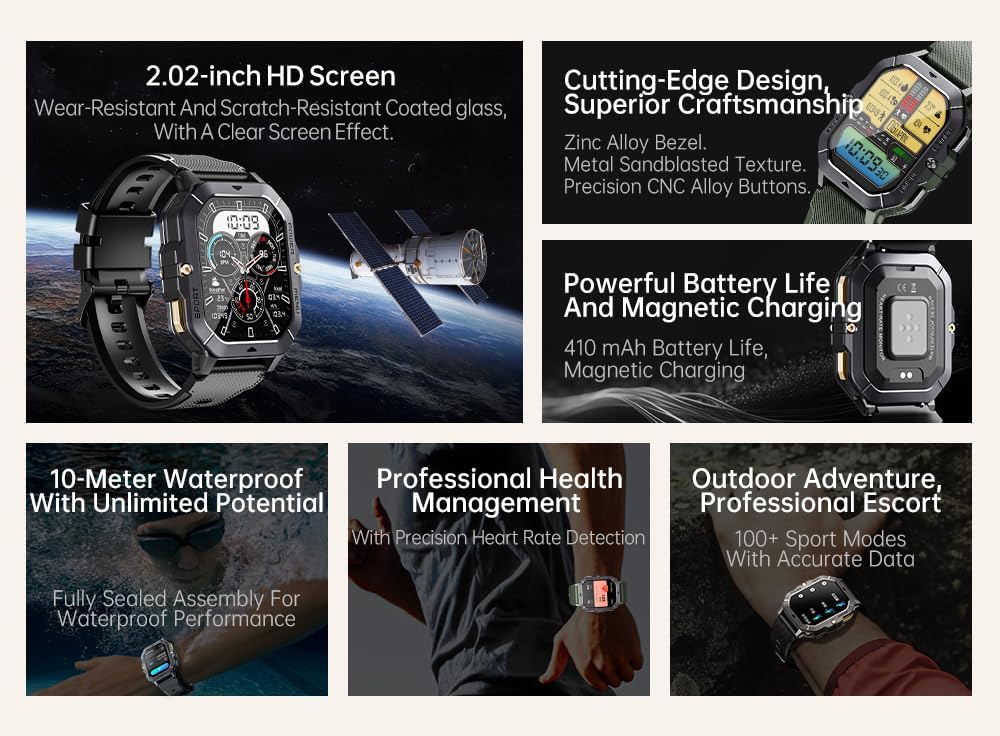
Image: Visual summary of the smartwatch's features, including HD screen, craftsmanship, battery life, waterproofing, health management, and sports modes.
Kedu ihe dị na Igbe ahụ
Upon unboxing your Gravity C28 Smartwatch, please ensure all components are present:
- Gravity C28 Smartwatch
- Ịchaji eriri
- Akwụkwọ ntuziaka (akwụkwọ a)
Melite
1. Ịchaji ngwaọrụ
Before first use, fully charge your Gravity C28 Smartwatch. Connect the magnetic charging cable to the charging points on the back of the watch and plug the USB end into a compatible power adapter (not included) or a computer USB port.

Image: Close-up of the smartwatch's rear, showing the magnetic charging pins and the charging cable attached.
2. Ịgbanye / gbanyụọ
- Ike Na: Press and hold the 'POWER' button (typically the top right button) until the screen illuminates.
- Gbanyụọ: Press and hold the 'POWER' button, then select 'Power Off' on the screen, or continue holding until the device shuts down.
3. Ngwa nwụnye na ijikọ
The Gravity C28 Smartwatch uses the Da Fit application for full functionality and data synchronization. The app is compatible with both Android and iOS devices.
- Download the 'Da Fit' app from your device's app store (Google Play Store for Android, Apple App Store for iOS).
- Open the Da Fit app and follow the on-screen instructions to create an account or log in.
- Gbaa mbọ hụ na agbanyere Bluetooth na ekwentị gị.
- In the Da Fit app, navigate to 'Add Device' or 'Bind Device'.
- Select 'C28' from the list of available devices.
- Kwenye arịrịọ njikọta na ma ekwentị gị ma smartwatch.
Na-arụ ọrụ Smartwatch
Nsoro ụzọ
- Ihuenyo mmetụ aka: Swipe left, right, up, or down to navigate through menus and access different functions. Tap to select.
- 'POWER' Button: Short press to return to the watch face or wake the screen. Long press for power options.
- 'MENU' Button: Short press to access the main menu.
- 'SPORT' Button: Short press to quickly access sports modes.

Foto: Examples of different menu display modes available on the smartwatch, such as Grid View, Surface, Parallel, and Helm.
Bluetooth Calling and Smart Alerts
Once paired with your smartphone, the Gravity C28 allows you to manage calls and notifications directly from your wrist.
- Ịza oku: When an incoming call is received, the watch will display the caller ID. Tap the green phone icon to answer.
- Ịkpọ oku: Access the dial pad or contact list through the watch's menu to initiate calls.
- Amamọkwa: Receive alerts for messages, social media, and other app notifications. Swipe down from the watch face to view ọkwa ndị na-adịbeghị anya.

Image: Two Gravity C28 smartwatches displaying an incoming call and a message alert, demonstrating the Bluetooth call and message alert features.
AI Watch Face and DA GPT
The smartwatch supports AI-generated watch faces for personalization and integrates with DA GPT for interactive features.
- AI Watch Face: Customize your watch face by providing text prompts to the AI, which will generate unique designs.
- DA GPT: Interact with the DA GPT feature to explore new ideas or learn new things directly from your watch.

Image: Diagram illustrating the DA GPT interaction flow and the AI Watch Face generation process, showing how users can request custom watch face backgrounds.
Ụdị egwuregwu
The Gravity C28 offers over 100 sports modes to accurately track your physical activities. Access these modes via the 'SPORT' button or the main menu.
- Select your desired sport (e.g., running, cycling, swimming).
- The watch will begin tracking relevant metrics such as duration, distance, calories burned, and heart rate.
- End your workout by following the on-screen prompts. Data will sync with the Da Fit app.
Nlekọta ahụike
The smartwatch provides continuous monitoring of various health metrics.
- Ọnụọgụgụ obi: Nlekota obi n'oge a.
- Nleba anya ụra: Analyzes sleep patterns, including deep sleep, light sleep, and awake times.
- Step Counter & Calories: Tracks daily steps and estimated calories burned.
- SpO2, Blood Pressure, Stress: Provides readings for blood oxygen saturation, blood pressure, and stress levels.

Image: Screenshots of the smartwatch display showing various health metrics: Heart Rate, SpO2, Blood Pressure, Stress, Sleep, and Cycle Tracking.
Nlekọta
Nhicha
Regular cleaning helps maintain the smartwatch's appearance and functionality.
- Jiri akwa dị nro hichaa ihuenyo na ahụ.
- Maka unyi isi ike, ntakịrị dampen akwa na mmiri. Zere kemịkalụ siri ike ma ọ bụ ihe na-emebi emebi.
- Gbaa mbọ hụ na kọntaktsị chajị dị ọcha na akpọnwụwo tupu chajịa.
Mmiri Nguzogide
The Gravity C28 is 1 ATM waterproof, meaning it can withstand splashes, rain, and brief immersion in shallow water. It is suitable for daily cleaning, sweating, and getting wet by rain.

Image: The smartwatch being used underwater, illustrating its 1 ATM waterproof capability for activities like snorkeling, and icons for daily cleaning, sweat, and rain resistance.
Ihe dị mkpa: While waterproof, avoid prolonged exposure to hot water, steam, or high-pressure water jets. Do not operate buttons underwater.
Nchekwa
Store the smartwatch in a cool, dry place away from direct sunlight and extreme temperatures when not in use for extended periods.
Nchọpụta nsogbu
- Lelee anaghị agbanye: Gbaa mbọ hụ na chajịrị elekere ahụ nke ọma. Jikọọ ya na chaja opekata mpe nkeji iri atọ.
- Enweghị ike ijikọ na ekwentị:
- Gbaa mbọ hụ na agbanyere Bluetooth na ekwentị gị na elekere.
- Make sure the watch is within Bluetooth range (approx. 10 meters).
- Malitegharịa ma elekere ahụ ma ekwentị gị.
- Hichapụ ihe nchekwa Bluetooth dị na ekwentị gị (Android) ma ọ bụ chefuo ngwaọrụ ahụ wee jikọta ya ọzọ (iOS).
- Data ahụike ezighi ezi:
- Gbaa mbọ hụ na etinyere elekere nke ọma na nkwojiaka gị, ọ bụghị nke tọgbọrọ chakoo ma ọ bụ nke siri ike.
- Hichaa ihe mmetụta dị n'azụ elekere.
- Zere oke mmegharị n'oge nha.
- Amamọkwa anaghị apụta:
- Check notification permissions in the Da Fit app and your phone's settings.
- Ensure the Da Fit app is running in the background.
- Verify that the watch is connected via Bluetooth.
- Ndụ batrị dị mkpụmkpụ:
- Belata nchapụta ihuenyo.
- Disable continuous heart rate monitoring if not needed.
- Limit the number of active notifications.
- Ensure background app refresh for Da Fit is enabled on your phone.
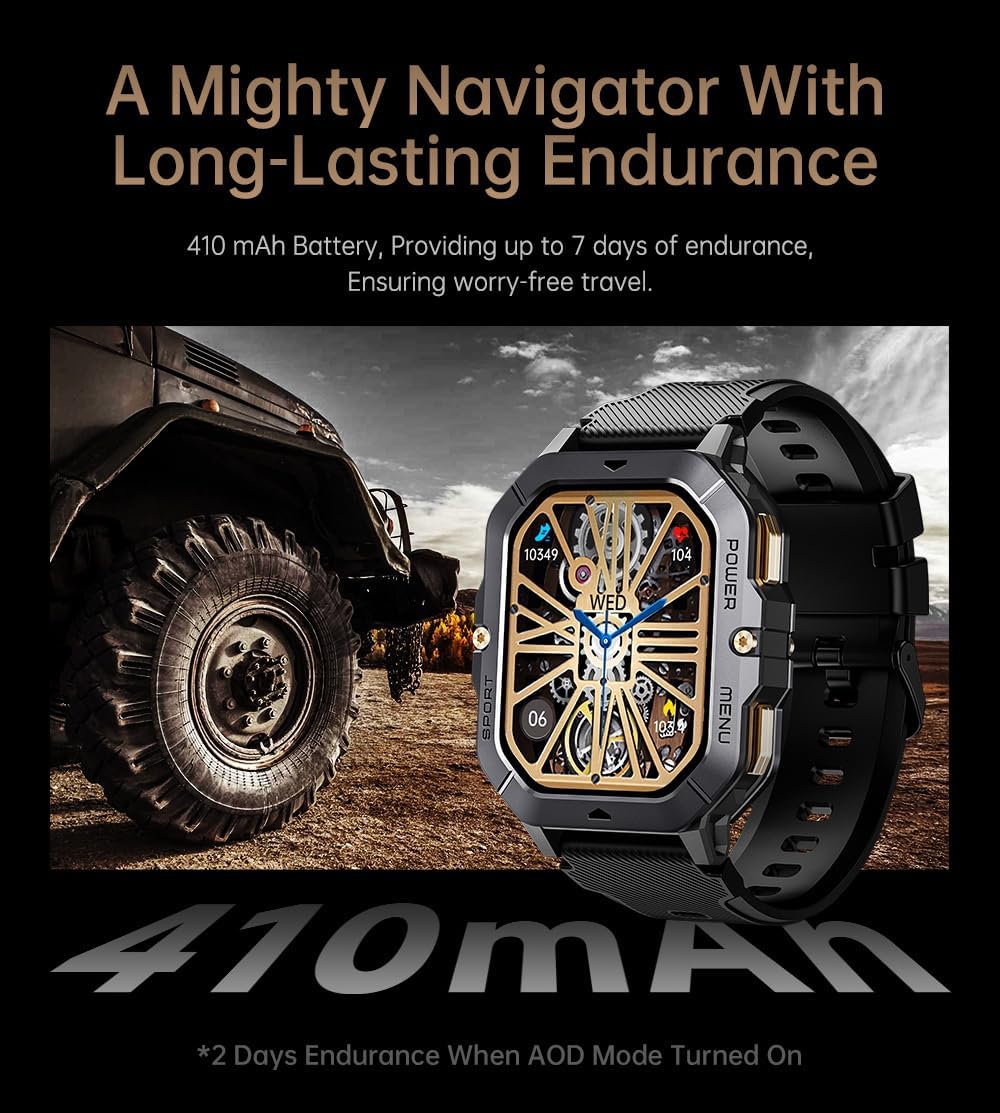
Image: The smartwatch displayed next to a large tire, emphasizing its ruggedness and long-lasting 410 mAh battery, providing up to 7 days of endurance (2 days with AOD mode).
Nkọwapụta
| Njirimara | Nkọwa |
|---|---|
| Nọmba nlereanya | W4-C28 |
| Ngosipụta nha | 2.02 Inches TFT |
| Ike batrị | 410 mAh |
| Sistemụ nrụọrụ | Android OS (compatible with Android & iOS via Da Fit app) |
| Njikọta | Bluetooth |
| Mmiri Nguzogide | 1 ATM |
| Ibu Ibu | 1 pound |
| Akụkụ | 9 x 4 x 1 inch (Ngwugwu) |
| Ụdị batrị | Lithium polymer |
Akwụkwọ ikike na nkwado
Ozi akwụkwọ ikike
Warranty details for the Gravity C28 Smartwatch are typically provided with your purchase documentation. Please refer to the warranty card or contact your retailer for specific terms and conditions regarding coverage and duration.
Nkwado ndị ahịa
For technical assistance, troubleshooting not covered in this manual, or inquiries regarding your device, please contact Gravity customer support through the contact information provided on the product packaging or the official Gravity websaịtị.


